
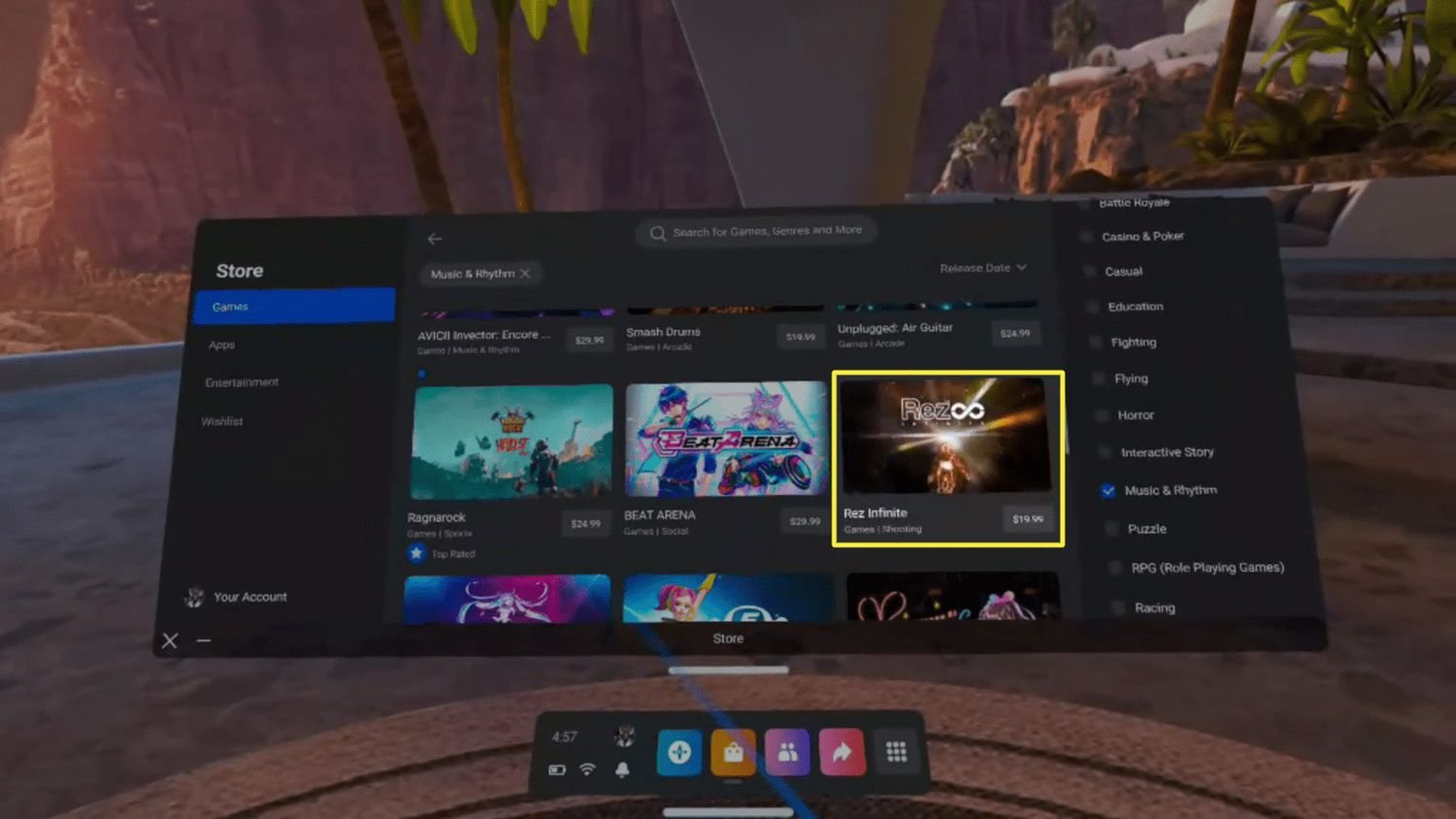
To buy VR games, you’ll typically use the store associated with your headset, like the Meta Quest Store or SteamVR, browsing for titles and purchasing them digitally.
So, you’re ready to jump into the immersive world of virtual reality but wondering how to buy vr games? It’s actually quite straightforward, and similar to buying regular digital games. Most VR headsets have their own dedicated stores.
These stores allow you to browse through a catalog of titles designed for your specific headset. You’ll find a range of genres and experiences to choose from. Purchasing is typically done with a credit card or through a digital wallet.

How to Buy VR Games: A Beginner’s Guide
So, you’ve got your awesome VR headset and you’re ready to jump into some amazing virtual worlds! But where do you even start when it comes to buying games? It can feel a little confusing at first, but don’t worry, we’re here to help. This guide will walk you through everything you need to know about getting the best VR games for your setup.
Understanding VR Game Platforms
Before we dive into buying games, it’s important to know where you’ll be getting them from. Just like consoles and computers, VR has its own stores and platforms. The main places you’ll find VR games include:
Specific Headset Stores
- Meta Quest Store: If you have a Meta Quest 2, Meta Quest 3, or Meta Quest Pro, this is your primary source. Think of it like the app store on your phone, but for VR. You can browse games directly from your headset, or on a computer. They often have special sales and deals.
- PlayStation VR Store: For PlayStation VR and PlayStation VR2 owners, the PlayStation Store is where you’ll find your games. It’s integrated right into the PlayStation console, making it super easy to use.
- SteamVR: If you have a PC-powered VR headset like Valve Index, HTC Vive, or Oculus Rift (or Rift S), then Steam is a great place to look for games. Steam has a HUGE library of VR games from many different creators.
Other Digital Game Stores
- Oculus Store (for PC): Even if you don’t have a Meta/Oculus PC headset, some Oculus games can still be played on your PC, and some are exclusive to that platform.
- GOG.com: GOG, short for Good Old Games, is another digital game store. While known for classic games, they do have some VR titles as well.
- Humble Bundle: Humble Bundle often has bundles that include VR games, and a part of the money often goes to charities. This a great way to get a few games at a lower price.
Choosing the Right VR Games
Okay, so now that you know where to look for games, let’s talk about how to choose which ones to buy. With so many choices, how do you figure out what is good for you? Here are some things to consider.
What kind of games do you like?
Just like regular video games, VR games come in all shapes and sizes. Think about what you enjoy playing normally. Do you like:
- Action games? Fast-paced shooters, sword fighting games, or anything that makes you move and react quickly.
- Puzzle games? Games that make you think and solve riddles, often using the VR controllers in cool ways.
- Adventure games? Games where you explore big worlds and experience stories.
- Simulation games? Games that try to copy real-life experiences like driving, flying, or cooking.
- Sports games? Games where you play sports like tennis, golf, or boxing in VR.
- Relaxing experiences? Games where you just chill and enjoy beautiful scenery, or experience fun social events with other players.
Looking at categories that interest you can help narrow down your choices.
Reading Reviews
Before you spend your money, take some time to read reviews. Here is why:
- Get other people’s opinions: See what other people are saying about the game. Did they have fun? What did they like or not like?
- Learn about bugs: Sometimes games can have problems (bugs). Reviews can help you know if a game has many bugs that might make it not so fun to play.
- Check the game length: Find out how long the game is. Some are short and sweet, others can keep you busy for hours.
Websites that often have good VR game reviews include:
- Steam User Reviews: Steam reviews are often very detailed and helpful.
- IGN and GameSpot: These websites often give their opinions on VR games.
- YouTube: Check out gameplay videos and see what the game is actually like to play.
Watching Gameplay Videos
Reviews are good, but watching gameplay videos is even better! Sometimes you need to see a game to truly understand what it’s all about. Watching videos helps to:
- See the game in action: You can see how the game looks, feels, and plays.
- Understand the controls: Learn how you control things within the game before you buy it.
- See if the gameplay is your style: See if the game looks like something you would enjoy.
Many channels on YouTube focus solely on VR gameplay. Looking at these can give you a very good idea of whether a game is right for you.
Game Compatibility
It is very important to make sure a game is compatible with your specific VR headset. Some games will work only on certain headsets, so you have to pay attention when you look to buy a new VR game. Here is what you need to know:
- Platform Specific Games: Some games are made just for Meta Quest, and not for PlayStation VR, and vice-versa. Pay attention to store pages when buying.
- PC VR Requirements: If you have a PC-powered VR headset, you’ll need to make sure your computer can handle the game. Check the minimum requirements on the game’s store page.
- Controller Compatibility: Some games may be better with specific types of VR controllers. Make sure the game supports your type of controllers.
Demo Versions and Free Games
Sometimes you can try a game before you buy it!
- Demos: Many game stores have demos. These are shorter versions of the game that you can play to see if you like them.
- Free Games: Some games are free to play, either permanently or for a trial period. This is a great way to test out VR games.
- SideQuest for Meta Quest: If you have a Meta Quest, SideQuest is a great place to find free games and demos from independent creators.
Budgeting for VR Games
Like any other hobby, buying VR games can add up. It’s wise to set a budget and find ways to save money.
Price Ranges for VR Games
- Indie Games: Smaller games from independent creators tend to be cheaper (around $10 to $20).
- AAA Games: Bigger games from big companies tend to be more expensive (around $30 to $60).
- Free-to-play Games: Some are totally free, and others have paid extras (like special items or ways to make the game easier) that you can buy if you want.
Sales and Deals
Be on the lookout for sales! Game stores often have sales, especially around holidays.
- Holiday Sales: Stores like Steam, Meta, and PlayStation have very big sales on holidays like Christmas, Black Friday, and others.
- Weekly Sales: Many digital stores run smaller sales weekly.
- Bundles: Buying a bundle of games is a great way to save money and get a few games at the same time.
Gift Cards
Consider using gift cards. If you get a gift card for a specific store, you can put that towards a VR game purchase. This is a good way to save, or to receive a game you want as a gift.
The Buying Process
Let’s talk about the actual process of buying a VR game. It is not too difficult, but you do have to know where to look.
Buying Directly Through Your Headset
Many VR headsets have their own stores built right in. To buy a game using your headset, you can:
- Put on your headset.
- Go to the store (like Meta Quest Store).
- Browse or search for a game.
- Click on the game you want to buy.
- Follow the on-screen steps to buy and pay.
Buying on a Computer
You can buy most VR games on a computer, even if you play them using your VR headset.
- Go to the VR game store’s website (like Steam, Oculus, or PlayStation Store).
- Sign in to your account.
- Search or browse for a game.
- Add the game to your cart.
- Complete the checkout process.
If you buy on your computer, the game will often start downloading on your VR headset the next time you use it, or it will let you know that your next step is to go to your headset to start downloading.
Using a Payment Method
Most digital stores accept credit cards or debit cards. Some also accept online payment services such as PayPal. If you get a gift card, you can use that as well. Be sure to use a payment method you feel comfortable with, and that you are authorized to use.
Installing Your VR Games
Once you’ve bought your game, it’s time to install it!
- Automatic Installation: Most games will automatically download and install after you buy them. Check the store page or your game library to see if the game is downloading.
- Manually Downloading: For some games, you might need to go into your library to start the download manually.
- Storage Space: Make sure you have enough space on your VR device for the game. Big games can take up a lot of storage, so check your available space.
Dealing with Issues
Sometimes, things don’t go as planned. Here are some common problems, and what you can do:
Game Won’t Start
- Restart: Try restarting your VR device or computer.
- Check Minimum Requirements: Make sure your PC or VR headset meets the game’s requirements.
- Drivers: Make sure all your software is up to date, such as your computer’s graphics card.
Game is Laggy
- Graphics Settings: Lower the graphics settings if the game is running slowly, as this will help a slow computer to run a little better.
- Close Other Apps: Close apps you are not using. The less apps open, the better your computer can run the VR game.
Contact Support
If you can’t fix a problem on your own, don’t worry. Contact the game’s support, or the store’s support. They are there to help you!
Buying VR games can be very fun and exciting. Take some time to do a little research, read some reviews, watch some game videos, and pick games that are interesting to you. Have fun in the virtual world!
How to Buy Games on Meta Quest 2?
Final Thoughts
To buy vr games, first, explore digital stores like Steam, Oculus, or PlayStation Store. Find titles matching your VR headset and preferred genres. Read reviews and compare prices before purchasing.
Ensure you have a compatible device. Consider bundles that may offer discounts. Download and install your bought games and start playing.
Ultimately, ‘how to buy vr games’ involves navigating the digital storefronts and making informed decisions based on compatibility and personal taste.

