
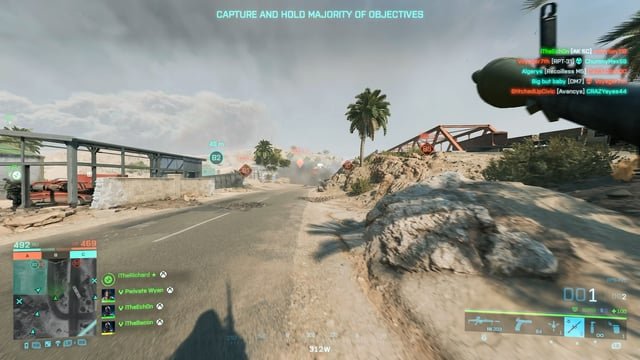
To capture the perfect “Battlefield moment” on video, anticipate key events, use smooth camera movements, and edit for maximum emotional impact.
Ever found yourself replaying a “Battlefield” match in your head, wishing you had recorded that epic kill streak or hilarious glitch? You are not alone.
Learning how to capture the perfect “Battlefield moment” on video is a skill that adds another layer to your enjoyment of the game. Imagine sharing those unforgettable moments with friends, or even building a highlight reel.
It is about more than just pressing record; it’s about anticipation, technique, and a little bit of editing magic. This guide will give you the tips and tricks needed to record awesome clips.

How to Capture the Perfect “Battlefield Moment” on Video
Capturing epic “Battlefield” moments on video requires planning and execution. You must master the game and the recording tools.
Understanding the Game and Potential Moments
Knowing “Battlefield” inside and out is crucial. Predict where the action will be.
Understand map layouts and popular engagement zones. This anticipation is key to catching a perfect shot.
Identifying Key “Battlefield” Events
What constitutes a “Battlefield moment?” It goes beyond simple kills.
Consider strategic plays, skillful maneuvers, and unexpected events. These are the moments that truly resonate with viewers.
Multi-Kills: Chain kills demonstrate skill and awareness.
Objective Captures: Clutch objective captures under pressure highlight teamwork.
Vehicle Stunts: Creative vehicle usage showcases ingenuity.
Unexpected Events: Glitches, funny moments, or lucky shots offer humor.
Mastering “Battlefield” Mechanics
Become proficient with “Battlefield’s” gameplay mechanics. Understand weapon handling, vehicle controls, and class abilities.
Use this knowledge to position yourself effectively for capturing action. A skilled player can anticipate and react better.
Choosing the Right Recording Software
Selecting the right recording software is essential. Several options cater to different needs and budgets.
Consider features, performance impact, and ease of use. Compatibility with your system is also crucial.
Popular Recording Software Options
Explore various recording software options to find the best fit. Each has strengths and weaknesses.
Test a few to see which aligns with your workflow and preferences. Performance impact is especially important for smooth gameplay.
Nvidia Shadowplay: This comes bundled with Nvidia GPUs. It’s hardware-accelerated and lightweight.
OBS Studio: OBS is a free, open-source option with extensive customization. It’s popular for streaming and recording.
Action!: A paid option known for its user-friendly interface. Action! provides various recording modes.
Bandicam: Bandicam is another paid option offering screen recording and game recording capabilities. It focuses on high compression ratios.
Configuring Recording Settings for Optimal Quality
Properly configure your recording settings for the best quality. Balance file size and visual fidelity.
Consider your target platform (YouTube, Twitch, etc.) and their recommended settings. Higher resolution and frame rates demand more processing power.
Resolution: 1080p (1920×1080) is a good starting point. 1440p or 4K offer even higher quality.
Frame Rate: 60 frames per second (FPS) is ideal for smooth action. 30 FPS is acceptable but less fluid.
Bitrate: The bitrate determines the amount of data recorded per second. A higher bitrate means better quality but larger file sizes. Experiment to find a good balance.
Codec: H.264 is a widely supported codec. H.265 (HEVC) offers better compression but may require more processing power.
Optimizing Your System for Recording
Recording gameplay can be resource-intensive. Optimize your system for the best performance.
Close unnecessary programs and adjust in-game settings. This ensures smooth recording without lag or stuttering.
Closing Unnecessary Programs
Free up system resources by closing unnecessary programs. This includes background applications and resource-heavy software.
This step is crucial, especially on lower-end systems. More available RAM and CPU power will help.
Web Browsers: Close all browser windows and tabs.
Background Apps: Disable unnecessary startup programs.
Overlays: Disable third-party overlays that consume resources.
Music Players: Close music players or streaming services.
Adjusting In-Game Graphics Settings
Lowering in-game graphics settings can improve performance during recording. Prioritize frame rate over visual fidelity.
Experiment with different settings to find a sweet spot. Some settings impact performance more than others.
Texture Quality: Reduce texture quality slightly if needed.
Shadow Quality: Shadows can be resource-intensive. Lowering shadow quality can boost performance.
Anti-Aliasing: Disable or reduce anti-aliasing.
Effects: Lower the quality of special effects.
Utilizing In-Game Recording Features (If Available)
Some “Battlefield” games offer built-in recording features. Explore these options for convenience.
These features may provide replay functionality or highlight recording. However, external software often provides more control.
Replay Systems and Highlight Recording
Check if “Battlefield” offers a replay system. Replay systems allow you to rewatch matches from different perspectives.
Highlight recording automatically captures key moments. This can save time and effort.
Replay Functionality: Use replays to find the perfect angle and capture key moments.
Highlight Detection: Allow the game to automatically record multi-kills, objective captures, or other significant events.
Positioning and Awareness During Gameplay
Strategic positioning is vital for capturing great footage. Anticipate enemy movements and key events.
Maintaining situational awareness allows you to react quickly. Be ready to start recording at a moment’s notice.
Predicting Enemy Movements
Learn common player paths and camping spots. Anticipate enemy movements to capture them in action.
Use the minimap and sound cues to your advantage. Knowing where enemies are likely to be gives you an edge.
Maintaining Situational Awareness
Pay attention to your surroundings. Use the minimap, listen for audio cues, and communicate with your team.
Situational awareness allows you to react quickly to opportunities. Be ready to record when something interesting happens.
Mastering Editing Techniques for “Battlefield” Videos
Editing is where your raw footage transforms into a compelling video. Choose editing software and learn basic techniques.
Add music, sound effects, and transitions to enhance the viewing experience. Create a polished final product.
Choosing Video Editing Software
Select video editing software that meets your needs and skill level. Options range from free to professional-grade.
Consider features, ease of use, and compatibility with your system. Learn the basics of your chosen software.
DaVinci Resolve (Free/Paid): A powerful editor with a free version. It offers professional-grade features like color correction and audio mixing.
Adobe Premiere Pro (Paid): An industry-standard editor. It offers advanced features and integration with other Adobe products.
Final Cut Pro (Paid): A popular option for Mac users. Final Cut Pro offers a user-friendly interface and powerful editing tools.
Filmora (Paid): A user-friendly editor for beginners. It provides a simple interface and various effects and transitions.
Essential Editing Techniques
Learn basic editing techniques to create engaging “Battlefield” videos. These skills will elevate your content.
Practice these techniques to improve your editing skills. Experiment with different styles and effects.
Cutting and Trimming: Remove unnecessary footage and tighten up the action.
Adding Music and Sound Effects: Enhance the atmosphere with appropriate audio.
Transitions: Use transitions to smoothly connect different clips.
Color Correction: Adjust the colors to create a consistent look.
Adding Text and Graphics: Use text and graphics to provide context and add visual interest.
Adding Effects and Transitions
Use effects and transitions to enhance the viewing experience. Subtle effects can add impact.
Avoid overusing effects, which can distract from the gameplay. Focus on enhancing the action, not obscuring it.
Smooth Transitions: Use crossfades or wipes to smoothly transition between clips.
Impactful Sound Effects: Add sound effects to emphasize key moments, like explosions or headshots.
Subtle Visual Effects: Use subtle color correction or sharpening to improve the visual quality.
Adding Commentary and Voiceovers (Optional)
Adding commentary or voiceovers can enhance your video. Provide context, explain strategies, and entertain viewers.
Consider your target audience and your personality. Authentic commentary is more engaging.
Writing a Script or Talking Points
Prepare a script or talking points before recording commentary. This ensures you stay on topic and deliver clear explanations.
Improvisation can work, but planning helps structure your thoughts. A well-prepared commentary adds value.
Identify Key Moments: Highlight the most important moments in the gameplay.
Explain Strategies: Discuss your thought process and explain your decisions.
Add Humor: Inject humor to keep viewers entertained.
Recording High-Quality Audio
Invest in a good microphone for clear audio. Reduce background noise and ensure consistent volume levels.
Poor audio can detract from the viewing experience. Clean, clear audio is essential for engaging commentary.
Use a Good Microphone: A USB microphone or a headset with a microphone are good options.
Reduce Background Noise: Record in a quiet environment or use noise reduction software.
Maintain Consistent Volume: Use a pop filter and adjust your microphone gain.
Exporting and Uploading Your “Battlefield” Video
Choose the right export settings for your target platform. Consider resolution, frame rate, and bitrate.
Optimize your video title, description, and tags for search engines. Promote your video to reach a wider audience.
Choosing Export Settings
Select appropriate export settings based on your target platform. Different platforms have different recommendations.
YouTube, Twitch, and other platforms have recommended settings. Adhering to these settings optimizes your video.
Resolution: Export at 1080p or higher for optimal quality.
Frame Rate: Export at 60 FPS for smooth motion.
Bitrate: Use a bitrate that balances quality and file size.
Codec: H.264 is a widely supported codec.
Optimizing for Search Engines
Optimize your video title, description, and tags for search engines. This helps people find your video.
Research relevant keywords and use them strategically. Make your video discoverable.
Keyword Research: Identify relevant keywords using tools like Google Keyword Planner.
Compelling Title: Create a title that is both informative and engaging.
Detailed Description: Write a detailed description that includes relevant keywords.
Relevant Tags: Use relevant tags to categorize your video.
Promoting Your Video
Share your video on social media and other platforms. Engage with viewers in the comments section.
Promote your video to reach a wider audience. Build a community around your content.
Social Media: Share your video on social media platforms like Twitter, Facebook, and Reddit.
Community Engagement: Respond to comments and interact with viewers.
Collaborations: Collaborate with other content creators.
Examples of Great “Battlefield” Moments on Video
Study successful “Battlefield” videos for inspiration. Analyze their editing, commentary, and overall presentation.
Learn from the best to improve your own content. Identify what makes these videos so engaging.
Analyzing Editing Style
Pay attention to the editing style used in successful videos. Notice the pacing, transitions, and use of effects.
Analyze how the editor creates a sense of excitement and drama. Learn from their techniques.
Examining Commentary Techniques
Listen to the commentary in successful videos. Observe how the commentator provides context, explains strategies, and entertains viewers.
Note their tone, delivery, and use of humor. Learn from their approach.
Identifying Compelling Gameplay
Identify the types of gameplay moments that resonate with viewers. Note the strategic plays, skillful maneuvers, and unexpected events.
Determine what makes these moments so compelling. Incorporate similar elements into your own videos.
Perfect tracking #battlefield #battlefield2042 #clips #fps #twitch #aim #videogames #tutorial #guide
Final Thoughts
To capture the perfect “Battlefield moment” on video, prioritize clear audio for impactful communication. Use a stable platform or grip to minimize shaky footage and keep viewers engaged. Practice anticipating intense action to keep critical events in frame.
Remember, video quality is must, so adjust settings accordingly. Choose resolutions and frame rates that showcase the fast-paced intensity. Then, edit efficiently to remove dead time and tighten the narrative.
Ultimately, how to capture the perfect “Battlefield moment” on video relies on planning and execution. You want to be prepared for a dramatic scene when it happens. Practice these techniques and record your next iconic clip.

