
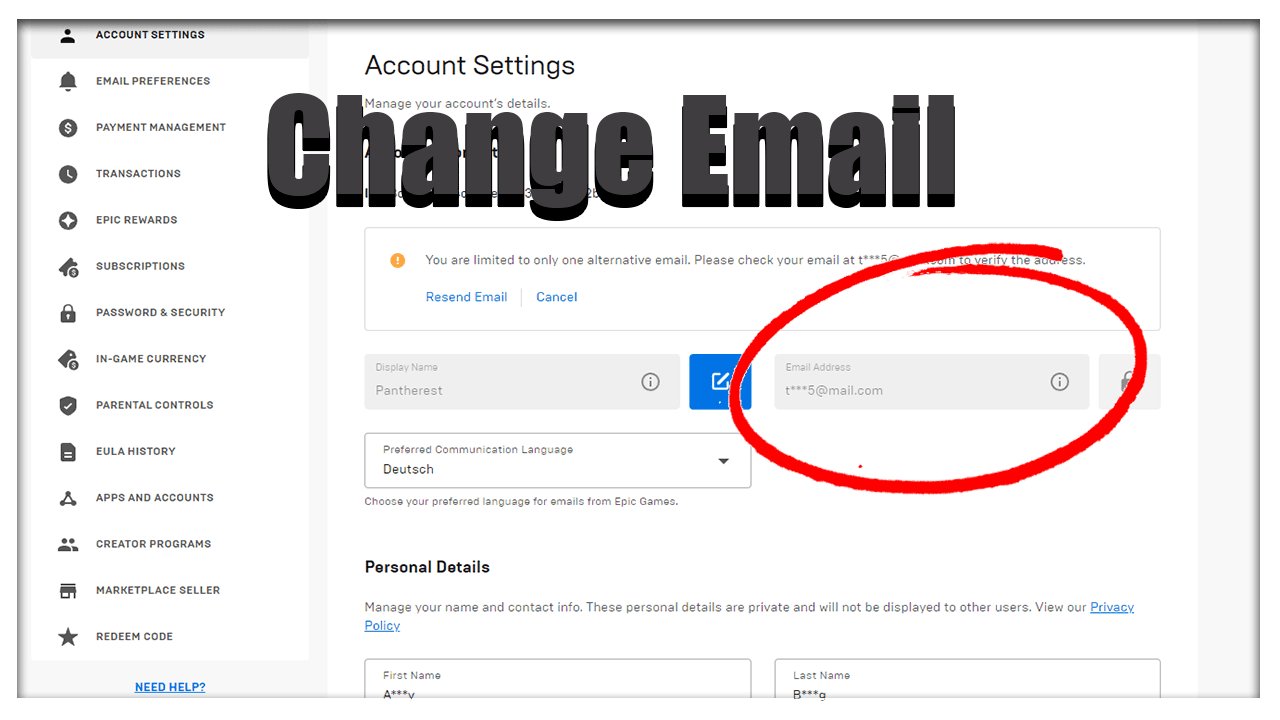
Unfortunately, you cannot directly change your Epic Games email without access to your old email. You’ll need to contact Epic Games Support for assistance, explaining your situation and providing verification of account ownership.
Losing access to your old email can be a real headache, especially when it’s tied to important accounts. You might be wondering how to change email on epic games without old email. It is a common issue many gamers face, and luckily there are paths you can take. Let’s dive into what you need to do to regain control of your Epic Games account, even without that old email address.

How to Change Email on Epic Games Without Old Email
It can be a real bummer when you need to change your Epic Games email but can’t access the old one. Maybe you forgot the password, maybe the email account got hacked, or maybe you just don’t use it anymore. Whatever the reason, it’s a frustrating situation. But don’t worry! While it might seem tricky, it’s definitely possible to update your email even without your old one. This guide will walk you through the steps, explain why this happens, and give you tips to avoid this headache in the future. Let’s get started!
Understanding Why You Need to Change Your Email
First, let’s quickly understand why keeping your email updated is important. Your email is like the key to your Epic Games account. It’s how you:
- Reset your password if you forget it.
- Get important notifications about your account activity.
- Verify your identity when Epic Games needs to make sure it’s really you.
- Receive security alerts if someone tries to get into your account.
If you can’t get into your old email, you could miss important information or even lose access to your account if you have password issues. So, changing it when you need to is a very important step.
The Standard Way: Changing Email with Access to Your Old Email
Before we jump into the trickier part, let’s see how it works when you do have access to your old email. It’s usually a pretty easy process:
- Go to the Epic Games website and log in to your account.
- Click on your name in the top right corner and go to “Account.”
- Look for the “Account Settings” section and click on “General Settings.”
- You should see your current email address there. There will usually be a button to “Edit” or “Change Email.”
- Click this, and they’ll ask you for your new email address.
- They’ll then send you a verification link to the new email. Click on that to verify.
- Sometimes, they also ask you to confirm the change in the old email, just to be extra safe.
That’s it! It’s straightforward when you have access to your old email. But what if you don’t? Let’s tackle that next.
What to Do When You Don’t Have Access to Your Old Email
Okay, this is the situation we’re all here for. It’s a bit more involved, but don’t worry, it’s still possible to change your Epic Games email without the old one. Here’s the plan:
Step 1: Gather Your Account Information
The first thing you’ll need to do is gather all the information about your Epic Games account that you can. This will help prove to Epic Games that you are the rightful owner of the account. The more information you have, the better. This information may include things like:
- Your username or display name on Epic Games.
- Any games you bought or have downloaded from the store. It’s good to remember the titles and purchase dates if you can.
- The approximate date you created your account.
- The payment methods you’ve used on your account. For example, the last four digits of a card number, or your Paypal ID.
- Your location.
- Any other linked accounts you might have connected like PlayStation, Xbox, Nintendo, Steam, etc.
- Any previous email addresses you might have used on the account.
It’s a good idea to write all this down in one place to keep everything organized. The more details you can remember, the better chance you have of proving you’re the real owner of the account.
Step 2: Contact Epic Games Support
The next step is to contact Epic Games Support. They are the ones who can help you directly with changing your email. You can do this through their website. Look for a “Contact Us” or “Support” button. Here’s how to prepare to get in touch with them:
- Be Clear and Polite: When you contact them, be very clear about what your problem is, i.e., that you need to change your email and you no longer have access to your old email. Being polite and respectful will also help them want to assist you.
- Provide as much info as you can: Give them all the details you gathered in the previous step, such as your username, purchase history, linked accounts, etc. The more you give, the easier it will be to prove you own the account.
- Be Patient: It might take some time to hear back from them, so don’t get discouraged. Once you do hear back, be quick in replying with any requested information.
- Explain the Situation: Tell them why you don’t have access to your old email. Whether you forgot the password, it was hacked, or is no longer active.
Remember, they have to make sure they’re talking to the right person to keep your account safe, so you need to be understanding when they ask for proof.
Step 3: Verification Process
After you contact them, Epic Games Support will start a verification process to make sure you’re the real owner of the account. They may ask you additional questions to check. Some things they might do include:
- Asking for Purchase Details: They might ask you about the last game you bought, the payment method you used, and maybe even the date of the purchase.
- Checking Linked Accounts: If you have any other accounts linked to your Epic Games account, such as PlayStation, Xbox, or Steam, they might ask you about those.
- Asking for Location information: Where was your account when you created it? Where do you usually log in from?
- Requesting Additional Documents: In some cases, they might ask for screenshots, pictures, or other documents to verify your identity. You may have to prove the ownership of your previous email address as well, if possible.
- Waiting for Verification: After you provide all of the requested information, you will have to wait for them to confirm that you are the owner. This might take several days.
Be honest and provide all the information you have. Don’t guess if you aren’t certain about something, tell them that you can’t remember. This will make the verification process smoother.
Step 4: Updating Your Email Address
Once Epic Games has verified that you are the owner of the account, they will help you change your email address. They might:
- Ask for your new email: They will ask for the new email address you want to use for your Epic Games account.
- Send a verification link: After they change it, they’ll send a link to that new email address so that you can verify that it’s yours.
- Confirm the change: They might ask for your confirmation that you have clicked on the verification link and have the email address updated.
After this step, your email address will be updated, and you should be able to log in with your new email.
Common Problems and How to Overcome Them
Sometimes, the process doesn’t go as smoothly as we’d like. Here are some common issues that people face when trying to change their email without the old one and what you can do about it:
Not Enough Information
Epic Games Support might say they can’t help you if you don’t provide enough details about your account. If this happens, try to:
- Think Hard: Try to remember any details you may have forgotten, such as old usernames or email addresses, linked accounts, purchase dates, or payment details.
- Check your old emails: See if you have any emails from Epic Games in any other old inboxes.
- Ask friends: Maybe they gifted you a game? Or helped you set up your account?
Slow Response Times
Sometimes, it can take a while to hear back from Epic Games Support. This can be very frustrating, especially if you’re eager to play your games. To manage this:
- Be patient: Support teams get lots of requests, so it might take some time for them to get to yours.
- Follow up politely: If you haven’t heard back in a few days, you can send a polite message asking for an update. Don’t send lots of messages, just one polite follow-up message can be helpful.
Difficulty Proving Ownership
Even if you provide a lot of information, sometimes Epic Games Support might still have difficulty verifying that you’re the owner of the account. This is more likely if you have a newer account and haven’t made many purchases. If this happens:
- Provide further evidence: If you have any other proof of ownership, like previous payment confirmation emails, screenshots of you playing, or anything else you think might help, send them that.
- Be persistent: Continue to communicate with Epic Games Support, and answer their questions clearly and honestly.
Tips to Avoid This Problem in the Future
After you have managed to change your email, you definitely want to avoid having to go through this whole process again. Here’s how you can keep your account secure and make sure you always have access to your email:
Keep Your Email Updated
Always update your email in your Epic Games account if you get a new email address. Don’t wait until you lose access to an old email address.
Use a Secure Email
Use an email address that is secure and that you check regularly. Choose a strong password for that email account and make sure to keep that safe. You can also add two-factor authentication to your email account to make it even more secure.
Enable Two-Factor Authentication (2FA)
Turn on two-factor authentication for your Epic Games account. This adds an extra layer of security. If someone tries to get into your account without that second factor, they won’t be able to. You can use an authenticator app on your phone, or get verification codes via text message. This also helps prove you are the real owner of the account, if you ever need to get help from Epic support.
Keep your purchase receipts
Keep records of all your purchases on the Epic Games Store. This can help you prove you own the account. If you have an email address associated with the account, save all of those emails too. They can help you when the time comes.
Regularly Check Your Account Details
Every now and then, log in to your Epic Games account and check that all your information, especially your email, is correct. This can prevent future problems. You should also check that your linked accounts are the correct ones.
Remember, it’s always better to be proactive with account security than to deal with the headaches of a compromised account!
Changing your email on Epic Games when you no longer have access to your old email is not the most simple thing to do. But, by being patient, preparing the necessary details and communicating clearly with Epic Support, you can definitely get it done. Keep your account safe and secure by following the steps in this article.
How To Change Epic Games Email Without Old Email
Final Thoughts
If you cannot access your old email, changing your Epic Games email requires contacting their support team. They will guide you through the process. You need to verify your identity with account details.
Provide them with as much information as possible, such as transaction IDs or usernames. They may ask for further proof to ensure security. This is how to change email on epic games without old email.

