
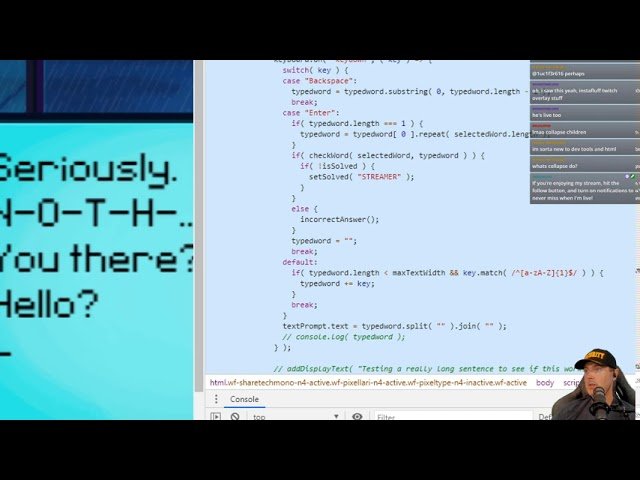
Using the browser’s inspect tool to cheat in games typically involves manipulating client-side values like scores or resources, which the server may or may not validate.
Ever wondered how some players seem to have an endless supply of resources or impossibly high scores? You might be surprised to know, some of it involves a technique called “how to cheat in games with inspect”. This method leverages the browser’s built-in developer tools. Specifically, the inspect element feature can be used to alter values directly in the game’s code. It seems tempting, but it’s worth understanding the limitations and potential consequences of doing so.

How to Cheat in Games with Inspect
Ever wondered how some players seem to have an unfair advantage in online games? Sometimes, it’s not about skill; it’s about knowing how to use the tools at their disposal, and one such tool is the browser’s “Inspect” feature. This feature, also known as “Inspect Element” or “Developer Tools,” lets you look at the code behind a webpage, including online games. While it’s designed for web developers to fix problems, some players use it to try and gain an edge. This article will explain what “Inspect” is, how people try to cheat with it, and why it’s usually not a good idea. We’ll explore this topic in detail so you can understand the ins and outs, and maybe even learn something new about the websites you visit everyday. This is not to encourage cheating but to understand how these methods are used.
Understanding the “Inspect” Feature
Before we get into how people might try to cheat, let’s talk about what “Inspect” really is. It’s a built-in tool in web browsers like Chrome, Firefox, Safari, and Edge. Think of it as a window into the code that makes a website work. When you use “Inspect,” you can see the HTML (the structure of the website), the CSS (how it looks), and even JavaScript (what makes it interactive). It’s like peeking under the hood of a car to see all the different parts.
How to Access the “Inspect” Tool
Accessing this tool is quite straightforward. Here’s how you can do it:
- Right-Click: Simply right-click anywhere on a webpage and select “Inspect” or “Inspect Element” from the menu.
- Keyboard Shortcut: You can also use a keyboard shortcut. On Windows, it’s usually Ctrl+Shift+I or F12. On Mac, it’s Command+Option+I.
Once opened, the “Inspect” tool will usually appear as a panel at the bottom or side of your browser window. It may seem overwhelming at first, but after some time, you’ll get comfortable navigating it. Inside the panel, you’ll see different tabs like “Elements,” “Console,” “Sources,” and more. The “Elements” tab is the most common one for what we will discuss here.
What the “Elements” Tab Shows
Within the “Elements” tab, you’ll find the HTML code for the webpage. HTML uses tags to create the content you see, such as text, images, and buttons. This code is what the browser uses to build the page. This is where people may try to manipulate things in the game. They might try to edit the values or text seen on their screen. For example, changing how many coins they have on screen to make it look like they are rich in the game, even though they are not.
Common Cheats Attempted with “Inspect”
Now that you know what “Inspect” is, let’s talk about the common ways people try to cheat in online games using this tool. Remember, these methods are usually ineffective and often get players banned. These manipulations are not making changes to game server, they are only making changes on what you see on your browser.
Altering Scores or Points
One of the most common attempts is trying to change displayed scores or points. Players might try to edit the HTML code that shows the score to display a higher number. For instance, if a game shows “Score: 100,” a player might try to change the HTML to “Score: 100000.” However, this only changes the display on their screen. It does not change the score stored on the game server. The server keeps track of the real scores, so this “cheat” is purely visual, like putting makeup on something that is not beautiful from the beginning. Other players will still see their actual score and the server will still count their real score.
Changing Resources like Gold or Gems
Similar to scores, players try to change the numbers representing resources like gold, gems, or coins. They may attempt to edit the HTML where these amounts are shown to make it seem like they have an abundance of resources. For example, instead of showing “Gold: 50,” they try to change it to “Gold: 5000.” Again, this is only a visual change; the actual amount of resources remains the same on the game server. This won’t allow them to buy more resources because this only changed how much is displayed on their screen and not the actual amount in game server.
Modifying Text or Names
Some players might change displayed text in the game to give them a perceived advantage or simply for fun. This could be changing their name, the names of game objects, or even messages. For example, they might try to change the name of an enemy to something funny or make a text message say something completely different. However, again it’s a trick that only they see, other players will see the original names and texts. It’s like having a private joke that no one else gets.
Trying to get Unlimited Health or Ammo
Some players might look for ways to change their health or ammo values using “Inspect”. They might try to edit these values directly in the HTML or look for corresponding JavaScript code to edit. They would attempt to find the values that they can edit so they can have unlimited health or ammo. This is also not possible and the game server validates each game action. Even if the client browser is tampered, the game server would not accept the request, and the game would continue to function normally. If the game was designed correctly and it should be designed correctly by the game developer, then the browser manipulation is futile.
Why These “Cheats” Usually Don’t Work
Now that we have discussed some popular “Inspect” cheat techniques, let’s talk about why these attempts typically fail.
Server-Side Validation
The most important reason why these cheats don’t work is that most online games rely on server-side validation. This means that the game’s actual data and logic are handled on a remote server and not on your computer. Your browser only displays what the server tells it to display. When you attempt to change something on your end using “Inspect”, you are only altering the copy of the page on your computer, and not the original information held by the server. It’s like trying to edit a picture on your phone when the original picture is stored safely on a cloud server.
Read-Only Display of Data
Many of the values you see on your screen in a game are simply the result of server calculations. The client side, what you see, is for the most part, just displaying data. So even if a player changes numbers, those numbers don’t have a real impact on the game. It would not make you rich in game. It’s like you are reading the prices of items, you are not able to edit the price of the item, as you don’t have control over that, you can only read the current price.
Game Integrity Checks
Many online games include built-in checks to ensure the game is not being manipulated. These checks can detect any unusual activity or changes to the game files. If something seems off, the game could take action, which can result in temporary or permanent bans for trying to cheat using “Inspect” or anything else. Games are designed to punish cheating.
Data Refreshing
Even if you manage to make some changes, the game often refreshes the data periodically. This means that the server will update the game data on the client side, and your changes would be overridden in seconds or minutes. The game would reload with real data from the server and your changes will vanish. So even if you try to make some changes, it will revert back quickly.
The Risks of Using “Inspect” to Cheat
Beyond the fact that most “Inspect” cheats are ineffective, there are serious risks associated with attempting them. Here are some of them:
Account Bans
The biggest risk is getting your account banned. Game developers have a zero-tolerance policy towards cheating, and using tools to alter the game can be a violation of their terms of service. If you are caught trying to cheat, you risk losing access to the game and any progress or purchases associated with it. It’s simply not worth risking your account for a pointless “cheat”.
Security Risks
Some sites that claim to teach you how to cheat may contain malicious code. They may trick you into downloading programs or extensions that can harm your device. This can expose you to risks such as malware or viruses. So be careful when going to these types of sites, they may be a real security risk. If the game developers find you installing any other software, they might also ban you because this software might be cheating software.
Wasting Time
Attempting to cheat in games using “Inspect” is a waste of time. Most of these techniques are ineffective, and the time spent trying to make it work could be better used to learn the game’s mechanics properly, get better, and enjoy playing fairly. Rather than trying to cheat, it is always better to focus on improving your skills, learn new things about game and play it fairly.
Ethical Concerns
Cheating also goes against the spirit of fair play. It undermines the efforts of other players who play by the rules. In multiplayer games, using such tricks is detrimental to the community as it creates an uneven environment where some players have an unfair advantage. Being a good gamer means following the rules.
Learning “Inspect” for Good
While we have been discussing the dark side of “Inspect”, it’s important to remember that this tool is very useful and helpful for legitimate purposes. It’s not made for cheating, but for development. Here are some great things you can do with the tool.
Web Development
The primary use of “Inspect” is for web development. Developers can use it to find and fix errors in their HTML, CSS, or JavaScript code. This means that if your website has some errors or problems in display, using “Inspect”, you can see where the problem is located in the code. It’s also used to see how different devices would view the website, to ensure the content is displayed correctly across different sizes and devices.
Learning Web Technologies
“Inspect” is a great way to learn more about how websites work. By looking at the underlying code of various sites, you can see how HTML, CSS, and JavaScript work together. This is especially good if you want to start a career in development. This is like looking under the hood of the car, you would learn so much about car mechanics by looking at the engine and other components.
Debugging
Whether it is a website or a game, you can debug using inspect, it allows you to locate errors in the webpage or game and fix those. If your game is not loading correctly or some parts of the game are missing, it’s often useful to use “Inspect” to find out what’s happening under the hood. For example, if a button is not working, you can use the “Inspect” tab to see what is happening. This can also be used for website, to find broken images, texts, or non-working buttons. These errors can be quickly found using the “Inspect” tools.
Exploring Website Design
If you see a cool website, using the “Inspect” tool, you can take a closer look at the design elements. You can see how they made the design and what technologies they used. This allows you to learn design tricks and be inspired to create something of your own.
How to Play Fair and Improve
Instead of trying to cheat, you should focus on improving your game skills. Here are some tips for playing fair and getting better.
- Practice Regularly: Consistent practice is key to improving. The more you play, the better you’ll become at the game’s mechanics. Playing the game daily for sometime would make you so much better, than relying on “Inspect” to try and cheat your way to the top.
- Learn the Game Mechanics: Understand how the game works. Learn the rules and the systems so that you can play better. This will help you to perform the required task without relying on any cheats.
- Watch Tutorials and Guides: There are many tutorials and guides available online that can teach you how to play. Many players make Youtube videos of games they play. You can use these to learn more about new strategies or tactics.
- Join Communities: Join a game community to learn from more experienced players and gain tips and tricks. Communities are a great way to meet other players and learn from each other.
- Be Patient: Improving takes time and practice. Don’t expect to become a master overnight. Take the time, learn the game, and be patient with yourself.
Focusing on these methods will not only make you a better player but it will also teach you valuable skills and give you a better overall experience. Trying to cheat is simply not the way to enjoy a game.
Trying to cheat in games using “Inspect” might seem tempting, but it’s usually a pointless attempt with risks that could lead to account bans or security issues. The methods people use to try and gain an unfair advantage are ineffective and go against the principles of fair play. Instead of attempting to cheat, you should focus on improving your skills and enjoy the game properly. The “Inspect” feature is a valuable tool for web development and learning. It allows you to see the underlying code of webpages, debug problems, and even explore website design. Using “Inspect” properly is a better way to spend your time than using it for cheating, and it gives you a great career path and a valuable skill for the future.
How to HACK Browser Based Games With Cheat Engine | Cheat Engine Tutorial Series Part 4
Final Thoughts
Essentially, altering game variables through “inspect” is possible, changing values like health or currency. This directly affects gameplay, creating an unfair advantage. It’s important to know that such modifications often break terms of service.
Understanding how to cheat in games with inspect involves finding relevant elements. You then edit their values directly, thus manipulating the game. This gives a user an easy way to cheat. Keep in mind that developers actively work to prevent this kind of manipulation.

