
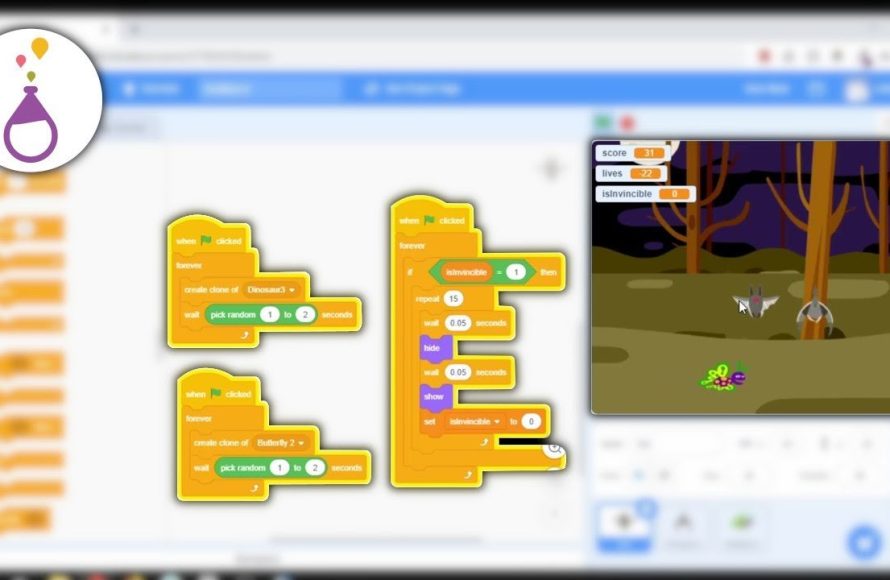
Creating a game from scratch requires planning your game concept, choosing a suitable engine or framework, coding game mechanics, designing assets, and then testing it thoroughly.
Ever dreamt of bringing your game ideas to life? The journey of game development can feel overwhelming, but it’s also incredibly rewarding. Figuring out how to create a game from scratch can be a complex process.
But don’t worry, it’s more approachable than you might think. You just need a clear pathway. This article gives you a simplified overview. We will touch on key areas to get you started.

How to Create a Game From Scratch
So, you want to make a game? That’s awesome! It might seem like a huge task, but breaking it down into smaller steps can make it much easier and more fun. This guide will walk you through everything you need to know to start creating your very own game, even if you’ve never coded before. We’ll talk about planning, choosing the right tools, and putting all the pieces together. Let’s get started!
Brainstorming Your Game Idea
Every great game starts with a spark of an idea. Don’t worry about making it perfect right away. Just start thinking about the kind of game you’d love to play. It’s like dreaming up an adventure! Here’s how to get those creative juices flowing:
What Kind of Game Do You Want to Make?
Think about the types of games you enjoy. Do you like:
- Fast-paced action games where you run and jump?
- Puzzle games that make you think?
- Story-driven games where you explore a new world?
- Building games where you create your own world?
- Strategy games where you control armies?
Knowing what kind of game you want to create will help guide your decisions later on. Maybe you like a mix of these! That’s totally fine too!
Choosing a Genre
Genre is just a fancy word for “type” of game. Common game genres include:
- Platformer: Games where you jump from platform to platform, like Mario.
- Puzzle: Games that challenge your brain, like Tetris.
- Role-Playing Game (RPG): Games where you create a character and go on quests, like Pokemon.
- Simulation: Games that simulate real-life, like building a city.
- Adventure: Games where you explore and solve mysteries, like Zelda.
- Action: Fast-paced games with lots of challenges, like fighting games
You don’t have to stick to just one genre. You can mix and match! For example, you could have a platformer with puzzle elements.
Thinking About the Core Gameplay
This is the main thing you’ll be doing in your game. Will you be:
- Running and jumping?
- Solving puzzles?
- Battling monsters?
- Collecting items?
- Building structures?
Your game’s core gameplay is what will keep players engaged. It’s the main action your game will revolve around. Start with the basic idea and build from there.
Your Game’s Unique Twist
What will make your game stand out from all the other games out there? Think about something unique that will set your game apart.
- Maybe you have an interesting character,
- or a strange world,
- or a new gameplay mechanic that no one has ever seen before.
Brainstorming the unusual aspects can make your game more memorable. Don’t worry if you don’t have the most unique idea, just try to find something that you are interested in working on.
Planning Your Game
Now that you have a game idea, let’s make a plan. Planning helps organize your thoughts and makes the creation process smoother. It’s like building a house – you need a blueprint first!
Game Design Document (GDD)
A Game Design Document is like your game’s instruction manual. It doesn’t need to be complicated, especially at this stage. Here’s what to include:
- Game Title: What will you call your game?
- Game Genre: What type of game is it?
- Core Gameplay: What’s the main thing players will do?
- Characters: Who are the main characters?
- Story (if any): What’s the game’s story about?
- Game World: Where does the game take place?
- Mechanics: What are the rules of your game and how do players interact with it?
Don’t overthink it. It’s just a basic outline to help you stay organized.
Sketching and Mockups
Before you even start coding, grab a pencil and some paper. Sketch out what your game will look like.
- Draw your characters
- Draw the levels
- Draw the items in your game.
These sketches can be simple. They don’t need to be masterpieces. These mockups help you visualize what you’re creating before you actually create it. If drawing isn’t your strength, consider using online tools to create mockups digitally. Even just using simple shapes can be helpful!
Breaking Down Tasks
Creating a game from scratch involves many smaller tasks. Breaking them down makes it more manageable. For example:
- Create the player character
- Design the first level
- Add basic movement
- Add a scoring system
- Test the game to find bugs
Instead of focusing on creating the whole game at once, work on these smaller tasks, one at a time. This is easier than trying to create an entire game all at once.
Setting Small Goals
Set small goals for yourself. Don’t try to make the entire game in one day or even one week. Try to achieve one milestone at a time.
- Goal 1: Get the player character to move
- Goal 2: Create a simple background for your game
- Goal 3: Add some obstacles to the game.
Achieving small goals will keep you motivated and help you see your progress.
Choosing the Right Tools
Now it’s time to choose the tools you’ll use to bring your game to life. There are many options, each with its own strengths and weaknesses. Here’s a rundown of some popular choices:
Game Engines
Game engines are like toolboxes that provide you with everything you need to create games. They handle a lot of the behind-the-scenes work, so you can focus on creating your game. Some popular game engines include:
- Unity: A very popular engine that’s great for both 2D and 3D games. It’s pretty user-friendly. There are countless tutorials and resources available online, which makes it a good starting point for beginners.
- Unreal Engine: Another powerful engine used for creating high-quality games. It’s well known for its graphical capabilities. This engine is great for 3D games and has an excellent visual scripting system.
- Godot Engine: A free and open-source engine that’s becoming more and more popular. It’s a good choice for people who want to avoid licensing fees. It’s easy to pick up and use, making it ideal for beginners.
- GameMaker Studio 2: Good for 2D games, especially if you’re a beginner. It has a very easy to use visual interface and a drag-and-drop system.
Choosing a game engine depends on your experience, the type of game you are making, and your preferred workflow. For beginner game developers, Unity and Godot are excellent places to start due to the ease of use and large user base.
Programming Languages
Game engines often use specific programming languages. This is how you tell the game what to do. If you are not a programmer, this may be new to you. Don’t worry, game development is a great way to learn. Some popular languages include:
- C#: Commonly used in Unity.
- C++: Used in Unreal Engine.
- GDScript: Used in Godot Engine, designed to be easy to learn.
- GML (Game Maker Language): Used in GameMaker Studio 2, a simplified language for beginners.
Don’t be scared of coding. Many game engines have visual scripting tools that let you write the game logic without directly writing a single line of code. You can also find a large number of tutorials online to assist you in the learning process.
Graphics Software
To create characters, backgrounds, and other elements, you’ll need graphics software. Some popular choices include:
- Piskel: A free and easy-to-use online tool for making pixel art.
- GIMP: A free, open-source image editor. It’s a great alternative to Adobe Photoshop.
- Krita: Another free, open-source painting program. This is good for digital painting and drawing.
- Adobe Photoshop: A professional image editing software, good for complex edits and creations.
Choose software that suits your artistic style and technical expertise. For example, Piskel is good for basic pixel art, whereas Photoshop is good for advanced graphic design.
Sound Software
Sound effects and music make a big difference in games. Here are some tools you can use to add them.
- Bfxr: A free tool for generating retro-style sound effects.
- Audacity: A free and open-source tool for audio recording and editing.
- LMMS: A free and open-source Digital Audio Workstation, for creating music.
Adding good sound to your game increases the immersion and enjoyment. Even simple sound effects can make your game feel much more polished.
Building Your Game
Now for the fun part – actually making your game! This process involves putting all the different parts together. This is where the game development begins to take shape.
Creating Your Player Character
Start by creating your player character. This might involve:
- Drawing the character: Use your graphics software to make your character look how you imagined.
- Adding animations: Create the animations for your character moving, jumping, and other actions.
- Importing to your game engine: Bring your character to your game.
This is one of the first steps because your character is the central focus of your game. The way your player moves around the world is important, so make sure you are happy with their look and how they move!
Designing Your Game World
Start creating your first level. You may start simple and add more complicated levels later. This includes:
- Backgrounds: Create the backdrop to your game.
- Obstacles: Add things to avoid or jump over.
- Interactive elements: Add objects players can interact with (like power-ups or coins).
The game world can be as simple or complex as you want. Begin with a single screen, and then expand it as you get more comfortable.
Adding Gameplay Mechanics
Now you get to add the rules of your game. This means:
- Programming movement: Make your character run, jump, and perform other actions.
- Adding player interactions: Program the way your player will interact with the environment, like collecting items.
- Setting up a scoring system: Create points for achievements.
This is where the programming starts to bring your game to life. Start simple. You don’t have to create everything at once.
Adding Sound and Music
Finally, add sounds and music to bring it all together. This includes:
- Sound effects: Add sounds for jumping, picking up items, and other actions.
- Background music: Put in music to add to the game’s atmosphere.
Sound can change the whole feeling of a game, so take your time to find the right sound effects.
Testing and Iteration
Making a game is not just about creating it; it’s also about making sure it’s fun to play! This means lots of testing and making changes as needed.
Playtesting Your Game
Once you have a playable version of your game, it’s time to test it. Play it yourself, and then ask others to play it. This helps you get other people’s opinions.
- Play it yourself: Look for things that are not fun.
- Ask friends and family: Have others play and give you feedback.
Playtesting is crucial for finding errors and places where the game can be better.
Gathering Feedback
Feedback is key for making your game better. Ask people who test the game questions like:
- What do you like about the game?
- What do you not like?
- What is confusing?
- Did you find any bugs?
Listen to their feedback and use it to improve your game. This is how many great games get better.
Making Changes
Based on the feedback you get, make changes to your game. This might involve:
- Fixing bugs and errors.
- Adjusting the gameplay for better fun.
- Adding new features.
Don’t be afraid to make changes. This back and forth is a natural part of game development. It’s normal to make changes and adjustments, even if it means scrapping parts of your game.
Repeat the Process
Game development is a loop. You will likely need to go through these steps several times:
- Playtest
- Gather Feedback
- Make Changes.
Keep improving your game. Don’t stop till you’re happy with the end result.
Creating a game from scratch is an amazing adventure. It takes time, effort, and lots of practice, but it’s totally achievable. Remember to start with a solid idea, plan your steps, pick the right tools, build your game piece by piece, and test it thoroughly. Don’t be afraid to experiment and try out new ideas! Game development is a process of learning and growth. With perseverance, you can make a game that you’ll be proud of.
How to make YOUR dream game with no experience
Final Thoughts
Creating a game from scratch involves planning your concept. Next, you choose a suitable game engine. Then, start with basic mechanics and simple levels.
Iterate on your design, playtest often, and gather feedback. This process helps refine the gameplay experience. Remember, learning to create a game from scratch takes time.
Focus on core game mechanics first and polish later. Ultimately, you will gain experience on how to create a game from scratch. Don’t be afraid to experiment and learn.

