
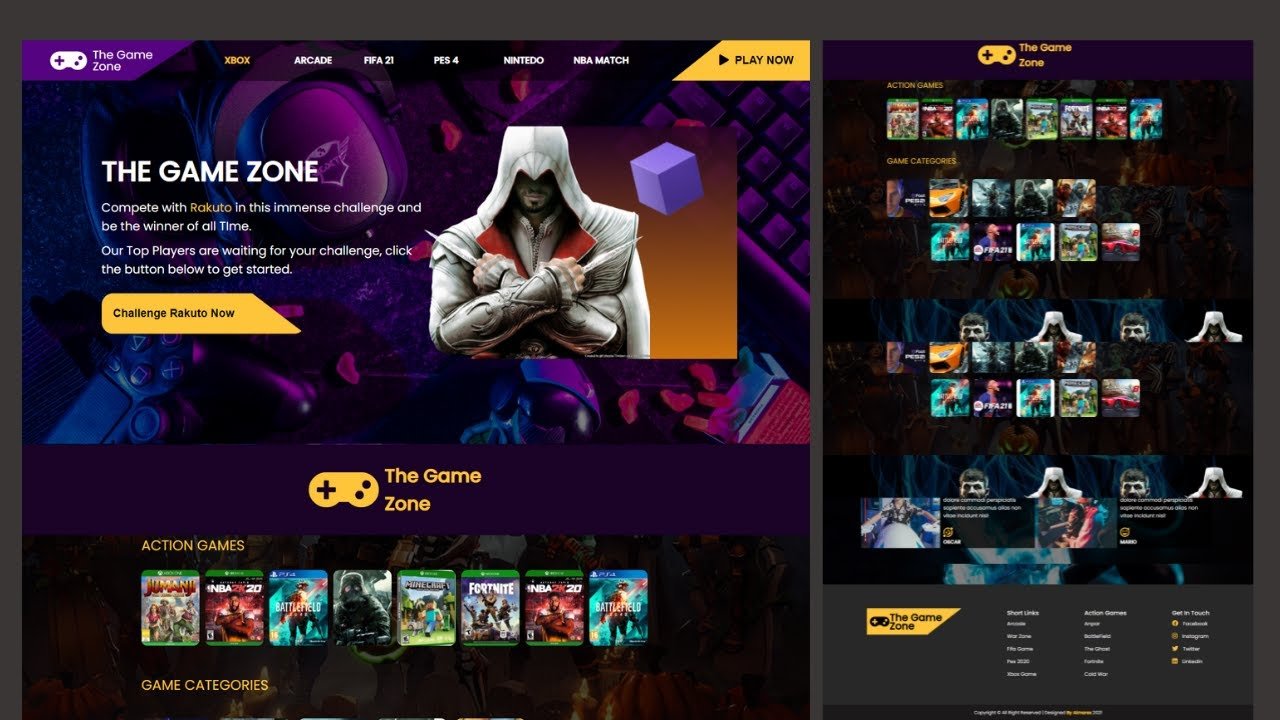
Creating a game website involves selecting a platform, designing the layout, adding game content, and ensuring user interaction features are functional.
Want to share your passion for games with the world? Building a dedicated space online is totally achievable. You may wonder how to create a game website that perfectly showcases your favorites, reviews, or even your own creations. It is simpler than you might think.
This guide walks you through the necessary steps. We will explore options from coding your own page to using intuitive platforms. You can quickly establish your gaming corner on the internet.

How to Create a Game Website
Creating your very own game website can seem like a huge mountain to climb, but it’s really like building with LEGOs—one brick at a time! Whether you’re dreaming of sharing your own awesome games, talking about your favorite titles, or creating a community for gamers, this guide will show you how to do it. We’ll go through each important step, making sure everything is simple and clear. Let’s get started!
Picking Your Purpose
Before you start building anything, think about what kind of game website you want. It’s like choosing what kind of adventure you want to go on!
Types of Game Websites
There are many cool kinds of game websites you can build. Here are some popular ideas:
Game Portfolio: This is where you show off games you’ve made. Think of it as your online game gallery.
Gaming Blog/News Site: You write about game releases, reviews, news, and tips. It’s like having your own game magazine.
Game Community Forum: This lets gamers chat, share tips, and make friends. It’s your online clubhouse.
Game Marketplace: This is where people can buy and sell games. It’s your online game store.
Game Information Hub: A place where all the info about a specific game or game series lives. This can include tutorials, lore, and more!
Choosing Your Niche
Picking a specific area within the gaming world helps you stand out. It’s like choosing a superpower! For example, you could focus on:
Indie Games
Retro Games
A Specific Game Genre (like Strategy, RPG, or Puzzle Games)
Games Made for Kids
Gaming News from a Specific Region
By choosing a niche, you’ll find a group of people who are super excited about the same things you are!
Planning Your Website
Now that you know what kind of website you want, let’s plan how it’ll look.
Choosing a Domain Name
Your domain name is your website’s address on the internet, like “www.coolgames.com”. It should be easy to remember and say out loud.
Keep it short: Shorter names are easier to type and remember.
Make it relevant: Try to use words that relate to your topic.
Check availability: Make sure someone else isn’t already using it. You can use domain registrars like GoDaddy, Namecheap, or Google Domains to check and buy a domain name.
Selecting a Web Hosting Provider
Web hosting is like renting space on the internet to keep your website alive. Here are some things to look for when picking a host:
Reliability: You want a host that keeps your site up most of the time, like a steady friend.
Speed: A fast host makes your website quick to load.
Support: If you have trouble, good customer support is very helpful.
Price: Compare different plans to see what fits your budget.
Some popular web hosting companies include Bluehost, SiteGround, HostGator, and DreamHost.
Designing Your Website’s Structure
Before you start building, it’s good to sketch out how your website will be laid out. This includes planning out your menu, main pages, and blog posts.
Homepage: The front door of your website. Make a good first impression!
Game Pages: Specific pages for each game you made or are talking about.
Blog: This is where you put your articles and news.
Forum (if you’re making one): Where users can talk to each other.
Contact Page: So people can reach you.
About Page: Tell people who you are and why you love games!
Building Your Website
It’s time to start making your website a reality.
Choosing a Content Management System (CMS)
A CMS helps you build and organize your website. It’s like having a helper that builds with you. Here are two of the most popular ones:
WordPress: This is super popular and easy to learn, with lots of themes and plugins (add-ons) to help you.
Joomla: A CMS that allows more complex structures, and is great for larger communities.
For most game websites, WordPress is a good starting point.
Selecting a Theme or Template
A theme controls how your website looks. It’s like picking out the outfit for your website.
Choose something that matches your game focus: A bright theme for a kid’s game, a sleek theme for a serious strategy game, etc.
Make sure it’s responsive: This means it looks good on phones, tablets, and computers.
Look for customization: Can you change colors, fonts, and pictures easily?
There are many free and paid themes, both available in the CMS and on different marketplaces like Themeforest.
Adding Essential Plugins
Plugins are like little tools that add special features to your website. Here are some important ones:
Yoast SEO: Helps people find your website on search engines.
Contact Form 7: Makes it easy for people to contact you.
WooCommerce (if you have an online store): Handles sales and payments.
Akismet: Helps stop spam comments.
Social Sharing Plugins: Makes it easy to share your content on social media.
Adding Core Website Pages
After installing your CMS and theme, you need to create your core pages:
Homepage: Create a clear and attractive homepage that tells visitors what your site is about.
About Page: Add an about us page to share your story and connect with visitors.
Contact Page: Make it easy for visitors to reach you with a simple contact form.
Privacy Policy: Important to inform visitors about what data you collect and how you use it.
Creating Content
Now, it’s time to add all of the interesting things!
Game Pages: If you are showcasing your own games, add pages for each one, with lots of pictures and details.
Blog Posts: If you have a blog, start writing posts about games you enjoy.
Forum Setup: If you want a forum, you will have to setup categories and set rules to the community.
Remember to use plenty of pictures and videos to make your website fun and interesting.
Making Your Site Look Great
Looks matter! Here are some ways to make your website visually appealing:
Using High-Quality Images and Graphics
Use pictures and graphics that look great. They should be:
High Resolution: Not blurry or fuzzy.
Relevant: Connect to your website’s theme.
Appropriate Size: Not too big (that slows down your website) or too small.
Optimized for web: Reduce image size without losing quality, use tools like TinyPNG or ImageOptim.
Selecting Appealing Colors and Fonts
Pick colors and fonts that fit your site’s style.
Choose colors that go well together: Use color palettes or look at other game websites for inspiration.
Use readable fonts: Make sure words are easy to read.
Don’t use too many fonts: Stick to 2-3 fonts for a consistent look.
Creating a Consistent Layout
Make sure your pages all have a similar style, so visitors know they are still on your site.
Use the same menu on every page: This helps people find their way around.
Keep your sidebars or widgets the same: This gives your site a familiar feel.
Use white space: Don’t overcrowd your website! Let things breathe.
Making Your Website Easy to Use
If visitors have a hard time using your website, they might leave.
Ensuring Easy Navigation
Make sure people can easily find what they’re looking for.
Use a clear menu: Make sure it’s obvious how to get around your site.
Use internal links: Links that take people to other pages within your site.
Make it easy to search: A search bar can make your site more user-friendly.
Making Your Website Responsive
Make sure your website looks good on all devices, from smartphones to big computer monitors.
Test your website on different devices: Try it on your phone and tablet, if you have them.
Use a responsive theme: Many WordPress themes are made to adjust to the size of the screen.
Adding Call-to-Actions
Call-to-actions are buttons or links that tell visitors what to do next. Use clear words such as:
“Play Now”
“Read More”
“Join the Community”
“Contact Us”
Promoting Your Game Website
Having a cool website is great, but you need people to see it!
Search Engine Optimization (SEO)
SEO helps people find your website on Google and other search engines.
Use keywords: Think of words people use when searching for games like yours and use them in your page titles, headings and content.
Create quality content: Write interesting blog posts and detailed descriptions of your games.
Build backlinks: Try to get other websites to link to yours.
Social Media Marketing
Use social media to share updates and engage with your audience.
Create accounts on popular platforms: Use platforms like X (formerly Twitter), Facebook, Instagram, and TikTok.
Post regularly: Share game updates, news, blog posts, and other fun things.
Talk to your followers: Answer questions and chat with people.
Email Marketing
Build an email list to keep people updated on your website.
Add an email signup form: Make it easy for people to sign up for your newsletter.
Send out regular newsletters: Share game updates, new blog posts, and other news.
Offer a special discount or content: Make people want to sign up for your email list.
Engaging with the Gaming Community
Get to know other gamers and get involved in the larger gaming world.
Participate in online forums: Share your own insights in other community forums.
Collaborate with other game creators: Working with other gamers is a great way to build your network.
Offer giveaways: Run contests to attract new players.
Keeping Your Website Running Smoothly
Your website needs regular care, just like a garden.
Regularly Updating Content
Keep things fresh by adding new blog posts, new game information, and other content.
Create a content schedule: Plan out when you will create and publish new content.
Keep your content accurate and relevant: Make sure everything is up-to-date.
Don’t let your site get stale: Keep it lively with new content, discussions, and ideas.
Website Maintenance
Make sure your website is working well and is secure.
Update your CMS: Keep your WordPress or Joomla software updated.
Update plugins and themes: Update to the latest version to fix security and bugs.
Backup your website: Make backups of your website often, in case something goes wrong.
Analyzing Your Website’s Performance
Use website analytics tools to find out how people use your website.
Use Google Analytics: It’s free and it tells you a lot about who visits your site.
Look at your website traffic: See which pages are most popular.
Look at the time spent on your pages: If users are leaving quickly, you might need to make some changes.
Adjust based on what you learn: Keep making your website better using this information.
Creating a game website is a journey that’s filled with fun challenges and rewarding experiences. Starting with a clear idea of your goals and carefully following these steps, you’ll be well on your way to building a site you can be proud of. Remember that building a good website takes time and work, but don’t give up! The best part is, that you’re making something that you and others will enjoy! So, put on your creator hat, get ready to have fun, and start building your dream game website today!
Create a Game or Website In Seconds
Final Thoughts
To create a game website, you must select a suitable platform and domain. Then design the site with user-friendly navigation. Remember to focus on showcasing your games effectively.
Next, you should add relevant content like game descriptions and screenshots. Integrate payment gateways for selling games and merchandise. Regularly update your site with new releases and news.
Finally, test everything thoroughly before going live. This provides a smooth experience for your players. This is the process of how to create a game website; focus on good design and great content.

