
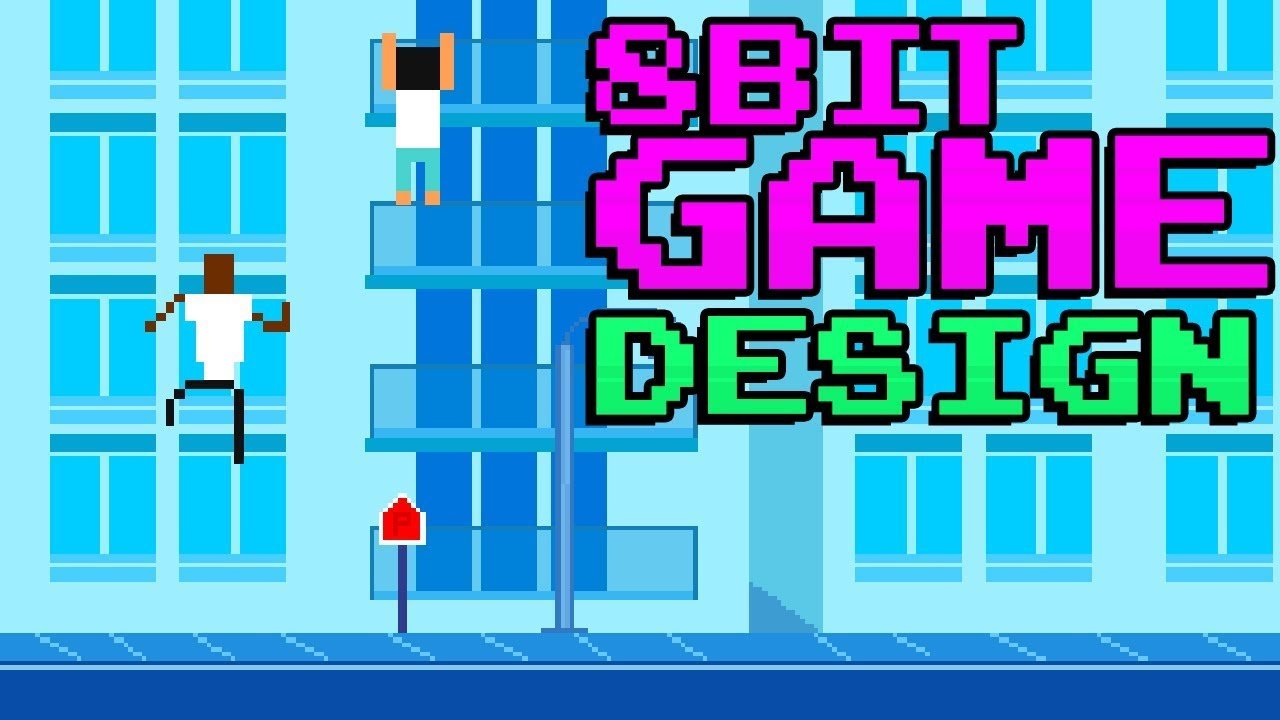
Creating an 8 bit game typically involves using pixel art for graphics, simple game mechanics, and retro-style audio.
Ever wanted to make your own retro gaming experience? The allure of classic consoles and their unique aesthetic is undeniable. We’ll dive into the world of how to create an 8 bit game, breaking down the essentials for your own project. It’s simpler than you might think, requiring a shift in perspective rather than complex programming knowledge.
You’ll learn about pixel art techniques, basic game design concepts, and how to choose or create sound effects reminiscent of those old machines. We will guide you through the different aspects, turning your retro game idea into reality. Get ready to start making your own 8 bit adventure!

How to Create an 8-Bit Game
So, you want to make your own 8-bit video game? That’s awesome! It might seem like a big task, but with a little bit of know-how, you can create something really cool. Think of all those classic games you love – Mario, Zelda, Metroid – they started somewhere, and now it’s your turn to try! We’ll break it down into easy-to-understand steps so you can begin building your dream game. This journey involves understanding the building blocks of 8-bit games, choosing the right tools, and bringing your creative ideas to life. Let’s get started!
Understanding 8-Bit Game Basics
Before jumping in, it’s important to understand what makes a game “8-bit.” It’s not just a style; it’s a technical limitation that gives these games their charm. We need to understand the hardware limits of old computers and consoles. Let’s look at some key features:
Graphics: Pixel Art
8-bit graphics are all about pixel art. Instead of smooth, high-resolution images, everything is made up of tiny squares called pixels. Each pixel is a single color. It’s like building with digital LEGOs! When you work with 8-bit graphics, you’re often limited to a specific color palette. Think about the bright blues and reds of older games – these were chosen to make the most of limited system capabilities. Designing effective 8-bit graphics is not just about drawing; it’s also about creative problem-solving within the limitations. Some very good techniques that can create awesome pixel arts are:
- Dithering: This technique uses patterns of pixels to create the illusion of more colors or gradients than are actually available in the palette.
- Outlines: Adding a dark outline around your sprites helps them stand out against the background.
- Animation: Careful, frame-by-frame animation brings your characters to life.
Think about characters like Mario – you can easily recognize him, even with simple pixel shapes. It’s all about effective design with a limited palette!
Sound: Chiptunes
Just like the visuals, 8-bit sound has its own unique characteristics. The music and sound effects in these games are often called “chiptunes.” These are generated from simple waveforms, like square waves, triangle waves, and sawtooth waves. Early sound chips had a limited number of “voices,” meaning that you could only play a few different sounds at once. Composers got very creative, layering different sound effects and rhythms to create complex and catchy tunes. When designing sound for your 8-bit game, try to think about how music will support your game’s atmosphere. It can be very interesting how simple tones can create catchy and engaging audio.
Gameplay: Simple but Engaging
8-bit games often focus on simple, yet engaging gameplay. Because the systems were not very powerful, many games focused on a single mechanic, or a very few core mechanics. This made games easy to learn but hard to put down. Some common genres are:
- Platformers: Jump and run through levels, like the classic Mario games.
- Puzzle games: Solve puzzles to progress, like Tetris or Sokoban.
- Arcade shooters: Take control of a spaceship or character and defeat enemies.
- Action Adventure Games: This is a hybrid of adventure and action like Legend of Zelda and Metroid.
When you design your game, think about the kind of fun you want your players to experience. Sometimes, a small set of actions that is implemented perfectly can be a lot more satisfying than having a bunch of features that are poorly done.
Choosing the Right Tools
Now that you have a basic understanding of the 8-bit style, it’s time to choose your tools. Luckily, there are a lot of great options available that can help you make an 8-bit game without having to know programming. Many of these tools offer a visual interface and help you focus on design rather than complex coding. Here are some popular choices that can assist you with your game development:
Game Engines
A game engine provides all of the core functionality that you will need to create a game. They often include tools for handling input, audio, rendering graphics and even game physics. Many engines are designed specifically for making pixel art and 8 bit games, making the process more efficient and fun. Here are some user friendly options:
- Pixel Game Maker MV: This game engine is designed specifically for pixel-art games. It has a visual programming system which makes creating games relatively easier.
- GameMaker Studio 2: A very user-friendly option for 2D games, GameMaker studio is flexible enough to make almost any kind of 2d games. It has its own language but also drag-and-drop elements.
- Defold: This is a free and open-source game engine that is good for 2D games. It also includes a visual editor and script editor making it ideal for creating 8 bit games.
- Godot: A robust, free, and open-source engine that supports both 2D and 3D games. It’s quite powerful and also offers great flexibility for creating a variety of game types.
Pixel Art Editors
Creating excellent pixel art is an essential part of creating an 8-bit game. A pixel art editor allows you to design characters, backgrounds, and anything else made of pixels. Some common options include:
- Aseprite: A dedicated pixel art editor with layers, animation tools, and many other features. It’s very popular among pixel artists.
- Piskel: This is a free, open-source editor that is good for beginners. It is great for simple animation and static images.
- GraphicsGale: Another popular option for creating pixel art. It is very efficient and contains a large amount of features.
- GIMP: Though not specifically made for pixel art, GIMP, a free and open-source image editor, can be used to create pixel art.
It’s important to select the tool that you are most comfortable using. Try out a few of these and pick one that feels best for you.
Sound Editors
The music and sounds you use can define the overall experience of your game. To create chiptunes for your 8-bit game you will need a program that can either create or emulate this type of sound. Some notable programs are:
- FamiTracker: Inspired by the music tracker on the Nintendo Entertainment System (NES), this tool is perfect for making authentic 8-bit music.
- Beepbox: This is a free online tool. It is a quick and easy way to make simple chiptunes.
- LMMS (Linux Multimedia Studio): A powerful open-source music production program that allows for a wide range of sounds, including chiptunes.
These tools will provide you with everything that you need to create the retro style sounds for your game. Keep in mind your game’s overall mood or style when you write your music.
Planning Your Game
Before you start making your game, it’s good to spend a little time planning. This will help you stay focused and will make sure that you have a clear direction for your work. Here are some things to consider when you plan your game:
Game Idea
What kind of game do you want to make? This is the most important question you can ask yourself. Think about the games you enjoy and try to come up with your own unique idea. Your game doesn’t have to be complex, it should be fun and unique. Try answering the questions:
- What kind of story will your game tell, if any?
- What challenges will you include?
- What is the main objective?
- What genre does your game fit into?
Level Design
Start thinking about your level layout. What will the levels look like? Will there be platforms, obstacles, or secret passages? Sketching out your levels on paper or using an online tool will help to get a better idea of what your game will look like. Keep the level design simple. You can add more complexity later. Consider these when creating your level design:
- Flow: How will players move through the level?
- Obstacles: What challenges do the player have to overcome?
- Secrets: Are there any secrets for players to find?
Test your level designs, it will help you spot any problem areas that can be fixed before it becomes a huge issue.
Character Design
Your characters are the heart of your game. Design them with the 8-bit aesthetic in mind. Think about your main character’s look and how they fit into the game. Consider their abilities and how they relate to the challenges that the players have to face. You can also create other characters that either help or hinder the player, such as:
- Protagonist: This is the character that the player controls.
- Antagonist: These are the characters that will oppose the player.
- NPCs: These are non player characters that the player can interact with in the game.
Game Mechanics
Think about the main actions that your character will be able to do. Will it be jumping and shooting, or something else entirely? Come up with the core actions that will make your game fun. Some common game mechanics are:
- Movement: How does your character move? (walk, run, jump)
- Attacking: How can they interact with enemies? (shooting, melee, using tools)
- Interacting: What other things can your character do? (pick up objects, talking to NPCs)
Keep your mechanics simple so you can ensure they work very well. You can add more mechanics later.
Building Your Game: A Step-by-Step Guide
Now that we’ve planned things out, let’s dive into the creation process. This section will take you through the basic steps for making your game, so you can see how each element comes together.
Setting Up Your Project
Start by setting up a new project in your chosen game engine. This often involves creating a new file or folder for your game assets. Name your project clearly so that it’s easy to find again. Most game engines have options for setting the resolution and the type of game you are working on. Select a resolution that fits the 8-bit style, such as 256×224 or 320×240. These low resolutions fit the 8-bit style and are compatible with older retro consoles.
Creating Sprites
Next, it’s time to make some artwork. Start with your character sprites and use your pixel editor to create them. Make a set of sprites for movement and for different animations like attacking or jumping. It’s best to start with a few key sprites, such as:
- A main walking sprite
- An attack animation sprite
- An idle sprite
Use your pixel editor to draw these images and import them into your project. Remember to use a limited color palette for an authentic 8-bit feel.
Building a Level
Start with a basic platform for your character to stand on. Use your pixel art editor to make some level assets such as tiles or blocks and import them into your project. Place them in your scene. Begin with a simple level layout and then add in the platforms, walls, and other level features that you want. It’s best to make sure that your basic game movement mechanics work before you add complexity to the game.
Adding Movement
Now it’s time to give your character life. You will need to add the basic movement mechanics to your game, such as walking, running or jumping. Most game engines have some form of movement functionality. Use their built-in functions for movement, or look up a few tutorials that will help you learn to create your own custom movement. You can test your movement and your level design together to see if your layout is fun to play.
Adding Obstacles and Enemies
Introduce obstacles and enemies to challenge the player. Start with a few simple obstacles, like moving platforms or static enemies. You can use the pixel art editor to create sprites for your enemies. Make sure that you include the code to have them interact with the player. You can add a simple “damage” function for the player so that they have a limited number of tries.
Adding Sound
It’s time to add some sound. Import your chiptunes and sound effects into your game and assign them to different events. For example, add a sound when your character jumps or an explosion sound for when you damage an enemy. Sound is essential for a game’s atmosphere. A good soundtrack can make the game a lot more engaging and a lot more fun to play.
Testing and Refinement
Play your game frequently and refine everything. As you work, you will discover problems or areas that are just not fun. Test and retest your game. Use your testing sessions to discover ways to improve the game. Be prepared to make changes or even remove things that are not working well. Testing is very important so that your game reaches its full potential. Don’t be afraid to go back and tweak the levels, the characters, and even the core gameplay until you are happy with the results.
Tips for Success
Making a game is a journey, and it comes with its share of challenges. However, with some good advice and the right mindset, you can get through anything. Here are some tips that will help you:
- Start small: Don’t try to make a huge game at first. Begin with a small and simple idea and then build on it.
- Don’t be afraid to experiment: Try different things and be willing to learn from your mistakes.
- Ask for feedback: Show your game to others and listen to what they think. Feedback from different people can help you find areas for improvement you might have missed on your own.
- Be patient: Making a game takes time. Be patient with yourself and keep working at it.
- Have fun: The most important part is to enjoy what you’re doing! When you are having fun, the process of creating becomes much more engaging and the results will be even better.
Creating your own 8-bit game is an amazing journey. It’s a process where you combine your creativity with technical know-how, resulting in something that you can be proud of. You will be able to show your creative vision through the game design. It will take time and effort, but don’t give up! With passion and persistence, you can make something fun and original.
How to make YOUR dream game with no experience
Final Thoughts
To create an 8 bit game, you must plan your game mechanics and art style first. Select suitable tools like pixel art software and a game engine capable of handling 8-bit aesthetics. Keep your design simple and focus on core gameplay.
Next, develop your game assets such as sprites and background tiles. Then, code your gameplay logic using your selected engine’s language. Remember to test your game frequently for bugs.
Finally, you refine the game’s mechanics and art based on player feedback and your playtesting. This will ensure you have a fun and polished experience, demonstrating how to create an 8 bit game.

