
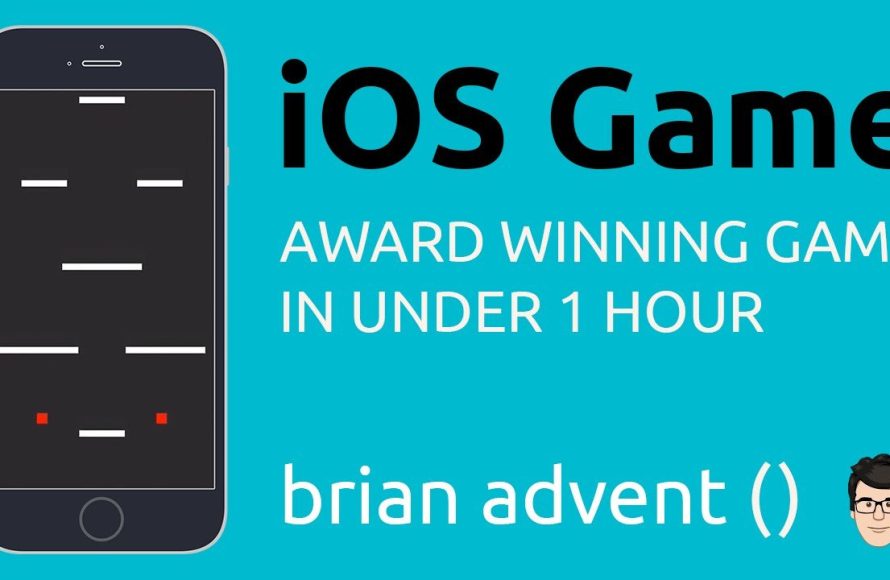
Creating an iPhone game involves using tools like Xcode, choosing a programming language such as Swift or Objective-C, designing the game mechanics and graphics, and testing thoroughly.
Ever dreamt of seeing your very own game on the App Store? The idea of crafting your own digital world is exciting. Many wonder how to create an iphone game, and it is not as daunting as it may seem.
The process involves several steps from conceptualizing your game, choosing tools, writing the code, designing the assets to finally launching it for the world to see. It does take time and effort, but the end result is very rewarding.

How to Create an iPhone Game
So, you want to make your very own iPhone game? That’s awesome! It might sound super tricky, like something only super smart tech wizards can do, but it’s not as hard as you might think. Making a game is a fun journey, kind of like building with LEGOs but on your computer. We’ll walk through all the steps, from the very first spark of an idea to seeing your game on an iPhone screen. Let’s get started!
Coming Up with a Great Game Idea
The first step is like thinking of what amazing thing you want to build with those LEGOs. What kind of game do you imagine? Do you picture a fast-paced racing game? Maybe a puzzle game where you move blocks? Or perhaps a fun adventure where a little character explores a big world?
Think About What You Like
A great starting point is to think about games you already love playing. What makes them fun? What do you like about them? Is it the colorful graphics? The challenging levels? The interesting characters? Making a game that you find enjoyable is a great recipe for success. Think about these questions:
- What kind of games do you play most often?
- What’s the most fun part of those games?
- What games do your friends enjoy?
Keep It Simple (At First!)
When you are just starting out, don’t aim for creating the next Grand Theft Auto. Instead, think of a simple game idea, something easy to make so you learn the process of game creation and don’t give up. Think about games like Flappy Bird or a simple platform jumper. Starting small helps you learn the basics and makes it easier to finish your game.
Here are a few examples of simple game ideas:
- A simple tap-tap game where you need to quickly tap on targets that appear.
- A maze game where you guide a character through a simple maze.
- A basic puzzle game with a few simple rules.
Planning Your Game: More Than Just Fun
Once you have an idea, you need a plan. This is like having the instructions for your LEGO set. It helps you know what to build and in what order. Here are things you want to think about:
What Are The Game Rules?
Every game has rules! These tell players how to play, how to win, and what they can and can’t do in the game. Here are some questions to consider when outlining the rules of your game:
- How does a player score points?
- What does a player need to do to win?
- Are there any limits, like a time limit?
- Can the player lose? How?
Draw a Rough Sketch
Grab a piece of paper and draw a quick sketch of what your game might look like. Don’t worry about making it perfect. It’s just to get a basic idea of the game’s layout. You can draw:
- The main screen where your game starts.
- How game objects, such as the player and obstacles might look.
- How the game screen looks while in play.
Plan Your Levels
If your game has levels, think about how each one will be different. Will they get harder as the player goes on? Will they introduce new elements or challenges?
Decide on Your Art Style
What look do you want for your game? Do you like pixel art? Or do you want something colorful and cartoonish? Choosing a style helps set the tone and makes your game unique.
Choosing the Right Tools for Game Development
Now for the fun part! It’s time to pick your tools, like choosing the right color of LEGOs. There are different ways to make a game for the iPhone. Here are a few options:
Game Engines: The Power Tools
Game engines are like special software kits that give you everything you need to create a game. They’re kind of like giant toolboxes that have all the pieces to build with. Some very popular game engines that you might consider are:
Unity
This is a very popular game engine, used for making games on all kinds of devices. It’s free for beginners and has lots of tutorials and examples to help you learn. Unity is like a flexible and easy-to-use toolbox.
Unreal Engine
Unreal is another powerful engine, but it’s generally a little more complicated for beginners. It’s often used for making more realistic games with fancy graphics. Think of it as a professional-grade toolkit for advanced projects.
Godot Engine
Godot is a great option if you are looking for a free and open-source engine. It’s great for 2D games and many think of it as easy to use. It’s like a free open-source toolkit made by a community of developers.
Programming Languages: The Building Blocks
When you use a game engine, you’ll likely need to use programming languages to create the actual game rules and how your game will work. It’s like the instructions on how to put the LEGO pieces together. These are some of the programming languages used to create mobile games:
C#
C# is a powerful, yet easy to learn language, often used with Unity. It’s like the instruction manual written in simple language.
C++
C++ is very powerful but can be more difficult to use. It is typically used with Unreal Engine. Imagine it as a manual with some complicated technical words.
GDScript
GDScript is a scripting language used with the Godot Engine. It’s designed to be easy to learn and quick to write. Think of it as an instruction manual created for the Godot toolkit.
Choosing What is Right for You
If you are just beginning, a game engine like Unity or Godot with a language such as C# or GDScript is often the best place to start. You don’t need to become a master programmer. There are many tutorials online that can help you along the way.
Creating Your Game: Putting it All Together
Now comes the actual building process. It’s like putting the LEGO pieces together to make something real from your plan.
Setting Up Your Game Environment
This is the first step. It’s like getting all your LEGOs out of the box and organized. You’ll set up your game project in your chosen game engine and create the basic structure of your game.
Importing Assets
Assets are the images, sounds, and other media you use in your game. This can include character graphics, background images, and sound effects. You might find free game assets online, create your own using graphics programs like Krita or GIMP, or buy them from online stores.
Creating the Game Scene
The scene is where your game action will happen. It’s like the table or play mat where your LEGOs are placed. In Unity, you’ll add objects to your scene (such as a player character and a game background). In Godot, you’ll add nodes to the game scene.
Writing the Code: Making it Work
This step is like writing the instructions for your LEGO creation to make it do something cool. You’ll use code to make the game behave as you want. This includes:
- Making your character move when you tap or swipe.
- Making obstacles move to challenge the player.
- Making the game recognize a win or a loss.
Don’t be scared of writing code! Many game engines make it simple for you and it’s a fun way to learn something new. There are lots of examples and tutorials online that will help you. You can think of coding as giving very clear, step-by-step directions to the computer.
Adding Sound and Music
Sound and music add a lot to a game. Sound effects can make interactions feel more satisfying. Music can set the tone and mood. You can find free sound effects and music online or even make your own.
Testing Your Game: Is It Fun?
As you work on your game, it’s important to test it often. Play your game yourself and ask friends to play it. Does the game play as you expect it to? Are there bugs or issues? It’s okay if there are. That is part of the game development process!
Getting Your Game Ready for the App Store
After you have made your game, it’s time to get it ready for the app store so you can share it with others. You don’t want it just to sit on your computer screen! Here’s what you need to do:
Creating an App Icon
An app icon is the image that represents your game on the App Store and on the users’ devices. Make sure it’s attractive and represents the game well. Think of it as the logo for your game, the first impression users will have.
Taking Screenshots and Videos
You’ll need to take screenshots and short videos of your game to show off its gameplay. These are the visuals that attract users to download your game. Show how fun it is to play!
Writing a Game Description
Write a clear and exciting description of your game. You want to explain how it’s played, the fun challenges, and how cool the game is. It should be short, engaging, and make players want to try your game.
Joining the Apple Developer Program
To publish your game on the App Store, you need to enroll in the Apple Developer Program. This does cost a small amount of money, but it’s how you get your game onto the iPhones of the world.
Submitting Your Game for Review
Apple has to approve your game. Once you submit it, Apple will review it to make sure it follows all the rules and works well. If it’s not approved, they’ll tell you the issues to fix before you submit it again.
Releasing Your Game to the World
Once approved, your game will be available on the App Store! It’s a very exciting moment. Now you can share your game with your friends, family, and everyone around the world!
Keep Learning and Improving
Making a game is a journey! Once you have released your game, you can see how people like it, make changes to improve it, or begin working on a completely new project! Continue to keep learning about how to improve your coding and design skills. You’ll become a better game creator as you go along! There are many online forums and communities dedicated to game development where you can ask questions, seek guidance, or just share your game.
Creating your own iPhone game is a fantastic experience. It’s a mix of creativity, problem-solving, and learning new things. It will take some time and effort, but seeing your game come to life and being played by others is a very rewarding feeling. It might seem like a big project now, but with these tips and a good approach you will make progress, one step at a time.
I Made a Mobile Game for the Money – Here's how | Devlog
Final Thoughts
To create an iPhone game, start with a solid game idea and design. Select a development tool like Xcode or Unity. Next, begin coding your game mechanics and user interface elements.
Test your game frequently on various iOS devices for best results. Remember to optimize performance. Finally, submit your finished product to the App Store. This process outlines how to create an iPhone game.

