
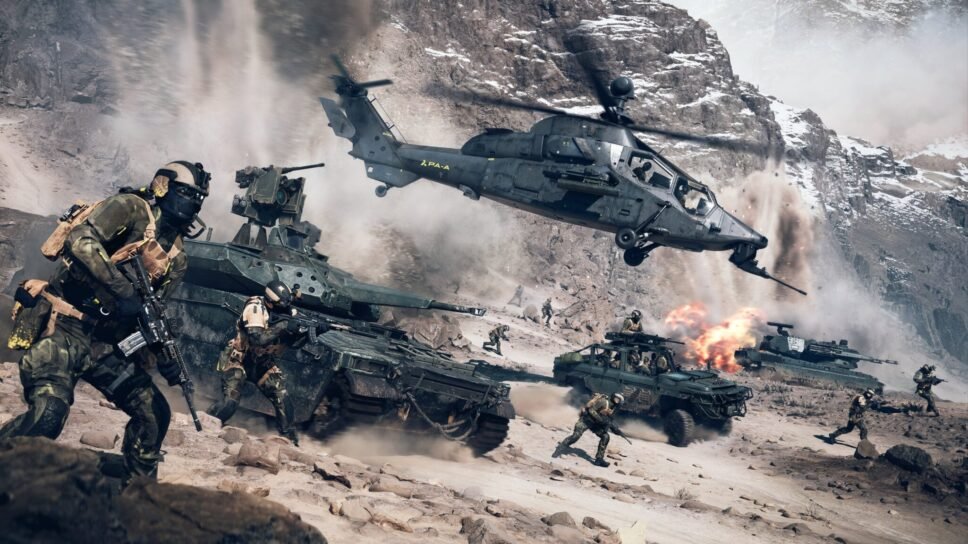
Creating your own custom game mode in Battlefield 6 Portal involves utilizing the Portal web editor to define rules, map rotations, weapon restrictions, and other gameplay parameters, then saving and deploying your unique creation.
Want to bend the rules of war to your will? Battlefield 6 Portal gives you amazing tools to craft your very own Battlefield experience. Ever wondered how to create your own custom game mode in Battlefield 6 Portal?
It’s all about diving into the Portal web editor. You can tweak everything from available weapons and vehicles to the very core rules of the game.
Once you’ve perfected your masterpiece, simply save and deploy it for you and your friends (or the entire Battlefield community!) to enjoy.

How to Create Your Own Custom Game Mode in Battlefield 6 Portal
Battlefield Portal gives you incredible control. You can reshape classic Battlefield experiences or forge entirely new ones.
This guide breaks down the process of crafting your own custom game mode. We will cover everything from basic settings to advanced logic editing.
Accessing Battlefield Portal
First, you need to access the Battlefield Portal. It’s usually found in the main menu of Battlefield 2042.
Look for a tile or button clearly labeled “Battlefield Portal”. Select it to enter the custom game creation suite.
Navigating the Portal Interface
The Portal interface can seem overwhelming at first. Familiarize yourself with the different sections.
These typically include game settings, map selection, and logic editor access. A clear overview helps you navigate effectively.
Basic Game Mode Settings
These are the fundamental settings that define your game mode. Think of these as the building blocks.
These settings include team sizes, round duration, and player count. Let’s explore these in more detail.
Selecting a Game Mode Template
Portal often provides pre-made templates. These are helpful starting points.
Consider options like Team Deathmatch, Conquest, or Rush. They provide a foundation you can customize.
Adjusting Team Sizes and Balance
Team sizes are critical for gameplay balance. Smaller teams create more intimate conflicts.
Larger teams lead to chaotic, large-scale battles. Strive for an appropriate balance for your desired experience.
Setting Round Duration and Limits
Round duration significantly impacts the pace. Shorter rounds promote fast-paced action.
Longer rounds allow for strategic depth and planning. Consider the overall flow you want to achieve.
Configuring Player Count
Player count directly affects the density of combat. Too few players can feel empty.
Too many players can feel overwhelming and disorganized. Experiment to find the optimal number.
Map Selection and Customization
The map is the stage for your game mode. Choose wisely to complement your vision.
Portal allows you to select from a variety of maps. You can also customize some aspects of the map rules.
Choosing Appropriate Maps
Consider the map size and layout. Smaller maps are suitable for close-quarters combat.
Larger maps are better for vehicle warfare and long-range engagements. The map must support your game mode.
Customizing Map-Specific Rules
Some maps may have customizable rules. This could involve modifying objective locations.
You might also be able to restrict certain areas or vehicles on specific maps. These customizations add depth.
Weapon and Vehicle Restrictions
Controlling access to weapons and vehicles is key. This is vital for balancing the gameplay.
You can create unique weapon loadouts. Restricting certain vehicles changes the battlefield dynamics.
Creating Custom Weapon Loadouts
Decide which weapons are available to players. You can create specific loadouts for each team.
Consider limiting access to certain powerful weapons. This promotes fairness and strategic weapon choices.
Restricting Vehicle Spawns
Limit the number and types of vehicles available. This can significantly alter the flow of combat.
Removing certain vehicles creates a different tactical landscape. Consider the impact on map traversal.
Soldier and Class Customization
You can alter soldier attributes and class abilities. This allows you to further refine gameplay.
Adjusting movement speed, health, and available gadgets can dramatically change the experience.
Modifying Soldier Attributes
Experiment with adjusting soldier health and speed. This can create more fragile or resilient soldiers.
Changes to jump height and stamina also affect gameplay. Fine-tune these settings for your vision.
Customizing Class Abilities and Gadgets
Limit or modify available class abilities. This alters the roles of each class on the battlefield.
Restricting certain gadgets forces players to adapt. These changes affect team composition.
Implementing Rules Editor Logic
The Rules Editor unlocks advanced customization. You can create complex scripts and behaviors.
This allows for unique game mode mechanics. Learning the basics opens up a world of possibilities.
Understanding the Rules Editor Interface
The Rules Editor uses a visual scripting language. Blocks represent different actions and conditions.
Connect these blocks to create logical sequences. Familiarize yourself with the available blocks.
Creating Basic Scripts
Start with simple scripts. Try changing player scores based on actions.
Implement custom messages for certain events. Experiment to understand the scripting language.
Adding Custom Events and Conditions
Create custom events that trigger specific actions. This could be when a player captures an objective.
Add conditions that must be met for actions to occur. This allows you to create complex rule sets.
Testing and Iterating Your Game Mode
Testing is crucial for refining your game mode. Playtest with friends or the community.
Gather feedback and iterate based on their experiences. This is a vital part of the process.
Playtesting with Friends and the Community
Invite friends to playtest your game mode. Gather their feedback on balance and fun.
Share your game mode with the community. Listen to their suggestions and criticisms.
Gathering Feedback and Making Adjustments
Pay attention to player feedback. Identify areas that need improvement.
Adjust settings based on player experiences. Iteration is key to creating a polished game mode.
Advanced Customization Techniques
Once you understand the basics, explore more advanced techniques. These open up even greater creative possibilities.
Consider implementing custom UI elements. You can even create entirely new game mechanics.
Creating Custom UI Elements
Add custom messages or notifications to the screen. This provides players with valuable information.
Design custom scoreboards or objective trackers. Enhance the player experience with visual cues.
Implementing New Game Mechanics
Think outside the box and create unique mechanics. Perhaps you could introduce a capture-the-flag variant.
Create a game mode with limited respawns and permadeath. The possibilities are endless.
Sharing Your Custom Game Mode
Once you’re happy with your game mode, share it with the world. Let others experience your creation.
Portal provides tools for sharing your game mode. Promote it within the Battlefield community.
Publishing Your Game Mode
Follow the steps to publish your game mode. Give it a descriptive name and provide instructions.
Make it easy for others to find and play your game mode. Spread the word.
Promoting Your Game Mode
Share your game mode on social media platforms. Post about it in Battlefield forums.
Create a trailer or gameplay video to showcase it. Attract players with engaging content.
Examples of Unique Custom Game Modes
To spark your imagination, here are some examples. These show the potential of Battlefield Portal.
Consider recreating classic Battlefield experiences. Or try something entirely new and unconventional.
Recreating Classic Battlefield Experiences
Recreate classic game modes from older Battlefield titles. This evokes nostalgia and appeals to veteran players.
Remake Battlefield 3 Rush with its original weapon balance. Or bring back Battlefield 1942 Conquest with its historical vehicles.
Creating Unconventional Game Modes
Design a zombie survival game mode. Players must defend themselves against hordes of AI-controlled zombies.
Create a prop hunt game mode. Players hide as objects while others seek them out.
Building a VIP Escort Mission
Designate one player as the VIP, requiring escort to extraction. The other team attempts to eliminate the VIP.
Implement custom rules surrounding VIP health and weaponry. Escort missions offer tense, objective-driven gameplay.
Troubleshooting Common Issues
Sometimes, things don’t go as planned. You might encounter errors or unexpected behavior.
This section covers common issues and how to resolve them. Debugging is an important skill.
Addressing Scripting Errors
Carefully review your scripts for errors. Look for mismatched blocks or incorrect values.
Test your scripts frequently to identify issues early. Debugging is an iterative process.
Resolving Gameplay Imbalances
Pay attention to player feedback regarding balance. Adjust weapon damage or vehicle spawns.
Consider restricting certain weapons or abilities. Strive for fair and enjoyable gameplay.
Resources for Learning More
There are many resources available to help you learn. Explore official documentation and community tutorials.
Join Battlefield Portal communities for support. Continuous learning is key to mastery.
Official Battlefield Portal Documentation
Refer to the official documentation for detailed information. This includes explanations of all features and settings.
The documentation provides valuable insights into the Rules Editor. This is the best source of truth.
Community Tutorials and Guides
Explore tutorials created by the Battlefield community. Learn from experienced Portal creators.
These tutorials often cover specific techniques and game modes. They offer practical guidance.
Battlefield Portal Communities
Join online communities dedicated to Battlefield Portal. Share your creations and ask for help.
Learn from others and collaborate on projects. The community is a valuable resource.
Battlefield 6 Maps, Modes & Portal
Final Thoughts
To create your own unique Battlefield experience, Portal provides the tools. Experiment with various settings like weapon restrictions and health modifiers. You must dive into the logic editor to build advanced rules.
Customize your Battlefield 6 experience. Use the available options to craft a game mode that suits your style. Remember to test and refine your creation for optimal gameplay.
Ultimately, to create your own custom game mode in Battlefield 6 Portal, you will need to explore the interface. Have fun and share your imaginative creations with the Battlefield community.

