
Data mining games typically involves using tools to extract information from game files, often by analyzing code, textures, and other assets, to understand game mechanics or find hidden content.
Ever wondered what secrets your favorite games are hiding? The process of figuring that out often starts with learning how to data mine games. Many players and enthusiasts delve into a game’s inner workings to find unreleased items or understand game algorithms.
This exploration can lead to fascinating insights. These techniques show players how developers built their worlds. This can be for fun, or for analysis.

How to Data Mine Games: A Beginner’s Guide
Have you ever wondered what secrets lie hidden inside your favorite video games? Maybe you’re curious about upcoming content, character stats, or even how the game’s code works? Well, you can find many of these things by doing something called “data mining.” It’s like being a detective for games! Data mining involves looking at the game files to find information that isn’t normally shown to players. It can be really interesting and can sometimes give you a sneak peek into what the developers are planning. But it’s also important to know what you’re doing, so let’s explore how to do it safely and ethically.
What Exactly is Game Data Mining?
Game data mining is the process of examining the files that make up a video game. These files contain all sorts of information, from character models and textures to text strings and code instructions. Think of it like this: you’re opening up the game’s toolbox and looking at all the parts inside. Developers put this information into the game so that it can function properly, but sometimes, this information can provide hints about the game’s hidden features or future updates.
People who data mine games are often looking for:
- New Characters or Items: Information about upcoming content that hasn’t been officially released.
- Game Mechanics: The inner workings of the game, such as how damage is calculated.
- Text Strings: Hidden dialogue or messages that might give clues to the story.
- Unused Content: Game assets that were created but not put into the final game.
- Stats and Numbers: Information about character or item stats that can help you play better.
It’s like looking behind the scenes of your favorite movie to see how it was made!
Why People Data Mine Games
There are several reasons why people data mine games:
- Curiosity: Some people are just naturally curious and want to see how things work.
- Early Access: Data mining can sometimes give players a glimpse of upcoming features before they are released.
- Improved Gameplay: Understanding game mechanics can help players play more strategically.
- Community Contribution: Some data miners share their findings with the wider gaming community through forums, websites, or YouTube videos.
- Modding: Data mining can help modders create new game content.
It’s important to know, data mining can sometimes feel like peeking at presents before your birthday, so not everyone likes spoilers.
The Basics of Getting Started with Data Mining
Before you dive in, it’s essential to understand the basic steps involved in data mining. It might seem a bit technical at first, but with a bit of patience, it becomes easier.
Tools You Might Need
The tools you need depend on the game you’re trying to data mine, but some common ones include:
- File Explorers: Programs that allow you to browse the game’s files on your computer. Windows Explorer (for Windows) or Finder (for Mac) can be used, but sometimes a third party program that can look inside specific types of archives is needed.
- Text Editors: Programs that allow you to view and edit text files, like Notepad++ (for Windows) or Sublime Text (for Windows, Mac, and Linux). These will be very useful to view text files, json files, xml files, and many other game configuration files.
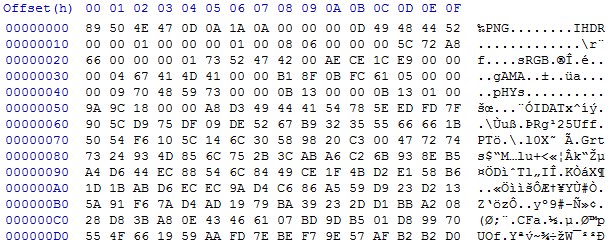
- Hex Editors: Programs that allow you to view and edit data in its raw form. HxD (for Windows) is a free and capable example. These are used for viewing binary files.
- Game-Specific Tools: Some games have specialized tools designed by the community, that can help with data extraction. There might be tools for unpacking game archives, or looking at specific file types.
- Game Archive Extractors: Many games use special types of files to pack up content into a single file, these are called archives. There are tools that are able to open these archives to allow you to access the internal files.
- Resource Viewers: For viewing images, models, and other game assets.
Locating Game Files
The first step is finding where the game is installed on your computer. Usually, this is under the “Program Files” or “Steam” folder. The specific location will depend on how you got the game, and what platform you play the game on. For example, games on Steam can usually be found in something like: C:\Program Files (x86)\Steam\steamapps\common
Inside this folder you should find the games install folder, which often contains many folders named bin, data, content, and many other similar names. This is where most of the game’s files are kept, from models, to textures, sounds, and program files.
Understanding Game File Types
Games use many different types of files. Here are some common ones you might encounter:
| File Extension | Description | Tools Needed |
|---|---|---|
| .txt | Text files with game dialogue, descriptions, or settings. | Text Editor |
| .json | Files storing data in a structured format, often used for configurations and character stats. | Text Editor |
| .xml | Files that use markup language, often containing game layouts and configuration info. | Text Editor |
| .png, .jpg | Image files for textures and icons. | Image Viewer |
| .ogg, .wav | Audio files for sounds and music. | Media Player |
| .model, .obj, .fbx | 3D model files, containing data on character models or props. | 3D Model Viewer |
| .pak, .zip | Archive files that contain many other game files. | Archive Extractor |
| .dll, .exe | Program code and game executable files. | Hex Editor, Disassembler (Advanced) |
Knowing these common file types will make it easier to find the information you’re looking for.
Ethical Considerations of Data Mining
While data mining can be fun and interesting, it’s important to do it ethically. Here are a few things to keep in mind:
Respecting Developers’ Rights
Game developers work hard to create the games we enjoy. Data mining can sometimes reveal content that they intended to be a surprise. Be mindful of this and avoid sharing spoilers if possible.
Avoiding Exploits
Data mining should be used for informational purposes and learning, not for cheating or exploiting the game. Using mined information to gain an unfair advantage over other players is usually against the game’s terms of service, and could result in punishments.
Not Sharing Private Information
Games might contain sensitive information, such as other players’ details. Do not share personal data that you might find during data mining. Respect the privacy of other players and the developers.
Following Terms of Service
Before you start data mining, you should read the game’s Terms of Service. Some games may specifically forbid data mining. Following those terms can help you stay safe and respectful.
A Simple Example of Data Mining
Let’s go through a simple example to show you how data mining can work. In this case we will use a hypothetical game example, with some example configuration files that we can look at.
Finding Character Stats
Suppose we want to find the stats for the characters in our example game. We’ve located the game files, and in the game’s Data folder, there is a sub-folder called Characters, inside that folder, are some JSON files. Each file is named after one of the game’s characters. The file named Warrior.json contains the following information:
{
   "name": "Warrior",
   "health": 100,
   "attack": 15,
   "defense": 10,
    "abilities":[
        {
            "name": "Heavy Swing",
            "damage": 20,
            "cost": 5
        }
    ]

}
By looking at this JSON file using a text editor, we can see the health, attack, and defense values for the warrior character. It also shows the details for one of their abilities. These simple statistics can help us understand how the warrior character plays, and the values associated with its abilities.
Looking for Text Strings
Many games keep dialogue and other text strings in files. We can also look at these text files. In the same Data folder of the example game, we find a file called Dialogues.txt that contains the following:
[Scene1]
NPC1: Hello there, adventurer!
Player: What is this place?
NPC1: This is the ancient village of Elderwood.

[Scene2]
Player: I need to find the lost artifact.
NPC2: It is hidden in the caves to the north!
By using a text editor, we can read the in-game dialogue. Sometimes, data mining these files can show us dialogue that has not been put in the game yet, or dialogue that was cut out of the game.
Extracting Images
Game images can often be found in many different types of image files. It is possible to extract them if you can find the file types. Some are in common formats such as .png or .jpg, these can be opened with image viewers, however, some are in a custom format that needs special tooling. Some games also store image files inside of archives.
Advanced Data Mining Techniques
Once you’re comfortable with the basics, you can move on to some more advanced techniques.
Working with Archives
Many games pack up their files into archives. These archives are like compressed folders. You’ll need a special program called an archive extractor to open these archives and view their contents. Once extracted you can then look at the many files that are inside them.
Using Command Line Tools
Command line tools can be used to automate data mining tasks, but these are only recommended for more experienced users. They involve using commands to extract and process data more efficiently.
Reverse Engineering
Reverse engineering involves looking at the game’s code itself. This can be done with a disassembler and debugger, and is a very advanced skill that can be very time consuming. With the game’s code you can see exactly how different parts of the game operate, and can also see all the other data that is stored in the game’s program files.
Tips for Successful Data Mining
Here are some tips to help you become a successful game data miner:
- Start Small: Begin by trying to understand basic file structures, like text files and configuration files, then move up to more complex files, like archive files and program code.
- Be Patient: Finding specific information in game files can take time, so don’t get discouraged if you don’t find everything right away.
- Join Communities: Connect with other people interested in data mining. They can offer advice, tips, and tools.
- Keep Learning: Data mining is a constantly evolving field, so keep learning new techniques and tools.
- Back up Files: Before making changes to files, always make a copy first. This can help if you accidentally change the wrong file.
Data mining is a great way to learn more about the inner workings of your favorite games, and can even give you a glimpse of future content. Remember to be ethical and respect the work of developers while you’re exploring, and you can have lots of fun digging deep into the data!
How To Datamine Unreal Engine Games Versions 4 and above
Final Thoughts
Successfully data mining games involves using tools to extract information. You examine game files, network traffic or APIs. The information you find varies. It can include character stats, item details, or map layouts.
Analyzing data helps you understand game mechanics. You can learn strategies that give a competitive edge. Ethical data practices are essential; respect terms of service. Understanding how to data mine games allows you to gain valuable insights.

