
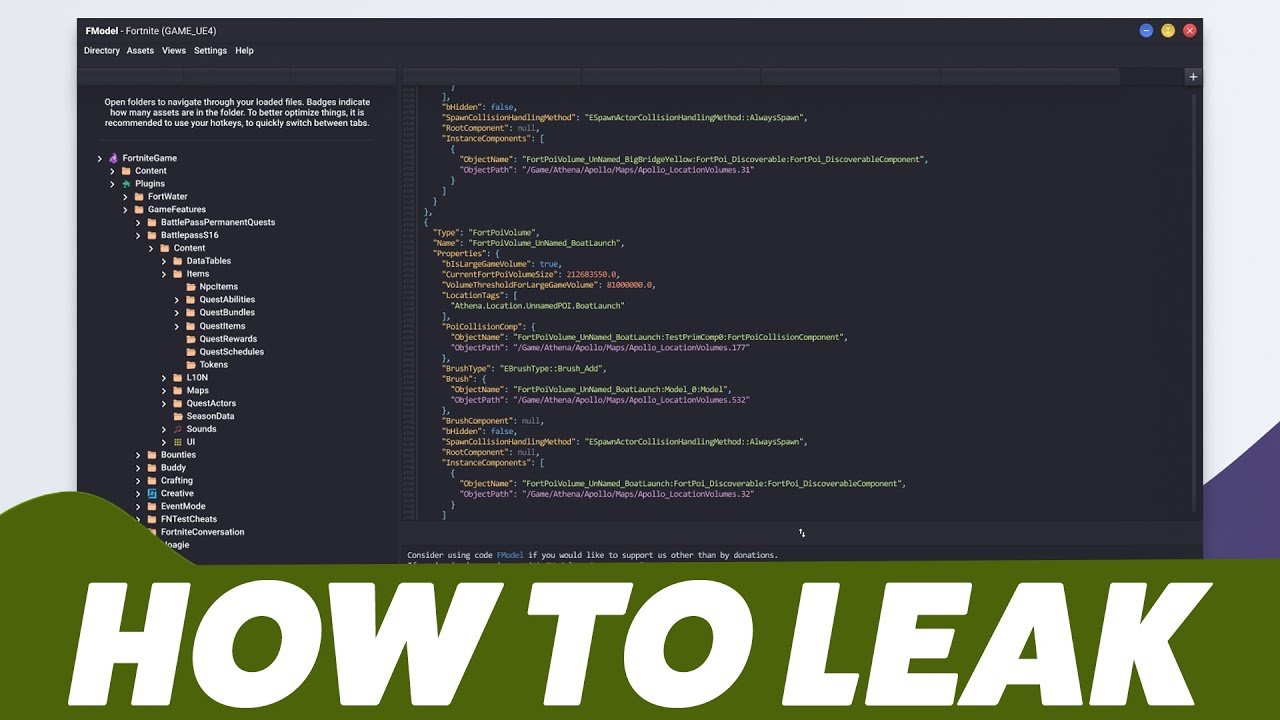
Datamining a game typically involves extracting game files and using specialized tools to examine textures, models, audio, and other data for analysis and modification.
Ever wondered what secrets lie hidden within your favorite video game? The desire to peek behind the curtain is strong, and that’s where the concept of datamining comes in. We often ponder how to datamine a game, leading us to investigate game assets directly.
This process gives us the opportunity to explore previously unseen content. Players might want to understand mechanics or find hidden content. This article will provide a basic overview.

How to Datamine a Game
Ever wondered what secrets lie hidden inside your favorite video game? Maybe you’re curious about upcoming characters, unreleased items, or even the story’s original plans. That’s where datamining comes in! It’s like being a detective for video games, looking for clues and information that the developers haven’t officially shown us yet. While it sounds super techy, the basic ideas aren’t that hard to grasp. This article is going to take you through the exciting world of datamining, in a way that’s easy to understand. So get ready to learn how to peek behind the curtain of your beloved games!
What is Game Datamining?
Imagine a game as a big box filled with all sorts of goodies: pictures, sounds, instructions, and much more. Datamining is like carefully searching through that box to find things that aren’t meant for everyone to see right away. Game developers put all these pieces together to make a game, but they don’t always show everything at once. Sometimes they keep things secret to surprise players later, or they have content that didn’t make it into the final version of the game. Dataminers try to find these hidden bits of information, often using special tools and computer programs.
Think of it like this: if a baker puts a recipe on the counter, you can see it and know how to make the cake. But if they hide some of the ingredient amounts in a special note, datamining is like finding that hidden note to see the full recipe. It’s all about looking closer at the files that make up the game.
Why Do People Datamine?
There are lots of reasons why people are interested in datamining games. Some do it just for fun, because they are curious and love to explore. Others want to know what’s coming in future updates, so they can get ready for new content. Here are a few common motivations:
- Curiosity: Many people simply enjoy the challenge of figuring out how a game works on a technical level. They are excited to see the internal parts of games.
- Leaks: A big part of datamining is finding information that wasn’t meant to be seen yet. This includes things like new characters, levels, items, or story details. Gamers are excited to know what’s coming next and datamining provides those hints.
- Mods: Datamined information can be used to create mods (modifications) for games. Modders use this information to change or add features that weren’t originally in the game.
- Game analysis: Sometimes, people who write about games will datamine to better understand the game’s design, or its story and share this information in their videos, websites etc.
Is Datamining Legal?
This is a tricky question, and the answer isn’t always simple. Generally speaking, datamining itself is not inherently illegal. However, many games have Terms of Service or End User License Agreements (EULAs) that prohibit or restrict datamining activities. These agreements are a type of contract between the player and the game company.
Violating these terms can have consequences, ranging from warnings to losing your access to the game. Also, if the data that is mined is copyrighted, sharing the mined content can result in legal issues. So, it’s important to be aware of the rules before you start datamining.
Things to keep in Mind
- Read the Fine Print: Always check the game’s Terms of Service or EULA. This document often outlines what you can and cannot do with the game files.
- Copyright: Game assets, such as images, sound files, and text, are usually protected by copyright. Be careful about sharing or using these assets without the game developer’s permission.
- Consider the Community: Some game communities might have rules or expectations about sharing datamined content. Being respectful of these norms is a good idea.
Basic Datamining Concepts
Let’s look at some of the key concepts behind how datamining works. It may sound complex, but if we break it down, you can get the general idea.
Game Files
Video games are really just lots of files put together. Think of these files as the ingredients in the cake analogy. There are files for the characters, files for the sounds, files for the level designs, and more. All of these files are stored in specific folders that are part of the game program.
- Text Files: These hold information like the game’s story, item descriptions, and character names. You can usually read these files with a simple text editor.
- Image Files: These contain pictures of characters, items, backgrounds, and other visual elements. Formats like .jpg, .png, and .dds are common.
- Audio Files: These are sound files like music, sound effects, and character voices. Formats like .mp3, .wav, and .ogg are frequently used.
- Data Files: These files store the game’s behind-the-scenes data, such as information about how characters work or item properties. These can be in various formats, including binary (more on that later).
File Formats
Each file has its own format. It’s how the computer knows what type of file it is and how to use it. Some common formats you might see include:
- .txt: Plain text files that can be viewed in any text editor.
- .jpg, .png, .gif: These are common image formats.
- .mp3, .wav, .ogg: These are common sound file formats.
- .json, .xml: Text-based formats that are often used for game configurations and data.
- Binary Files: These files contain data that is not easy to read by humans. They require specific software to understand. Many game files use binary formats.
The Datamining Process
The process of datamining usually involves several steps, as shown below:
- Finding the Files: The first step is to locate the files that make up the game. This often involves navigating through the game’s installation folder on your computer or device.
- Opening and Examining Files: Once you find the files, you need to open them using appropriate programs. For text files, a basic text editor works fine. For image and audio files, you will use special tools, such as an image or audio viewing program. For other formats, specialized software may be required.
- Analyzing the Data: This is where the detective work begins. You carefully look at the files to see if you can find hidden information. This may involve searching for specific text, exploring images for unseen details, or listening to audio for sound clips.
- Using Tools: Dataminers use specialized tools to work with different types of game files. Here are some examples of tools:
- Text Editors: For simple text files, programs like Notepad (on Windows) or TextEdit (on Mac) can work.
- Image Viewers: For viewing images, tools like IrfanView, XnView, or even your web browser are useful.
- Audio Players: For playing audio files, you can use common media players like VLC Media Player or Windows Media Player.
- Hex Editors: For binary files that aren’t easily readable, hex editors like HxD or 010 Editor are essential. These let you see the raw data in a file.
- Game-Specific Tools: Many games have specific datamining tools built by the community. These tools are designed to work with the specific file formats of a particular game.
- Making Sense of the Data: Once you find some hidden data, you’ll need to make sense of it. This often involves figuring out how the data is organized, what different values mean, and how the information relates to the game.
- Sharing (Optional): Some dataminers share their findings with the community. This can be done through posts on forums, social media, or specialized websites.
Diving Deeper: Understanding File Types
Let’s go into a bit more depth about some important file types and how they’re used in games.
Text-Based Configuration Files
Many games use text-based files like JSON and XML to store configuration information. These files can be easily edited, and they can store information like game settings, level data, and character properties.
- JSON (JavaScript Object Notation): This format uses key-value pairs to store information. It is easy for both computers and humans to read.
- XML (Extensible Markup Language): This uses tags to define different data elements. It is another popular format for game configuration files.
Binary Files
As we have seen, a lot of game data is stored in binary files. These are files that are not readable by regular text editors because the data is in a format that is meant for a machine, not a human. Binary files are the most common form of storage in video games and other software. You need a special hex editor to view the content of binary files. Hex editors allow you to see the raw bytes of the file, often represented as hexadecimal numbers.
- Hexadecimal Numbers: These numbers use base 16, with digits 0-9 and letters A-F to represent values. Hexadecimal is easier to work with than binary numbers because they are shorter.
- Endianness: This refers to the way that multi-byte values are stored in computer memory. Different systems use different endianness, which can be a challenge when working with binary data. There are two types of endianess, Big Endian and Little Endian. If the game data is in the incorrect endianess, it may not be parsed properly.
Extracting Assets
Game assets include images, sounds, 3D models and other pieces of media that make up a game. To look at these types of assets, you will have to use special programs called “asset extractors.” These programs can open the packed or archived files that are commonly used to store game content and extract specific assets from them. Here are some key things to know about assets:
- Packed files: Games often pack their files to make them smaller and to help them load more quickly. Asset extractors are tools that can open these archives and find the content that is hidden inside them.
- Game Engine Specific Files: Some files are specific to a game engine (the software used to make a game). You may need tools designed for a particular engine to work with these files.
Ethical Considerations in Datamining
While datamining can be fun and interesting, it is important to think about the ethical side of it. Here are some points to remember:
Respecting Developers
Game developers spend a lot of time and effort creating games. They often plan content releases to create hype, build excitement, and make the game more fun for players. Datamining can spoil these experiences for others, by showing content before it is officially revealed. Try to be respectful of the developer’s plan for the game.
Spoilers
Datamined content can contain spoilers, especially if it reveals parts of the story or upcoming game features. Think about how you would feel if the plot of your favorite game was leaked early, before you had a chance to play it. Think of others before sharing any datamined content that could spoil the game for someone else.
Community Norms
Every gaming community is different. Some communities might be fine with datamining, while others have a strict rule against it. Learn about the community norms and rules before you start mining or share what you found.
Legal Boundaries
As mentioned before, always consider legal rules and agreements (like EULAs). Avoid sharing content that could violate copyrights and make sure to know what is allowed before you go further.
Stepping into Datamining: A Beginner’s Guide
Ready to start exploring the world of game datamining? Here’s a step-by-step process for getting started, focusing on how to find and explore game files:
Step 1: Choose a Game
Start with a game that you know well and that you’re curious about. Choose a game that runs on your computer or device. Start with a small game or an older game, it may be easier to understand the datamining process.
Step 2: Find the Game Files
Most games are installed into a specific directory on your computer. The location varies depending on the platform and operating system.
- Windows: Game files are often located in the ‘Program Files’ or ‘Program Files (x86)’ folders on your main drive. They may also be in the user’s AppData folder (usually in the ‘Local’ or ‘Roaming’ subfolders). Steam and other launchers may have their own install directories, which can usually be found through their settings.
- Mac: Game files are usually located in the ‘Applications’ folder. Game specific files can also be in the ‘Application Support’ or ‘Library’ folders.
To find the exact install location, you can often right-click the game’s shortcut and select “Open file location” (on Windows) or “Show in Finder” (on Mac).
Step 3: Get the Right Tools
You will need to download and install tools based on the type of files you will work with. Some suggested tools for beginners include:
- Text Editors: Use the built-in Notepad (Windows) or TextEdit (Mac), or use more powerful text editors like Notepad++.
- Image Viewers: Install image viewers like IrfanView or XnView to explore different images.
- Audio Players: Install audio players like VLC Media Player or use the built in Windows Media Player (Windows) or Quicktime Player (Mac).
- Hex Editors: Download hex editors like HxD or 010 Editor.
Step 4: Explore the Game Files
Start by opening some of the files with the tools you have.
- Text files (.txt, .json, .xml): These are the easiest to work with. You can open them with a text editor to see their content. Look for interesting text.
- Image files (.jpg, .png, .dds): Use an image viewer to look at images in the game.
- Audio files (.mp3, .wav, .ogg): Use an audio player to hear the music and sounds.
- Binary Files: Use a hex editor to see the content of these files. You will need to explore them to try and understand what different values represent. Look for interesting patterns.
Step 5: Be Patient and Curious
Datamining is a process that requires lots of patience and curiosity. You may not find secrets or hidden content right away. Keep exploring, keep trying, and you’ll slowly learn more about the game’s inner workings!
Advanced Datamining Techniques
Once you’ve grasped the basics, you can try some more advanced techniques. These techniques are for more experienced users, but they can be very useful for finding information.
Reverse Engineering
Reverse engineering involves understanding how game software works at a technical level. This can include understanding the game’s engine, how it processes data, and its algorithms. This is very complex and takes a lot of time to learn. However, it is useful to be aware of it as a next step in game data exploration.
Memory Analysis
Memory analysis involves watching how the game uses the computer’s RAM, or Random Access Memory. By looking at the memory, you can sometimes see how the game uses different values, and get hints about game features.
Network Traffic Analysis
By watching network traffic, you can see the data that is being sent to and from the game server. This can sometimes reveal hidden information or hints about upcoming game content. Analyzing network traffic involves using software tools called packet sniffers, which require a bit of technical knowledge to use.
Scripting and Automation
As you get more experienced, you can write scripts to help automate certain tasks. This can make the datamining process much faster and easier. There are many popular languages that can be used for this like Python, and you can automate repetitive tasks.
Datamining is a journey of constant learning. You’ll face new challenges, learn new tools, and have to adapt to different game structures. But the excitement of finding hidden secrets, and getting a peek behind the curtain of your favorite games makes the work worth the effort.
As you can see, datamining is a very interesting skill. It can be used to explore hidden content and give a more indepth understanding of your favorite games. While there are some things to be careful about, datamining is a great way to grow your technical skill and to see the inside of video games.
How To Datamine Games Such As Fortnite and Valorant! (FModel Leaking Tutorial)
Final Thoughts
In essence, datamining a game involves accessing its files to extract information like text, images, or code. You’ll typically use specialized tools and have basic coding knowledge. This process can reveal hidden game content.
However, respect the game’s terms of service and potential legal implications. The extracted content may be copyrighted. Remember, how to datamine a game is a skill to use responsibly and ethically.

