
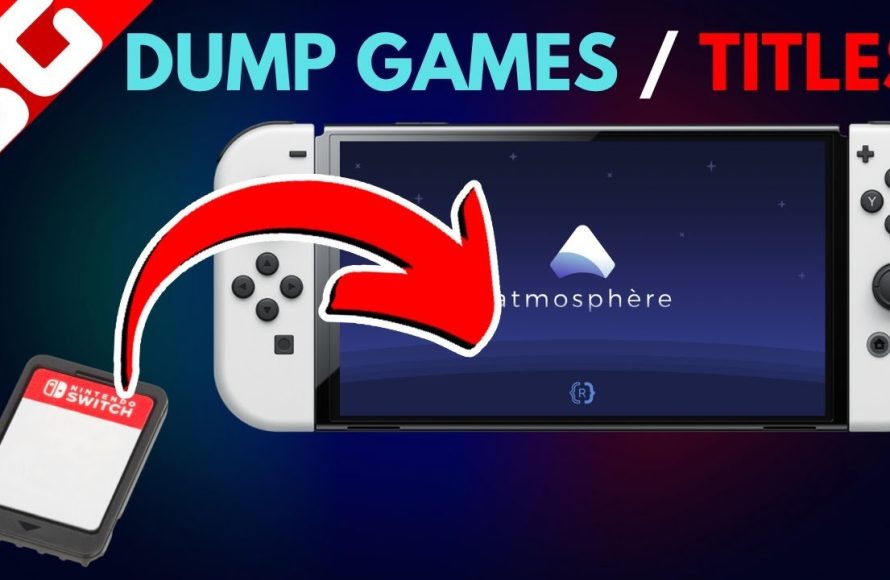
To dump Switch games, you typically need a modified Nintendo Switch console, specific software on the console and computer, and a method to extract the game files.
Ever wanted to create a backup of your favorite Nintendo Switch games? It’s a process that allows you to access game files for various purposes. This involves specific tools and some understanding of your console.
Many gamers are curious about how to dump Switch games. The process, while not straightforward, is achievable with the proper setup and following detailed guides. It’s important to understand the implications, but for those who are curious it’s a fascinating technical exercise.

How to Dump Switch Games: A Detailed Guide
So, you’re curious about how to make a digital copy of your Nintendo Switch games, also known as “dumping.” Maybe you want to back up your precious cartridges, or perhaps you’re exploring the world of homebrew. Whatever your reason, it’s important to understand the process and what it involves. This guide will walk you through the steps in a clear and easy-to-follow way, keeping things simple for everyone. We’ll cover what you need, how it all works, and some important things to keep in mind. Let’s get started!
Understanding Game Dumping
Before diving into the how-to, let’s make sure we’re all on the same page about what game dumping actually means. Think of it like making a photocopy of a book. Instead of the physical game cartridge, you’re creating a digital file that contains all the game’s data. This file can then be used for various purposes, including playing the game on a modified Switch or using it with emulators on your computer.
Why Dump Games?
There are several reasons why someone might want to dump their Nintendo Switch games. Here are a few common ones:
- Backups: If you have a large physical game collection, making backups can protect against damage, loss, or wear and tear of your game cartridges. You always have a digital copy if something happens to the original.
- Playing on Emulators: If you want to play your Switch games on your PC or other devices, you’ll need to create digital copies that emulators can read.
- Homebrew Applications: Some custom software or homebrew applications require you to have a dumped copy of a game for it to work properly.
- Preservation: Some people simply want to keep a digital record of their games for long-term preservation purposes.
What You’ll Need to Dump Switch Games
Dumping Switch games is not a simple plug-and-play process. It requires some specific tools and software. Here’s a list of what you’ll typically need:
Hardware Requirements
- A Modified Nintendo Switch: This is the most important requirement. Your Nintendo Switch needs to have custom firmware (CFW) installed on it. This allows you to run homebrew software, including the dumping tools. Without it, you won’t be able to dump games.
- A microSD Card: You need a microSD card that is formatted correctly to be used on your Switch. Make sure the card is big enough to hold the games you plan to dump. 64 GB or 128 GB cards are good options if you have a handful of games or plan to have more game files.
- A Computer: You’ll need a computer (Windows, Mac, or Linux) to transfer the dumped game files to.
- A USB Cable: You will use a USB cable to connect your Switch to your computer. This will allow you to transfer your game data to your computer.
Software Requirements
- Custom Firmware (CFW): As we mentioned, your Switch needs to have CFW installed. Common choices include Atmosphere and ReiNX. Make sure you’ve installed it following reputable guides online.
- Homebrew Software: You’ll need specific homebrew applications that are designed for game dumping. Programs like nxDumpTool are frequently used.
- A File Transfer Program: On your computer, you may need programs to help transfer game files from your Switch to your computer.
Steps to Dump Switch Games
Now, let’s walk through the process of actually dumping your games. Please remember that the specific steps might vary slightly depending on the tools and custom firmware you use, but this gives a general idea on how you can make copies of your games.
1. Preparing Your Switch
Make sure that your Nintendo Switch is correctly set up with CFW and your microSD card is properly formatted and placed inside the console.
2. Launching Homebrew
Turn on your Nintendo Switch and boot into your custom firmware. Next, you need to access the homebrew menu. The way you do this depends on which CFW you have installed. Usually, it involves launching the photo album application while holding a specific button or using a shortcut from the home menu.
3. Opening a Game Dumper
Once in the homebrew menu, locate the game dumping tool you installed. Select it to start it. A popular choice is nxDumpTool. Use the controller or touch screen to make a selection.
4. Selecting the Game to Dump
The dumping tool should present you with a list of all the game cartridges you have inserted into your console. Use the controller or touch screen to choose the game you would like to dump. Ensure that the game you want to copy is inserted into your Switch before you start.
5. Choosing the Dump Options
Most dumping tools provide you with various options. You may need to select the game format, like .nsp or .xci files. Each format has its benefits, and for most cases .nsp is more common for the use with emulators and other homebrew programs. Select the output format and any other options the tool might offer and then start the dumping procedure.
6. Starting the Dumping Process
After you’ve selected the options, initiate the dumping procedure. The tool will start to read the data from your game cartridge. This can take some time, depending on the size of the game, so be patient. It can take minutes or sometimes hours. Do not close your homebrew app or turn your Nintendo Switch off.
7. Transferring Files to your Computer
After the game dump process completes, you’ll need to move the game files to your computer. This can be done using FTP file transfer via Wi-Fi or by connecting your Switch to your PC using a USB cable. Once your console is connected to your computer, you can then transfer game files to your hard drive on your computer.
Once you have the files on your computer, store them in a safe place. You may also want to organize the files by naming them using a consistent system for better organization.
Common Game Dump Formats: .NSP and .XCI
When you dump a Switch game, you’ll come across two main file formats: .NSP and .XCI. Here’s what you need to know about each:
.NSP Format
- Nintendo Submission Package: .NSP stands for Nintendo Submission Package. It’s the same format used for digital games downloaded from the eShop.
- Ideal for Homebrew: This format is typically preferred for installing games on a modified Switch using custom firmware.
- Smaller File Sizes: Generally, .NSP files can be slightly smaller in size than .XCI files.
.XCI Format
- eXtended Cartridge Image: .XCI files are like the raw dump of the game cartridge.
- More Direct Copy: These files are often larger than .NSP files as they are a complete copy of the game’s data on the cartridge.
- Used in Emulators: .XCI files are commonly used when playing games on emulators since they are easier to emulate directly.
Choosing between .NSP and .XCI depends on your needs. If you plan to use the dumped game with a modified Switch, .NSP files are better. If you plan to use it with a computer-based emulator, .XCI files are a good choice.
Important Considerations and Precautions
While dumping games can be useful, it’s essential to keep some important things in mind:
Legality and Copyright
It’s very important to understand the legal aspects of dumping games. Here is a quick summary:
- Personal Backups: Generally, it’s considered legal to create backups of games that you legally own for your own personal use.
- Sharing Copies: Sharing dumped games with anyone else is illegal. This is piracy, which is against the law. Only use your dumped games for your own use.
Always make sure that you respect copyright law and use your dumped games responsibly.
Risk of Modifying Your Switch
- Warranty Voided: Modifying your Nintendo Switch voids the warranty. Nintendo may not repair it if something goes wrong.
- Risk of Ban: Using custom firmware can lead to your Nintendo Switch console being banned from online services. Therefore, be careful and do your research if you plan to go online.
Be aware of the risks that may result from having your Switch modded and always be careful when doing research before performing any kind of software installations or modding.
Keeping Your Data Safe
- Virus Check: Always scan all the game files you download for viruses or malware.
- Proper Storage: Keep your files in a safe place. Make backups of your files and use an external storage device to store your game files so you don’t run out of space on your computer.
- File Organization: Make sure you keep your games organized and use a consistent system when naming files.
Following Reliable Guides
Modifying your Nintendo Switch or dumping games can be complicated. Always use up-to-date information from trusted sources. Use the latest versions of any software that you use on your Switch and follow instructions carefully.
Using a bad or unreliable guide can cause issues or may damage your console. The custom firmware community is always changing and there may be new or better methods to use to do the same tasks you are looking for.
Troubleshooting Common Issues
You may encounter some common issues while dumping games. Here are a few possible problems and ways to resolve them:
Dumping Tool Errors
If you see errors or if the dumping process crashes, try the following:
- Restart the Tool: Sometimes restarting the tool or application solves errors.
- Use the Latest Version: Check that you have the latest version of your dumping application, custom firmware, and related tools.
- Try a Different Game: If it continues to fail, try dumping a different game to see if it’s an issue with the specific game cartridge.
File Transfer Issues
If you are unable to transfer your game file, then try this:
- Check the Connections: Make sure your USB cable is working and connected or that your Switch and computer are on the same Wi-Fi network if you are using FTP.
- Check Firewalls: Ensure that the security or firewalls on your computer is not blocking the connection between your PC and your Switch.
- Use a Different Method: If you are having a hard time using a USB connection, then use FTP file transfer or vice versa.
Slow Dumping Speeds
If your dumping process is going slower than expected:
- Use a Faster microSD Card: Faster microSD cards can make a big difference. Use a microSD card that has a good speed rating for faster write times.
- Close Other Applications: Close other applications to free up resources on your Switch.
- Try the Connection: Try using a different connection if you are using a wireless connection as wireless connections can be slower.
By keeping these common solutions in mind you can often solve most of the problems and get back on track.
Alternatives to Game Dumping
If dumping games seems complicated, there are other ways you might be able to play your games:
Purchasing Digital Games
The most straightforward method is to purchase your games from the Nintendo eShop. You can purchase and download them directly to your console.
Using Official Services
Nintendo has the Nintendo Switch Online service which provides access to games from older consoles for a subscription price. This can be a great way to play older games legally.
Emulator and Retro Games
There are several other video game consoles that can be emulated legally using PC or other hardware. There are plenty of legal ways to enjoy retro video games.
Dumping Switch games offers various possibilities, like creating backups or playing games on an emulator, but it comes with important responsibility. If you decide to go down this road, understand the risks, and always act responsibly by using reliable information. By understanding these concepts, you will be well-prepared to make a decision. Remember that you should never share your game files with others. Always use your dumped game files only for your own personal use.
Dump Nintendo Switch Games and Play them on The Computer [Yuzu or Ryujinx] Tutorial [2023]
Final Thoughts
Dumping your Nintendo Switch games requires specific hardware and software. You need a modified console and tools for extracting game files. Ensure you are aware of the legal ramifications.
The process often involves using custom firmware. You should be very careful to avoid bricking your console during this procedure. Backups are only for personal use of games you own.
Ultimately, knowing how to dump switch games is a technical process. It requires careful steps and specific tools. Ensure you have all required elements before you begin the dump process.

