
Finding unblocked games at school often involves using website proxies, virtual private networks (VPNs), or searching for sites that school network filters haven’t yet blocked.
School days can sometimes feel long, and you might crave a quick gaming break. The tricky part is that many school networks block popular gaming sites. So, the question arises: how to find unblocked games at school? It is a common challenge for students.
Many students are curious about this. They spend time figuring out ways to bypass those strict filters. This article will explore some ways that you can try to access games during your free time at school. Let’s find some options.

How to Find Unblocked Games at School
Okay, let’s face it. Sometimes school can be a bit… well, boring. And when that happens, sometimes all you want to do is play a fun game. But school computers often block lots of gaming websites. Don’t worry, you are not alone. Many students face this exact same problem every day. This section of the article will help you find some sneaky ways to get your game on, while still following your school’s rules as much as possible. We will go through different methods, explain why they work, and highlight what to watch out for. We want you to have some fun, but also keep you safe online.
Understanding Why Games Are Blocked
First, let’s think about why your school blocks games in the first place. It’s not because they want you to have no fun! Schools usually block websites for a few key reasons:
- Staying Focused: Schools want you to pay attention to your lessons. Games can be a big distraction. It’s hard to learn when your mind is on jumping to the next level.
- Safety First: Some websites might have things that are not safe for kids, like inappropriate content or even viruses. Schools try their best to protect you by blocking these potentially harmful sites.
- Network Management: Too many people playing games can slow down the school’s internet for everyone. They block these sites to make sure everyone has enough internet access to do their schoolwork.
Firewalls: The School’s Digital Gatekeeper
Think of a firewall as a special gatekeeper for the internet. It’s like a bouncer at a club, but for websites. It decides what websites are allowed to come into the school’s network and what websites are blocked. The school sets rules for the firewall, and it strictly follows them. This means even if you know the address of a game website, the firewall will still block it if it’s not on the list of allowed sites. Firewalls are very good at what they do, and that’s why they can be hard to get around. But do not lose hope, there are still a few tricks.
Sneaky Strategies: How to Find Unblocked Games
Now that you know why sites are blocked, let’s get to the good stuff – how to actually find unblocked games. There are multiple methods you can use, and we will go through them one by one.
Website Proxies: The Internet’s Cloak
A website proxy acts like a middleman between you and the website you want to visit. Instead of directly going to the game website, you first go to the proxy website. The proxy fetches the game for you and then shows it to you. This makes it seem to the school’s firewall that you are just visiting the proxy site, not the actual game site. There are many proxy sites you can find online, such as:
- Hide.me: This site offers a free proxy service that can help get past some basic firewalls.
- Kproxy: Known for being easy to use, this proxy lets you quickly browse blocked sites.
- Proxysite.com: This option has a simple interface that’s great for beginners.
How to use a proxy:
- Find a proxy website. Use a search engine like Google and type in “free web proxy” to find a list of available options.
- Go to the proxy website. Open the proxy website on your school computer.
- Enter the game’s website. There should be a box on the proxy site where you can enter the address of the game website you want to visit. Type it in carefully.
- Press ‘Go’ or ‘Enter’. The proxy website will then fetch the game, and you will be able to play.
Things to watch out for:
- Slow speeds: Proxies can sometimes make websites slower to load. This can be annoying when you are trying to play a fast-paced game.
- Not always reliable: Some proxy sites stop working suddenly, or the school might block them, too.
- Pop-up ads: Free proxy websites often have a lot of ads. Be careful not to click on anything you are unsure about.
- Security issues: Some shady proxy websites can steal information. Do not enter your passwords or private information on these websites. Only use well-known and established proxy sites.
Google Translate: A Clever Disguise
You might be surprised, but Google Translate can sometimes act like a sneaky proxy! This works because Google Translate takes the website you want and translates it on their own server before showing it to you. The firewall then sees that you are just on Google Translate, not the game website.
How to use Google Translate:
- Open Google Translate. Go to Google Translate on your school computer.
- Type in the game’s website. Paste the address of the game you want to play into the left-side box of Google Translate.
- Choose a language. Pick any language from the drop down menu on the left. It doesn’t have to be the real language of the game website.
- Click the link. The translated link will show on the right side of the translate page. Click on this link. The game might load in a different language, but you should be able to play.
Things to watch out for:
- Not all games work: This method does not work for all gaming websites. Some might load weirdly or not work at all.
- Strange text: You might see some strange text and words, because Google Translate is not designed to be a proxy.
- Laggy games: Games might run slower when using this method.
Using a VPN (Virtual Private Network): A Secure Tunnel
A VPN is like a secret tunnel for your internet. It encrypts your internet traffic and sends it through a server in another place, hiding your real location. This can be helpful to bypass restrictions because it hides the websites you are visiting from the school’s network.
How to use a VPN:
- Install a VPN: You will need to install a VPN app or browser extension on your school computer. However, this is the part that is not possible because the school computers usually block the ability to install new software, therefore using a VPN on school computers is very difficult.
- Connect to a server. Once installed, you have to select which server you want to use, these are located all around the world.
- Browse freely. Now that you are connected through a server, you can now try to access the blocked websites.
Things to watch out for:
- Blocked by the school: Most school networks are very good at detecting VPNs and blocking them.
- Costly: Free VPNs can be very slow and also unreliable, good VPNs can cost money.
- Requires installing software: Most schools do not let you install new software. Therefore this method can not be used on school computers.
- Speed can be an issue: Depending on the server location, it could make your game laggy.
Unblocked Game Websites: The Easy Option
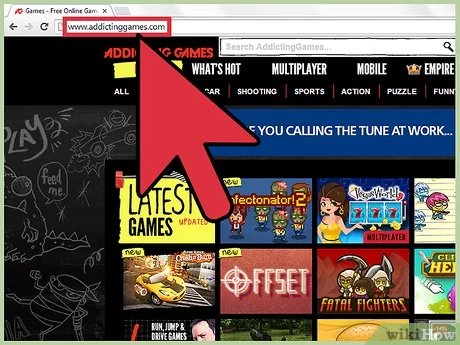
Some websites are specially designed to have a lot of unblocked games. These websites usually use different tricks to get around firewalls and make sure that they can be accessed on school networks. These sites can be very helpful to quickly get to the games.
Examples of Unblocked Game Websites:
- Sites.google.com: This platform can be used to create a website that can contain unblocked games.
- Github.io: A website that developers use to share their project, this can be used to host unblocked games.
- Coolmathgames.com: This site is well-known for math-related games but also offers many other games that often are not blocked.
How to use unblocked game websites:
- Find an unblocked game website. Look for lists of unblocked game websites on the internet.
- Open the website. Type in the website address into the browser address bar.
- Pick a game. Browse through the website and pick a game that you want to play.
Things to watch out for:
- Can get blocked: Even unblocked game websites can eventually be blocked by the school, if they are noticed.
- Not all games you want will be available: You might not find the exact game you are searching for.
Using a USB Drive (If Allowed): A Portable Solution
If your school allows you to use a USB drive, you might be able to download some games at home and play them on the school computer. This method works best for simple games that do not need a constant internet connection.
How to use a USB drive:
- Find a safe game: At home, look for simple games that you can download and save onto your USB drive.
- Copy games to the USB drive: Connect your USB to your home computer, and save the games onto the USB.
- Plug USB into school computer: At school, connect your USB drive to the computer.
- Play games: Open the files from the USB drive and play the games.
Things to watch out for:
- School policies: Some schools do not allow the use of personal USB drives on their computers.
- Virus risk: Make sure the game you are downloading is safe, and always scan the USB with an antivirus software before using it on the school computer.
- Not all games work: Complex games might not work without a proper installation process, and this might be blocked on school computers.
Specific Game Search Tricks
Sometimes, the key is how you search for games. Using specific keywords can help you discover unblocked games that are not very popular. Here are some terms to try:
- “HTML5 games”: These types of games often run in a browser, making them easier to unblock.
- “Flash games”: Older games using Flash technology are still widely available.
- “Browser games”: These games are specifically designed to be played in web browsers.
- “Indie games”: Small, independent games can sometimes fly under the radar of school firewalls.
Try combining these terms with the type of game you like, such as “HTML5 puzzle games” or “browser strategy games.”
The Importance of Staying Safe Online
While it’s fun to find ways to play games, always remember to be careful. Some websites might look like they have games but could have viruses or unsafe content. Do not click on any links that look suspicious and be careful when you are entering any kind of personal information. Do not download anything that you are unsure about. Try your best to stay away from questionable or unknown websites.
Ethical Considerations
It’s important to be respectful and responsible with technology at school. Even though it can be tempting to play games, keep in mind that your first priority at school should be learning. Try not to use games during class time, when you should be listening to your teacher. Play games in your free time, and don’t let your desire to play games negatively affect your studies. Remember that school’s primary purpose is for learning, and following the rules set by your teachers is very important. It’s a good practice to use your school’s technology in a respectful way.
Finding unblocked games at school can be tricky, but it’s definitely not impossible. With a little bit of know-how and the right approach, you can get that fun break you need. Remember to always be careful online, play responsibly, and focus on your schoolwork. Try not to get too distracted by the games and always listen to your teachers and respect your school rules.
BEST Website Games to Cure Boredom UNBLOCKED
Final Thoughts
Finding game websites that bypass school filters requires some resourcefulness. Students can try using alternative search engines or proxy sites. These methods can help you get around some common website blocks and enable game access.
Searching for specific game titles that aren’t popular might work. Another option is using a virtual private network (VPN), although the school may block VPN use too. Remember how to find unblocked games at school; it often involves trying different routes.

