
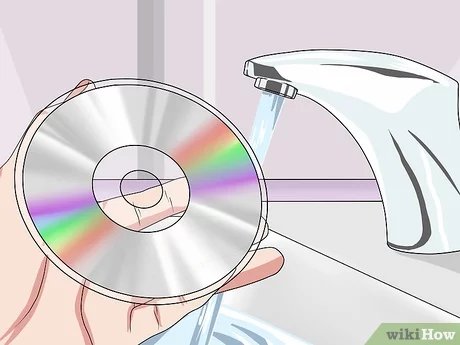
To fix scratched Xbox games, you can try cleaning the disc with a soft cloth and a small amount of isopropyl alcohol, or consider using a disc repair kit for more severe scratches.
That awful grinding sound and then the dreaded “unreadable disc” message – we’ve all been there. It’s frustrating when your favorite Xbox game refuses to load due to those pesky scratches. Knowing how to fix scratched Xbox games can save you money and the time of buying a new copy.
Don’t give up on your games just yet! There are several methods you can use to address those annoying scratches. This article will help guide you through the steps that might bring your game back to life.

How to Fix Scratched Xbox Games
It’s a frustrating moment for any gamer. You pop in your favorite Xbox game, eager to jump into the action, only to be met with the dreaded “disc read error.” More often than not, this issue stems from a scratched disc. But don’t despair! Before you toss that game in the trash, know that there are many ways you can try to fix it and get back to gaming. Let’s explore the world of scratched game disc repair and learn some useful tips and tricks.
Understanding the Damage
Before we jump into fixes, it’s good to understand what’s actually happening when a disc gets scratched. Xbox game discs, whether they are Xbox One, Xbox Series X/S, or older Xbox 360 discs, use a laser to read the data encoded on their surface. This data is stored in tiny pits and lands, which are then interpreted by the console as the game’s data. The disc’s surface is protected by a thin layer of polycarbonate plastic. When a scratch occurs, it can disrupt the laser’s ability to read these pits and lands properly, causing errors.
There are different types of scratches, which impact how we can fix the disc:
- Light Scratches: These are usually superficial and don’t penetrate deeply into the polycarbonate layer. These are the easiest to fix.
- Moderate Scratches: These scratches are more visible and may impact game performance more frequently. They require a bit more effort to repair.
- Deep Scratches: These scratches go deep into the disc’s protective layer and even potentially into the data layer itself. They’re the most challenging to fix, and success isn’t guaranteed.
It’s important to note that not all scratches are created equal, and your success in fixing your scratched xbox game depends on the depth and severity of the damage.
Preliminary Steps Before Starting Any Fixes
Before you start any fix, make sure the disc is clean. Dirt, dust, and fingerprints can mimic the symptoms of a scratch. Here’s how to properly clean the disc:
- Use a Soft Cloth: A microfiber cloth, like the kind used to clean glasses, is perfect. Avoid paper towels or rough cloths, which can cause new scratches.
- Wipe Gently: Wipe the disc from the center out to the edge in a straight line, not in circles. Circular motions can grind any dirt particles into the disc.
- Use a Cleaning Solution (Optional): If the disc is very dirty, you can use a very small amount of isopropyl alcohol (90% or higher). Apply it lightly to the cloth, not directly to the disc.
- Air Dry: Let the disc air dry completely before trying to play it.
Once the disc is clean, visually inspect it carefully. Note the location and severity of the scratches, which will help you choose the right repair method.
The Toothpaste Method: A Common Approach
The toothpaste method is one of the most popular and easily accessible home remedies. It works by using the mild abrasive properties of toothpaste to smooth out the edges of the scratch, making it easier for the laser to read the disc. It’s generally most effective for light to moderate scratches. Here’s how to do it:
- Prepare the Disc: Make sure the disc is clean and dry.
- Apply the Toothpaste: Use a small amount of non-gel toothpaste (a pea-sized amount should be enough). Avoid toothpastes with whitening agents or baking soda as these can damage the disc. Apply the toothpaste directly to the scratched area, or cover the entire disc surface, if the whole disc is scratched.
- Spread Evenly: Gently use your finger or a soft cloth to spread the toothpaste over the scratched area.
- Polish Carefully: Using a clean, damp microfiber cloth, gently rub the toothpaste into the disc, moving from the center of the disc outwards. Apply consistent, light pressure. Continue for 2-3 minutes.
- Rinse Thoroughly: Rinse the disc with lukewarm water to remove all traces of the toothpaste.
- Dry Carefully: Use a clean, dry microfiber cloth to gently dry the disc. Avoid any rubbing motions while drying.
- Test: Place the disc back into your Xbox and check if the disc is readable. Repeat the process if needed.
Important Notes About Toothpaste:
- Use a White Toothpaste: White toothpaste without any granules is the best. Avoid any gel toothpaste.
- Be Gentle: Too much pressure can worsen the scratch.
- Don’t Overdo It: Applying the paste and polishing it multiple times might make the situation worse.
The Banana Method: An Unexpected Solution
Believe it or not, the banana method is another at-home technique that some people have found helpful. The idea is that the potassium in the banana creates a sort of mild filler for scratches. Here’s the process:
- Prepare the Disc: Clean and dry the disc.
- Apply Banana: Take a ripe banana and gently rub the inside of the peel all over the scratched surface of the disc. Don’t use too much.
- Rub Gently: Use the inside of the banana peel or a clean, soft cloth to rub the banana residue into the scratches for 1-2 minutes.
- Remove the Residue: Use a clean, damp cloth to carefully wipe away all traces of the banana residue.
- Polish: Buff the disc with a dry, soft cloth.
- Test: Test your disc to see if it works. If it doesn’t work, you can repeat the process.
Important Notes About the Banana Method:
- Use a Ripe Banana: A ripe banana works best because it will be softer and contain more potassium.
- Don’t Leave Residue: Make sure you remove all the banana residue to avoid further issues with the disc.
- Limited Success: The banana method is not a guaranteed solution, and it may not work for deep scratches.
Using Disc Repair Machines
If at-home methods don’t work, a disc repair machine could be the next step. These machines use a more precise polishing process to remove a thin layer of the polycarbonate surface, effectively erasing the scratch. They are available for purchase, though you can also find disc repair services at some video game stores.
How They Work:
- Abrasive Process: The machine uses a rotating polishing pad and special compounds to lightly sand down the disc surface.
- Removes Scratches: The polishing removes the surface layer that contains the scratches.
- Professional Results: They offer a more precise result than home methods.
Things to Consider When Using a Machine or Service:
- Cost: Machines can be expensive, so it might be more economical to use a repair service.
- Multiple Passes: The disc may need to go through the machine multiple times for deep scratches, however there are chances that multiple passes may damage the disc as well, you need to be very careful while doing the passes.
- Not a Guarantee: Even with a machine, very deep scratches might not be fixable.
Specialized Disc Repair Kits
Many different disc repair kits are available online. These kits typically contain a polishing compound, a soft cloth, and sometimes a polishing tool.
How to use a disc repair kit:
- Prepare the Disc: Clean the disc first.
- Apply Polishing Compound: Apply a small amount of the polishing compound provided with the kit on the disc surface.
- Polish Carefully: Use the cloth or polishing tool provided with the kit to gently work the polishing compound into the scratches. Follow the manufacturer’s instructions carefully.
- Clean and Dry: Clean the disc and dry completely with a microfiber cloth.
- Test: Place the disc in the Xbox to see if it’s working properly. Repeat the procedure if necessary.
Things to keep in mind about disc repair kits:
- Read Instructions Carefully: Always follow the manufacturer’s instructions that come with your kit.
- Not for Deep Scratches: These kits are mostly effective for light and moderate scratches.
- Quality Varies: The effectiveness of the kits varies depending on the brand and type.
Preventing Future Scratches
The best way to fix scratched xbox games is to prevent scratches from occurring in the first place. Here are some steps to protect your game discs:
- Handle with Care: Always hold the disc by the edges or the center hole. Avoid touching the surface.
- Store Properly: Always store your discs in their cases when not in use.
- Keep Your Xbox Clean: A dirty or dusty Xbox can increase the chance of disc issues. Clean it regularly.
- Avoid Rough Surfaces: Never place a disc on rough surfaces.
- Keep Away from Kids and Pets: Kids and pets are common culprits for scratching discs.
When to Accept Defeat
Sometimes, despite your best efforts, a scratched game disc simply cannot be fixed. If you have tried multiple methods and the game still isn’t working, then it might be time to accept that the disc is beyond repair. Very deep scratches that penetrate to the data layer are often impossible to repair. In this case, you might have to replace the game. You might be able to find a used copy online or at a local game shop.
Fixing a scratched Xbox game disc can be a frustrating process, but it’s often worth the effort. Start with the simple methods, like cleaning and the toothpaste trick, before moving to more complex solutions. If all else fails, consider a disc repair service or replacing the game. But more importantly, take good care of your discs to prevent future issues so that you can keep enjoying your favorite games.
fixing a scratched disc with toothpaste
Final Thoughts
To fix scratched Xbox games, try gentle cleaning with a microfiber cloth. Use a circular motion, moving from the center outwards. Avoid harsh chemicals or abrasive materials.
If cleaning doesn’t work, consider a resurfacing machine. These devices polish the disc and remove minor scratches. Alternatively, a professional service can also help to get your favorite games running again. Remember, proper storage will help prevent future damage. Therefore knowing how to fix scratched xbox games is valuable.

