
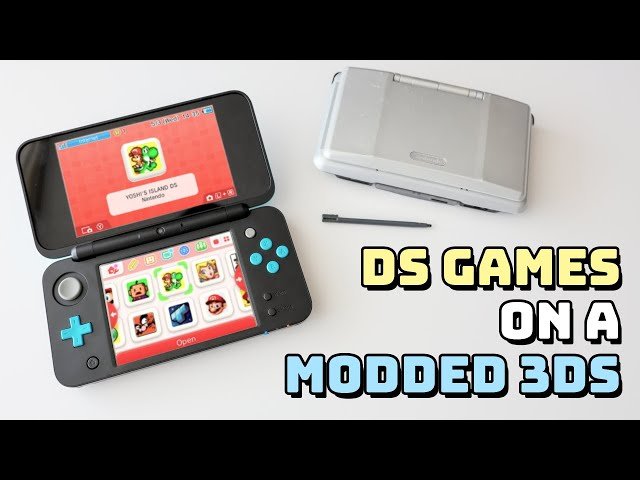
To get DS games on a modded 3DS, you will use a method called ‘twilight menu++’ which installs the game files onto your system’s SD card.
Ever wanted to revisit your favorite Nintendo DS titles? It’s entirely possible on a modded 3DS! Many people wonder how to get ds games on a modded 3ds. The good news is, it’s not overly complicated.
You can play virtually any DS game you want with the correct software installed. This process lets you load your legally owned game files directly. This opens up a huge library of games to your handheld console.

How to Get DS Games on a Modded 3DS
So, you’ve got a modded 3DS and you’re itching to play some classic Nintendo DS games? Awesome! You’ve come to the right place. Getting DS games running on your modded 3DS is totally doable, and it opens up a huge library of fun. This guide will walk you through everything you need to know, step by step, like you’re getting help from a friend.
Understanding the Basics
Before we dive in, let’s talk about what makes this possible. The Nintendo 3DS is actually really good at playing DS games because it has the same hardware inside that the DS did. When you “mod” your 3DS, you’re essentially giving it the ability to run special software that it wasn’t originally designed to run. This special software includes things that let you play those DS games. It’s a bit like teaching your dog a new trick – you’re helping the 3DS do something it couldn’t do before.
Why Mod Your 3DS for DS Games?
You might be wondering, “Why not just play DS games on a regular DS?” That’s a good question! Here are some reasons why playing DS games on a modded 3DS is pretty cool:
- Convenience: You can carry your entire DS and 3DS game library on one device! No need to juggle multiple handhelds.
- Better Display: The 3DS screen (especially on New 3DS models) can sometimes make DS games look better than on the original DS.
- Extra Features: Some modding tools let you use save states and cheats for DS games, which are fun for experimenting.
Essential Tools and Software
Okay, so now for the exciting part – what you actually need. Before you start, remember that modding your 3DS can potentially cause problems if you aren’t careful, so follow the instructions precisely. These steps require that you have already modded your 3ds. You cannot play ds games on a unmodded 3ds. Let’s get into the tools you need!
What You Need
- A Modded 3DS: This is the most important thing! Your 3DS needs to have custom firmware (CFW) installed. If you haven’t done that yet, you’ll need to follow a modding guide first. A popular method is Luma3DS, it’s free and a good place to start.
- An SD Card: A good size SD card for your 3DS (at least 32GB, preferably larger) is needed to store your DS games and all the modding tools.
- A Way to Transfer Files: Either a computer with an SD card reader or a way to connect your 3DS to your computer via FTP (File Transfer Protocol).
- DS ROMs: These are the actual game files. You’ll need to acquire them. Remember, only download games you own a physical copy of.
Key Software: TWiLight Menu++
The most important piece of software for playing DS games on your modded 3DS is TWiLight Menu++. Think of it as a special program that lets your 3DS understand and run those DS games.
- What is it?: TWiLight Menu++ is a free and open source application that acts as a DS emulator. It allows you to run DS games, homebrew applications, and more.
- Where to Get it?: You can download TWiLight Menu++ from its official Github page or other reputable sources for homebrew software.
- Why it’s Essential?: It’s not only simple to use but it also has great support for a wide range of DS games. You’ll need this to actually play your DS games on your 3DS.
Preparing Your SD Card
Before you move your DS games, it’s a good idea to organize your SD card. Making a separate folder will make things easier in the long run.
Making a Dedicated Folder for DS Games
First thing first, create a folder called roms in the root of your SD card. Inside this roms folder, create another folder called nds. This will be the place where you will store all of the DS game files.
- Organization: Having this folder structure keeps your games separate and easy to find.
- Clutter-Free: It makes your main SD card folders much neater.
Transferring DS ROMs to your SD Card
Now, it’s time to transfer the DS game files from your computer to the SD card you prepared. Make sure you only download ROMs that you already own the original game cartridge for.
- Connect the SD Card: If you’re using an SD card reader, insert it into your computer. If you’re using FTP, follow your chosen method to connect your 3DS and PC.
- Copy the ROMs: Navigate to the “nds” folder you created on your SD card. Drag and drop (or copy and paste) your DS ROM files into this folder.
- Eject Safely: Once the copy process is complete, safely eject your SD card from your computer. Or disconnect from FTP, if you are using it.
Installing TWiLight Menu++ on Your 3DS
Now you’ll need to install TWiLight Menu++ on your 3DS. This process varies slightly depending on your CFW setup, but here is the general idea.
Copying the TWiLight Menu++ Files
You will need to go to the official Github page or a reputable site to download the proper files. Once you do, extract the contents to your SD card.
- Download the files: Download the latest TWiLight Menu++ package from a trusted source.
- Extract the Files: Extract the zip file on your computer. Copy the extracted files to the root of your SD card. Usually this involves moving a _nds folder and a .cia file.
Installing the TWiLight Menu++ CIA File
Now that the necessary files are on your 3DS’s SD card, you need to actually install the app.
- Insert SD Card: Make sure the SD card is back in your modded 3DS.
- Launch FBI: Power on your 3DS and launch the FBI app which should already be installed due to the modding process.
- Navigate to the CIA: In FBI navigate to the root of your SD card and find the .cia file for TWiLight Menu++.
- Install: Press A on the .cia file to install TWiLight Menu++. It’ll install itself onto your 3DS.
- Exit FBI: Once installed, press the Home button to exit FBI.
Launching and Playing DS Games
With everything set up you should now be able to play your DS games on your 3DS.
Starting TWiLight Menu++
You will now have the TWiLight Menu++ app installed on your 3DS home menu like any other game or application.
- Find the icon: Look for the TWiLight Menu++ icon on your 3DS home screen.
- Launch: Tap it to start the app.
Navigating the TWiLight Menu++ Interface
When you start TWiLight Menu++, you will find a screen with some options and controls. It’s all intuitive and easy to use so don’t worry.
- Game Selection: You’ll see a list of folders and files. Navigate to your roms/nds folder.
- Select a Game: Press the ‘A’ button on the game you want to play.
- Start Playing: The game will load and you’re ready to go!
Troubleshooting Common Issues
Sometimes, things don’t go perfectly. Here are a few common problems you might run into and how to fix them:
Game Not Loading
- Corrupted ROM: Try downloading the game file again. Make sure that you get it from a trusted site.
- Incorrect File Type: Double-check that the file is a .nds file.
- SD Card Issues: Make sure your SD card has enough space and isn’t faulty. Try reformatting it.
TWiLight Menu++ Not Launching
- Installation Issues: Try reinstalling the TWiLight Menu++ cia file again using FBI.
- Outdated Files: Make sure you’re using the latest version of TWiLight Menu++. It could have been updated since you last downloaded.
Performance Issues
- Background Apps: Close any apps running in the background.
- Old 3DS Issues: If you are using an older model 3DS you may experience performance issues with some more demanding games.
Tips for a Better Experience
Now that you know how to play DS games on your modded 3DS, here are some tips and tricks to make it even better.
Using Savestates
One of the benefits of emulators is that you can save your progress at any time. You can then load up that savestate. This is done by pressing a combo of buttons at the same time, the most popular being ‘L’ + ‘R’ + ‘Down’ on the d-pad to save the state and ‘L’ + ‘R’ + ‘Up’ to load a saved state. The exact buttons may be different based on settings or your version of TWiLight Menu++
Cheats
Like savestates, there are cheats available to make your gameplay different and sometimes more fun. TWiLight Menu++ has support for action replay type cheat codes for your favorite games.
Customizing TWiLight Menu++
You can change the way that TWiLight Menu++ looks with themes. Downloaded themes can be loaded onto your SD card and easily applied for a more personalized feel.
Safe ROM Downloading
It is very important to understand the legalities involved when downloading ROMs. Make sure you only download ROMs for games that you own a physical copy of. Downloading ROMs you do not own could violate the law in many jurisdictions.
Finding Reputable Sources
If you are going to download any files for your 3DS, including game ROMs, it is important to get them from trustworthy sites. Downloading files from unverified websites is a good way to get computer viruses, malware, and other malicious things. Do your research before getting a file from a site you are unfamiliar with.
Understanding the Legal Side
As stated previously, downloading ROMs you don’t own is not legal and could cause legal repercussions. Be responsible, be safe, and only download files that you own the rights to.
Playing DS games on a modded 3DS is super rewarding. By following these steps, you’ll be able to enjoy a huge library of games on one device. Remember to always back up your 3DS data before making changes. Happy gaming!
How to Play DS Games on 3DS Homebrew
Final Thoughts
To play DS games on your modded 3DS, first, ensure you have custom firmware installed. Then, obtain DS game ROM files from a trusted source. Next, you’ll transfer these ROMs to your 3DS’s SD card.
After that, use a compatible homebrew application, like TWiLight Menu++, to launch your chosen DS games. This process allows you to play DS games on a modded 3DS effectively. Following these steps explains how to get ds games on a modded 3ds.

