
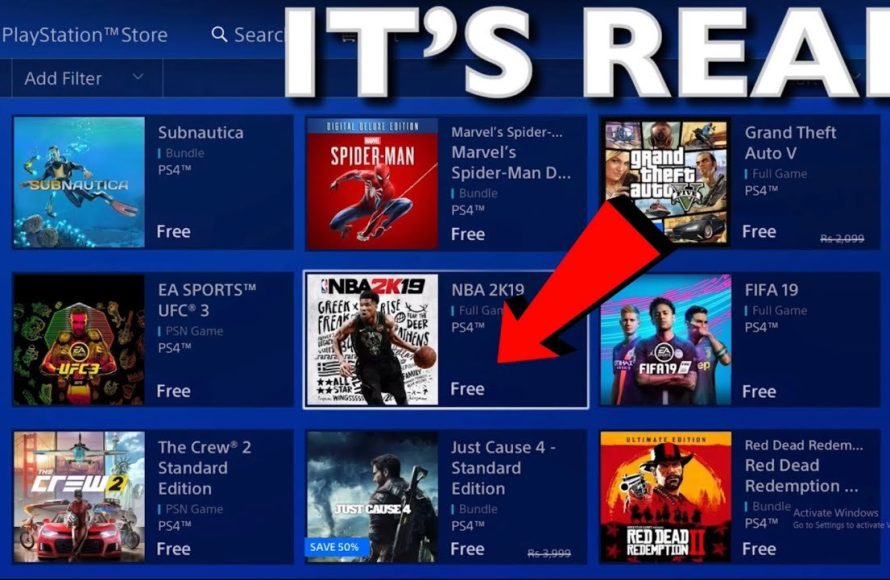
You can get free games on PS4 primarily through PlayStation Plus monthly offerings, free-to-play titles on the PlayStation Store, and occasional promotional giveaways.
Want to expand your PlayStation 4 library without spending extra? Many gamers are always on the search for information on how to get free games on PS4, and it’s understandable. You don’t need to break the bank to enjoy new experiences.
Thankfully, there are several legitimate ways to find free content for your console. Subscribing to Playstation Plus, for example, provides new games monthly.
The Playstation Store also has a great selection of free to play titles. Keep an eye out for limited-time promotions and giveaways too. These tips will help you increase your gaming options.

How to Get Free Games on PS4
Getting free games on your PlayStation 4 might sound like a dream, but it’s totally possible! You don’t always have to spend money to enjoy new gaming experiences. There are actually several ways to find games that won’t cost you a single penny. Let’s explore some of these cool options so you can start building your game library without breaking the bank.
PlayStation Plus: Your Gateway to Free Games
One of the most reliable ways to get free PS4 games is through a PlayStation Plus subscription. If you’re a member, each month you get access to a selection of games that you can download and play at no extra cost, as long as your subscription is active. It’s like a surprise gift every month!
How PlayStation Plus Free Games Work
- Monthly Games: Each month, Sony announces a new batch of games that are available for PlayStation Plus members. These games span various genres, so there’s always something new to try.
- Add to Library: You don’t actually own these games, but you can add them to your game library as long as you’re a PlayStation Plus subscriber. This means you can download and play them anytime as long as you continue the subscription.
- Staying Subscribed: If you decide to cancel your PlayStation Plus subscription, you will not be able to play the games that you have previously added through the service, until you resubscribe. However, if you resubscribe again you will get access back to the games that you have added.
Benefits of a PlayStation Plus Subscription Beyond Free Games
Besides the free monthly games, PlayStation Plus gives you other cool perks:
- Online Multiplayer: If you want to play games with your friends online, you usually need PlayStation Plus. This is where you can battle it out or work together in multiplayer games.
- Exclusive Discounts: PlayStation Plus members get special discounts on games and add-ons in the PlayStation Store. You can save money on games you actually want to buy.
- Cloud Saves: You can save your game progress in the cloud, meaning if your console breaks, or if you change consoles, you won’t lose your progress.
While PlayStation Plus isn’t entirely free, the free monthly games, discounts, and online multiplayer access it offers usually make it well worth the investment for most players.
Free-to-Play Games on the PlayStation Store
The PlayStation Store has a whole section dedicated to “free-to-play” games. These are games that you can download and play without having to buy them. There are a ton of them, ranging from big-name shooters to fun puzzle games. You might be surprised by the quality and variety that you can find for free!
Finding Free-to-Play Games
- Visit the PlayStation Store: On your PS4, go to the PlayStation Store.
- Browse the “Free to Play” Section: Look for a section labeled “Free to Play” or “Free Games”. It might be listed under a “Browse” or “Games” tab.
- Explore: Scroll through the list of free games and see what catches your eye. There are lots of genres to pick from.
Types of Free-to-Play Games
The free-to-play market is very big now, and you will be able to find games in all types of genres, and some popular free games include:
- Battle Royales: Games where you compete against other players to be the last one standing. (Think Fortnite, Apex Legends, Warzone)
- Multiplayer Shooters: Games where you play in teams against other players.
- Puzzle Games: These games challenge your problem-solving skills.
- MMORPGs (Massively Multiplayer Online Role-Playing Games): Games where you play with many other people in an open world.
- Sports games: Such as online Soccer (football) or basketball.
“Free to Play” Considerations
- In-game purchases: While they are “free” to download and play, many free-to-play games have in-game purchases that allow you to buy items, skins, weapons or other advantages. These purchases are optional, and you can enjoy the game without buying any of these things.
- Updates and patches: Free to play games are usually updated by the developers very frequently with new content and bug fixes.
- Regular new content: As well as regular updates, free to play games often receive regular updates with new content to keep players engaged.
Take Advantage of Free Game Trials and Demos
Sometimes, game companies will release free trials or demos of their games. These are great ways to try out a game before you decide to buy it. They are also great ways to enjoy some gaming time without any cost.
Finding Game Trials and Demos
- Check the PlayStation Store: Look for a “Demos” or “Trials” section in the PlayStation store.
- Game Pages: Sometimes game trials and demos are found on individual game pages, so check the game page for more information.
- Announcements: Keep a watch out for news about new game demos and trials released by developers.
What to Expect from Trials and Demos
Trials and demos usually offer limited access to the full game. That might mean:
- Play for a limited time: Some trials let you play for only a specific number of hours or days.
- Access to a portion of the game: Demos often give you access to only one or two levels, but still allow you to experience the core gameplay.
Keep an Eye Out for Free Weekends
Occasionally, game developers host free weekends where you can play their game for a limited time at no cost. These free weekends are often advertised by game developers and on the PlayStation store. This is a great opportunity to try a game that you might have thought about buying.
How to Find Free Weekends
- PlayStation Store: Keep an eye on the PlayStation Store, as it often features free weekends in the “Deals” or “Promotions” sections.
- News websites: Gaming news websites often publish articles about free weekends and other promotions.
- Game Announcements: Keep an eye on the games social media page, as they will often announce a free weekend.
Using Free PlayStation Themes
While not technically a “game,” free PlayStation themes are a cool way to give your PS4 a fresh look and add some personality to the console. Themes change the background, icons, and overall feel of your PS4 menu.
Finding Free Themes
- PlayStation Store: Go to the PlayStation Store, then navigate to the “Themes” section.
- Sort by price: You can filter themes by price. Select “Free” to only see themes that cost nothing.
- Browse: There are loads of free themes available.
Special Events and Promotions
From time to time, Sony and other developers host events or promotions where they give away free games. These events often coincide with holidays, anniversaries, or gaming events.
Where to Find Special Events
- PlayStation Blog: The PlayStation Blog is a great place to find out about events and special promotions.
- Social Media: Follow PlayStation on social media platforms, to stay up to date on any promotions.
- Gaming News websites: Gaming websites usually publish articles about new promotions.
Game Sharing with Friends (When Applicable)
If your friend has games that you want to play, and they have no issue with sharing the game with you, you can play games by sharing on the console. This involves setting your friends PS4 as your primary console, and then logging in to your account on your PS4. Once this is done, you will be able to access the games that they have purchased. This is only recommended if you know and trust the person you are game sharing with.
What to Consider When Game Sharing
- Trust: Only game share with people you know and trust.
- Account Access: You will need access to your friends account to activate game sharing, which has to be done on both consoles.
- Limitations: Sometimes the game sharing will have limitations, so research game sharing first before attempting.
Consider Game Trading or Borrowing
While not technically “free,” trading or borrowing games with friends can help you experience new games without spending money. Here’s how you can consider doing this:
- Physical Game Swaps: If you and your friends buy physical disc games, try swapping titles you’ve finished. This is like a free library of games!
- Borrow From Friends: Simply ask your friends if you can borrow a game. Most people will be happy to lend you a game they are not currently playing.
Using Loyalty Programs
Some stores and retailers offer loyalty programs where you can earn points for purchases. These points can often be used towards purchasing new games. It’s not technically “free,” but over time these programs can let you get a game for no cost after you’ve made regular purchases.
How Loyalty Programs Work
- Earn Points: Many stores offer points for every dollar you spend.
- Redeem Points: You can usually trade these points for discounts or gift cards, which can then be used to buy games.
Participate in Online Contests and Giveaways
Sometimes, gaming websites, social media accounts and developers will host contests and giveaways where you can win free games or gift cards for the PlayStation Store.
How to Find Contests
- Social Media: Follow PlayStation related social media pages to see if they are offering contests and giveaways.
- Gaming websites: There are many websites dedicated to gaming, and these are often good places to find information about contests and giveaways.
Contests are often luck based, so don’t rely on these to get a free game, but you could get lucky!
Be Patient and Smart
Finding free games might take some time and effort. Check the store regularly, keep a watch out for promotions and be patient. Soon enough, you will build up your free library.
Getting free games on your PS4 isn’t a fantasy – it’s a reality! By using PlayStation Plus, enjoying free-to-play titles, taking advantage of demos and free weekends, and keeping an eye out for promotions, you can build your gaming collection without spending a ton of money. Remember to be patient, and you will have a great selection of free games on your PS4. Have fun gaming!
How To Download Free Games On PS4 – Easy Guide
Final Thoughts
To get free games on PS4, actively check the PlayStation Store for promotional offerings. PlayStation Plus often includes complimentary monthly games for subscribers, so consider that option. Keep an eye on developer giveaways or special events. You can also find free-to-play games.
Regularly visit gaming news sites or forums to find information on new deals or giveaways. These avenues sometimes present opportunities to get free games on PS4. Explore these alternatives to grow your library. Remember to act quickly when you find a game you want.

