
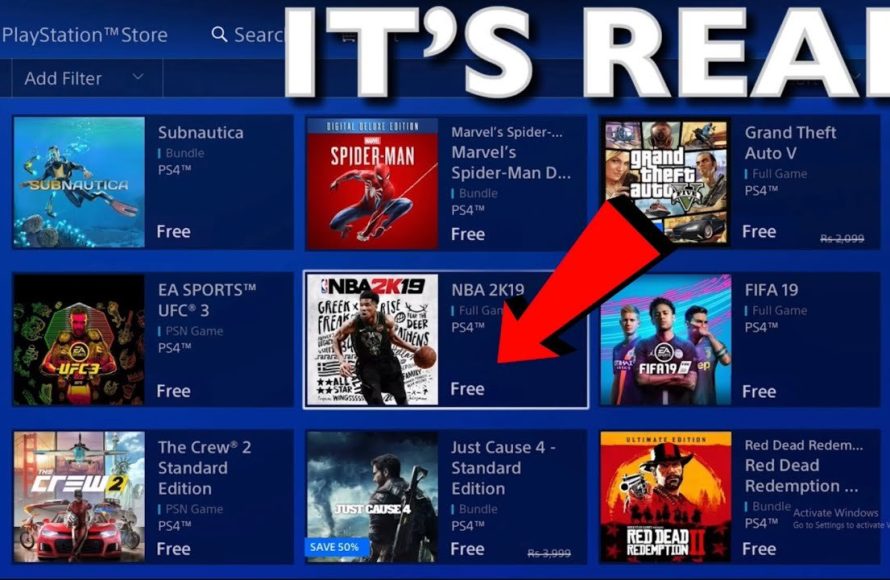
Free PS4 games primarily come from PlayStation Plus monthly offerings, free-to-play titles on the PlayStation Store, and occasional promotional giveaways.
Want to expand your PlayStation 4 library without spending extra money? Many gamers ask about how to get PS4 free games, and it’s a legitimate question. There are several ways to score free games, so let’s explore some avenues you can take.
You can check the PlayStation store regularly for free-to-play games. Also, keep an eye out for those monthly games if you have a PlayStation Plus subscription.

How to Get PS4 Free Games
Getting free games for your PlayStation 4 might seem like a dream, but it’s actually quite achievable if you know where to look! There are several legitimate ways to get your hands on free PS4 games, without resorting to anything that could harm your console or get you into trouble. Let’s explore these methods and get you playing some amazing games without spending a dime.
PlayStation Plus Free Games
One of the most common ways to get free games is through a PlayStation Plus subscription. If you’re not familiar with it, PlayStation Plus is a paid service from Sony that gives you access to online multiplayer, cloud storage, and, most importantly for us, free monthly games.
How PlayStation Plus Works for Free Games
Each month, Sony offers a selection of free games to all PlayStation Plus subscribers. These games vary, and sometimes include big-name titles. Here’s how it typically works:
Monthly Announcement: Sony announces the free games for the next month a few days before they become available. You can see the announcements on the PlayStation Blog or other gaming news websites.
Claiming the Games: Once the games are available, you need to “claim” them. This means adding them to your game library through the PlayStation Store. You don’t need to download them immediately; they will stay in your library as long as you have an active PlayStation Plus subscription.
Playing the Games: You can download and play any of the games you’ve claimed while your PlayStation Plus subscription is active. If your subscription expires, you won’t be able to play them until you renew your subscription.
Variety of Games: The types of free games offered can vary greatly. Sometimes there are indie games, and other times you’ll see big budget titles.
Keep Them Forever (With Active Subscription): As long as you claim the game while it’s free, and have an active subscription, they are yours to play as much as you like.
Tips for Maximizing PlayStation Plus Free Games
Always Claim the Games: Even if you’re not interested in a particular game right now, claim it anyway. You might want to play it later!
Check the Announcements Regularly: Stay informed by checking the PlayStation Blog or other gaming news sites to see what games are being offered each month.
Consider a Year-Long Subscription: If you enjoy the free games, it often works out cheaper to subscribe to PlayStation Plus for a whole year than to pay for a monthly subscription each month.
Free-to-Play Games
Beyond PlayStation Plus, there’s a whole world of free-to-play games available on the PlayStation Store. These games are completely free to download and play, though they often offer in-game purchases for cosmetic items or boosts.
Exploring the Free-to-Play Library
Free-to-play (F2P) games can offer a great way to enjoy gaming without any upfront cost. These games use different ways to make money like optional paid items. Here’s what you need to know:
Wide Range of Genres: The PS4 free-to-play library includes all types of games – shooters, RPGs, racing games, battle royales, and more. There’s likely something for every taste.
Optional In-Game Purchases: Most F2P games have a store where you can purchase items using real money. This is usually for things like skins (outfits), characters or boosts to speed up your progression.
No Subscription Required: You don’t need a PlayStation Plus subscription to download and play these games online, in most cases. This makes them a very affordable way to play games online with others.
Updates and New Content: Many free-to-play games have constant updates with new content. This means there’s always a reason to come back and play.
Easy to Find: Free-to-play games have their own section on the PlayStation Store, making them easy to locate.
Some examples: Fortnite, Call of Duty Warzone, Rocket League, Apex Legends, Genshin Impact.
Tips for Free-to-Play Games
Try Before You Buy: Test out different free-to-play games to see which ones you enjoy. You don’t have to commit to any particular one.
Be Mindful of In-Game Purchases: In-game spending can add up quickly, so make sure you are aware of your spending habits.
Join Online Communities: A lot of free-to-play games have active online groups of players. Join them to get tips and find people to play with.
PlayStation Store Promotions and Demos
Sometimes, the PlayStation Store offers free games as part of special promotions or as demos that allow you to play part of a game for free.
Special Promotions on the PlayStation Store
Sony occasionally offers free games as a part of special events and promotional campaigns. These giveaways are often very limited, so you have to act quickly. These can be associated with the release of a new console, or a holiday, or sometimes just randomly. Here’s how it works:
Limited Time: The free games are available for a very short time. This might only be a day or two, or perhaps a week.
Announcements: Make sure you are checking the PlayStation Blog or other news sources to be informed about such opportunities.
Quick Claim: If you see a game you want, you need to claim it fast. Don’t wait, because it might become unavailable without notice.
No Subscription Needed: These promotions typically don’t require a PlayStation Plus subscription.
Free Game Demos
Demos are another way to sample games without spending money. Many developers release demos of their games, allowing you to play a small portion of it for free.
Try Before You Buy: Demos allow you to experience the game play, story, and see if you will like it before buying the complete title.
Varied Length: Demo length will vary greatly, some are just for an hour, others for the first couple of levels, or more.
Easy to Find: Just like free-to-play games, they have a dedicated section on the PlayStation Store.
Sometimes Include Bonuses: Occasionally, playing a demo might get you something extra in the full version of the game if you buy it later on.
Tips for Promotions and Demos
Keep an Eye on News: Pay attention to gaming websites to find out about special promotions and free demo releases.
Be Quick to Claim: When free games are available, claim them immediately! They can disappear quickly.
Explore the Demo Section: Check out the demo section regularly; you might find a gem!
Game Sharing and Borrowing
You can also get access to new games by sharing or borrowing from friends who have a PlayStation 4.
How Game Sharing Works on PS4
Game sharing is when you can let your friends play digital games that you own, or let you play their digital games, on your console. Here’s how it works:
Account Activation: You can activate one PS4 as your primary console.
Account Sharing: The account holder (the person who bought the game) must have their account logged into the console.
Play on Other Accounts: After a PlayStation is set up as the primary console for the account, anyone who has a user profile on that console can play the games, so you and your friends can share games with each other.
Limitations: Keep in mind that you can only have one primary console. You can play your digital games on other consoles that you log into with your own account, but you need an internet connection and cannot use another profile on that second console.
Borrowing Physical Games
If your friend owns a physical copy of a game, you can borrow it and play it on your PS4.
Simple Process: Physical game borrowing is very easy, just put the disc in your console and play it, like with older consoles.
No Digital Restrictions: You are able to play the full game without restrictions as long as you have the disc.
Limited by Availability: You can only play games that your friends own and are willing to share.
Tips for Sharing and Borrowing
Respect Your Friends’ Collection: Always be careful with your friends’ discs and return them on time.
Communicate Clearly: Talk with your friends to see what games you want to try out and how long you want to borrow them for.
Understand Limitations: Be aware that game sharing has limitations and digital games can only be played on primary consoles or while connected to the internet.
PSN Discount Codes and Gift Cards
Sometimes, you can find discount codes and gift cards for the PlayStation Network (PSN) that can help you purchase games at a lower price. This might not get you completely free games, but it can save you money.
Finding PSN Discount Codes
Discount codes can be found in different ways:
Promotional Emails: Sony might send discount codes via email to PlayStation account holders.
Retailer Promotions: Some stores sometimes offer discount codes or gift cards when you buy other products.
Online Communities: Check forums and online communities for people sharing discount codes.
Special Events: Sony might give out discount codes during big gaming events or holidays.
Using PSN Gift Cards
PSN gift cards are prepaid cards that you can use to purchase games or other items on the PlayStation Store.
Easy to Redeem: Gift cards have a code that you can use to add the money to your PSN wallet.
Flexible Use: You can use the money on whatever you want on the PSN store, including games.
Budget Control: Using gift cards can help you control how much money you spend.
Tips for Discount Codes and Gift Cards
Be Aware of Scams: Be careful of scams when looking for discount codes and gift cards, especially on unverified websites.
Check the Expiration Date: Most discount codes and gift cards have an expiration date, so use them before they expire.
Combine with Sales: Try combining discount codes with sales or other deals for better savings.
Community Giveaways and Contests
Another possibility to receive free games is by participating in online giveaways or contests. These are often organized by YouTubers, Streamers, or even Sony themselves.
Where to Find Giveaways and Contests
YouTube: Many gaming YouTubers host giveaways for their subscribers.
Twitch: Streamers also often organize giveaways for viewers.
Social Media: Check social media (X, Facebook, etc) for giveaways.
Gaming Forums: Sometimes, online gaming communities have giveaways for their members.
Official PlayStation Channels: PlayStation’s official social media channels may sometimes do giveaways.
How to Participate in Giveaways
Follow the Rules: Make sure you follow all the steps needed to enter a contest.
Be Active: Like, subscribe and participate in the comments or chat to increase your chances.
Be Patient: Giveaways often have a large number of entrants, so it might take a while to find out if you’ve won.
Tips for Giveaways and Contests
Participate Regularly: The more giveaways you enter, the greater your chances to win.
Don’t Give Out Personal Information: Be careful with websites or accounts that ask for private information. Stick to trusted sources for giveaways.
Getting free games on your PS4 is possible, if you make use of all the options available to you. From PlayStation Plus, to exploring free-to-play titles, to promotional events, you have various ways to expand your library without making your wallet lighter. By keeping your eyes open, staying informed, and being active in gaming communities, you will be well on your way to playing your favorite games for free. Happy gaming!
How To Download Free Games On PS4 – Easy Guide
Final Thoughts
In summary, you can get free PS4 games through PlayStation Plus, which offers monthly titles. Also, keep an eye on the PlayStation Store for promotional giveaways. These often include demos and limited-time free games. Explore these options regularly.
Be sure to check other sources too, like game developer promotions. These can sometimes lead to ‘how to get ps4 free games’ directly. Remember to be cautious of websites promising free games, often they are scams.

