
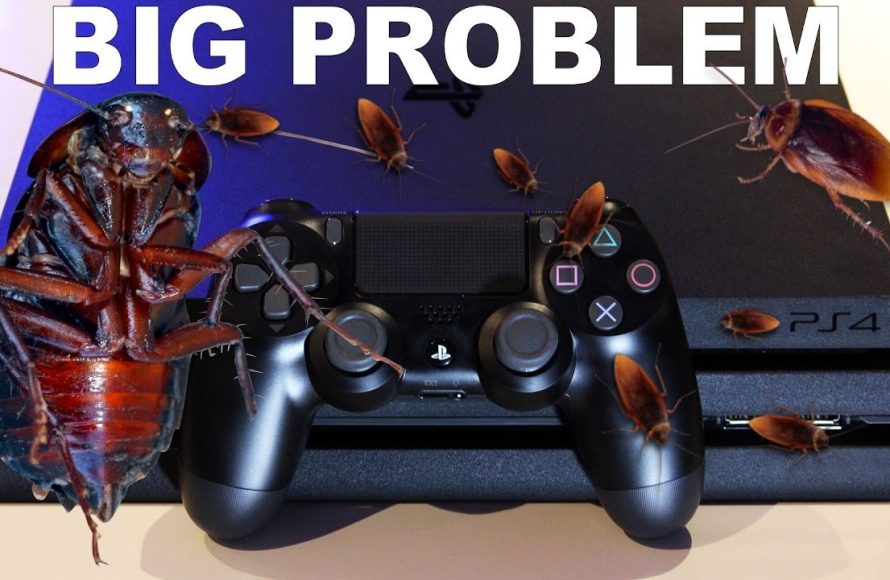
To get roaches out of your game system, use compressed air to blow them out, follow by vacuuming any remaining debris, and possibly use roach baits nearby after cleaning to prevent re-infestation.
Finding roaches in your precious game system can be quite upsetting. It is essential to address this problem quickly. It’s not just gross; these pests can cause real damage to the delicate electronics inside. Knowing how to get roaches out of game system becomes necessary to protect your investment.

How to Get Roaches Out of Your Game System
Okay, let’s talk about something nobody wants to deal with: roaches in your game system. It’s gross, it’s scary, and it can seriously mess up your precious console. But don’t panic! We’re here to guide you through getting those creepy crawlies out and making sure they don’t come back. This isn’t just about killing the roaches; it’s about keeping your gaming gear safe and clean. This guide will walk you through each step, explaining why certain methods work, and most importantly, how to prevent future infestations. Think of it as a rescue mission for your gaming console! So, grab your tools, and let’s get started.
Why Roaches Love Game Consoles
Before we dive into the “how-to,” it’s important to understand why roaches find game systems so appealing. They’re not just randomly wandering in; there’s a reason they choose to set up camp in your gaming device.
- Warmth: Game consoles, especially when in use, generate heat. Roaches, like many insects, love warm, cozy spots. That warmth feels like a tiny, comfortable home to them.
- Darkness: Inside the console, it’s dark and secluded. Roaches prefer dark environments because they feel safe and hidden from predators, including you.
- Food Sources: This might not be obvious, but tiny crumbs, dust, and even dead skin cells can be a food source for roaches. They’re not picky eaters, and even the smallest amount of debris can attract them.
- Tight Spaces: Game consoles have lots of small nooks and crannies where roaches can hide, lay eggs, and build their nests. These spaces are hard to reach, which makes your system a perfect shelter.
Signs of a Roach Infestation in Your Game System
Sometimes, you might not see the roaches themselves, but they leave behind clues. Knowing these signs can help you catch the infestation early, before it gets too bad.
- Visible Roaches: This is the most obvious sign. You might see them scurrying across your console, especially at night. Don’t ignore this sign!
- Droppings: Roach droppings look like tiny black or brown specks. You might find them near vents or in crevices of your console. These look a bit like ground coffee or pepper.
- Shed Skins: As roaches grow, they shed their skins. These are often translucent and can be found in and around the device.
- Odor: A large roach infestation can produce a musty, unpleasant odor. This smell can be quite noticeable if the infestation is severe.
Immediate Actions: What to Do When You Spot Roaches
Okay, you’ve seen the evidence, and it’s clear: you have roaches in your game system. Here’s what you need to do right away:
Step 1: Turn Off and Unplug Your Console
First and foremost, power down and disconnect your console from the power outlet. This is important for your safety and to avoid damaging your system further. Roaches can cause electrical shorts, and you don’t want to make the situation worse. Unplug all the cables, including HDMI and power.
Step 2: Move Your Console to a Safe Area
Take your console to a well-lit area, like a kitchen or bathroom, where you can easily see what you’re doing. This will make it easier to examine and clean the device. Pick a spot that is easy to wipe down and clean later.
Step 3: External Inspection and Light Cleaning
Use a flashlight to carefully look over the outside of your console. Look at all the vents, ports, and crevices. Use a dry, soft cloth to wipe away any visible roaches, droppings, or shed skins on the exterior. Try to brush them away rather than squishing them, this will prevent further mess. Don’t push anything inside the console vents.
Disassembling Your Game Console
To effectively clean out the roaches and their mess, you often need to get inside the console. This needs a little bit of care, so let’s go through the steps.
Is Disassembly Right For You?
Before you start taking your device apart, consider the pros and cons.
- Pros: Thorough cleaning, ability to reach hidden roaches and nests, better prevention of future infestations.
- Cons: Voids warranties, requires some technical skill, risk of damaging parts, can be complicated for certain consoles.
If you are uncomfortable disassembling electronics, seek professional help. Many repair shops can clean out roach infestations safely. However, if you feel confident, let’s continue.
Gather Your Tools
Before you start, make sure you have these tools ready. Having everything in place will make the process smoother:
- Screwdriver Set: You’ll need various sizes and types of screwdrivers, including Phillips and Torx.
- Plastic Spudger or Opening Tool: To gently pry open the case without scratching or damaging the plastic.
- Small Containers or Trays: To organize screws and parts to prevent loss or confusion.
- Anti-Static Wrist Strap: To protect sensitive components from static discharge.
- Camera: Take pictures at each stage of disassembly, this will be very helpful when you put the console back together.
Disassembly Steps (General Guidelines)
Each console model will be slightly different, so refer to online tutorials and guides for specific instructions for your console. Generally, follow these steps:
- Remove External Panels: Start by unscrewing any outer panels or covers.
- Locate and Remove Screws: Carefully remove all screws, keeping track of where each screw goes. Use small trays to keep the screws organized.
- Separate the Casing: Use a spudger to gently pry open the casing. Work carefully to avoid damaging the plastic or internal components.
- Document the Process: Take pictures throughout the disassembly. This will be a lifesaver when you reassemble the device.
- Lay Out Components: Place each component on a clean surface, keeping them organized.
Cleaning the Inside of Your Game Console
Now that you have your console disassembled, let’s focus on getting rid of those pests and their mess.
Use Compressed Air
Compressed air is your first line of attack. It’s great for blowing away loose droppings, shed skins, and dead roaches. Use short bursts and don’t hold the can upside down, as this can spray liquid instead of air. Work methodically, cleaning each area.
Cleaning with Isopropyl Alcohol
Isopropyl alcohol (90% or higher) is excellent for cleaning without damaging electronics. Dip a cotton swab or a soft cloth in isopropyl alcohol and gently clean all parts. Be careful not to get any liquid on the circuits; just a slightly damp cloth will do. Alcohol helps disinfect and evaporates quickly, which is important. This is safe for cleaning plastic, metal, and circuit boards but use it sparingly. Avoid heavy scrubbing as it can damage components. Allow components to air dry completely before reassembling your device.
Vacuuming the Interior
Use a vacuum cleaner with a brush attachment. A small handheld vacuum is perfect for this job. Be very careful not to damage any components with the vacuum. Don’t use too much suction. It can help remove roaches that got stuck in nooks and crannies. Make sure to empty the vacuum cleaner or replace the bag immediately after.
A Note About Cleaning Fluids
Avoid using water or other household cleaning fluids directly on the electronic components. These can damage the circuits and cause corrosion. Stick to isopropyl alcohol for the best and safest results.
Dealing With Stubborn Roaches and Eggs
Sometimes, roaches might hide in places you cannot reach, and there might be eggs you missed. It is important to address these to prevent future problems.
Diatomaceous Earth
Diatomaceous earth (DE) is a natural, non-toxic powder made from fossilized algae. It works by dehydrating insects and is very effective against roaches. If you are uncomfortable with chemical pesticides, this is a good option. Place a very thin layer of DE in crevices, around the inner case, and anywhere you suspect roaches might hide. Be sure to use food-grade DE, not pool-grade, as pool-grade is toxic.
Baits and Traps
Roach baits are small, pre-filled containers with poison bait. Place these near your console or in any areas where you see roaches. Roach traps are sticky pads that trap roaches when they walk over them. These are useful for monitoring and catching stragglers. Be careful if you have kids or pets. It is best to use them in areas where they can’t access them.
Be Thorough With Egg Removal
Roach eggs look like small, brown capsules. They might be hidden in cracks or crevices. Use a toothpick or a small brush to carefully remove the egg capsules. If you cannot remove them, destroy them. Even a single missed egg can cause a whole new infestation. Check all corners, connections, and crevices to make sure you are thorough.
Reassembling Your Game System
Once everything is thoroughly cleaned, and you’ve addressed any stubborn roaches and eggs, it’s time to put your console back together.
Refer to Your Photos
Use the pictures you took during disassembly. These photos are your guide to ensure you put everything back in the correct order. Work slowly and carefully. It’s easy to get rushed at this step, but patience is key.
Reassemble in Reverse Order
Carefully reassemble your console in reverse order of how you disassembled it. This will make sure that everything goes back into place correctly. Be careful when you are screwing the screws, do not over tighten the screws. Ensure that all parts fit properly. If something does not feel right, review your steps and make adjustments.
Test Your Console
After reassembling your console, plug it in and test to ensure everything works correctly. Check for power, display, audio, and all other functionalities. If you notice any problems, review the assembly and fix it right away. Make sure that all the vents and ports are clear.
Preventing Future Roach Infestations
After all your hard work cleaning, you definitely want to avoid a repeat occurrence. Prevention is better than cleaning, so let’s talk about how to keep those roaches out of your game console for good.
Keep Your Game Area Clean
This is the most important step! Regularly clean your gaming area. Avoid eating near your console. Wipe up any spills or crumbs immediately. Don’t let any food residue sit around for the roaches to get to. Use a duster or vacuum to remove dust and debris regularly.
Seal Food
Keep all food in sealed containers to prevent roaches from getting access. Do not leave food or open drinks in your gaming area. If you have pets, ensure their food and water are kept away from your game systems.
Minimize Clutter
Clutter provides hiding spots for roaches. Keep your gaming area free from piles of paper, boxes, and other things where roaches can hide. The more clear and uncluttered your gaming space is, the fewer places roaches can live and breed. Regularly declutter your gaming area to eliminate potential habitats.
Regular Inspection
Regularly inspect your game console for any signs of roaches. Do a quick visual check around the vents and on the case of the console for any signs of roaches. Catching the problem early is the best way to deal with any pest infestation. Prevention is key!
Use Insecticides Wisely
Use insecticidal sprays, baits, or traps carefully around your gaming area. Do not spray directly on the game console or its parts. When you use any pesticide, read and follow the label instructions. Keep all pesticides away from kids and pets. Consider using natural pest control methods like diatomaceous earth as a safer option.
Proper Ventilation
Make sure your game area has good airflow. Good ventilation reduces moisture and keeps humidity low. It will help avoid creating a favorable environment for roaches. Keep your gaming console cool to make it less appealing to roaches looking for a warm place. Avoid placing the console in enclosed places where air cannot circulate.
Professional Help
If you are unable to tackle the problem or if the roach problem persists, it is always a good idea to hire a pest control professional. They are trained to use methods that are safe and effective. A professional pest control service can conduct a full assessment and create a plan to get rid of roaches from your home completely. They can help you tackle the infestation at the source and prevent re-infestation.
Dealing with roaches in your game system is no fun, but by following these steps, you can clean them out and prevent future infestations. Remember, keeping your gaming area clean and clutter-free is the best strategy for a happy and roach-free gaming experience.
ROACHES IN THE PS5 🤯 #tech #shorts #roaches #insects
Final Thoughts
Effectively getting roaches out of game system requires patience and precision. First, power off and unplug the console. Next, use compressed air to dislodge any roaches and debris.
After that, carefully inspect all openings and crevices. You should use a small brush or vacuum to remove any remaining roaches. This step is crucial for complete pest removal.
For stubborn infestations, consider professional pest control. Remember, maintaining a clean environment helps prevent future issues. This guide details how to get roaches out of game system effectively.

