To get the Hyperdrive badge on Hall of Fame in NBA 2K26, consistently perform quick first steps and chain together dribble moves during games.
Want that extra burst of speed on the court? Are you finding it tough to figure out how to get the hyperdrive badge on Hall of Fame in NBA 2K26?
This guide breaks down the exact actions you need to take in order to snag that coveted Hyperdrive badge, letting you blow by defenders with ease.
We’ll cover the specific dribbling moves and the frequency with which you need to perform them to trigger the badge progression system. Get ready to dominate!

How to Get the Hyperdrive Badge on Hall of Fame in NBA 2K26
Earning badges in NBA 2K26 is crucial for improving your MyPLAYER build. The Hyperdrive badge is a vital tool for ball handlers who want to quickly change direction and accelerate past defenders.
This guide will show you the most effective methods to acquire the Hyperdrive badge on Hall of Fame difficulty in NBA 2K26. We’ll cover various drills, gameplay strategies, and attribute requirements to maximize your chances of success.
Understanding the Hyperdrive Badge
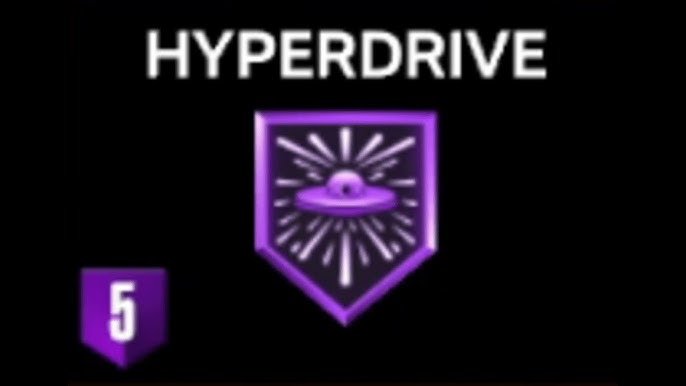
The Hyperdrive badge enhances your player’s ability to accelerate out of crossovers and other dribble moves. This allows for quicker changes in direction and improved separation from defenders.
It’s especially useful for point guards and shooting guards who rely on dribbling to create scoring opportunities. Having the Hyperdrive badge on Hall of Fame difficulty gives you a noticeable advantage.
Attribute Requirements
Before you even attempt to grind for the Hyperdrive badge, make sure your MyPLAYER meets the minimum attribute requirements. These requirements ensure you can perform the necessary dribble moves to activate the badge progression.
Ball Handle: A high ball handle rating is essential. You likely need at least an 85 Ball Handle rating to effectively execute the moves needed to get credit toward the badge.
Speed With Ball: Your Speed With Ball attribute also needs to be sufficiently high. This will directly influence how quickly you can accelerate out of dribble moves, which is how the badge levels up.
Best Drills to Grind Hyperdrive
NBA 2K26 offers several drills in the training facility that can help you earn the Hyperdrive badge. Some drills are better than others for targeting specific badge requirements.
Dribble Course: The dribble course drill is a great way to practice and improve your ball handling skills. Focus on performing crossovers and behind-the-back dribbles as quickly as possible.
Practice Plays: Utilize practice plays that involve dribble moves followed by a pass or shot. These will simulate game-like situations and allow you to work on your acceleration after dribbling.
Free Throw Golf: Although not directly related to dribbling, Free Throw Golf can improve your overall player control and timing, which can indirectly help with dribbling.
Optimal Gameplay Strategies
While drills are useful for initial progress, the most effective way to grind the Hyperdrive badge is through actual gameplay in MyCAREER. Hall of Fame difficulty provides the biggest badge point multiplier.
Isolation Plays: Call for isolation plays frequently. This will give you the space to perform dribble moves and drive to the basket, maximizing opportunities for badge progression.
Pick and Roll: Utilize pick and roll plays to create opportunities to drive to the basket after a crossover or behind-the-back dribble. The defensive attention on the roll will often leave you open.
Transition Opportunities: In fast break situations, focus on performing quick dribble moves to get past defenders and finish at the rim. This will net you significant badge progress.
Specific Dribble Moves to Maximize Progress
Not all dribble moves are created equal when it comes to earning the Hyperdrive badge. Certain moves are more effective at triggering the badge’s progression.
Crossovers: Repeatedly performing crossovers, especially quick crossovers that lead to acceleration, is a great way to earn progress. Try chaining multiple crossovers together.
Behind-the-Back Dribbles: The behind-the-back dribble is another effective move. Focus on quickly accelerating after performing the behind-the-back.
Hesitation Moves: Incorporate hesitation moves into your dribbling routine. The sudden change of pace can create separation and allow you to accelerate past defenders.
Stepbacks: Stepback moves, especially when followed by a quick drive, can be very effective for earning badge progress. Ensure you’re accelerating immediately after the stepback.
Hall of Fame Difficulty Tips
Playing on Hall of Fame difficulty presents unique challenges. The CPU defense is much smarter and more aggressive.
Patience is Key: Don’t force plays. Hall of Fame AI is very good at anticipating moves. Take your time to read the defense and choose the right moment to attack.
Utilize Teammates: Don’t try to do everything yourself. Use your teammates to create space and open up opportunities for you to drive.
Master Dribbling Controls: Perfect your dribbling controls. Hall of Fame difficulty requires precise execution of dribble moves. Practice until you can perform them flawlessly.
Adjust Slider Settings (If Allowed): While not recommended for a pure experience, you can adjust sliders slightly to make the game more manageable if you are struggling immensely. However, this may affect the badge earning rate.
Monitoring Your Badge Progress
Keep a close eye on your badge progress to ensure you’re making progress toward the Hyperdrive badge. The game provides feedback on how you’re earning badge points.
In-Game Feedback: Pay attention to the on-screen notifications that tell you when you’ve earned badge points for specific actions.
MyCAREER Menu: Check the MyCAREER menu regularly to see your overall badge progress. This will give you a clear indication of how far you have to go.
Optimizing Your MyPLAYER Build
Your MyPLAYER build can significantly impact your ability to earn the Hyperdrive badge. Certain builds are better suited for dribbling and creating scoring opportunities.
Playmaking Focus: A playmaking-focused build will naturally have higher ball handling and speed with ball attributes, making it easier to perform the necessary dribble moves.
Sharp Shooter Hybrid: A build that combines playmaking with shooting can also be effective. This will allow you to create space with dribble moves and then knock down shots.
Small and Quick: Consider creating a smaller, quicker player. Smaller players are typically more agile and better at dribbling.
Troubleshooting Common Issues
Sometimes, you might encounter issues while trying to grind for the Hyperdrive badge. Here are some common problems and solutions.
Slow Badge Progression: If you’re not earning badge points quickly enough, try focusing on the specific dribble moves mentioned earlier. Also, make sure you’re playing on Hall of Fame difficulty.
Low Attribute Caps: If your attributes are too low, you may need to invest more VC (Virtual Currency) to upgrade them. Prioritize ball handling and speed with ball.
Controller Issues: Ensure your controller is working properly. A faulty controller can make it difficult to perform dribble moves accurately.
Advanced Tips and Tricks
Once you have a good understanding of the basics, you can start incorporating advanced techniques to further accelerate your badge progress.
Animation Packages: Experiment with different animation packages to find the ones that best suit your play style. Some animations are faster and more effective than others.
Signature Skills: Utilize signature skills that complement your dribbling abilities. These skills can give you an extra edge on the court.
Practice Mode: Spend time in practice mode perfecting your dribble moves. This will allow you to execute them flawlessly in games.
Leveraging Teammate Grade for Faster Progress
Maintaining a high teammate grade in MyCAREER games can positively impact your badge progression. Focus on making smart plays, passing the ball, and playing good defense.
Smart Passes: Make accurate and timely passes to your teammates. This will improve your teammate grade and contribute to faster badge progression.
Good Defense: Play solid defense and avoid committing fouls. This will also boost your teammate grade.
Effective Screens: Set effective screens for your teammates to help them get open. This is a valuable skill that can improve your team’s overall performance and your teammate grade.
Analyzing Opponent Tendencies
Understanding your opponent’s tendencies can give you a significant advantage when grinding for the Hyperdrive badge.
Defensive Strategies: Observe how the CPU defense is playing you. Are they pressing you tightly or giving you space? Adjust your dribbling strategy accordingly.
Individual Player Tendencies: Pay attention to the individual tendencies of the defenders guarding you. Some defenders are more aggressive than others.
Adapt Your Game: Adapt your game based on your opponent’s tendencies. If they’re giving you space, take the open shot. If they’re pressing you tightly, use your dribble moves to create separation.
The Importance of Stamina Management
Stamina is a crucial factor when grinding for the Hyperdrive badge. Constantly performing dribble moves can quickly drain your stamina.
Pace Yourself: Don’t try to dribble excessively on every possession. Pace yourself and conserve your stamina.
Stamina Boosts: Consider using stamina boosts to help you maintain your energy level throughout the game.
Strategic Breaks: Take strategic breaks by passing the ball or calling timeouts to allow your player to recover stamina.
Utilizing Game Settings for Optimization
You can tweak certain game settings to optimize your badge grinding experience.
Game Speed: Adjust the game speed to a setting that allows you to comfortably perform dribble moves. A slightly slower game speed can give you more time to react.
Controller Settings: Customize your controller settings to improve your responsiveness and accuracy. Experiment with different settings to find what works best for you.
Breaking Down The Grinding Process Step-by-Step
Let’s recap a step-by-step process for effectively grinding the Hyperdrive badge on Hall of Fame Difficulty in NBA 2K26:
Step 1: Attribute Check: Ensure you have at least an 85 Ball Handle and a decent Speed With Ball attribute. If not, invest VC to upgrade these stats.
Step 2: Drill Practice: Utilize the Dribble Course and Practice Plays in the training facility to hone your dribbling skills and familiarize yourself with the controls.
Step 3: Hall of Fame Gameplay: Start MyCAREER games on Hall of Fame difficulty to maximize badge point multipliers.
Step 4: Isolation and Pick & Roll: Call for isolation and pick & roll plays frequently to create opportunities for dribble moves and drives.
Step 5: Focus on Specific Moves: Prioritize crossovers, behind-the-back dribbles, hesitation moves, and stepbacks. Ensure you accelerate quickly after performing these moves.
Step 6: Monitor Progress: Regularly check your badge progress in the MyCAREER menu and adjust your strategy accordingly.
Step 7: Maintain High Teammate Grade: Focus on smart passes, good defense, and effective screens to maintain a high teammate grade.
Step 8: Analyze Opponent Tendencies: Adapt your game based on the CPU’s defensive strategies and individual player tendencies.
Step 9: Manage Stamina: Pace yourself, use stamina boosts, and take strategic breaks to manage your player’s stamina.
Step 10: Optimize Game Settings: Adjust game speed and controller settings for optimal responsiveness and accuracy.
Staying Motivated During the Grind
Grinding for badges can be a time-consuming and repetitive process. It’s important to stay motivated to avoid burnout.
Set Realistic Goals: Set realistic goals for each session. Don’t try to earn the entire badge in one sitting.
Take Breaks: Take frequent breaks to avoid mental fatigue. Step away from the game and do something else for a while.
Reward Yourself: Reward yourself for reaching milestones. Treat yourself to something you enjoy after completing a significant portion of the grind.
Play with Friends: Play with friends to make the grind more enjoyable. Competing with friends can add a fun and competitive element.
Final Considerations for Hyperdrive
By following these tips and strategies, you’ll be well on your way to earning the Hyperdrive badge on Hall of Fame difficulty in NBA 2K26. Remember to be patient, persistent, and adaptable.
The Hyperdrive badge will significantly enhance your MyPLAYER’s abilities and make you a more effective ball handler. Enjoy the process and reap the rewards on the court. Good luck!
NBA 2K22 GAMEPLAY NEWS + SCREENSHOTS & INFO ON PARK, MYCAREER, & MYTEAM CURRENT GEN & NEXT GEN!!
Final Thoughts
To get the Hyperdrive badge on Hall of Fame in NBA 2K26, focus on consistently performing quick dribble moves and chaining them together. This increases your chances.
Practice constantly in MyCAREER drills. This is must for badge progression.
You must also equip specific animations to further boost the speed. Combine these elements to effectively earn that coveted badge.
In summary, consistent quick dribble moves, focused MyCAREER drills, and the right animations is how to get the hyperdrive badge on Hall of Fame in NBA 2K26.