
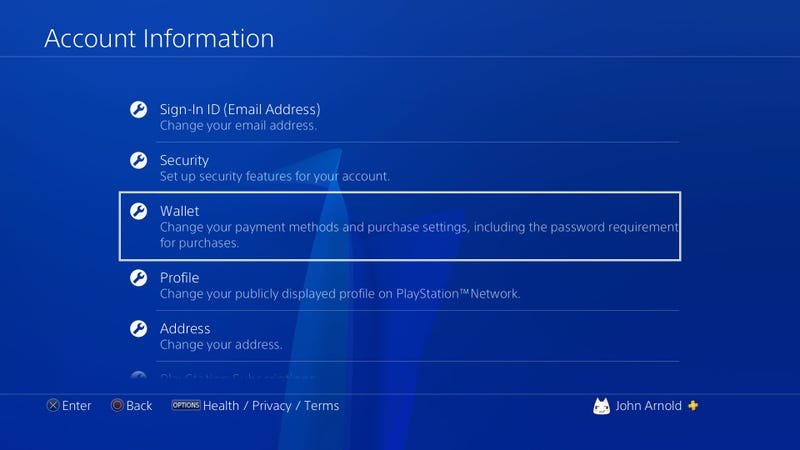
It’s not possible to directly gift a digital game on the PS4. You can, however, purchase a PlayStation Store gift card for your friend, and they can then use that to buy the game themselves.
Want to surprise a friend with a new PS4 game but unsure how? It’s a common question, and many people are confused by the process. We get it, the idea of gifting games directly should be simple, right?
The reality is, directly gifting digital games on the PlayStation 4 isn’t a supported feature. However, that doesn’t mean you can’t still give the gift of gaming! We will show you the easiest workarounds for how to gift games on ps4.

How to Gift Games on PS4
Want to surprise your friend with a new PlayStation 4 game? That’s a fantastic idea! Gifting games is a great way to share the fun and excitement of gaming. It’s like giving someone a key to another world, packed with adventures and stories. But, how exactly do you do it on the PS4? Don’t worry; it’s not as complicated as it might seem. This guide will walk you through all the different ways you can gift games on PS4, ensuring your present gets to your friend without any hiccups.
Understanding Your Options for Gifting PS4 Games
Before we jump into the nitty-gritty, let’s talk about the different ways you can gift a game on the PS4. There isn’t just one single method, and each method has its own pros and cons. The method you choose will depend on a couple of things like whether you are near the person or not, and whether you want to gift a physical copy or a digital copy. Here are your primary choices:
- Digital Gifting via PlayStation Store: This is the most direct way to gift a game if your friend has a PlayStation account and you prefer not to deal with physical disks. You buy the game from the PlayStation Store and send it directly to their account. It’s super convenient and they can start playing as soon as it downloads.
- Physical Game Discs: The traditional route. You buy a physical copy of the game from a store and either hand it over or ship it. This is a great option if your friend enjoys having a collection of games on their shelves or if you prefer giving a tangible gift.
- PlayStation Store Gift Cards: These allow your friend to pick out whatever game they want. It gives them more flexibility, which can be ideal if you’re not sure what games they already have or what they are interested in.
Gifting a Digital Game Through the PlayStation Store: A Step-by-Step Guide
Gifting digital games through the PlayStation Store is very simple and very convenient. No need to wrap anything or drive anywhere! Here’s how to do it:
Step 1: Accessing the PlayStation Store
First things first, turn on your PS4 and make sure you’re logged into your own PlayStation Network (PSN) account. You’ll need to use your account to make the purchase. Navigate to the PlayStation Store on your PS4’s main menu. The icon looks like a shopping bag.
Step 2: Finding the Game to Gift
Once you’re in the PlayStation Store, use the search bar or browse the various categories to find the specific game you want to gift. You can also look at the new releases, top downloads, or other collections to help you decide. Make sure you have the correct version of the game (standard edition, deluxe edition, etc).
Step 3: Selecting “Add to Cart”
After you find the game, go to the game’s product page. You will see a button that says “Add to Cart”. Instead of clicking that button, you’ll have to click the button beside the button that says “Add to Cart”. It is often shown as three dots which opens the dropdown menu. From that drop down menu, click on “Add to Cart as a Gift”.
Step 4: Entering Your Friend’s Details
You will be prompted to enter your friend’s PSN ID or their email address associated with their PSN account. Be careful to type this correctly! You don’t want to accidentally gift the game to the wrong person.
Step 5: Confirmation and Payment
Once you’ve entered your friend’s information, the PlayStation Store will ask you to confirm the purchase and your payment details. Double-check everything before proceeding. Select the proper payment method from your registered cards. It is also possible to make the payment using your PSN wallet. After confirming all of these, just click the “Confirm Purchase” or similar button. The game will be added to your friend’s account.
Step 6: The Gift Recipient’s Notification
Your friend will receive a notification (on their PS4 system and likely via email) informing them that they’ve received a gift. They can then access their library, find the game and start downloading it right away. The game will be tied to their PSN account, and they will be able to download it as many times as they want. They should have no problems accessing the game.
Gifting Physical PS4 Games: The Traditional Approach
Sometimes, the best gifts are those you can hold in your hand. If you’re going the physical route, here’s what you need to consider:
Choosing the Right Game
This step might seem obvious but it’s really crucial. Think about your friend’s taste in games. What genres do they typically play? Are there any particular games they’ve been talking about or have had on their wish list? If your friend likes fast-paced action games, a slow-paced puzzle game may not be the perfect gift. Pay close attention to clues they may have been dropping! If you’re really unsure, you can try to ask them indirectly what type of games they’d like, but be subtle! Alternatively, you can try to ask other friends if you are unaware.
Finding the Game in Stock
Once you have chosen the game, visit your local store or search online to find the game you want to gift. Check for deals and prices before committing to a purchase. Also, it’s important to make sure you’re getting the correct platform (PS4) and the region is correct for your friend’s console. The game should be compatible with your friend’s PS4.
Purchasing and Presenting the Physical Copy
Once you have successfully purchased the game, it’s time to wrap it up or put it in a gift bag if you want to make it a special presentation. You can either give the game in person, or you can also ship the gift to them directly. Make sure you include a note if you are giving it to your friend from a distance, especially for a special occasion like birthday.
Using PlayStation Store Gift Cards: Giving the Gift of Choice
Sometimes, the best gift is the freedom to choose! PlayStation Store gift cards are a fantastic way to gift games when you’re not entirely sure what your friend would prefer. Here’s how to use them effectively:
Understanding PlayStation Store Gift Cards
These cards come with a specific monetary value and can be used to purchase anything on the PlayStation Store including, games, downloadable content, themes, and other items. They’re available both physically in stores and digitally. You can buy these gift cards from many major retailers. If you buy it in the form of a digital code from online stores, the gift cards can be sent via email.
Purchasing a Gift Card
You can purchase gift cards from many physical retailers such as local grocery stores or electronic stores. You can also buy the gift cards from online retailers such as Amazon. Decide on the amount you want to gift and make the purchase. Remember the gift card is just like money to be spent on the PS Store. You can buy multiple gift cards if you need to reach a certain amount. The value of the gift cards may differ based on where you are purchasing it from and also based on the currency. You need to make sure that the PSN account of your friend is using the same currency as the gift card. For example, you should not gift a US dollar card to someone who has a UK PSN account, since the gift card cannot be redeemed. You might also face problems using a gift card from a different region from where the account was made, so be aware of that before purchasing.
How Your Friend Redeems the Gift Card
The gift card will come with a code. Your friend will need to go to the PlayStation Store and navigate to the “Redeem Code” option. It’s often found under the “Account” or “Settings” menu. They should then enter the code from the gift card and their account will be credited with the amount on the card. They can then use that credit to buy any game, DLC or anything else from the PS store.
Important Things to Keep in Mind When Gifting Games
Before you finalize your gift, it is a good idea to consider these important points for a smooth gifting experience.
Check for Game Compatibility
Make sure that the game you are gifting is compatible with your friend’s console. Check if the game is available for PS4, since some games are only available for PS5 or other consoles. Also, some older games may not be playable on the PS4. Double-check the game’s box or product description before making a purchase. If you are gifting digitally, check the region of the game as well.
Account Regions
As mentioned previously, digital games and gift cards are region locked. It means if you purchase a game on the PS store of a different region to that of your friend, the game might not work, or your friend may not be able to redeem it. So, check the PSN region before gifting a digital game or a gift card.
Friend’s Game Library
To avoid the awkwardness of gifting a game that your friend already owns, try to casually find out if they own the game already. You can check their online profile, or ask other friends to see if they know already if the game is on their library.
Sales and Promotions
Keep an eye out for sales and promotions! You might be able to get the game you want at a lower price during special sales events, like Black Friday or Summer Sales. This could save you money, or allow you to buy additional content for your friend.
Consider Online vs. Offline Players
If your friend mostly plays offline, then buying a game with only online multiplayer capabilities might not be a great idea. Consider their game play habits before gifting any game.
Troubleshooting Common Gifting Issues
Even with careful planning, sometimes things can go wrong. Here are some common issues you might face when gifting games and how to fix them:
Gift Code Not Working
If a gift card code isn’t working, double-check that you’ve entered it correctly and that the code is still valid. Also, make sure that you are using a gift card from the same region as your friend’s PSN account, as discussed previously. If the code is still not working, contact PlayStation support for help.
Game Not Appearing in Friend’s Library
If you’ve gifted a digital game, and your friend can’t see it in their library, advise them to sign out of their account and back in. Usually, that refreshes the library and shows all the new games. Also, ask them to check their email as they might have gotten a notification about the game.
Accidental Purchase
If you accidentally purchased a game for the wrong account, you should contact Playstation Support as soon as possible. The support team will help you with the refund process. Make sure you know the details of the purchase for efficient support.
Region Issues
If you have gifted a game to your friend from a different region, then it will not work with their account. In that case, you will not be able to do anything, and the support might not be able to refund it if it was already activated. So, you have to be very careful when gifting.
Gifting games on the PS4 is a wonderful way to spread joy and share your love of gaming with friends and family. By choosing the right method, paying attention to the details, and using these tips, you’ll be giving gifts that are enjoyed and appreciated. So, go ahead, make someone’s day with the perfect game! Now you know all the ways to give some amazing gifts to your friend. Happy gaming!
How To Buy a Game on Playstation Store as a Gift?
Final Thoughts
You can gift games on PS4 using digital codes or PlayStation Store gift cards. These methods enable you to share the fun. It’s straightforward to buy codes from retailers or through the store. Simply provide the code to your friend.
Alternatively, a gift card lets the recipient choose their desired game. These cards come in different denominations. You can purchase them online or in physical stores. They offer great flexibility.
In short, learning how to gift games on PS4 is simple. Both digital codes and gift cards provide easy options. Use whichever method suits you best. You’re ready to share the gaming experience!

