
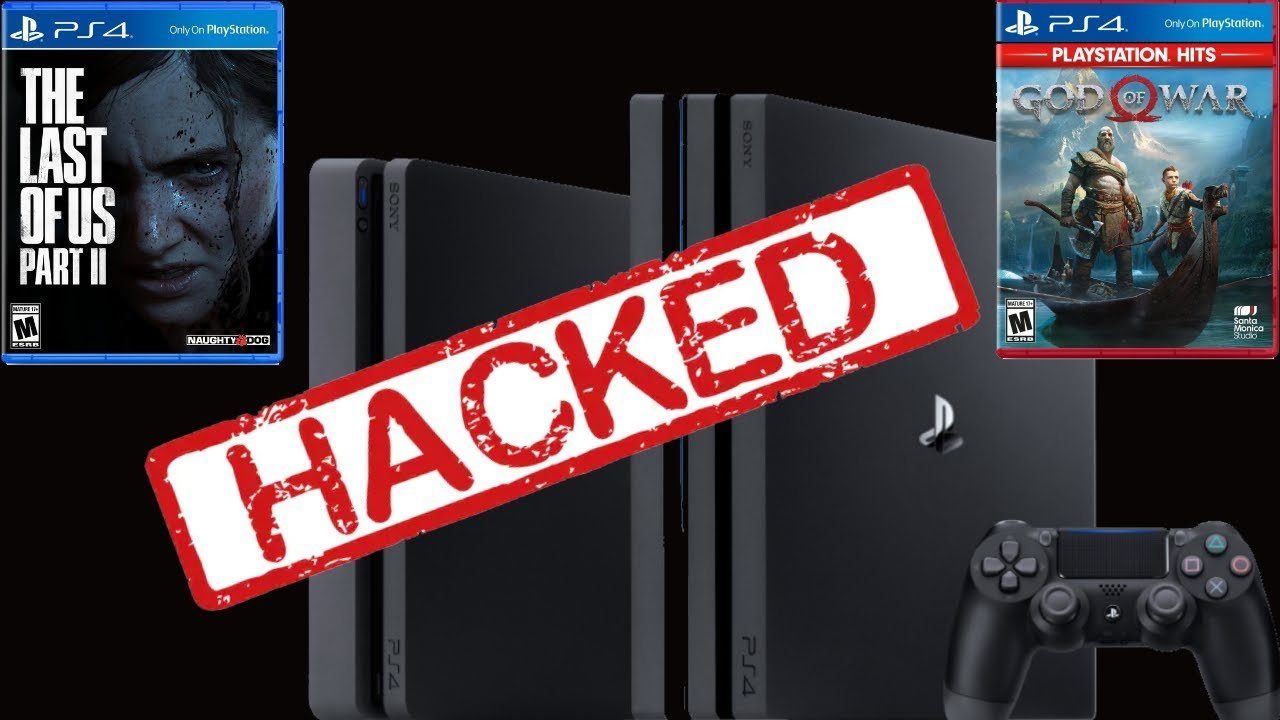
Modding a PS4 game typically requires a jailbroken console, specialized software, and game files extracted from the disc or digital copy.
Ever wondered how to mod a ps4 game? Many gamers crave more control over their gaming experience, wanting to tweak aspects like gameplay or visuals. It is a complex process that involves more than just a simple button click.
This process requires delving into the system’s firmware and game files and it is not a task for beginners. Proceed with caution, as modifying your console can void warranties.

How to Mod a PS4 Game
Getting into the world of PlayStation 4 (PS4) game modification, or “modding,” can be super exciting. It’s like adding your own special ingredients to your favorite recipe! But, before we dive in, it’s really important to understand that modding a PS4 game isn’t quite as simple as installing a new app on your phone. It involves some tech know-how and, most importantly, an understanding of what’s possible (and safe). This article will help guide you through what you should know, the tools that you might use, and the general process. Let’s get started, but remember to always check and make sure you have permission to modify the games, as some modifications could potentially lead to some problems with your console and your warranty.
Understanding PS4 Modding: What’s Possible?
Modding a PS4 game means changing how the game works. Think of it as tinkering with the game’s code or its files to achieve different results. These modifications can range from simple visual changes to more complex alterations in game mechanics. Here are a few common types of mods:
- Visual Mods: These change how the game looks. You might change the colors of characters, alter the appearance of objects, or even add new textures to the game environment. Think of it like giving your game a fresh coat of paint.
- Gameplay Mods: These mods alter the game’s rules. You might change the damage you deal to enemies, increase your character’s speed, or introduce completely new game mechanics. This lets you play the game in a way the developers might not have originally intended.
- Cheat Mods: These types of modifications often provide extra resources, like infinite health or ammunition, or allow you to instantly complete levels. These are often used for fun or to explore the game more easily.
- Content Mods: These kinds of mods sometimes introduce entirely new content into the game, such as new characters, levels, or items. This is a more advanced form of modding.
However, it’s important to understand that modding a PS4 game is not the same as modding a PC game. There are limitations because the PS4 is a closed system. It’s not as easy to access and change files as it is on a PC. Also, not every game can be modded equally. Some games are more open to modification than others.
The Challenges of Modding on PS4
Now, let’s talk about the tricky parts. There are a few challenges you need to know about before you start. Firstly, official PlayStation systems do not encourage modding. It is not as simple as downloading an application and running it. Here’s why:
System Security and Restrictions
Sony, the maker of PlayStation, has designed the PS4 to be a secure system. This means it’s difficult to access and change the game files directly. To make alterations to game files, you often need a jailbroken PS4, which is a hacked console that allows for more access. Modifying your console in this way can be tricky and poses some risks.
Game Updates and Compatibility
Game developers often release updates to fix bugs, add content, or change how the game works. These updates can sometimes interfere with your mods, making them not work correctly. Sometimes, updates could even cause your game to stop working altogether or result in you having to re-install the game. You may have to wait for mod developers to update their work to match new game versions or figure out workarounds, and this can be time-consuming.
Legal and Ethical Considerations
It’s also essential to remember the legal side of things. Modifying games can sometimes be against the terms of service you agreed to when you bought the game. There is also the matter of intellectual property that you should understand. Modifying content and then profiting from it could get you into trouble. Always check with the game’s developer or publisher to see if they permit modification of their titles.
The Basic Requirements for PS4 Modding
Before you start, there are a few things you need to have or consider before even attempting to mod games. Remember, these steps are complex and can be risky, so always proceed with caution. While you may find video tutorials or other materials online, it’s important to do your research and fully understand the process before moving forward:
- A Jailbroken PS4: This is generally a necessity to get started. A jailbroken console removes some of the built-in security features, allowing you more control over the system and its software. Be aware that jailbreaking can void your warranty and may carry the risk of bricking your system if done incorrectly. Usually, you will need to use an older firmware version to perform this jailbreak. This means you may have to avoid game updates or system updates to keep the jailbreak working.
- Software and Tools: You’ll need special programs that can help you access and change the game files. This can include file explorers, code editors, and other tools that are used to patch games. These can vary based on the specific mods you want to use.
- Backup Your Files: It’s a good idea to back up your game data and system files before you do any modding. This can protect you if something goes wrong. Create save game backups, and backups of your game or disc media.
- Time and Patience: Modding isn’t always quick and easy. It often involves trial and error, research, and learning new skills. You have to be patient and not give up easily.
A Step-by-Step Overview of the General Modding Process (Caution Advised!)
Modifying your PS4 game usually involves the following steps. Keep in mind that these steps are simplified to illustrate the general process, but the actual steps and procedures can be very specific to the games and the mods you wish to use. Again, be cautious and do your research. Proceed at your own risk:
Research Your Game and Desired Mods
First, figure out which games can be modified on the PS4. Some games are simply more difficult to mod than others. Then, identify what you want to change. What kind of mods are you looking for? Do you want visual changes, new levels, different gameplay or just some quick cheats? If you want to add mods to a game, you should check online to see if mods already exist for that game. This can help you save time and effort. Look for communities and websites that discuss and share PS4 game mods. These communities often have a lot of great resources and information that can help you. This can be a good place to start to see what is possible and what you will need.
Jailbreaking Your PS4 (If Necessary)
This is one of the most important (and risky) steps. Jailbreaking can be challenging and technical. It generally requires using specific software and firmware and following specific instructions. It’s crucial to ensure you have the correct firmware version and tools. Doing it incorrectly could “brick” your system, making it completely unusable. There is risk involved. Be aware that jailbreaking can void your warranty and may carry the risk of bricking your system if done incorrectly. If you are uncomfortable performing this operation, you might want to avoid modifying games completely.
Transferring Game Files
Once you have a jailbroken system, you need to access the game files. This can be done using special software that lets you navigate your PS4’s file system. These files are usually stored on your internal hard drive, or an external hard drive. Transfer the specific game files you want to modify to your computer for editing. This will also include modded files which need to be transferred to your PS4.
Modifying the Game Files
Now is the time to modify your game files according to the specific mods you want to use. This might mean editing code files, replacing graphics, or adding new files. Be careful when editing, as small changes can have big results. If you aren’t sure about a specific change, it’s best to look for a tutorial video, or read through some online documentation before editing. Some mod files will be pre-made, and simply need to be transferred to the system.
Transferring Modified Files Back to Your PS4
After making all of your modifications, you will need to copy the modified files back to your PS4. You will likely need to do this using the same method that you used to copy the files to your computer. This process may require you to replace the old original files on your system, which is why backing up files is extremely important. Make sure that everything is in the correct folder.
Testing the Mods
Finally, it’s time to test your mods. You should start the game and see if your mods are working properly. Test them in different areas and levels of the game. If things aren’t working as they should, double-check all of the changes you made, and make sure you followed all the steps correctly. It may take a few tries to get things working the way you want them.
Finding PS4 Game Mods: A Guide
Finding mods for PS4 games can be tricky, as they are not distributed on any official platforms. The best way to find mods is to use the following online resources. Keep in mind, that because these aren’t official channels, there may be some security concerns or risk involved in downloading material from these locations, so proceed carefully:
Online Forums and Communities
Many online forums and communities are dedicated to game modding. These are often great resources to find information about available mods, including which games can be modified and the best methods to do so. Websites like Reddit and similar forums often have specific subreddits and boards dedicated to modding. These communities will often share links to specific mods and offer support and instructions for usage.
YouTube Tutorials
Video tutorials on YouTube can be very useful. There are videos dedicated to modding on the PS4 platform. These videos can provide visual aids to the process, which can be helpful if you are unsure about certain instructions. These videos may also provide links to mod files and other software you might need to use. Be cautious of suspicious links, and do your research. Check the source before downloading anything.
Dedicated Mod Websites
There are some websites that specialize in hosting and sharing mods. While they are not official sites, they can sometimes provide you with a good place to start. Some websites offer a variety of mods for different games. Be cautious of unofficial websites and only download files from sources you trust.
Important Safety Tips and Warnings
Modifying your PS4 can be a lot of fun, but it is also important to keep some safety tips in mind. Always exercise caution and proceed at your own risk.
Backup Your Data
Always back up your important files, whether they are save game data or even game and system files. This will help protect your data should something go wrong during modification. You can store these backup files on an external storage device. This will save you a lot of headache if you have to re-install games or format your system drive.
Be Careful When Jailbreaking
Jailbreaking your PS4 should be done carefully. There are resources available online to help, but you should still be cautious. If you are not familiar with the process, seek assistance or be prepared for potential problems. There are certain things you should not do, and incorrect actions can lead to the system malfunctioning.
Scan Downloads for Viruses
Whenever you download files from the internet, make sure that you are using updated virus scanning tools, as downloading files from the internet can expose you to threats. You should scan these files before you transfer them to your PS4, or use them in any way on your computer.
Use Reputable Sources
Always use reputable and trusted resources, such as dedicated modding sites, established forums or well-known video creators. This will help minimize the risk of problems. Avoid downloading files from unknown sites or sources that you are not familiar with.
Understand the Risks
It’s extremely important to understand the risks associated with modding your console. This can include voiding your warranty, system malfunction and game instability, or even having to re-install operating systems. You are performing these actions at your own risk, so do your research and know what you are getting into.
The Future of PS4 Modding
While the PS4 is now considered an older generation console, its modding scene may continue to evolve and progress in the future. As new tools and methods are created and shared, more creative mods could emerge. The modding scene continues to be an area of interest to many users, even as newer systems come onto the market. However, as new consoles are released, support for older systems often declines.
In the end, the world of PS4 game modding is complex and can be risky. Always proceed with caution and do your research. As long as you understand the processes involved, and take the proper precautions, you might be able to modify your favorite games and experience them in a new and exciting way.
how to download mod menu in ps4 ##SK#gta5
Final Thoughts
Modding a PS4 game involves using specialized tools, often requiring a modified console. The process can be complex, involving firmware manipulation and code injection. Proceed with caution as it may void your warranty.
Successfully learning how to mod a ps4 game will require thorough research and understanding of console security measures. Always backup your data before attempting any modification. Modding opens up new gameplay possibilities but carries risks.

