
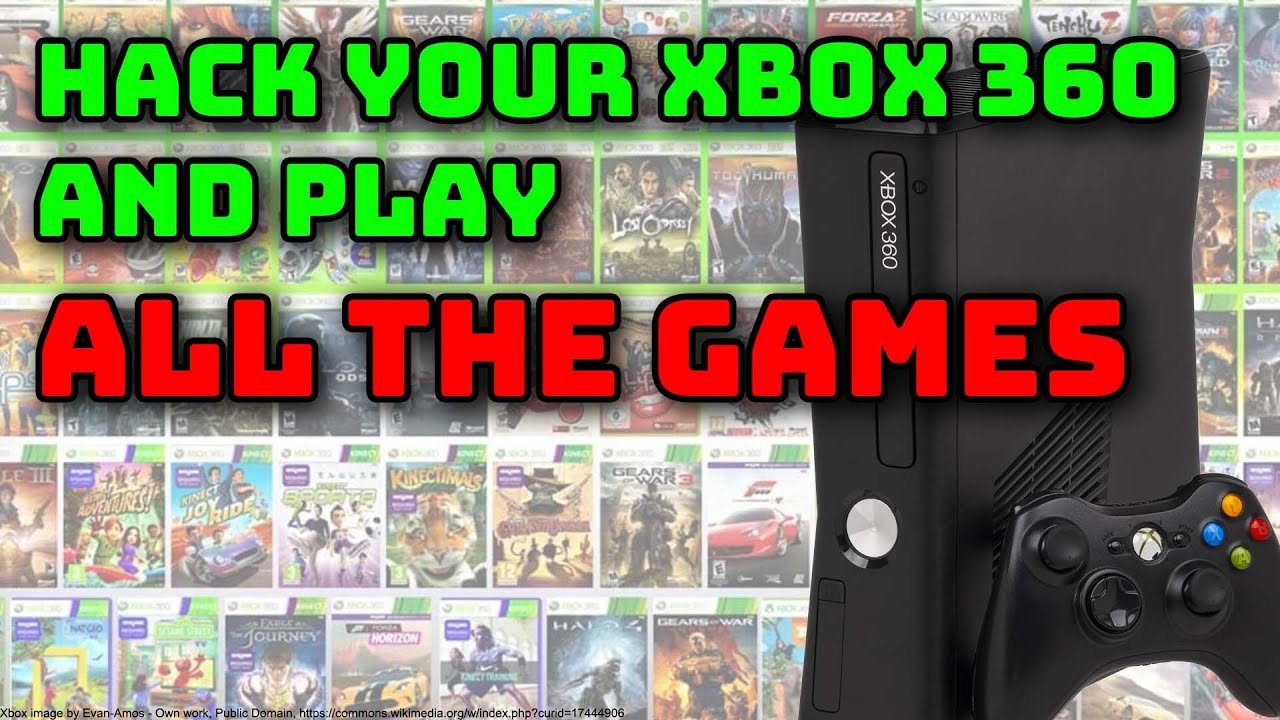
Modifying Xbox 360 games with USB typically involves using a modified console, software, and save game files on the USB drive, allowing for game alteration.
Ever wondered how some players seem to have impossible advantages in your favorite Xbox 360 games? It often comes down to knowing how to mod Xbox 360 games with USB. This process, while requiring some specific tools and knowledge, opens up a whole new world of gameplay customization and fun.
You can alter things like characters’ abilities and game resources. The method usually requires a special piece of software to make changes. This is also how players commonly use save editors to create interesting gameplay experiences.

How to Mod Xbox 360 Games with USB
Want to change your Xbox 360 games and make them even more fun? Modding games can let you play with different rules, use special characters, or even explore new areas. It’s like having a superpower for your favorite games! This guide will show you how to mod your Xbox 360 games using a USB drive. It might sound tricky, but we will break it down into simple steps. Remember, you should only mod your own games. Modding games that aren’t yours or distributing them to others is not the right thing to do. Also be aware that some mods can cause your game to not work as it should. Always be careful and backup the original data to be safe. It’s very important you understand this.
Understanding Xbox 360 Game Modding
Before we jump into the how-to, let’s understand what “modding” means. Modding, short for “modifying,” is like tweaking a game’s code to make it do things it normally wouldn’t. Think of it like adding extra ingredients to your favorite recipe to make it even tastier. In the world of Xbox 360 games, this can mean changing game settings, adding special items, or even creating whole new levels! But keep in mind there is a difference between simple game file mod and changing the console firmware. We’re here to talk about the simple game file mods.
What You Need for Game Modding with USB
To mod your Xbox 360 games with a USB drive, you’ll need a few things. Don’t worry; they’re not too hard to find:
- An Xbox 360 Console: Obviously, you need the console on which you plan to play the modded games.
- A USB Flash Drive: You need a USB drive to hold the modded game files. It should be formatted as FAT32.
Formatting to FAT32: Your USB needs to be in FAT32 format so your Xbox 360 can read it. If it’s not in FAT32, you will need to format it. Usually, when you use your computer, you can format your usb easily. First plug your USB drive into the computer. Then open “My Computer”, right-click the USB drive, then click Format. In the dropdown, choose FAT32 and click start. Be careful, since this will erase everything on the USB drive.
- Modding Software: This is a special program on your computer that helps you make the changes you want to your game files. The most popular one for Xbox 360 game modding is called Horizon. Always make sure you download from a trusted website.
- Xbox 360 Game Files: You’ll need the actual game files from the Xbox 360 disc. These are the files we will change using modding software.
- A Computer: You’ll need a computer with the correct operating system like Windows, to run the modding software.
Getting Started: Extracting Game Files
Okay, let’s get started. The first thing you need to do is extract the game files from your Xbox 360 game disc. You cannot just copy the game files like you do with regular documents or photos.
Here are two main ways to do this:
Method 1: Using an Xbox 360 with a JTAG/RGH Mod
This method requires your Xbox 360 to have special hardware changes, either a JTAG or RGH mod. These mods can be complex and are not a regular setup for an Xbox 360. You should not try these mods yourself unless you have a good technical understanding of electronics and computers.
- Step 1: Insert the game disc into your JTAG/RGH modded Xbox 360.
- Step 2: Use a file manager program on the Xbox 360 to locate the game files. The most popular file manager software is called “Xexmenu.”
- Step 3: Copy the entire game folder to your USB drive. The USB drive must be formatted to FAT32.
- Step 4: Connect the USB drive to your computer.
Method 2: Ripping Games Using a PC DVD Drive
This method allows you to read the Xbox 360 game data from your computer’s DVD drive. This requires a special DVD drive and special software.
- Step 1: Get a compatible DVD drive that can read Xbox 360 game discs. Not all DVD drives can do this. You need a DVD drive with specific chipsets. The most common DVD drive for reading game data is the “Lite-On” DVD Drive.
You should research before buying any DVD drive to confirm it’s compatibility for ripping Xbox 360 game disc.
- Step 2: Download software for your computer that is capable of ripping Xbox 360 game data. There is software named “Xbox Backup Creator.”
- Step 3: Run the Xbox Backup Creator program and select your compatible DVD drive. Insert your game disk. The software should recognize it.
- Step 4: Choose the path where you want the software to extract the game files. Then click start.
- Step 5: Wait for the software to finish the ripping process. It might take some time.
Modifying Game Files with Horizon
Now that you have your game files on your computer, you can start modding them! Horizon is a popular software that can change certain values inside the game files.
Installing Horizon
- Step 1: Download Horizon from a trusted website.
- Step 2: Run the installer and follow the instructions.
- Step 3: Once installed, open Horizon.
Using Horizon to Mod Game Files
Let’s learn how to use Horizon to add mods in a very simple game like the game “Castle Crashers”. In this example, we will show how to add maximum gold to your savegame.
- Step 1: Plug your USB drive with the game files into your computer.
- Step 2: In Horizon, click the “Device Explorer” button.
- Step 3: You should see the files and folders in your USB drive. Find the folder containing the “Castle Crashers” game files.
- Step 4: Inside the folder, there will be different files. Look for the savegame file. It’s a file ending with “.sav” extension. For example, it can be called “GameData.sav”
- Step 5: Drag and drop the save game file from the USB drive to the main Horizon window.
- Step 6: You can see that a new panel will open with multiple options, based on the specific game. In the case of Castle Crashers, you will see an option called Gold, which represents the in-game money.
- Step 7: Choose the option to modify gold. The amount of gold is usually written as a number. For example, the actual in-game gold can be something like “125”. Enter the maximum amount of gold (for example: 999999) that the program allows.
- Step 8: Click the save button. The Horizon software will modify the game save file with the new value for gold.
- Step 9: Drag the changed file back into the USB drive using the Device Explorer.
- Step 10: Safely remove your USB drive from your computer.
Transferring Modded Game Files to Your Xbox 360
Now that you have modded your game files, you need to move them to your Xbox 360. Here’s how:
- Step 1: Plug your USB drive with the modded game files into your Xbox 360 console.
- Step 2: Turn on your Xbox 360 console.
- Step 3: If you have a JTAG/RGH console, use a file manager program such as Xexmenu to copy the modded save files to your Xbox 360 hard drive. In some games, the save file is in the specific game folder in the hard drive. In others, the saves are in a special partition of your hard drive. You need to have a knowledge about where the specific game save folder is. For the JTAG/RGH consoles, you can copy files from USB to any path in your console.
- Step 4: If you don’t have a JTAG/RGH console, you can transfer saves files using the dashboard memory setting. Go to the dashboard setting section and find memory settings. In the memory section, you will see the USB drive with the modded save file. Select the save file and copy it to your profile.
- Step 5: Start the game. If you have correctly modified the save game, you should be able to see the mod you have made.
Important Tips and Precautions
Modding games can be fun, but it’s important to do it safely. Here are some tips:
- Back up your Original Game Files: Always make a copy of your original game files before you start modding. If something goes wrong, you can use the original files to fix your game. You can make backup of your game files on your computer and store it safely.
- Download Mods from Trusted Sources: Only download modding software and game mods from websites or communities you trust. Some files can be dangerous for your computer or your console.
- Start Slowly: Don’t try to change too many things at once. Start with small changes and make sure they work correctly before trying more complex mods. It’s like experimenting with a new recipe – add one ingredient at a time!
- Check Mod Compatibility: Different games have different types of mods. Ensure that the mods you want to use are compatible with your version of the game. Some modding websites often have forums where users discuss problems, compatibility, and other relevant information for game modding.
- Be Respectful: Do not use mods to cheat in multiplayer games. This can ruin the game for other players and can get you banned from the online services.
- Be Aware of Risks: Modifying your game files can cause problems with the game itself. Modding can lead to game crashes or other issues. So, do it at your own risk. Remember, there are always risks involved in modifying things.
- Be Patient: Sometimes, modding games can be difficult. If you have a problem, don’t give up. Look for help online or ask someone who knows more about modding.
- Understand Legal Implications: Please note that modifying game files might go against the game’s terms of service. Modding games can have legal consequences so make sure that you understand the laws.
Specific Game Modding Examples
Let’s see how to mod some specific popular games with common mods using a USB drive:
Grand Theft Auto V
Many players want to have some advantages in the game, like having unlimited health or money.
- Money Mod: Use Horizon to open your save file, find the section for the money, and change the value to the maximum amount.
- Vehicle Mod: Add special vehicles that are not easily accessible by regular gameplay. These mods can be implemented with modding software, replacing existing vehicles with special vehicles.
- Character Mod: Change your character appearance with specific mods, like clothes or new hair styles. Some mods can even add entirely new characters to the game.
Call of Duty Series
Popular mods include having unlimited ammo, running very fast, or being invisible.
- God Mode: Some mods make your character invincible, so you can not die.
- Unlimited Ammo: With this mod, you can have unlimited ammo, so you don’t have to reload your weapon during the game.
- Wall Hack: See enemies through walls using specific mods that provide you an advantage over other players.
Minecraft
In Minecraft, you can change your items, the environment of the game, or even the way your player works.
- Item Editor: Add specific items in the game that you normally can’t get, or you would have to get them in some other difficult way.
- World Editor: Change the look and structure of the world with custom made environments, by importing them with a USB drive.
- Skin Mod: You can change the appearance of your character to make it different from other players.
These are just examples of possible mods, and the specifics of modifying the game files can be different based on the specific mod.
Modding Xbox 360 games with a USB drive can be a lot of fun. It gives you a chance to play games in new and exciting ways. Remember to be careful, make backups, and respect the rules of the game and other players. Have fun modding your games, and be creative!
You can mod your Xbox 360 with just two wires!
Final Thoughts
Modding Xbox 360 games using a USB drive involves several steps, starting with preparing your USB drive and acquiring the necessary mod files. You will need to transfer these files to your USB drive.
Next, you connect the USB drive to your Xbox 360. You use a tool on the console to apply the mods. This process may differ based on the specific game.
The process of how to mod xbox 360 games with usb requires careful execution. It allows you to alter game features or content. Always ensure your mods are compatible to avoid issues.

