
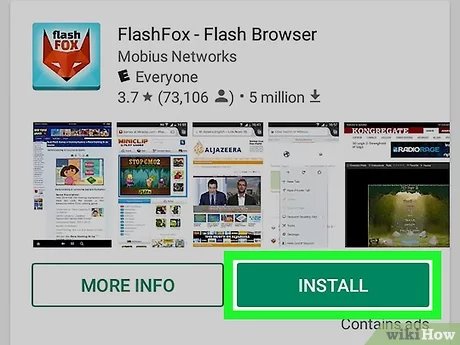
Playing browser games on Android simply requires using a web browser app like Chrome or Firefox, navigating to the game’s website, and then starting the game directly within the browser.
Ever found yourself wanting to quickly dive into a game without the hassle of downloads? It’s now easily possible to experience many fun, engaging titles directly on your mobile device. The good news is that learning how to play browser games on android is quite straightforward.
You just need a reliable browser app on your phone. Then, it’s just a matter of visiting the website of the specific game you want to play. Get ready to game anywhere with ease.

How to Play Browser Games on Android
Want to play your favorite computer games on your phone? That’s totally possible! Many cool games that you usually play on a computer can also be played on your Android phone or tablet. These games are called browser games because they run right in your phone’s web browser, like Chrome or Firefox. This means you don’t have to download and install anything. Let’s see how you can start enjoying them!
Understanding Browser Games
Before we jump into playing, let’s understand what browser games actually are. These games are different from apps you download from the Google Play Store. They’re built using web technologies like HTML5, JavaScript, and CSS. Think of it like visiting a website, but instead of just reading text or looking at pictures, you’re playing a game! Because they run in your browser, you don’t need a super powerful device to enjoy many of them.
Why Choose Browser Games?
There are several reasons why playing browser games on your Android device can be a great idea:
- No Downloads Required: One of the biggest advantages is that you don’t have to download anything. This saves space on your phone and also means you can start playing right away.
- Accessibility: Browser games are designed to be easy to access on most devices. If your phone has a browser and internet access, you’re usually good to go.
- Variety: There’s a huge variety of browser games available, from simple puzzle games to more complex strategy and adventure games. You’ll surely find something you like.
- Free to Play: Many browser games are free. While some may offer in-game purchases, you can often play quite a lot without spending money.
- Cross-Platform: You can play the same game on your phone and your computer. Your progress is often saved across devices.
Getting Started: Your Android Device and Browser
To start playing browser games on your Android, you need just a couple of things:
- An Android Phone or Tablet: Any device running the Android operating system will work.
- A Web Browser: You will need a web browser app. Google Chrome and Mozilla Firefox are popular choices and usually come pre-installed on Android devices. Other options include Samsung Internet, Brave, and DuckDuckGo Browser.
- A Stable Internet Connection: A good internet connection is vital for a smooth gaming experience. Wi-Fi is usually better than a cellular data connection, especially for games with lots of graphics or online multiplayer features.
Once you have these things, you’re ready to begin your gaming adventure. Let’s check how to find and play these games.
Finding Browser Games
Now that you have the basics covered, you need to know where to find these games. There are several ways to find a good game.
Using Search Engines
The easiest way is using a search engine like Google. Just type the kind of game you like into the search bar. For example, if you like puzzles, you can search for “free puzzle browser games”. You’ll see lots of websites that host browser games. Remember to look for sites that seem safe and don’t require you to download anything extra. Some search keywords that may be helpful include:
- “Free online browser games”
- “HTML5 games”
- “Play games in browser”
- “[Game genre] browser games” (e.g., “strategy browser games”, “adventure browser games”)
Websites Dedicated to Browser Games
Many websites are specifically designed to host online browser games. These are like libraries for games. Some of these sites categorize games by type so you can easily find something to suit your taste. Some popular website for browser game are:
- Poki.com
- CrazyGames.com
- ArmorGames.com
- Kongregate.com
- Itch.io (Many browser games from indie developers)
These websites often feature a wide variety of games, from classic arcade-style games to more complex role-playing and strategy experiences. It’s always wise to look for the “HTTPS” lock symbol in the address bar of your browser to make sure the website you are browsing is secure.
Social Media and Forums
Keep an eye on social media and online forums. Gamers often share their favorite games, so you can come across hidden gems. Look on social media platforms for groups and communities dedicated to gaming. You might discover new games and websites that way. You can also visit gaming forums or subreddits where people regularly share links and reviews.
Game Developers Websites
Sometimes, game developers have their own websites where you can play their games directly. If you have a specific game in mind, you can see if its official website hosts it as a browser game. This often guarantees the best experience without any third-party interference.
Navigating and Playing Browser Games on Android
Once you’ve found a browser game you want to play, here are some things to keep in mind to get the best experience:
Touch Controls and Gameplay
Most browser games are designed to be played with a mouse on computers. However, when playing on Android, you’ll be using your finger. Most games adapt their controls for touchscreens. Here’s what you might find:
- Tapping: Use taps for simple actions like clicking buttons or selecting items.
- Swiping: Use swipes for moving characters or navigating menus.
- Pinching: You might need to use pinching and zooming to adjust the view in some games.
Some games may have on-screen virtual joysticks or buttons for more precise control.
Adjusting Game Settings
Many browser games will have an in-game settings menu. Here you can adjust the game’s graphics quality, sound volume, and sometimes control layouts. If the game is running slow, try lowering the graphics quality. This can help the game to run more smoothly.
Dealing with Ads
Many free browser games use ads to make money. It’s normal to see them, but here are ways to deal with ads:
- Closing Ads: You’ll often see a small ‘x’ button after the ad plays. Tap this to close the ad.
- Using an Ad Blocker: You can use a web browser with built-in ad-blocking features or a separate ad blocker app. Some browsers like Brave and DuckDuckGo have this feature by default.
- Support the Game: Some games offer an option to pay to remove ads. If you really love the game, this is a great way to support the developers.
Handling Performance Issues
Sometimes browser games can run slowly or not work properly. This can be frustrating! Here are some tips that could help you:
- Close Other Apps: Having too many apps running can slow down your phone. Close apps you’re not using to free up resources.
- Clear Browser Cache: Your browser may have stored a lot of data that can slow it down. Go to your browser’s settings and clear its cache and cookies.
- Update Your Browser: Make sure your browser is up to date. Updates often include performance improvements and bug fixes.
- Try a Different Browser: If one browser is not working well, try another one. Each browser may handle games differently.
Types of Browser Games
The world of browser games is very diverse. There’s pretty much a game for everyone, whatever their taste. Let’s look at some popular types:
Puzzle Games
These games challenge your mind with logic, patterns, and problem-solving. You will find games like matching tiles, solving riddles, or jigsaw puzzles. This type of games is a great way to test your smartness and is good for all ages.
Arcade Games
Inspired by classic video games, arcade games often feature fast-paced gameplay, pixel graphics, and high scores. Think about games where you jump, shoot, or drive. These games are easy to pick up and provide lots of fun.
Strategy Games
These games involve careful planning, resource management, and tactical thinking. You might be building cities, fighting in battles, or managing economies. This games require focus and are engaging.
Adventure Games
In adventure games, you get to explore worlds, solve mysteries, and interact with characters. They often involve storytelling and can be very immersive. You might find yourself lost in other fantasy worlds with these games.
Simulation Games
These games mimic real-life situations. You might be managing a farm, running a business, or designing a home. They are more calming and give you control over a virtual world.
Multiplayer Games
These games allow you to play with or against other players online. This could be something like a race, a card game, or a team-based battle. You get to interact with other players and compete with them.
Tips for a Smooth Gaming Experience
Here are some extra tips to improve your experience while playing browser games on Android:
- Use Headphones: Headphones or earphones can help you focus on the game and avoid disturbing others with game sound effects.
- Play in a Comfortable Place: Find a comfortable place where you can play without distractions. It is important to have a good posture as you play for longer sessions.
- Take Breaks: Remember to take breaks often. Playing for too long can be tiring.
- Keep Your Phone Charged: Browser games can use a bit of battery power. Keep your phone charged while you’re playing, especially when you don’t have a charger nearby.
- Check for Updates Regularly: Sometimes, your browser may require to be updated to provide the best performance. Always keep a check on the latest updates of your browser.
Are Browser Games Safe?
When you play browser games, there are things to keep in mind about safety.
Security Precautions
There are some simple precautions that you can take to play safely:
- Use a Secure Website: Always look for websites that start with “HTTPS” and have a lock symbol in the address bar.
- Be Careful with Personal Information: Avoid entering personal information like your full name, address, or phone number into websites you don’t trust.
- Keep Your Browser Updated: Always update your browser to avoid any security threats.
- Use Antivirus Programs: Antivirus programs can give you an extra layer of security while you browse.
Privacy Considerations
Be aware of these privacy considerations:
- Cookies: Browser games might use cookies, which track some of your activities. You can clear cookies from your browser settings.
- Ad tracking: Many free browser games may track your usage to show you personalized ads.
- Privacy Policies: Check the websites you use and see the privacy policy, so that you know how they manage your data.
By being careful and informed, you can enjoy browser games safely and securely.
Playing browser games on your Android device is a fun and convenient way to enjoy a wide range of games. From simple puzzles to more immersive role-playing experiences, there is something for everyone. With a little bit of know-how and some important safety precautions, you can easily start playing and have hours of fun.
How to play Browser Games on Android
Final Thoughts
Playing browser games on your Android is simple. Use your phone’s browser, like Chrome or Firefox. Search for your game, visit the site, and play.
Ensure a stable internet connection for optimal performance. Some games might need specific browser settings adjustments. Enjoy the variety of accessible browser titles on your phone; remember how to play browser games on android.

