
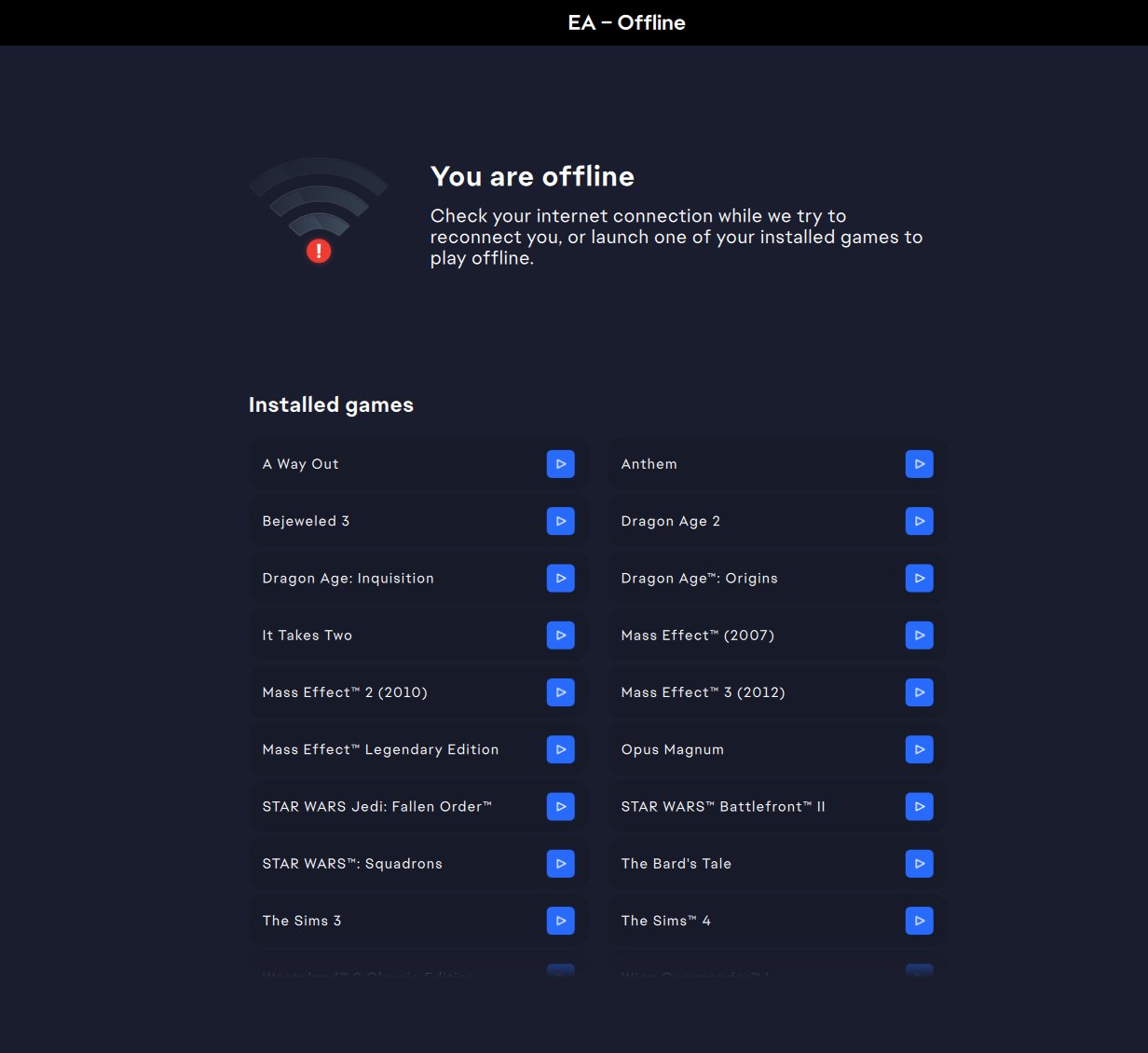
To play EA games offline, you must first launch the game while connected to the internet and log into your EA account. Then, you can usually play offline after that initial online launch.
Ever found yourself without internet but still itching to game? It’s a common issue, especially when you really want to jump into your favorite EA title. The good news is that many EA games support offline play. You just need to understand the process.
This quick guide will explain the necessary steps for you to enjoy your games without an internet connection. It is easier than you might think to get into your games. Understanding how to play EA games offline means that your fun doesn’t have to stop when your internet does.

How to Play EA Games Offline
Okay, so you’re itching to play your favorite EA games but you don’t have an internet connection? Or maybe you just want to avoid those annoying online interruptions? You’re not alone! Many gamers love the option to play offline. The good news is, playing EA games offline is totally possible, but it needs a little setup. Let’s dive into all the ways you can enjoy your games without the internet.
Understanding Offline Mode in EA Games
Before we get into the nitty-gritty, it’s important to understand what offline mode actually means for EA games. Generally, offline mode lets you play the single-player portion of a game without being connected to the internet. This is super handy for long flights, road trips, or those times when your internet decides to take a break. However, it usually means you won’t have access to online features like multiplayer matches, leaderboards, or in-game purchases. Think of it as solo gaming time!
Why Some EA Games Are Always Online
You might be wondering, “Why can’t all EA games be played offline all the time?” Well, it’s mainly due to a few reasons:
- Online Features: Many EA games heavily rely on online features like multiplayer, updates, and cloud saves. These features need a constant internet connection to work correctly.
- Digital Rights Management (DRM): Some EA games use online authentication to ensure that you have a legitimate copy of the game. This is a way to stop people from pirating games. The game might check with EA’s servers to confirm your purchase.
- Live Services: Games that operate as a “live service” constantly receive new content and updates. These updates require an internet connection for the game to function properly and to make sure that all the players are playing in same version.
So, while it might seem frustrating, there are reasons behind these online requirements. But don’t worry, many EA games still offer a great offline experience.
Steps to Prepare Your EA Games for Offline Play
Getting your EA games ready to go offline involves a few key steps. This isn’t a one-size-fits-all process, as some games will have different requirements, but this should cover most of the bases.
Step 1: Initial Online Setup
This is the most important step: you must first launch your game while connected to the internet. This initial connection is needed for the game to fully set itself up on your system. This also confirms you own the game and allows EA to prepare for offline play.
Here’s what to do:
- Install and Launch: Install the game like you normally would, using the EA app or other game platform. Then, start the game while you have an active internet connection.
- Log In: Make sure you are logged into your EA account while starting the game. This allows EA to confirm you are the owner and save your profile.
- Play for a Bit: After the game launches, play it for a few minutes. This ensures any required game data downloads, and game settings save to your profile.
Step 2: Putting the EA App into Offline Mode
The EA app (formerly Origin) has an offline mode that is essential for playing your games without an internet connection. After you’ve done the initial online set up, follow these steps to enable offline mode:
- Open the EA App: Launch the EA app on your computer.
- Click the Menu Button: Look for the menu button. It is typically on the top left hand corner, it might look like 3 small lines, and click it.
- Go Offline: From the menu dropdown list, select “Go Offline”. Now the EA app will switch to offline mode.
Note: You may need to be online at least once every 30 days to verify your game ownership.
Step 3: Launching Your Game in Offline Mode
Now that the EA app is offline, you can launch your games without requiring an internet connection. Here’s how:
- Open the EA App: With the EA app already in offline mode, start the app.
- Find Your Game: Locate the game in your game library.
- Click Play: Click on the game to start it. If the game is set up correctly, it should launch and let you play offline.
If your game won’t launch offline, ensure you followed the steps above, especially the initial online launch. If problems continue, you might need to temporarily connect to the internet to enable offline play before returning offline again.
Troubleshooting Offline Play
Sometimes, even if you follow all the steps, playing offline can still be a bit tricky. Here are a few common issues and how to fix them.
The Game Won’t Launch in Offline Mode
Problem: You’ve put the EA app in offline mode, but your game refuses to start.
Solution:
- Verify Online Activation: Check that you launched the game while online before going offline. If you haven’t played online before, then the game won’t work in offline mode.
- Restart the EA app: Close the app and reopen it in offline mode to clear any minor glitches.
- Restart Computer: Sometimes, restarting your computer can solve the issue.
- Temporary Online Check: If these steps don’t help, connect to the internet, relaunch the game, then try switching back to offline mode.
Game Saves are Not Available
Problem: Your game save files seem to be missing when you play offline.
Solution:
- Cloud Saves: When you play online, your game saves are usually stored in the cloud. When you switch to offline mode, the game will revert to the most recently saved profile on your local computer.
- Manual Save: Make sure you manually save your game in offline mode. Be aware that the saves will not sync to the cloud once you go back online.
- Check Local Save Folder: In some cases, your saved games will be in a specific folder on your computer. The location can vary by game, but you can usually find it in your Documents folder in a sub folder related to EA or the name of the game.
Updates Require an Internet Connection
Problem: The game says it needs to be updated, but you’re offline.
Solution:
- Connect to Internet: Unfortunately, game updates always require an internet connection. You’ll need to go online, download any updates, and then you can go offline again.
Specific EA Game Examples
Let’s look at a few specific EA titles and how their offline mode works:
The Sims Series
The Sims games are quite popular and have a good offline mode.
- Sims 4: You can play the single player version of the game in offline mode after a quick online login and setup. You will not have access to online features like the gallery, but you can enjoy all of the building, creating, and story aspects without the internet.
- Previous Sims Versions: Most older versions of The Sims also offer a strong offline single-player experience. You can usually play these offline without too much fuss, as long as you have the physical disc.
Battlefield and Star Wars Battlefront
The Battlefield and Star Wars Battlefront series are known for their massive multiplayer modes, but they do have a single-player component that you can enjoy offline. Here is how:
- Campaign Mode: The single-player campaign can be played offline after setting the game up once online.
- Multiplayer Restrictions: You won’t be able to play the multiplayer parts of these games without an internet connection.
EA Sports Games (FIFA, Madden, NHL)
Most of the EA Sports series focus on both single player and online multiplayer, but here is how to access the single player modes offline:
- Career Mode/Franchise Mode: You can play the main career or franchise modes offline after doing an initial online set-up of the game.
- Multiplayer Limitations: You won’t be able to play against other players online in these offline mode.
Need for Speed Games
Most of the Need for Speed games offer a way for you to enjoy them offline:
- Single-Player Story: You can race and enjoy the main single player story mode without needing an internet connection.
- Customization and Progression: You can still customize your cars and progress through the game’s story while offline.
Tips for a Better Offline Experience
To make your offline gaming time as smooth as possible, here are a few helpful tips:
- Play Regularly Online: Connect to the internet every now and then to make sure you have the latest game updates. This can help avoid any issues with save files or missing content when you are offline.
- Download Content: Download any extra game content, like expansions or DLC, while you are connected to the internet. This way, you will have everything you need to have fun in offline mode.
- Plan Ahead: Before you know you will be without an internet connection, log in to your EA app, start the games you wish to play offline once, and then put your app in offline mode, just in case.
- Check Game Requirements: Some games have unique requirements for offline play, so check the game’s documentation or forums for the most up-to-date info.
With a bit of preparation, enjoying your favorite EA games offline can be a really great experience. Remember to always start the game while online first, put the EA app in offline mode, and enjoy your offline adventures. Happy gaming!
Play EA GAMES Offline ft. The Sims 4
Final Thoughts
To play EA games offline, first verify if the game supports it. Many titles require an online check initially. Then, launch the game after setting your device to offline mode.
Ensure your game has downloaded any necessary updates. Some games may not function without these. This method of playing is very straightforward once completed.
So, you now know how to play ea games offline. It’s quite simple when understood. Enjoy your gaming sessions, even without an internet connection.

