
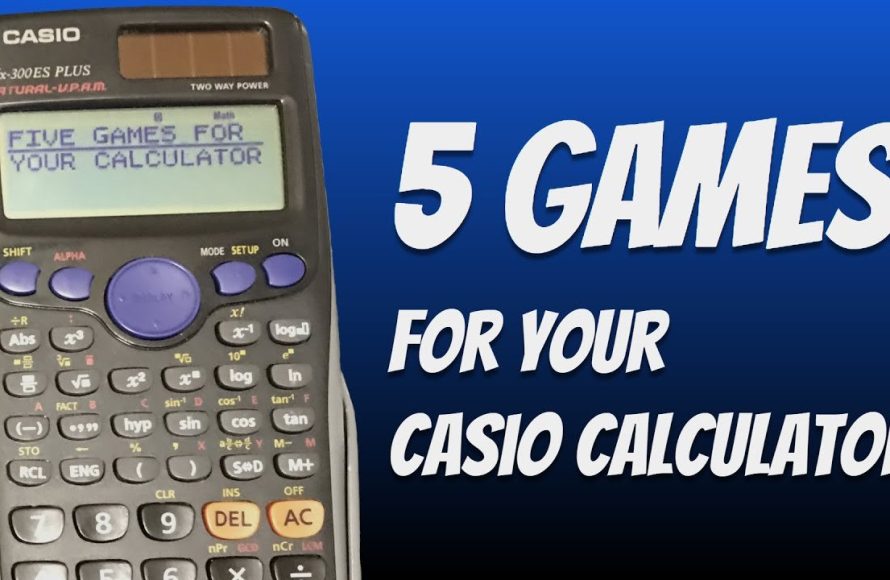
Playing a game in a calculator usually involves using the calculator’s number pad and basic functions to manipulate a simple program or text-based display.
Ever wondered if that old calculator sitting on your desk could do more than just crunch numbers? You might be surprised, because some calculators can actually be used to play rudimentary games! Let’s explore how to play game in calculator. These games are often very basic, relying on the calculator’s limited display.
It is a fun way to pass time, particularly if you’re stuck without other gaming options. We will guide you through understanding how some calculators can become a platform for simple entertainment.

How to Play Games on Your Calculator
Have you ever been bored in math class, staring at your calculator, wishing it could do more than just crunch numbers? Well, guess what? You can actually play games on some calculators! It’s not like you’ll be playing the latest PlayStation game, but it’s a fun way to pass the time and even learn a little something along the way. Let’s dive into how this surprisingly cool trick works and explore some classic calculator games.
The Magic of Numbers: How Calculator Games Work
Calculator games use the calculator’s basic functions like addition, subtraction, multiplication, and division, along with some clever tricks to create simple, yet engaging games. Instead of using fancy graphics, they use numbers and mathematical operations to create game mechanics. Most of these games use the calculator’s memory functions (usually the M+, M-, MR, and MC buttons) in interesting ways.
Basic Concepts: Number Manipulation
Before diving into specific games, it’s important to understand how we manipulate numbers to create these games. Here’s a quick breakdown:
- Adding and Subtracting: These are fundamental operations to change the value displayed on the screen.
- Multiplying: Multiplying numbers can be used to quickly increase the value or create patterns.
- Dividing: Dividing numbers can decrease values or create fractions.
- Memory Functions: Using the M+ (Memory Plus), M- (Memory Minus), MR (Memory Recall), and MC (Memory Clear) keys, you can store numbers and perform operations using that stored value.
Classic Calculator Games
Ready to play? Here are some fun calculator games you can try:
The Number Guessing Game
This is a simple but fun game that involves trying to guess a secret number. Here’s how to play:
- Player 1 chooses a secret number between 1 and 100 (or any range).
- Player 1 then enters the secret number into the calculator and presses the M+ button (Memory Plus) to store it in memory.
- Player 2 starts guessing numbers.
- Player 1 guides Player 2.
- If the guess is higher than the secret number, player 1 enters the guess into calculator and presses the M- button to see the difference between the current guess and the secret number.
- If the guess is lower than the secret number, player 1 enters the guess into calculator and then press the M+ button to see the difference between the current guess and the secret number.
- Player 2 continues guessing based on the results.
- The Player who guess the number at the last win the game.
Example:
Let’s say Player 1’s secret number is 30.
Player 2 guesses 50. Player 1 enters 50 and press M-. Display is 20, meaning the guess was 20 more than the secret number. Player 2 will guess something lower.
Magic Number Seven Game
The aim of this game is to manipulate numbers to reach the final result as 7. It starts with any number and involve a series of mathematical operations to make the starting number into the number 7.
- Player 1 chooses a random number.
- Enter that number into calculator and then use any random mathematical operations like Addition, subtraction, division, or multiplication.
- Press equal sign to see the result.
- Repeat the above step until you reach the result of 7.
This game can be quite challenging as it involves strategical planning to make the number 7.
The Memory Game (Simple Version)
This game is a bit like “Simon Says,” but with numbers. It uses the memory function of the calculator:
- Start by storing a number in memory (e.g., enter “5” and press M+).
- Player 1 performs a calculation and states the calculation. (e.g. “+ 3”).
- Player 2 does the same calculation and gives the result (8). Player 2 then performs another calculation.
- Repeat the calculation and continue the chain of calculations.
- If player makes a mistake, the next player starts the game.
The goal is to keep the sequence going as long as possible without making an error.
The Target Number Game
In this game, you set a target number and try to reach it using the numbers on your calculator. Here’s how:
- Player 1 chooses a target number (e.g., 25).
- Players take turns performing mathematical calculations using calculator numbers.
- The Player who make the target number wins the game.
This is a fun way to practice mathematical skills and thinking.
Words From Numbers
Calculators can display some letters if you flip them upside down. Certain numbers can represent letters when viewed upside down. This opens up a fun way to create simple words.
Here’s the code:
- 0 = O
- 1 = I
- 2 = Z
- 3 = E
- 4 = h
- 5 = S
- 6 = g
- 7 = L
- 8 = B
How to Play:
- Write down a word that can be made with these numbers.
- Enter the corresponding numbers into the calculator.
- Flip the calculator upside down to see your word.
Examples:
- HELLO – enter 07734
- BOSS – enter 5508
Advanced Techniques and Exploration
Once you get the hang of basic calculator games, you can try some more complex variations. This involves creating your own rules, setting up more complicated sequences of operations, and even exploring patterns with larger numbers.
Custom Game Creation
You can experiment by combining elements from different games, like making the number guessing game a chain reaction game. Or, try using fractions or exponents to create more challenging versions of the target number game. You might even create a story-based game where each math operation leads to a certain event. The possibilities are endless once you start thinking creatively.
Exploring Number Patterns
Calculators can also be used to explore mathematical patterns, even if that’s not exactly a “game” in the traditional sense. Try multiplying a number by itself several times, like 2 x 2 x 2 x 2, and see if you notice any patterns in the results. You might even discover interesting sequences like the Fibonacci numbers if you start adding numbers in a particular order and you can use the memory function of calculator to keep the result of the previous calculation. This is a great way to become more comfortable with mathematical concepts, and it can be a fun challenge for your brain.
Tips and Tricks for Better Calculator Gaming
Here are some tips that can improve your gaming:
- Get familiar with the memory functions: Make sure you know how to use M+, M-, MR, and MC buttons to store and recall values easily.
- Plan your moves: Think through your steps before you enter them on the calculator, especially in games where the operations are critical.
- Be creative with the rules: Don’t be afraid to make up your own rules and variations to make games more interesting.
- Practice regularly: The more you practice with calculator games, the better you will become at manipulating numbers and solving mathematical challenges.
Limitations and Considerations
It’s important to note that calculator games aren’t exactly sophisticated. They are usually simple in nature, and may be limited by the calculator’s basic mathematical functions. There aren’t any complex graphics or sound effects, so some people might find them a bit repetitive. Also, not every calculator has all of the functions needed for some games, so you might have to adjust the game based on the calculator you are using. However, these limitations can also be a part of the fun – it forces you to be more creative and think outside the box.
Playing games on your calculator is a great way to bring fun to math. It’s a chance to experiment with numbers and think creatively about simple mathematics, and it’s a fun way to learn new things about math. So next time you are bored, pick up your calculator and give it a try, you might be surprised by how much you can do with it.
Playing Snake Game in Calculator🤣
Final Thoughts
In short, playing games on your calculator often involves secret button sequences. The specific inputs vary by calculator model and the game itself, so research is key. Many require using the number keys and basic operators in special patterns.
Finding these codes can be a fun challenge. Once you know the inputs, practice them. This will allow you to consistently play. Learning how to play game in calculator depends on finding correct key combinations.
Many online resources offer guidance. Just search for your calculator model and “games”.

