
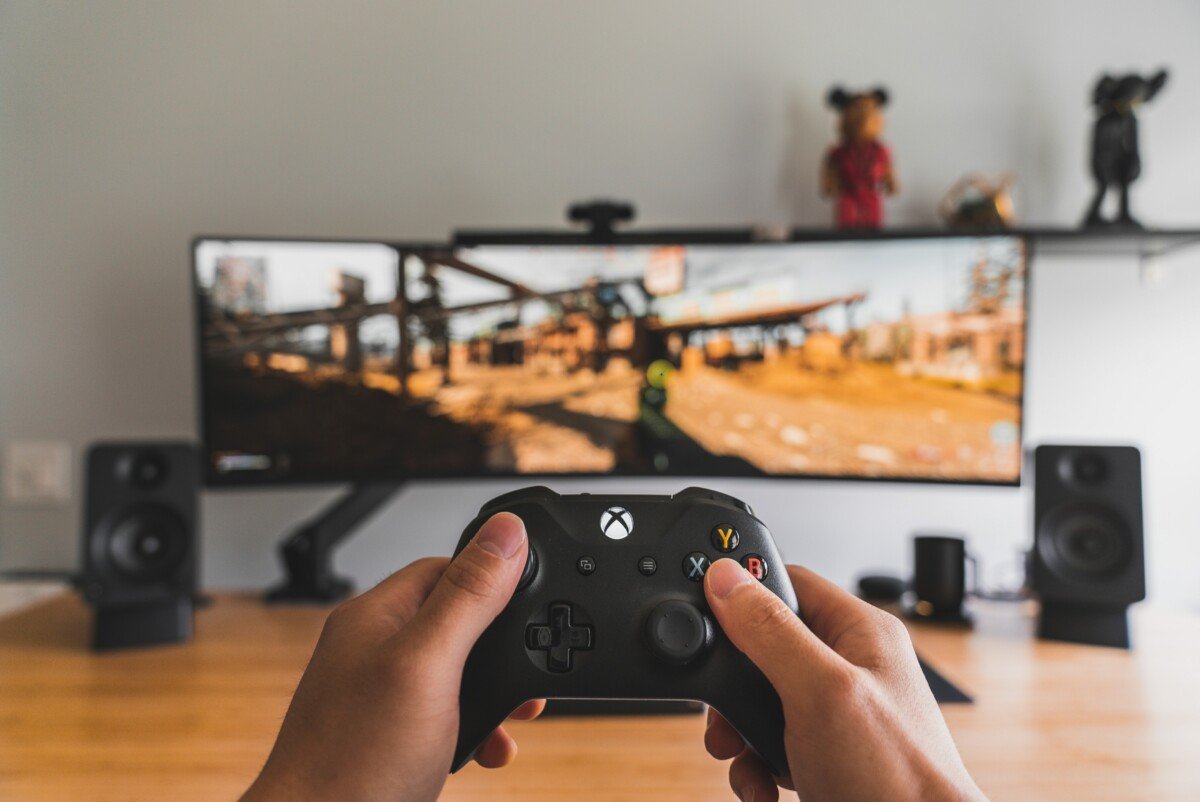
To play games without getting carpal tunnel, maintain good posture, take frequent breaks, use ergonomic equipment, and perform regular hand and wrist stretches.
Ever felt that tingling or numbness in your hands after a long gaming session? It’s a common concern for many players. We all love losing ourselves in virtual worlds, but it’s important to prioritize our physical well-being. It begs the question, how to play games without getting carpal tunnel? This is something everyone should be mindful of.
Ignoring warning signs can lead to discomfort and even long-term issues. Luckily, with a few proactive measures, we can protect our hands and wrists while still enjoying our favorite games. Let’s explore some simple yet effective techniques.

How to Play Games Without Getting Carpal Tunnel
Do you love playing video games? It’s super fun to explore new worlds, solve puzzles, and compete with friends! But sometimes, playing games for a long time can make your wrists and hands feel achy or tingly. This can be a sign of something called carpal tunnel syndrome, which is like a pinch on the nerves in your wrist. Don’t worry; you don’t have to stop gaming! You just need to learn some simple ways to keep your hands and wrists happy while you play. Let’s dive into how you can enjoy gaming without getting carpal tunnel!
Understanding Carpal Tunnel Syndrome
First, let’s understand what carpal tunnel syndrome actually is. Inside your wrist, there’s a narrow tunnel, called the carpal tunnel, made of bones and ligaments. Nerves and tendons pass through this tunnel. When the tendons swell up or the tunnel gets smaller, it puts pressure on the median nerve. This pressure causes carpal tunnel syndrome.
What Causes It?
Lots of things can lead to carpal tunnel syndrome, not just gaming! But, because we use our hands and wrists so much when we play, gamers can be more likely to get it. Here are some main reasons:
- Repetitive motions: Doing the same thing over and over again, like clicking a mouse button or pressing keys.
- Awkward wrist positions: Holding your wrists in a bent or twisted position for long periods.
- Forceful gripping: Squeezing controllers or mouse too hard.
- Long gaming sessions: Playing games for many hours without taking breaks.
- Underlying health conditions: Sometimes, things like arthritis or diabetes can make you more prone to it.
Symptoms to Watch Out For
It’s important to know the symptoms so you can take action before it gets too bad. If you notice any of these things, it’s a good idea to take a break and talk to a grown-up:
- Tingling or numbness in your fingers, especially your thumb, index, middle, and part of your ring finger.
- Pain in your wrist, hand, or forearm.
- Weakness in your hand, making it hard to hold things.
- A feeling like your fingers are swollen, even if they aren’t.
- Pain that gets worse at night.
Setting Up Your Gaming Station for Success
Your gaming setup can make a big difference in whether you get carpal tunnel or not. Think of it like building a fort – you need the right pieces in the right place to make it comfortable and strong!
Ergonomic Keyboard and Mouse
Using the correct equipment is super important. An ergonomic keyboard is designed to help your wrists stay in a natural position while you type or game. Look for a keyboard that:
- Has a slight curve or split in the middle.
- Has keys that are easy to press, so you don’t have to use much force.
- Allows your wrists to rest straight without bending too much.
The mouse matters, too! An ergonomic mouse is shaped to fit your hand comfortably. Here are some tips:
- Choose a mouse that fits the size of your hand.
- Look for a vertical or angled mouse that allows your wrist to stay in a more neutral position.
- Avoid squeezing the mouse too hard; a light grip is better.
Chair and Desk Adjustments
The way you sit and the height of your desk affect your wrists. Make sure your chair is the right height, so your feet are flat on the floor and your knees are bent at a 90-degree angle. Your desk should be at a height where your elbows can rest comfortably at your sides when you’re using the keyboard and mouse. Here’s a quick checklist:
- Adjust your chair so your feet are flat on the floor.
- Adjust your chair so your knees are bent at a 90-degree angle.
- Your desk should be at the right height where your elbows can rest comfortably at your sides.
- Your screen should be at eye level, so you don’t have to bend your neck.
Proper Posture
Sitting in the right way is like giving your body a high five! Good posture helps keep your wrists and hands in a comfortable place. Here’s how you should sit:
- Sit up straight with your back supported.
- Keep your shoulders relaxed and not hunched up.
- Keep your feet flat on the floor.
- Avoid slouching or leaning forward, as this puts extra pressure on your wrists.
Taking Regular Breaks
Just like you need a break from running around, your hands need breaks too! Taking regular breaks can make a big difference in preventing carpal tunnel.
The 20-20-20 Rule
The 20-20-20 rule is not only for your eyes, it’s good for your hands too! Every 20 minutes, take a 20-second break to look at something about 20 feet away. When you do this, also do a few hand and wrist stretches. It’s a little break that can help a lot.
Short and Long Breaks
In addition to the 20-20-20 rule, also take a short break every hour to get up and move around. Go for a walk, get some water, or just do something that doesn’t involve your hands. You can also take a longer break of 15-30 minutes every few hours. During longer breaks, consider doing things that use different muscles than gaming like drawing, a light workout or even helping with chores.
Hand and Wrist Exercises
Just like athletes warm up before a game, you should warm up your hands and wrists before gaming. And it’s also important to cool down after! This is key to preventing pain and discomfort.
Stretches to Do Before and After Gaming
These stretches are like a gentle massage for your wrists and hands. They help keep everything flexible and relaxed.
- Wrist Circles: Gently make circles with your wrists, first clockwise and then counterclockwise. Do this several times in both directions.
- Finger Stretches: Stretch your fingers out wide, hold for a few seconds, and then make a fist. Repeat this several times.
- Hand Clenches: Make a fist, then open your hand wide. Repeat this several times.
- Prayer Stretch: Place the palms of your hands together in front of your chest, like you’re praying, and gently push the palms and fingers together.
- Thumb Stretch: Gently bend your thumb towards your palm and hold for a few seconds.
Make sure to do these stretches slowly and gently, never forcing anything. If something feels painful, stop immediately. Consistency is important, so try doing them every time you play.
Strengthening Exercises
Strong hand and wrist muscles can also help prevent carpal tunnel. Here are a couple easy strengthening exercises you can try:
- Grip Strengthener: Use a soft ball or stress ball, squeeze it gently for a few seconds, then release. Repeat this several times.
- Weight Lifts: Use a light weight, like a can of soup or a water bottle, and slowly move it up and down with your wrist. Don’t lift anything too heavy, especially when you’re starting.
These exercises help keep your muscles strong and support your wrists. It’s a good idea to start slowly and build up strength over time.
Gaming Techniques to Minimize Strain
The way you play the games can also affect your chances of getting carpal tunnel. Here are some techniques to help minimize strain:
Light Touch Gaming
Instead of gripping your controller or mashing your keyboard and mouse, try to play with a light touch. This means you don’t need to squeeze hard or press down too forcefully. Lightly tap the keys and move your mouse smoothly. It takes a bit of practice, but it can make a big difference in reducing strain.
Using Shortcuts and Macros
Many games have shortcuts or macros (a series of commands that you can do with one key) you can use. Learning these shortcuts can reduce the number of times you have to press the same buttons or keys. For example, instead of clicking a button many times, you can press a single shortcut that does the same thing. Look in the game’s settings for shortcuts and see how they can help you play better with less effort.
Vary Your Gaming Style
Sometimes, it’s good to try different ways of playing a game. Instead of using your mouse and keyboard for everything, you can try a controller sometimes, especially for games where it feels more natural. The change in grip and movement can help give your hands and wrists a break.
Listening to Your Body
One of the most important things is to pay attention to what your body is telling you. If you start feeling pain, tingling, or numbness, it’s important to stop and rest. Don’t try to push through it – this will only make it worse.
Recognizing the Early Signs
Learn to recognize the early signs of carpal tunnel, such as a little bit of tingling or numbness. If you catch these signs early, you can take action to prevent problems from getting worse. The sooner you address the discomfort, the better. Don’t wait until you are experiencing severe pain.
When to Seek Help
If you’re experiencing severe or consistent symptoms, don’t be afraid to tell a parent, teacher, or doctor. They can help you find the right treatment if it’s needed and can advise you on how to manage your gaming time.
Additional Tips for Comfort
Besides all these main things, here are some additional tips that can help to protect your wrists while playing games.
Keeping Hands Warm
Cold hands can lead to stiffness and discomfort. If you’re gaming in a cold room, try using fingerless gloves or warming your hands before you start playing. Warm hands are like happy hands, they move more easily and with less strain.
Using Wrist Rests
Wrist rests are small cushions that you place in front of your keyboard or mouse. They help keep your wrists in a straight position and can reduce the amount of pressure on the carpal tunnel. Look for soft gel or foam rests that will support your wrist comfortably.
Experimenting With Different Setups
Not all people are the same, so what works for one person might not work for another. Don’t be afraid to experiment with different gaming setups and find what feels best for you. Try out a new mouse, keyboard, or chair position. It’s all about finding what makes you feel the most comfortable, especially over long gaming sessions.
Gaming is a fantastic hobby, but like any activity, it needs to be done in a way that’s healthy for your body. By following these simple tips on setting up your gaming station, taking breaks, exercising your hands and wrists, and playing with a light touch, you can keep your hands and wrists happy and healthy. So go ahead, have fun, and game on, but be smart about it. Remember, taking care of your body is part of becoming a champion, in both the game world and real life.
Gliding Exercises For Preventing Carpal Tunnel (Gamers Should Watch!)
Final Thoughts
Prioritize regular breaks during gaming sessions. Incorporate stretches for hands and wrists. Use ergonomic equipment like a keyboard and mouse. These steps are vital for preventing injuries.
Maintaining good posture is a must while gaming. Position your screen to avoid neck strain. Adjust chair height for proper arm placement. This reduces the risk of carpal tunnel.
Therefore, focus on these techniques, and you will know how to play games without getting carpal tunnel. Remember to be mindful of your body.

