
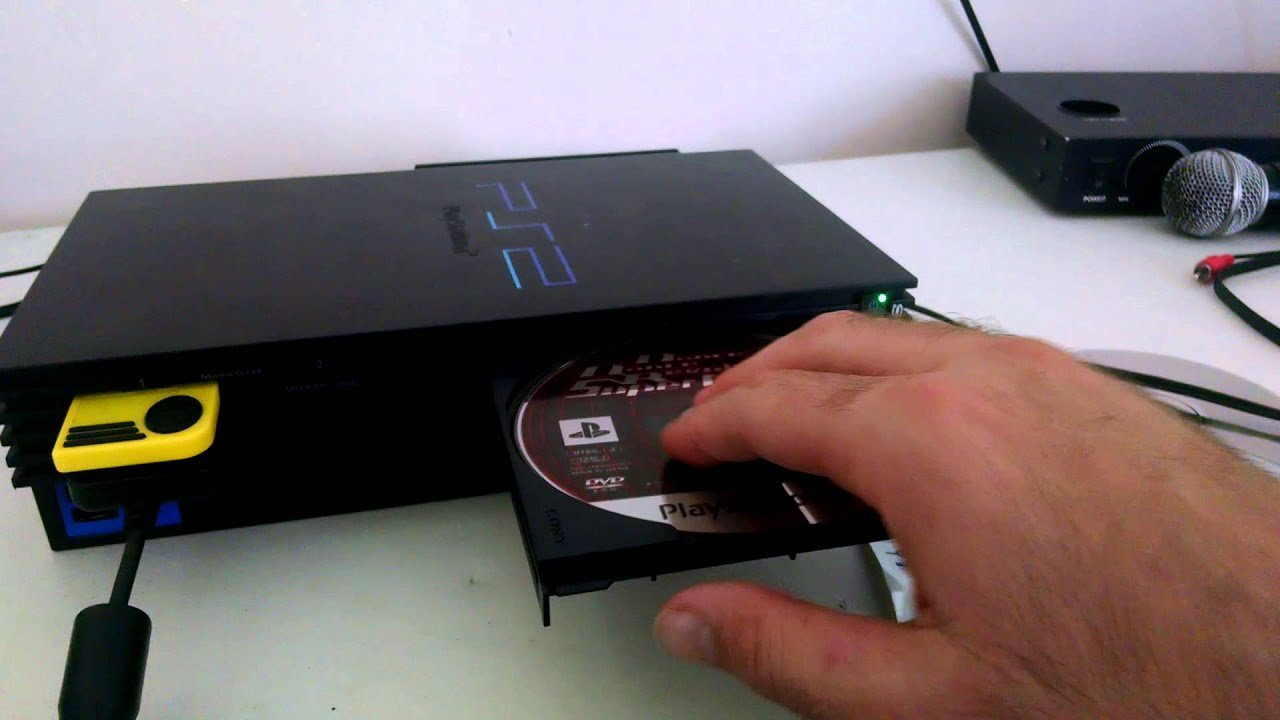
To play Japanese games on your PS2, you’ll generally need a modified console or a boot disc to bypass region locking.
Ever wanted to dive into the captivating world of Japanese Playstation 2 games? The system’s region locking can be a hurdle, preventing you from playing those imports directly. But, it is possible to explore these titles even if they are not from your region.
The process to play japanese games on ps2 typically involves using specific methods to get around this limitation. Thankfully, with a few options available, you can enjoy these great games from japan in no time.

How to Play Japanese Games on PS2
So, you’ve got a PlayStation 2 (PS2) and you’re itching to play some of those awesome Japanese games you’ve heard about? Maybe you’ve seen cool videos of games like Kingdom Hearts or Final Fantasy in their original Japanese versions and thought, “I need to play that!” Well, you’ve come to the right place. Playing Japanese games on your PS2 isn’t always as simple as popping the disc in, but it’s totally achievable. This guide will show you the different ways to enjoy those imports. Let’s get started!
Understanding Region Locking
First things first, we need to talk about region locking. What is it? Basically, it’s like a gatekeeper for your games. Sony, like other game companies, programmed their consoles to only play games from certain parts of the world. This means that a PS2 sold in the United States (a “North American” console) is designed to play games made for North America. A PS2 in Japan is made for the Japanese games, and they are different. The same applies for Europe and other regions. That’s why your copy of a cool Japanese RPG won’t work out of the box. It’s like trying to put the wrong key in a lock. The key (your game) won’t fit the lock (your PS2). The PS2 system is divided into regions, and these are most notably North America (NTSC-U/C), Japan (NTSC-J) and Europe/Australia (PAL).
The main reason for this was to control the market and avoid having consumers buy import games. Also different regions have different TV signals, NTSC is generally used in North America and Japan, and PAL is used in Europe and Australia. This is not a big concern for the average user anymore because TV’s in the modern age can mostly handle these signal differences, but back in the early 2000s it was a concern. So we have to bypass this gate in some way to get Japanese PS2 games playing on our system.
Why Region Locking Exists
- Market Control: Game companies want to manage how their games are sold in different countries.
- Language: Games often need to be translated into different languages for each region.
- TV Standards: Different regions use different TV signal types (NTSC and PAL), which sometimes require changes in the games.
Methods for Playing Japanese Games
Now, let’s get to the good part: how to actually play those Japanese games on your PS2! There are several common methods people use. Each has pros and cons, so we’ll look at each closely, so you can choose the best one for you.
Using a Modchip
A modchip is a small circuit board that’s installed inside your PS2 console. Once it’s in there, your PS2 will essentially bypass the region locking system. It’s like having a universal key that opens any lock. Modchips allow you to play games from all regions. This is the most permanent solution, but also the most difficult to install. It also takes a certain amount of technical knowledge and tools.
Pros of Using a Modchip:
- Plays games from any region.
- Works directly from disc.
- Usually no need to change settings or load software.
Cons of Using a Modchip:
- Requires opening your PS2 console.
- Installation can be complicated and may require soldering.
- Can potentially void your warranty.
- Risk of damaging your console if installed incorrectly.
- Requires purchasing a Modchip.
Note: If you choose to go the modchip route, it’s a good idea to have it installed by a professional.
Using Swap Magic Discs
Swap Magic is a type of disc that temporarily tricks your PS2 into thinking it’s playing a game from the correct region. It allows the PS2 to load up a disc from any region. How this works is you put the swap magic disc into your console, and load it like it’s a normal PS2 game. Then when prompted, you “swap” the swap magic disc for your Japanese import disc. The PS2 will now think the region of the disc is from the same region of the Swap Magic Disc.
How Swap Magic Works:
- You insert the Swap Magic disc into your PS2.
- The system reads the disc, it may load a menu.
- Follow the instructions on-screen to swap the disc for your Japanese game disc.
- The PS2 will read the game.
Pros of Using Swap Magic Discs:
- No permanent modification needed on your PS2.
- Relatively easy to use once you get the hang of it.
- Affordable compared to modchips.
Cons of Using Swap Magic Discs:
- Requires purchasing the Swap Magic disc.
- Can be tricky to swap discs at the right time, it takes some practice.
- Some games might not work perfectly.
- Not a permanent solution.
When purchasing swap magic discs make sure that you buy the correct version for your PS2. For example, some Swap Magic discs are made for the fat version of the PS2 and not the slim version, and vice versa.
Using a Software Loader like Free McBoot (FMCB)
Free McBoot (FMCB) is a special software that runs on a memory card on a PS2. It’s like a small program that loads when you turn on your console, before any games load. This software can bypass the region locking on the PS2. This is arguably the most convenient option as no swapping is involved, and is the most versatile for most users, as it can also do other things.
How FMCB Works:
- You need to install FMCB onto a PS2 memory card, or purchase a card with FMCB already installed.
- Insert the memory card into your PS2.
- Turn on the console and the FMCB software should load up before a game starts.
- From the FMCB menu, you can choose to load up your Japanese game disc.
Pros of Using FMCB:
- No need to open your PS2.
- It’s a versatile option that can be used for other things like loading homebrew games.
- No need to swap discs.
- Relatively easy to set up.
Cons of Using FMCB:
- Requires a special memory card.
- Some games might have compatibility issues.
- Can be complex to install yourself for beginners.
- Requires burning the software onto a memory card or buying a memory card with FMCB already installed.
If you are interested in the homebrew scene on the PS2, this is your best option. You can do so many things with FMCB. This is also the most common method of playing import games, due to its flexibility and ease of use.
Emulating PS2 Games on Your Computer
Another option, if you don’t want to mess with your console or buy extra accessories, is to use a PS2 emulator on your computer. Emulators are programs that make your computer act like a PS2. This means that your PC will then be able to run the PS2 games. You’ll need to download a PS2 emulator program like PCSX2 and download the game disc images in ISO or similar file format. This way you don’t even need to use your PS2 console to play Japanese games.
Pros of Emulating:
- No need to modify your PS2.
- Can play games in higher resolutions and with improved graphics.
- Can save game states at any time.
- Can be very convenient since you don’t need any console or extra accessories.
Cons of Emulating:
- Requires a decent computer with good processing power.
- Setting up the emulator can be complicated.
- Finding game ISOs might be difficult.
- Some games might not work perfectly or have glitches.
- Can be slower on lower-end computers.
Note: Emulating games is generally considered legal if you own a physical copy of the games. However, downloading games from the internet is illegal.
Things to Consider Before Playing
Okay, so now you know how to play Japanese games on your PS2. But before you jump right in, here are a few things to keep in mind:
Language Barrier
Most Japanese games will have the language set in Japanese by default. This can be a big hurdle if you don’t understand Japanese. Some games, however, will have menus in English, or have an English language option. Some may also have English subtitles. If the language is completely in Japanese, it will still be difficult to navigate through menus. You might need to use online guides or walkthroughs in order to progress in the games.
This can be considered part of the experience of playing Japanese games. In many cases, you can still enjoy these games without understanding the language, as many games feature strong gameplay mechanics.
Game Compatibility
Not all games work perfectly with all of the methods we’ve talked about. Some games might not work at all, some may have minor glitches, and some may work just fine. It can also depend on which version of the PS2 you have. Some games from older ps2 models may not work on newer ones. It also depends on which method of playing you choose. Certain methods like the modchip may have less compatibility issues.
If you can’t get a game to work, don’t give up hope. Some games just take a lot of trial and error to make them work. You can research online and see how others were able to get the game to play.
Controller Differences
The PS2 controller is the same across all regions, so you don’t need to worry about getting a Japanese controller to play Japanese games. Some older games will have different layouts but this doesn’t mean you need a special controller.
Region-Specific Hardware
While the PS2 controller is the same across regions, the PlayStation 2 console power supplies are not. A PS2 console made for use in Japan (NTSC-J) uses 100V AC outlets. If you purchase a Japanese PS2, you will need to purchase a power converter to use it in a region where 120V AC is standard, such as the USA, or where 230-240V AC power is standard, such as Europe, Australia and the UK.
If you are using a North American, European or Australian console you don’t need to worry about this, but it can be an important point if you are importing a Japanese PS2 console.
Where to Find Japanese PS2 Games
Now that you know how to play Japanese PS2 games, you’ll need to know where to get them. Here are a few places to look:
- Online Marketplaces: Sites like eBay, Amazon, and specialized import game stores often sell Japanese PS2 games.
- Import Game Stores: Some online stores specialize in importing games from Japan.
- Thrift Stores and Flea Markets: You might get lucky and find Japanese games at local thrift stores.
When buying games, make sure you are buying from a trusted seller. Some games can be very expensive and hard to come by. Also be aware that some sellers may be selling fake or reproduction games.
Playing Japanese games on your PS2 is a fun and rewarding experience, as you can access titles that are not commonly found in your region. With a little effort and the right method, you can enjoy hours of gaming in a completely different setting.
modding my PS2 to play Japanese games! #shorts #retrogaming
Final Thoughts
To play Japanese PS2 games, you typically need a modified console or a method to bypass region locks. Importing a Japanese console is another option, ensuring compatibility.
You might also use specific game loader software to play these games on your console. These methods work by circumventing the standard region restrictions.
Therefore, how to play japanese games on ps2 generally requires console modification or utilizing software tools. You must research the option best suited to your situation.

