
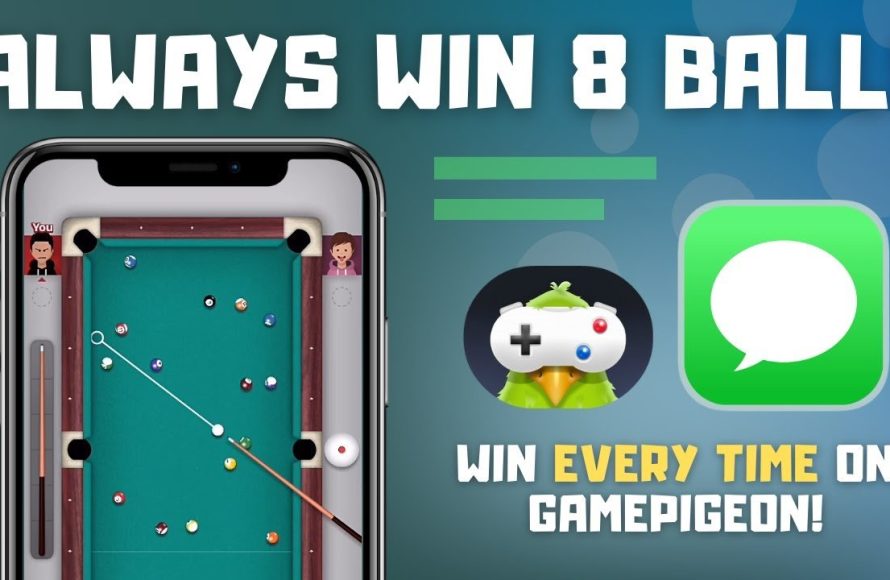
To play pool on Game Pigeon, you use your finger to aim the cue stick, pull back to set the power, and release to strike the cue ball. The goal is to pocket all your designated balls before your opponent pockets theirs.
Ever found yourself wanting a quick game with friends, right from your phone? Game Pigeon offers a bunch of fun options, and pool is a classic many enjoy. Figuring out how to play pool on game pigeon can be a little confusing at first, but it’s actually quite simple. This virtual version lets you enjoy a quick match anytime.
It might seem different from real-life pool, but the basic rules are the same. You just need to get familiar with the controls on your screen. Soon, you’ll be sinking shots like a pro.

How to Play Pool on Game Pigeon
Alright, let’s get into the nitty-gritty of playing pool on Game Pigeon! It’s a super fun way to challenge your friends, and once you get the hang of it, you’ll be sinking shots like a pro. This guide will break down everything you need to know, from the basic rules to some sneaky strategies to help you win.
Getting Started: Opening the Game
First things first, you need to know how to actually start a game of pool on Game Pigeon. It’s pretty straightforward, but let’s walk through it:
- Open your Messages app on your iPhone or iPad.
- Find the conversation with the person you want to play pool with.
- Tap on the App Store icon (it looks like an “A” in a blue circle) just above your keyboard.
- Scroll through the apps until you find Game Pigeon (it’s a white bird on a purple background).
- Tap on the Game Pigeon icon, then find and tap “Pool” in the game selection. It’s usually represented by two crossed pool cues and a triangle of pool balls.
- Now, just tap “Send” and your friend will receive the game invitation. Once they accept, you’re ready to play!
Understanding the Basics of Pool
Okay, before we get into fancy trick shots, let’s talk about the basic rules of pool. The Game Pigeon version generally follows 8-ball rules, the most common type of pool:
- The Break: The game starts with one player breaking the triangle of balls. You hit the white cue ball, trying to spread the other balls around. A good break is key, as it can set you up for success later.
- Solids and Stripes: After the break, the first player who pockets a ball (except the 8-ball) gets assigned that type of ball. If you pocket a solid ball, you must pocket all the other solid balls before attempting the 8-ball. If you pocket a striped ball, you must pocket all the other striped balls before going for the 8-ball.
- Pocketing Balls: You need to hit the cue ball into your target ball, and your target ball has to go into a pocket. You cannot pocket the 8 ball until you have pocketed all of your assigned balls (solids or stripes).
- The 8-Ball: Once you’ve pocketed all your assigned balls, you then try to sink the 8-ball into a pocket. The 8-ball is the black ball.
- Winning the Game: The first person to legally sink the 8-ball wins the game!
- Fouls: Fouls occur when you make mistakes, such as hitting the cue ball off the table, hitting a ball of your opponent’s type first, or scratching (pocketing the cue ball). If a foul happens, the other player gets to place the cue ball anywhere on the table.
Specific Rules within Game Pigeon Pool
Game Pigeon’s pool game follows standard 8-ball rules. There are no major changes. However, knowing a few key things will help your game. If you pocket the 8-ball before all your own balls are gone, you will lose.
Navigating the Game Screen
Before you start taking shots, let’s get familiar with the game screen on Game Pigeon pool. Here’s a breakdown:
- The Pool Table: The main area of the screen shows the pool table and all the balls. You will see the balls are numbered from 1 to 15. The solid balls have numbers 1 to 7 and the stripes balls have numbers 9 to 15. The 8-ball is black. The ball with no numbers is the cue ball, this is the one you will hit with your cue.
- The Cue Stick: You’ll see your cue stick as a visual aid. The direction of this cue will determine which direction the cue ball will travel. You will drag your finger back away from the cue ball to adjust the power of your shot.
- The Power Meter: You’ll see a line appear when you pull back on your cue, which shows how hard you’ll hit the cue ball. The farther you pull back, the stronger the shot.
- Aiming: To aim your shot, simply drag your finger in the direction you want the cue ball to go. There is an aiming line that will show the path your cue ball will take, making it easier to sink the balls.
Aiming Like a Pro: Getting Your Shot Right
Aiming is a key aspect of pool, and the digital version on Game Pigeon is no different. Here are some tips to help you aim better:
Understanding the Lines
The game gives you a helpful line that shows where the cue ball will go after your shot. Pay attention to the angle of the line and where it’s pointing. The line is also known as aiming guides.
Practice Makes Perfect
The more you play, the better you’ll get at judging angles and predicting where the balls will go. Don’t be discouraged if your first few games aren’t great. Keep at it, and you’ll see improvement. Try some test shots to see how far the cue ball will travel with each power level you use.
Utilizing Bank Shots
Sometimes, the ball you want to sink isn’t in a direct line to a pocket. That’s where bank shots come in. You can bounce the ball off the side of the table to get it into the pocket. This is an advanced technique, but it’s useful to learn. You can use the aiming guide to help get a bank shot correct.
Accounting for Spin
While the game doesn’t offer a detailed control over spin like real pool, your aim can create a basic type of spin. Hitting the cue ball on the side can make it curve slightly, changing the direction the target ball travels after they hit each other.
Power Control: Hitting the Ball Just Right
The power of your shot is just as important as aiming. Here’s how to control it:
Gentle Shots
When you need precision, use less power. A gentle tap will give you the control you need for delicate shots and will give the cue ball little to no spin, if you hit the ball in the centre. Gentle shots are perfect for setting up your next shot.
Powerful Breaks
On the break, don’t be afraid to really pull back on your cue for a powerful hit. The goal is to spread the balls and get some open shots. The break is always the first turn of the game.
Experimenting with Power
Try different power levels to see how the cue ball reacts. This will help you get a feel for the game. Practice is the best way to learn what a perfect shot looks like, and how much power you need. You can try various shots on different parts of the table to see how the balls bounce.
Strategies to Win: More Than Just Hitting Balls
Winning at pool takes more than just luck. It takes some strategy. Here are some tips:
Setting up Shots
Think ahead. Don’t just focus on sinking the next ball. Try to position the cue ball so you have an easy shot on the following ball as well. You can do this by observing the angles of the balls when they make contact, and how much force you are putting into your shot. This takes time to learn, so keep practicing.
Playing Defense
Sometimes, the best move is to avoid giving your opponent an easy shot. If you don’t have a good shot, try to hit the ball in a way that makes it harder for your opponent. You can try hiding the ball behind another ball, or by shooting a low power shot that stops at the back of the table.
Controlling the Cue Ball
Mastering cue ball control is key. You want to be able to put the cue ball where you want it after each shot. This will give you the control to plan your next shot. This takes a lot of practice but once you get the hang of it, it will make your game improve drastically.
Learning from Losses
If you lose, don’t get discouraged. Look back at the game and think about what you could have done differently. Every game is a chance to learn and improve your game skills.
Avoiding Common Mistakes
Everyone makes mistakes, but here are a few common ones to watch out for in Game Pigeon pool:
Scratching
Scratching means pocketing the cue ball. It gives your opponent a free ball placement, so try to avoid it. A scratch happens when the cue ball is pocketed, or it is hit off the table.
Fouling
Hitting your opponent’s ball first or hitting no ball at all are fouls, so be careful to choose your target correctly. A foul happens when you hit the cue ball into a ball that is not yours, or you fail to hit any ball.
Rushing Your Shots
Take your time, and don’t rush your shots. Think about your aim, your power, and the position of the other balls before taking your shot. This is key to improving your game. Take the time you need.
Not Paying Attention to the Game
Pay attention to what type of ball you need to hit. Pay attention to your opponent and the way they are playing. These factors will help you get a win.
Practice, Practice, Practice!
The most important tip of all is to practice. The more you play, the better you’ll become. Try different strategies, experiment with different shot types, and you’ll be sinking shots like a champion in no time. Don’t give up, and have fun!
So there you have it, everything you need to know about how to play pool on Game Pigeon. Remember the rules, aim carefully, control your power, and think strategically. With a bit of practice, you’ll be beating your friends and having a blast. Good luck, and have fun!
SECRET break in Game Pigeon 8 ball pool, NO MODS!!
Final Thoughts
To summarize, playing pool on Game Pigeon involves aiming your cue ball with a finger drag. Then, adjust your power using the slider. Sink all your solid or striped balls before your opponent to win. Remembering these basic controls is crucial.
The key to improvement in this game is practice. You should also anticipate your opponent’s moves. ‘how to play pool on game pigeon’ is quite simple once you grasp the basics. This pool game is definitely fun for a quick challenge with friends.

