
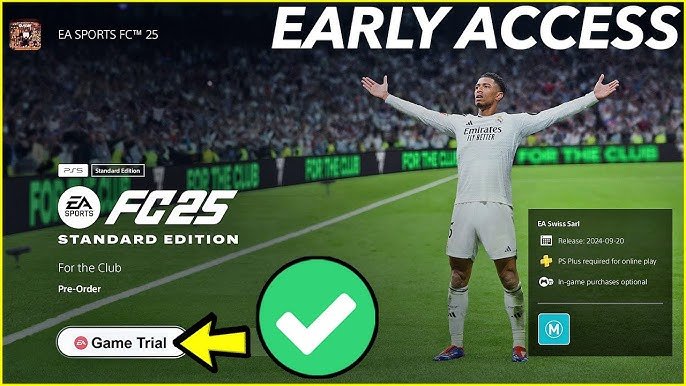
It’s generally not possible to play preorder games early on PS5 through legitimate means. Release dates are set by publishers and are usually enforced.
The anticipation is real! You’ve preordered that hot new title on your PS5, and the wait until release feels like forever. Everyone wants to know how to play preorder games early ps5, and the gaming community buzzes with rumors of secret techniques. Unfortunately, getting your hands on a game before the official launch date is typically not an option.
While there might be a few rare exceptions due to retailer errors, these are usually isolated incidents. Most of the time, the release date is a hard line. It’s better to patiently wait than risk account penalties attempting unofficial methods.

How to Play Preorder Games Early on PS5
So, you’ve preordered that awesome new game for your PlayStation 5, and the wait is killing you, right? You see people online already playing, and you’re thinking, “How are they doing that?!” Well, my friend, you’ve come to the right place! Getting early access to preorder games on your PS5 isn’t always a guarantee, but there are definitely a few tricks and things you should know that could get you playing sooner. Let’s dive into how you can potentially get a jump start on your gaming adventure.
Understanding Preload and Launch Times
Before we talk about playing early, let’s make sure we all understand the basics. When you preorder a game digitally from the PlayStation Store, you usually get the chance to preload it. What is preload? It means the game data downloads to your PS5 before the official release date. This is a huge deal because it means you aren’t stuck waiting for a massive download on launch day. But just because the game is on your system doesn’t mean you can play it yet.
Official Launch Times Matter
The key here is the official launch time. Game publishers set a specific time that a game “goes live.” This is usually a global time, but it can sometimes vary based on your region. For example, if a game launches at midnight Eastern Time, it might not be playable on your system in California until 9 pm Pacific Time. The game won’t start unless the system recognizes that the time has hit the official launch time. Even if you preloaded everything, you’ll see a “countdown” timer on the game icon, which will show you exactly when you can play it.
The “New Zealand Trick”
Ah, the most discussed trick in the early access game – the New Zealand trick! This method relies on the fact that time zones are different across the world. New Zealand is one of the first countries to start a new day. That means if a game launches at midnight Eastern time, it will already be the next day in New Zealand. This could allow players to get the game early, if done right. Here’s how it works.
How to Change Your PSN Region
Important Note: You might be required to buy the game from the New Zealand region PlayStation store. This will involve either buying new PlayStation gift cards or using a compatible payment method with the region’s currency. This method may violate the terms of service and have consequences. Let’s look at some steps to complete this process:
- Creating a New PlayStation Network (PSN) Account: You can’t change the region of your existing account. You’ll need to make a new PSN account. When asked about your region, select New Zealand.
- Finding Region Settings: After you create the new account, sign into it on your PS5. Find your PSN settings, which should include your region. Make sure you’ve selected New Zealand as your area.
- Purchasing the Game (Optional):If you want to get a digital copy of the game via your new New Zealand account, you may need to get New Zealand PlayStation gift cards. You can usually buy them from online sellers, such as Amazon or other retailers. Use these cards to add funds to your New Zealand PSN account and then buy the game. If you already have the game preordered on your primary account, you don’t need to do this step again.
- Downloading the Game on Your New Account (Optional): If you have purchased the game from your new account, the game should download to the system. If you’re not downloading the game through this account, you can skip this step.
- Playing on Your Main Account: Once the game is installed, log back into your main PSN account. If the launch time has hit in New Zealand, you should be able to play the game early on your main account.
Things to Keep in Mind
- This method doesn’t always work. Some publishers have implemented extra measures that can sometimes prevent early access, even with the New Zealand trick.
- This method requires extra effort. It takes time and effort to make a new PSN account, and it can sometimes be a hassle.
- Purchasing from a new region can have complications. When you try to purchase games from different regions, there can be some hurdles when it comes to payments. You’ll need to have cards or payment methods that are accepted in the region you’re using.
Retail Copies and Early Access
Sometimes, physical (disc) copies of games can appear in stores before the official release date. This usually only happens when a retailer makes a mistake and puts the game out early by accident. If you’re lucky enough to spot this, you could get your hands on a copy ahead of time. But, you should remember that this is not a consistent method and you will be depending on luck.
Risks of Buying Early Retail Copies
- It’s not reliable. This only happens by mistake, so it isn’t something you can depend on.
- Stores might get into trouble. Retailers can be fined for putting out games before their release date, so they try to keep this from happening.
- The game may have issues. It’s possible the early retail copies won’t have all the necessary patches or updates, resulting in bugs.
Review Copies and Media Access
Game reviewers and media outlets often receive review copies of games before release. This lets them write reviews and articles before the game is available to the public. This is not something that an average person can acquire. However, if you have friends or contacts in the media, you may get lucky. This is an extremely unlikely method to achieve early access.
Challenges of Obtaining Review Copies
- These are for reviewers. These copies are usually for gaming journalists, YouTube reviewers, and news outlets. Normal people are not going to have access to this.
- It’s rare to get. Even if you know someone in the media, getting access to their review copy is very unlikely.
PlayStation Plus Premium Early Access
PlayStation Plus Premium is Sony’s top-tier subscription service. Sometimes, Sony offers “early access trials” of certain games to subscribers of PlayStation Plus Premium. This is not a full early access to the game, and it’s usually a limited trial. This option is also not consistent and it will not be available with every preorder game.
How to Check for Early Access Trials
- Check the PlayStation Plus page on your PS5. Look for news about available trials.
- Visit the PlayStation Blog. This is where Sony usually announces early access trials.
Game Publisher Specific Early Access
Sometimes game developers and publishers have early access windows to some games. For example, if you preorder a certain edition of a game, such as a ‘Deluxe’ or ‘Collector’s’ version, they may offer an early access period of 24-72 hours. This is typically listed in the game’s marketing materials and on the PlayStation Store game page.
Checking for Publisher-Specific Early Access
- Read the Game Description. Check the fine print on the game’s page in the PlayStation Store. Look for any mention of early access.
- Visit the Game’s Official Website. Check the game’s site for announcements about editions and their benefits.
- Check Social Media. See if any announcements have been made by the game’s publisher or developers about early access.
The Importance of Preloading and a Stable Connection
One of the best things you can do to play games as soon as they’re available is to preload them. Make sure to go into your downloads and start preloading as soon as the option is available on your PS5. Also, make sure you have a stable internet connection for preload. Imagine your download stopped right before it finished and then you’re stuck on launch day waiting on the download to complete. This will mean no early access and you would have to wait longer.
Tips for Fast Preloading
- Use a Wired Connection: If possible, connect your PS5 to your router using an Ethernet cable. It’s more stable and faster than Wi-Fi.
- Don’t use the internet for other things: When you are preloading, don’t use your internet for other heavy data use activities, such as watching movies. This will allow all the available bandwidth to be used to download your game.
- Pause other downloads: Make sure other downloads on your PS5 are paused. This will give all available resources to your game download.
Being Patient and Respecting Release Dates
While the desire to play early is understandable, it’s important to respect the official release dates set by game developers. They put a lot of work into creating the games we love and set release dates for many reasons. Playing a game earlier than intended can sometimes lead to a less polished experience. If you are a streamer or content creator, it might affect your ability to gain revenue. Waiting until the official release date ensures that you get the experience the developers intended. It is also important to consider that there may be consequences for accessing a game earlier than the official release date.
So, while the idea of playing your new PS5 game early is exciting, always remember that the best way to enjoy the game is by following the intended release process. Preloading, checking for time zone tricks (if you’re okay with potentially violating terms of service), and being patient are good strategies. In the end, the wait is usually worth it when you finally get to jump into your new favorite game!
How to Play PS5 games EARLY (Free Early Access)
Final Thoughts
To play preorder games early on your PS5, change your console’s region to one where the game is already released. This method is very common and effective. However, always remember your PSN account must allow region changes.
Consider a digital copy of your game. Physical copies usually cannot be played before the official local release. Using this simple method can help with how to play preorder games early ps5.

