
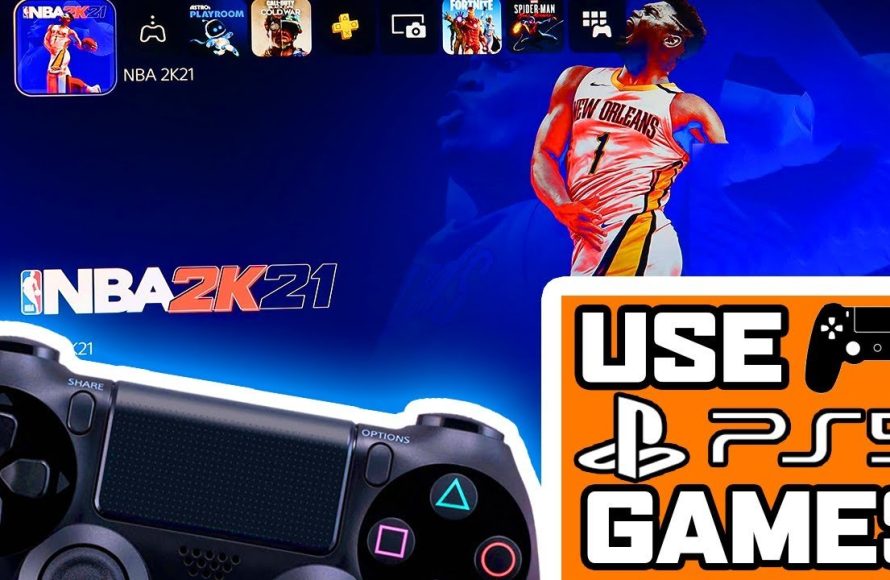
Unfortunately, you cannot directly play PS5 games with a PS4 controller. PS5 games are specifically designed for the DualSense controller’s features.
So, you’ve got a shiny new PlayStation 5, but you are wondering if that trusty old DualShock 4 from your PS4 can join the party? Many players are asking how to play PS5 games with PS4 controller. The answer is not straightforward, and it might not be the news you were hoping for. We will explain why it is not simple, and offer alternative approaches.

How to Play PS5 Games With PS4 Controller
So, you’ve got a shiny new PlayStation 5, but you’re still attached to your trusty old DualShock 4 controller from your PS4? Maybe it’s just super comfy, or maybe you don’t want to buy a brand new DualSense controller just yet. Whatever the reason, you’re probably wondering, “Can I play PS5 games with my PS4 controller?” The short answer is: it’s a bit complicated, but mostly, no, you cannot play most PS5 games with a PS4 controller directly.
The Limitations: Why It’s Not Straightforward
The PlayStation 5 and its games are built around the DualSense controller. This awesome controller has unique features like haptic feedback and adaptive triggers that many PS5 games use to make the gaming experience extra special. These features, sadly, are not present in the DualShock 4. Because of this, Sony has decided that it doesn’t allow PS4 controllers to work with PS5 games directly, as it would mean missing out on the intended gameplay features.
The Technical Side of Things
Think of it like this: a PS5 game is a car that was designed to be driven with a very special steering wheel (the DualSense). A PS4 controller (DualShock 4) is like an older steering wheel from a different car. They are both steering wheels, but they don’t have the same functions. The new car doesn’t understand the signals sent by the old steering wheel in the way it needs to. It’s not just about the buttons being in different places. It’s also about different communication technologies. The DualSense can communicate more detailed information than the DualShock 4.
Here are some of the key differences:
- Haptic Feedback: The DualSense gives you super-detailed vibrations, allowing you to feel different textures and impacts within the game. The DualShock 4 has simpler vibrations.
- Adaptive Triggers: The DualSense triggers can give resistance, simulating things like pulling a bow or pressing the gas pedal in a car. The DualShock 4 triggers don’t have that feature.
- Built-in Microphone: The DualSense features a microphone, which is frequently used for communication. The DualShock 4 doesn’t have one built in.
Exceptions to the Rule
While playing PS5 games with the PS4 controller is generally not possible, there is an exception. You can use your DualShock 4 to play PS4 games that are running on your PS5. The PS5 is backwards compatible, meaning you can play many of your old PS4 games on it. If you are playing a PS4 game on your PS5, the DualShock 4 will work perfectly. However, the PS5 game that is the actual PS5 version will not work with PS4 controller. You can navigate the menu of PS5 with ps4 controller, but not play games.
How To Play PS4 Games on PS5 with a PS4 Controller
This part is easy! If you want to play a PS4 game on your PS5 with your PS4 controller, just do the following steps.
- Turn on your PS5. Make sure everything is connected properly.
- Connect your DualShock 4: You can do this by plugging the controller into the PS5 with a USB cable, or pairing the controller wirelessly.
- Start the PS4 game: Choose the PS4 game that you want to play.
- Start playing: Your DualShock 4 will work just like it does on a PS4.
You will not be getting the advanced features of the DualSense controller while playing the PS4 games on the PS5. However, you can use all the features of your DualShock 4 controller without any problem.
The Workarounds: Ways to Make It Almost Work
Okay, so the direct method doesn’t work for most PS5 games. But, there are a few things you can do to use your PS4 controller in other ways.
Remote Play
One option is to use the PS Remote Play feature. This lets you stream your PS5 game to a different device, like your computer, phone, or tablet, and you can use the DualShock 4 with these devices. With Remote Play, your PS5 is doing the heavy work, and you can play using a different screen. However, you still cannot play on the main PS5 screen with the ps4 controller. It is good for people who want to use their controller for the other screens with remote play.
Steps for Remote Play using the PS4 Controller
- Set up Remote Play on Your PS5: Go to Settings > System > Remote Play and enable it.
- Download the Remote Play App: Get the app on your computer, phone or tablet.
- Sign in to the same PSN account. Make sure both your PS5 and the device that you’re playing on are logged into the same PlayStation account.
- Pair Your DualShock 4: Connect your DualShock 4 to your phone, computer or tablet using Bluetooth or USB cable
- Start Playing: Now you can stream and play your PS5 games using your PS4 controller on the second screen.
Remember: This does not make the PS4 controller work on the main PS5 itself. It only lets you play through the other device using remote play. Also, the quality of your streaming might depend on how good your internet connection is. You may notice a slight delay (lag) sometimes.
Third-Party Adapters
There are some third-party adapters available that claim to let you use a DualShock 4 on the PS5. These adapters often come with various features and can sometimes be a solution. However, there are some things to be very careful about:
- Functionality Can be Limited: Adapters might not work perfectly for all games, and some of the features, especially those relating to the DualSense, will still be missing.
- Compatibility Issues: Some adapters might not work well with your console. Some might require firmware upgrades, and there’s a chance an adapter could become obsolete after a new console software update from PlayStation.
- Quality Issues: Not all third-party adapters are made to the same quality. Some might be less durable.
- Potential Risk of Ban: While uncommon, using non-official accessories can sometimes lead to problems with PlayStation. The company does not support using unauthorized controllers.
If you decide to buy an adapter, do proper research and read reviews. Try to get one that’s recommended by a trusted source. Keep in mind that the experience still won’t be the same as playing with a DualSense controller.
Why You Should Eventually Try a DualSense
While using a DualShock 4 can work in some situations, you’re really missing out by not using the DualSense for PS5 games. The new controller adds lots of important new layers to the gaming experience.
Immersive Gameplay
The DualSense controller gives a big boost to game immersion. The haptic feedback lets you feel the details of what’s happening in the game, like the texture of the ground when your character runs. The adaptive triggers add tension and make actions like shooting a gun feel more realistic. These features make gameplay much more engaging and much more of an adventure.
Designed for PS5 Games
The developers of PS5 games made them with the DualSense in mind. By using the DualSense, you are playing the game in the way it was created to be played. You are experiencing the game the way the developers wanted you to experience it. For instance, a horror game might use the controller vibrations to build tension, or a racing game might use the adaptive triggers to make you feel like you’re actually pressing the accelerator. Using the PS4 controller, all these experiences will be lost.
Easy to Use and Comfortable
The DualSense is very easy to use and comfortable to hold. It also has a built-in microphone, which allows for easy communication with friends during online games. Once you get used to the DualSense controller, many people prefer it over the DualShock 4 for several reasons. The improvements are definitely worth the change.
Quick Comparison: DualShock 4 vs. DualSense
Here’s a table to quickly show the key differences between the two controllers:
| Feature | DualShock 4 (PS4 Controller) | DualSense (PS5 Controller) |
|---|---|---|
| Haptic Feedback | Standard Vibrations | Advanced, Detailed Vibrations |
| Adaptive Triggers | Standard Triggers | Triggers with Dynamic Resistance |
| Built-in Microphone | No | Yes |
| Compatibility with PS5 Games | Not Directly Supported | Fully Supported |
| Compatibility with PS4 Games on PS5 | Fully Supported | Fully Supported |
Ultimately, while playing PS5 games with a PS4 controller is not directly supported, it is important to know how the controllers work with the PlayStation consoles. There are limited ways, but the true gaming experience is with the DualSense controller.
You’ll have better gameplay if you stick with the DualSense. It is made to work best with the new PS5 games. You can enjoy all the features the developers intended, and you’ll feel like you’re truly part of the game.
How to play ps5 games with a PS4 controller
Final Thoughts
Ultimately, you cannot directly play PS5 games with a PS4 controller. Sony designed PS5 games to function with the DualSense controller’s unique features. While a PS4 controller works for navigating menus and playing backward-compatible PS4 games, it won’t function with native PS5 titles.
You can use a third-party adapter to potentially bridge the compatibility gap for some games. However, this method often presents limitations and may not be a perfect workaround. The best way to experience PS5 games is by using the proper DualSense controller. Therefore, how to play ps5 games with ps4 controller remains largely unachievable officially.

