
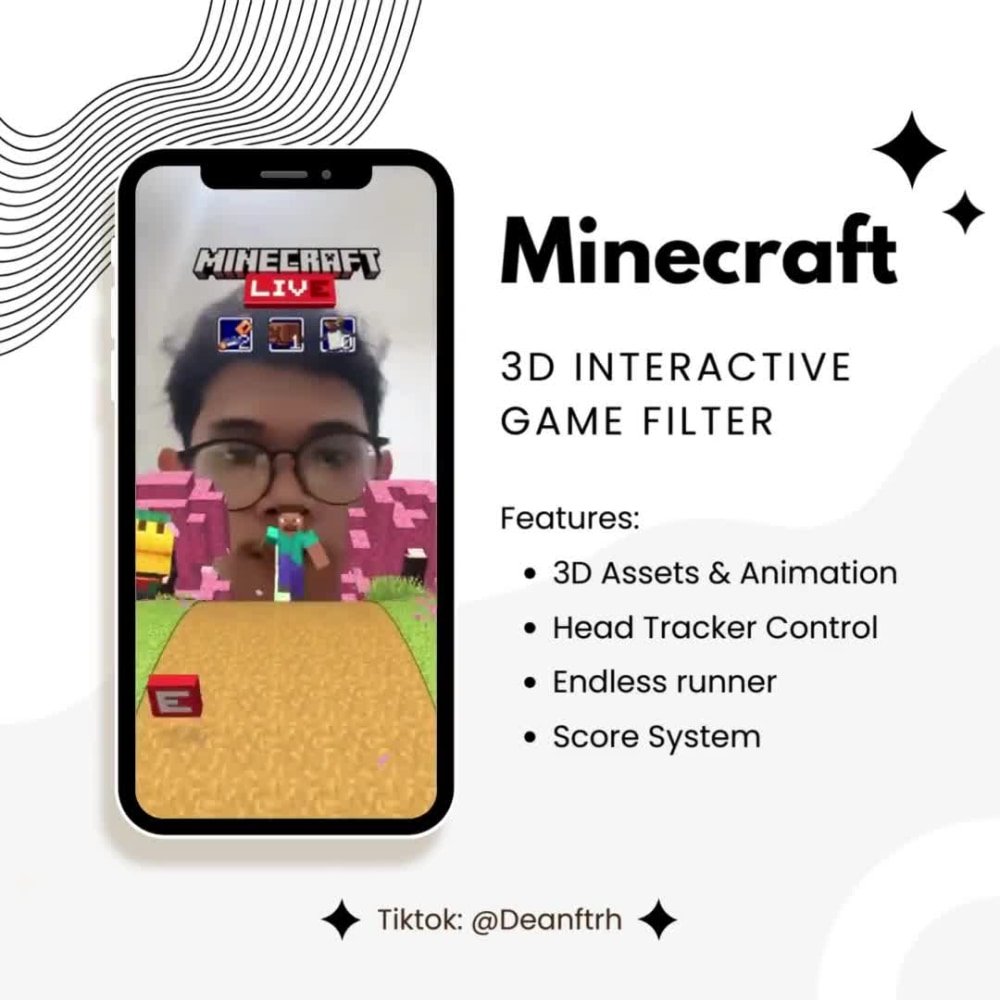
To play TikTok filter games, you first select a filter from the effects tray, then follow the on-screen instructions or prompts given by the game within the filter.
Ever scrolled through TikTok and seen someone doing a hilarious face morph or guessing game? Those are filter games! You might wonder how to play TikTok filter games yourself. It is quite simple, actually.
These interactive experiences use AR technology to overlay challenges or interactive prompts onto your video. Often, you’ll need to tap, move your head, or make specific facial expressions as instructed by the filter’s game.

How to Play TikTok Filter Games
Okay, so you’ve seen those super fun TikTok videos where people are reacting to weird faces or answering silly questions, and you’re wondering, “How do they do that?!” Well, those are TikTok filter games, and they’re actually pretty easy to play once you know how! They’re a fantastic way to have some laughs and get creative on the app. Let’s dive into everything you need to know so you can get in on the fun!
Finding Filter Games
The first step is finding those amazing filter games! TikTok doesn’t have a specific “games” section, but filters are how we play them. Here’s how to search for them:
Using the Effects Tab
This is the most common way to find filters. When you open TikTok, you’ll notice a little “+” button at the bottom center of the screen. Tap that to start creating a video. Now, look at the bottom of your screen. You’ll see a bunch of circles – these are your filters! Here’s how to navigate them:
- The Search Icon: On the far left, you will find a magnifying glass icon. This lets you search for specific filters. If you know the name of a filter game you’ve seen, type it in here. For example, you might type in “What Am I” or “Guess the Food.”
- Browsing Categories: TikTok organizes filters into categories like “Trending,” “New,” “Funny,” and “Face.” Explore these to find games you might enjoy. Tap on a category and scroll through the options.
- The Explore Button: Sometimes, the filter you are looking for will not pop up in search. In that case, if you saw a video of it, click the explore button of the creator, by clicking on the rotating disc icon present at the bottom of the video. There you’ll find the filter name on the top of their screen, click on it and save that filter.
From Videos
See a video that uses a filter game you want to try? Awesome! Here’s how to find it directly from the video:
- Filter Name: Just above the user’s name, you should see the name of the filter. It might look like “Face Zoom” or “Animal Quiz.”
- Tap the Name: Tap on the filter name! This will take you straight to the filter screen where you can save it to your favorites or start using it right away.
Types of Filter Games
TikTok filter games come in all shapes and sizes! Here are some popular kinds you might see and how they work:
Quizzes
These are super popular! The filter will display a question, often on your forehead or above your head, and you’ll react to it. You might have to guess an animal, a famous person, or even a type of food.
- How They Work: The filter chooses a random answer and shows it to you. You usually have a few seconds to react before it shows another one.
- Tips for Playing: Have fun with it! Make silly faces or do funny actions for each answer. Don’t worry about getting it “right,” it’s all about the entertainment!
Reaction Games
These filters change your appearance in funny or interesting ways, and the game is to react. Your face might get distorted, you might get animal ears, or your features might change.
- How They Work: The filter might change on its own, or you might need to tap the screen to get it to change.
- Tips for Playing: Let your personality shine! Express surprise, laughter, or whatever emotion you feel! These filters are great for acting over-the-top.
This or That Games
These filters present you with two options, and you have to choose. The filter then registers your choice. Sometimes, it’s a question of which thing you like better, sometimes it will compare your facial features to an option
- How They Work: Usually you have to move your face towards one of the options to choose it.
- Tips for Playing: This is another one where you can have fun with your reactions. Make it clear which one you are choosing and make a big deal out of it!
Prediction Games
Prediction games are very fun to play on tiktok. In these filter games, the game predicts your future or shows which personality type you are. These are highly popular among TikTok users and usually they react to them or make a duet on the results shown by the filter.
- How they Work: These filter games can predict various things, for example, which type of dog are you? what kind of character are you? or which movie or show resembles your life.
- Tips for Playing: These filters are mostly for fun, so don’t take the results too seriously. Just enjoy the content and react accordingly.
How to Use a Filter
Okay, you’ve found a filter game you like. Now it’s time to use it! Here are the basic steps:
- Open TikTok: Launch the TikTok app on your phone or tablet.
- Create a Video: Tap the “+” button to go to the video creation screen.
- Find Your Filter: Choose the filter you want to use using the search or category buttons. If you saved the filter before, you will find them under the star icon next to search icon.
- Test the Filter: Before recording, try moving your face around and see how the filter changes. Get familiar with it.
- Record Your Video: Tap the big red button to start recording. Usually, the filter game will start automatically.
- Add Text and Sounds: If you like, add some text or fun music to your video. You can tap the “Sounds” button at the top to choose music.
- Post Your Video: Tap “Next” and write a caption for your video and then tap “Post”.
Tips for Making Great Filter Game Videos
Want your videos to really stand out? Here are a few tips:
Good Lighting
Make sure your face is well-lit! Natural light is great if you have it. If not, try to have a light source in front of you instead of behind you. This helps the filter work best and makes your video look good.
Clear Audio
Try to film in a quiet place, so the viewer can clearly hear your reactions. If you are speaking during the video, make sure the microphone is close enough to catch the sound. You can also add text to the screen.
Be Creative
Don’t just play the game, make it entertaining! Add your own personality. Be goofy, make faces, do actions – whatever makes you happy and fun to watch!
Engage with Others
Watch other videos using the same filter game. Like and comment on the ones you enjoyed. You might even find other creative ideas from other people’s videos!
Use Hashtags
Using relevant hashtags helps other people find your video, which can get you more views and likes. Search for relevant hashtags in trending section of the app and tag them in your video.
Practice Makes Perfect
Don’t worry if your first few videos aren’t amazing. Just keep practicing and playing with different filters. The more you create videos, the better you will get at it!
Troubleshooting Filter Problems
Sometimes, filters might not work as expected. Here are a few common problems and what to do:
Filter Not Working
- Make Sure You Have a Good Connection: Sometimes, a poor internet connection can cause filters to not load. Make sure you’re on stable Wi-Fi or have a good mobile data connection.
- Restart the App: Sometimes, just closing the app and opening it again can fix minor problems.
- Update the App: If the problem continues, check if you have the latest version of TikTok. Outdated apps can have glitches. You can update it from your Google Play or Apple App Store.
Filter Is Laggy
Sometimes filters might be slow or laggy if your device is having trouble keeping up. Try closing other apps you aren’t using or make sure your phone isn’t too full, this could help the app function better.
Filter Isn’t Showing Up
If the filter isn’t showing up when you search, double check that you’ve typed the name correctly. If you are still unable to find the filter, it’s possible that filter is not available in your region or that the creator has disabled the filter.
Filter Is Glitched
Sometimes a filter can act weirdly, if that is the case close the filter and re-open it, or re-start the application. The problem will most probably be resolved.
Playing TikTok filter games is a wonderful way to add a bit of fun to your day, express your creativity and connect with others. It’s all about enjoying yourself and sharing the laughter. With the simple steps above and a bit of practice, you’ll be a TikTok filter game expert in no time! So go ahead, pick a filter, and get creating!
How to Find and Use Filters on TikTok | TikTok Guide
Final Thoughts
To play filter games on TikTok, start by finding a video using the filter. Tap the filter name above the creator’s username. Then, tap “Try this effect” to record yourself. Some games involve timing or specific actions.
Following in-app instructions is key. Some filters feature on-screen prompts, guiding you through the gameplay. These usually show what you must do for winning. So keep your eyes open.
Essentially, that is how to play tiktok filter games. Remember to explore various filters for diverse game experiences. The must thing is simply enjoying the fun.

