
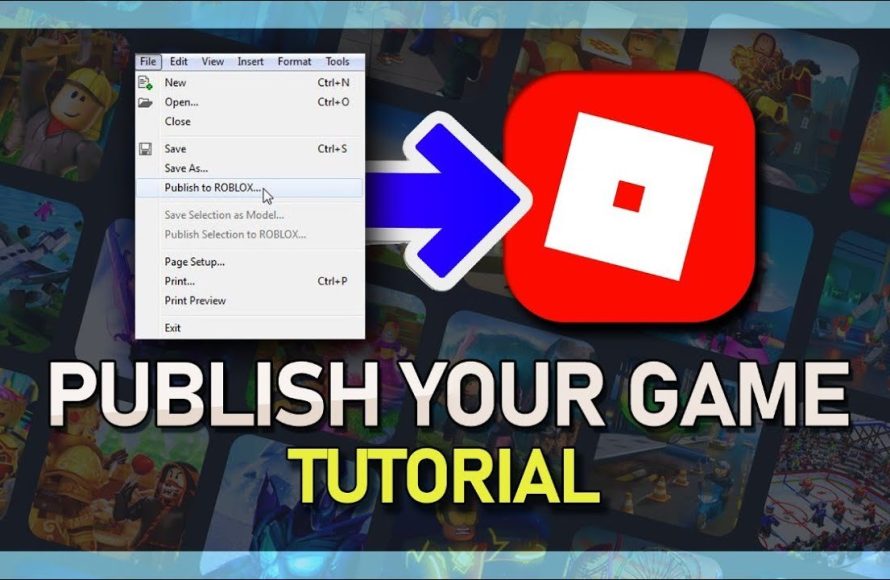
To publish your game in Roblox, you must first create it in Roblox Studio, then navigate to the “File” menu and select “Publish to Roblox.” Choose a name, description, and configure settings.
Have you built an amazing world in Roblox Studio, filled with fun and adventure? You are probably wondering how to share that with the world. That’s right, we are going to talk about how to publish your game in Roblox so everyone can enjoy what you made.
It might seem daunting at first, but the process is straightforward. We’ll walk you through the steps to make your game available for others to play. Soon your creation will be ready for players to explore and give you feedback.

How to Publish Your Game in Roblox
So, you’ve built an awesome game in Roblox Studio and you’re super excited to share it with the world! That’s fantastic! But how do you actually get your game out there for other people to play? Don’t worry; it’s not as hard as you might think. This guide will walk you through all the steps to publish your creation, making sure your game is ready for everyone to enjoy. We will cover everything from basic publishing to more advanced settings, so you can feel like a pro game publisher!
Setting Up Your Game for Publication
Before you hit that publish button, there are a few things you should do to make sure your game is the best it can be. It’s like getting your toys ready for a playdate – you want them to be clean and fun for everyone!
Testing Your Game Thoroughly
First and foremost, test your game! Imagine if you gave a friend a broken toy. They wouldn’t be very happy, right? It’s the same with a game. You need to play it yourself, and maybe get a friend to play it too. Here are some things to look out for:
- Are there any glitches or bugs? Sometimes things don’t work exactly as we plan. Check if players can get stuck in walls, fall through the floor, or if buttons don’t do what they are supposed to do.
- Is the gameplay fun? Does your game keep you entertained? Is it too easy or too hard? Does it make sense? Make sure it’s something you’d actually want to play again and again.
- Is everything running smoothly? Does your game lag or freeze? This can make it less enjoyable for players. Make sure it runs well on your computer and other devices.
- Are the controls easy to use? Can players move around and interact with the game easily? Confusing controls can make a game frustrating.
Use Roblox Studio’s built-in test features, like Play Solo, Play, and Start Server, to catch these issues before you publish. Getting feedback from friends is also helpful!
Naming Your Game Effectively
The name of your game is the first thing people see, so it’s really important. It’s like the cover of a book – it needs to make people want to check it out! Here are some tips for creating a great name:
- Keep it short and catchy: A long, complicated name can be hard to remember. Try to make it easy to say and easy to remember.
- Make it relevant to your game: The name should give players a hint about what your game is about. If it’s an adventure game, maybe include the word “Adventure”. If it’s a building game, maybe include “Builders”.
- Avoid confusing names: Don’t make it too similar to other games. You want your game to stand out and be unique!
- Be creative and unique: Try to come up with something original. Don’t just copy the name of another popular game.
Think of the name as a promise to your players. It should reflect the type of fun they can expect!
Adding a Compelling Game Description
Once people like the name of your game, they’ll want to know more. That’s where the description comes in. It’s like the summary on the back of a book – it explains what the game is all about.
- Explain the gameplay: What do players do in your game? Do they explore, build, fight, or something else? Tell them what to expect!
- Highlight key features: Are there any special things about your game? Perhaps there are hidden objects or unique powers. Be sure to mention them!
- Set the mood: What kind of feeling do you want players to have when they play your game? Do you want them to feel excited? Relaxed? Scared? Use descriptive words to set the tone.
- Keep it concise and easy to read: Don’t write a whole book! Use short paragraphs and sentences. Get right to the important parts.
- Use keywords: If your game is a simulator, be sure to use that word in the description. This helps players searching for specific games find yours.
A good description helps players decide if your game is something they’d enjoy.
Creating an Appealing Game Icon and Thumbnails
The icon and thumbnails are like the pictures on the book cover. They’re the first visual impression your game makes. Good icons and thumbnails make players curious and click on your game.
- Game Icon: This is the small image that appears next to your game’s name. Make it eye-catching and use bright, clear colors. It should be something simple and easily recognizable.
- Game Thumbnails: These are the bigger images that show up when someone clicks on your game page. They give players a glimpse of what they can expect. Use high-quality images and make them appealing. Try to show off what’s special about your game, like amazing places, interesting characters, or intense action.
- Use screenshots or edited art: You can take screenshots from your game or create unique artwork to make your game look inviting.
- Don’t use low-quality or blurry images: It makes your game look unprofessional. Spend the time to find or create good images!
Remember, clear, attractive visuals make your game more appealing!
Publishing Your Game
Now that your game is set up, it’s time to actually publish it! This step is like opening your toy store – it’s time to let everyone in!
Basic Publishing Steps
Here’s how to do it:
- Open Roblox Studio: Go to the Roblox Studio app and open the game you want to publish.
- Click “File”: Look for the “File” option in the top left corner of the screen.
- Select “Publish to Roblox”: Click on “Publish to Roblox” from the “File” menu.
- Choose “Create New Game” or “Update Existing Game”: If this is your first time publishing the game, choose “Create New Game.” If you’ve published it before and are making changes, choose “Update Existing Game” then select the game you wish to update.
- Game Settings: On the popup menu you will need to input your Game name, description, and genres.
- Privacy Settings: Select who can access the game. Generally, you’ll want to make the game “Public” so anyone can play. If you want it to only be accessed by you or people on your friends list then choose the appropriate option.
- Click “Create” or “Save”: Once you’ve filled out all the information and checked the privacy settings, click the “Create” or “Save” button.
Congratulations! Your game is now published! You will be able to see your game under your profile on the Roblox website.
Setting Permissions
You have control over who can play your game. You can keep it private if you want to test things more, or open it up to the world!
- Private: Only you can access the game. This is helpful during development.
- Friends: Only your friends can join the game. This is good if you want a small group of people to playtest before going public.
- Public: Anyone can play your game. This is what you want when you are ready to share your game with everyone.
Select the appropriate permissions for your game. You can change these settings at any time!
Game Genres
Game genres help people find the type of game they’re looking for. Think of it like labeling toys in a store. Here are a few genres you can choose:
- Adventure: Games where players explore, solve puzzles, or go on quests.
- Building: Games where players can create structures or other objects.
- Fighting: Games that involve combat and battling.
- Simulator: Games that simulate real-life activities.
- Roleplay: Games where players can take on different characters.
- Tycoon: Games that involve building and managing a business.
Pick the genre that fits your game best. This helps players who like that type of game find yours!
Advanced Publishing Options
Once you’ve published your game, you can dig into some more complex features. It’s like adding cool gadgets and customizations to your toy!
Monetization Options
If you want to make Robux from your game, there are a few things you can do. These options help you get rewarded for your effort.
Game Passes
Game Passes are like special tickets players can buy to get unique perks. Here are some things you can offer with a Game Pass:
- Special items or powers: Give players unique tools or abilities they wouldn’t normally have.
- Access to exclusive areas: Let them explore secret areas that other players can’t reach.
- Cosmetic items: Allow them to customize their character or game environment with cool stuff.
Make sure that Game Passes offer something fun and useful, but doesn’t make the game unfair.
Developer Products
Developer Products are like virtual items players can buy within the game. Here are some ideas:
- In-game currency: Let players buy coins or points to get items or progress faster in the game.
- Consumables: Offer items that players use up, like health potions or boosts.
- Special gear: Sell weapons or equipment that can help in the game.
Make sure the things you sell with Developer Products make the game more fun!
Adding Badges
Badges are like awards players get for achieving something cool in your game. It’s like getting a sticker for a job well done! Here are some things you can award badges for:
- Completing a level or quest: Reward players for finishing a challenge.
- Reaching a certain score: Give badges to players who excel.
- Finding a hidden item: Award badges for discovering secret things in the game.
Badges give players goals to work towards and encourage them to keep playing.
Using Analytics
Roblox provides analytics, which is like having a report card on your game’s performance. Analytics help you see how your game is doing and what you can improve. Some data you can track:
- Player numbers: See how many people are playing your game.
- Playtime: Check how long people are spending playing your game.
- Retention: Find out if people come back to play your game again and again.
- Monetization: Track how well your monetization strategies are working.
Use this information to improve your game, make it more fun, and more popular!
Regular Updates
Players love to see new things in games. It’s like getting a new toy – it keeps the game exciting! Try to update your game regularly. Here are a few update ideas:
- Add new levels or areas: Give players new places to explore.
- Introduce new characters: Bring in interesting new people or creatures to meet.
- Add new items or features: Give players more things to do and use.
- Fix bugs and make improvements: Solve any issues and make the game run smoother.
Regular updates will keep players coming back for more!
Engaging with Your Players
It’s important to talk to the people who are playing your game! It’s like asking your friends what they think of your toy. Here are a few ways to connect with players:
- Read player reviews and feedback: Find out what players like and don’t like about your game.
- Use the Roblox Developer Forum: Connect with other developers and share ideas.
- Answer player comments on your game page: Respond to player’s questions and concerns.
Listening to your players will help you make your game even better!
Publishing your game in Roblox is an exciting adventure. With careful planning and attention to detail, your game will be set up for success. Take your time and don’t hesitate to keep improving and updating. Keep making games, keep learning, and keep sharing your creativity with the world! Now go on and share your game, you’ve got this!
How To Publish A Roblox Game – Full Guide
Final Thoughts
To publish your game, first, navigate to the Roblox Studio. Then, click ‘File’ and select ‘Publish to Roblox’. Choose your game’s settings, such as name and description.
Finally, make sure to configure access permissions for other players. This process details how to publish your game in Roblox. Always test the game thoroughly after publishing.

