
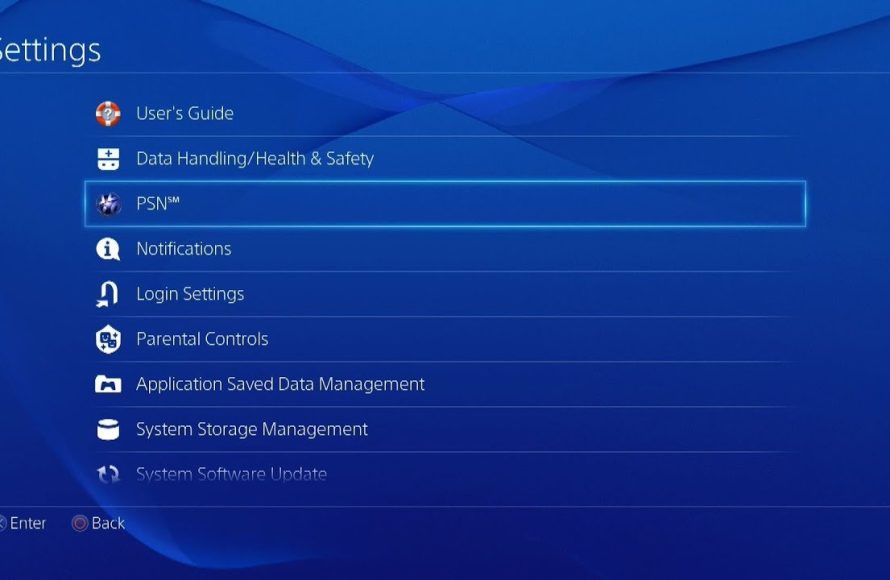
You can purchase PS4 games online through the PlayStation Store on your console or via web browsers on your computer, using a credit card or prepaid gift cards.
Want to grow your game collection without leaving your couch? Navigating how to purchase PS4 games online is easier than you might think. It offers a great way to expand your gaming library.
Digital purchases mean no physical discs, instantly adding games to your system. This convenient method opens up access to a vast world of entertainment. Many online shops also often offer deals.

How to Purchase PS4 Games Online
Getting new games for your PlayStation 4 is super exciting! But sometimes, going to the store isn’t easy or maybe you prefer to just chill at home. That’s where buying games online comes in handy. It’s like having a giant game store right on your computer or phone. Let’s learn how to get those awesome PS4 games without leaving your comfy spot!
Understanding Digital vs. Physical Games
Before we dive into buying, let’s talk about the two main ways you can get PS4 games: digital and physical. It’s like choosing between an ebook and a real book!
Digital Games
Digital games are downloaded directly to your PS4. Think of it like getting a song on your phone, but for a game. Here’s the good stuff about digital:
- No Discs Needed: You don’t have to worry about scratched discs or losing them. The game is always on your console.
- Instant Access: Once you buy it, you can download and play right away (once the download finishes).
- Game Sharing: On some consoles, you can share your games with others on their console through a specific setup.
- Sales and Deals: You can often find good deals on digital games through the PlayStation Store.
However, there are some points to keep in mind with digital games:
- Storage: Digital games take up space on your console’s hard drive. You might need an extra storage drive if you buy too many big games.
- No Reselling: You can’t sell or trade digital games like you can with physical copies.
- Download time: Downloads can take some time, especially if your internet is a little slow.
Physical Games
Physical games are the ones that come on a disc. These games you buy from a store or online and have to wait for it to arrive. Let’s see the good stuff about physical games:
- Collectable: Many people love having a physical collection of game cases.
- Reselling: You can sell or trade physical games when you’re done playing them.
- Offline Play: After the installation of game, you don’t need to have an internet connection to play the game
But, there are also some things that can be problematic with physical games
- Can be Damaged: Discs can get scratched, broken, or lost.
- Have to Go to The Store : You need to physically go to a store or have to wait for the delivery when you buy them online.
It is upto you which option you choose, both has their own benefits and cons.
Where Can You Buy PS4 Games Online?
Now that you know the difference, let’s see where you can buy your digital or physical copies. There are few of the best options to buy your ps4 games online, lets see where these options are
The PlayStation Store
The PlayStation Store is the official online store for PlayStation games. It is built directly into your PS4 console and also on the website. It’s the easiest way to buy digital games. Here’s how it works:
- On Your PS4: Turn on your PS4, go to the PlayStation Store icon on the home screen, and start browsing.
- On the Web: Go to the PlayStation Store website on your computer or phone, search the game you want, and make sure to login with your playstation account.
- Payment: Add money to your PlayStation account or use a credit/debit card or a gift card to purchase a game.
- Download: Once you buy the game, it will start downloading on your PS4.
The PlayStation store is the most trusted and easiest place to buy digital games. They also frequently have sales, making it a good place to check for deals.
Online Retailers
Many online stores sell physical copies of PS4 games. These stores are also a great option if you like to keep the physical games in your house. Some popular places include:
- Amazon: You can find almost any game on Amazon, and they have a lot of reviews to help you decide.
- Best Buy: Best Buy is a big retailer that sells a lot of PS4 games, both new and used.
- GameStop: If you like to buy used games, GameStop is a good option since they take trades and offer discounts.
When buying from these stores, remember to check:
- Shipping Costs: Some stores might charge for shipping, so compare the total price before buying.
- Delivery Time: How long it will take for the game to arrive.
- Seller Reviews: If you are buying from third-party sellers, look at their ratings to make sure they are reliable.
Other Websites
There are many other websites that sell PS4 games but, it is very important to be careful when buying from them. Here’s some things to check before you buy anything:
- Reputation: See if the website is trusted and reliable. Read customer reviews to see what other people say about them.
- Security: Make sure the website uses a secure connection when you enter payment information, it should use ‘HTTPS’ on the address bar.
- Return Policies: Look at their return policies in case you need to return the game.
Always make sure the website you’re buying from is safe and that the price is reasonable. Avoid any website that looks too good to be true because it probably is.
Step-by-Step Guide to Buying Digital PS4 Games
Okay, let’s go through the steps for buying digital games from the PlayStation Store:
Using Your PS4 Console
This is the most common and straightforward way for buying digital games.
- Turn on Your PS4 and Sign In: Make sure your PS4 is connected to the internet. Sign in to your PlayStation account.
- Go to the PlayStation Store: Find the PlayStation Store icon on the home screen (it looks like a blue shopping bag).
- Browse for Games:
- You can search for specific games using the search bar.
- You can browse by new games, top-selling games, or by category (like action, sports, etc.).
- Look out for special deals and discounts.
- Choose Your Game: Click on the game you want. This will take you to the game’s page, where you can see pictures, videos, and reviews.
- Add to Cart: If you are sure about the game, click “Add to Cart.”
- Checkout: Go to your shopping cart. Check your order, then click “Proceed to Checkout.”
- Payment:
- If you already have money in your PlayStation account, you can use that.
- If not, you can use a credit or debit card or add a PlayStation gift card.
- Confirm Purchase: Check the total price and confirm your purchase.
- Download: After purchasing, the game will start downloading. You can see the download progress in your notifications.
- Play: After downloading is complete, find the game on your home screen and start playing!
Using the PlayStation Store Website
You can also buy games from the PlayStation Store using a computer or mobile browser.
- Go to the PlayStation Store Website: Use a browser on your computer or phone and go to the PlayStation Store website.
- Sign In: Sign in with your PlayStation account.
- Browse for Games: You can search for the game you want, or browse through the categories.
- Choose the Game: Click on the game, and then click “Add to Cart.”
- Checkout: Go to the cart and follow the checkout process.
- Payment: Use your debit or credit card or a PlayStation gift card.
- Confirm Purchase: Check all the details and confirm your purchase.
- Download to your PS4: Your PS4 will automatically start downloading the game if it’s turned on. If it’s not on, the game will be added to your download list.
- Play: After downloading is complete, find the game on your home screen and start playing!
Step-by-Step Guide to Buying Physical PS4 Games
If you prefer to get your hands on the physical copy of a game, here are the steps you can follow to buy them online from retail websites like Amazon, Best Buy, or GameStop.
Finding the Game
- Go to the Website: Open your preferred online store (like Amazon, Best Buy, or GameStop).
- Search for the Game: Type the name of the game you want in the search bar.
- Look at the Details: Check the game’s title, the price, and the platform (make sure it says “PS4”).
- Read Reviews: Look at the customer reviews to see what people think about the game and the seller.
Adding to Cart and Checking Out
- Add to Cart: If you decide to purchase the game, click the “Add to Cart” button.
- Review Your Cart: Check your shopping cart to make sure you have the correct game and the price is right.
- Proceed to Checkout: Click on the “Checkout” button to begin the checkout process.
- Shipping Address: Enter your shipping address where you want the game to be delivered.
- Select Shipping Options: Choose a shipping option (faster delivery usually costs more).
- Choose Payment Method: Choose your payment method, like a credit/debit card, gift card or PayPal, and enter your details.
- Place Your Order: Check all the details and click on the button that says “Place Order” or a similar option.
Delivery and Handling
After your order is placed, keep an eye out for:
- Order Confirmation: You should get an email with your order details.
- Shipping Information: The store will send you another email with information about your shipment, including a tracking number.
- Delivery Updates: You can use the tracking number to see where your package is.
When your game arrives, be careful when opening the box. After you get the game, follow the on-screen instruction of your game to install and start playing your new game!
Important Things to Remember
Buying games online is usually simple, but here are a few reminders to make sure everything goes smoothly:
- Internet Connection: A good internet connection is needed for downloading digital games. It can take a while, depending on your speed and how big the game is.
- Storage Space: Digital games need storage space on your PS4. If you run out of space, you might need to buy an external storage drive.
- Account Security: Keep your PlayStation account password safe and don’t share it with anyone.
- Check for Deals: Look for sales and discounts, especially during holidays. The PlayStation Store and other online retailers often have special deals.
- Read Game Ratings: Make sure the game is right for you by checking its rating (like “E” for everyone, “T” for teens, “M” for mature).
By following these tips, you’ll be ready to buy all the PS4 games you want without any problems!
Purchasing PS4 games online provides a great way to enjoy your favorite games without the stress of going to the store. Whether you choose digital downloads for instant gratification or physical copies for that tactile feel, the world of PS4 gaming is just a few clicks away. Happy gaming!
How To Buy A Game On The PS4
Final Thoughts
To purchase PS4 games online, you can visit the PlayStation Store directly on your console or a web browser. Browse the available titles, add desired games to your cart, and proceed to checkout.
You’ll need a valid payment method linked to your PlayStation account. Digital downloads are instantly available post-purchase. It’s that straightforward when figuring out how to purchase ps4 games online.

