
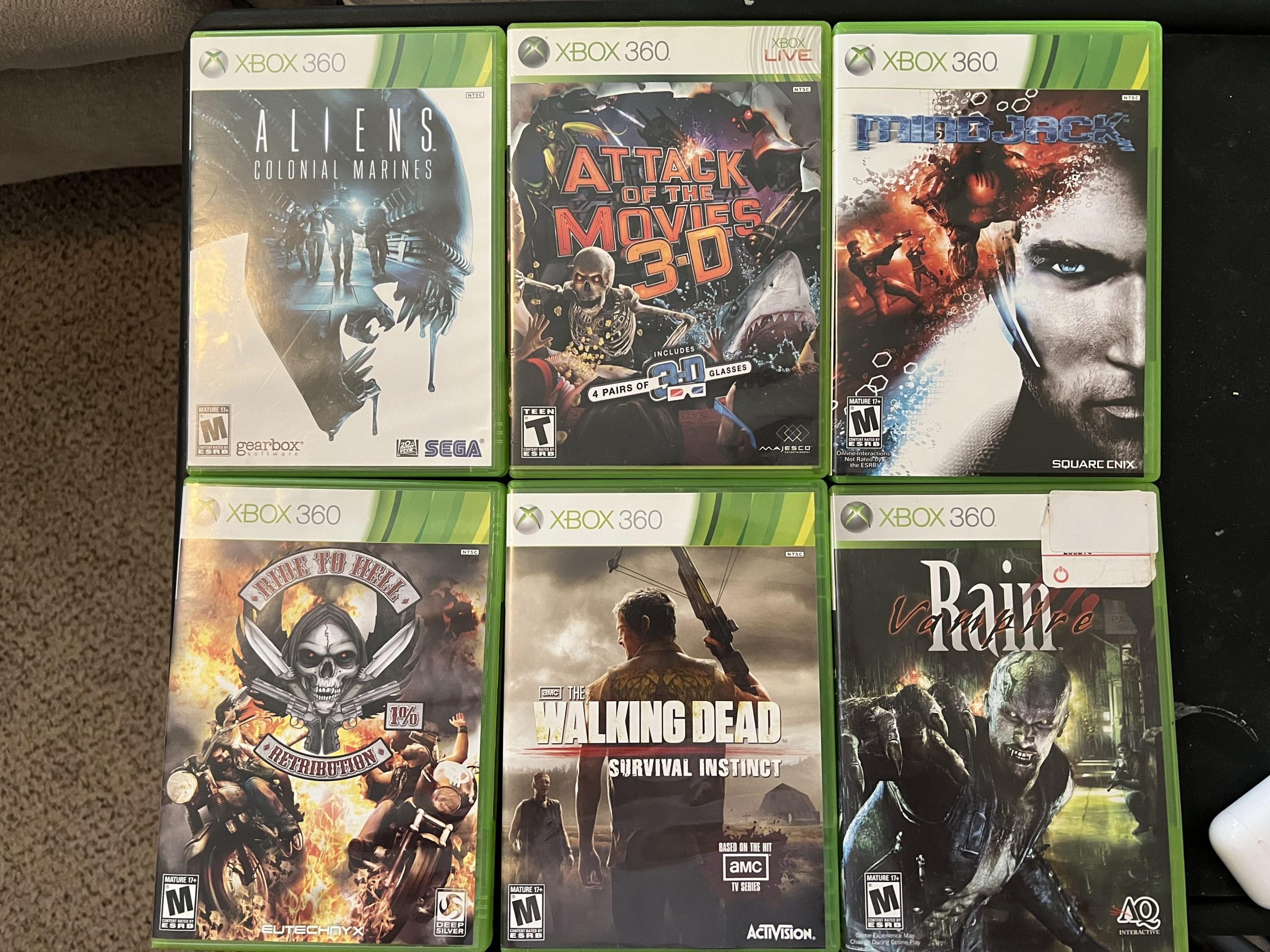
To purchase Xbox 360 games online, you can explore marketplaces like Amazon or eBay, or digital stores on the Xbox website, ensuring compatibility with your console.
Do you find yourself wanting to revisit classic titles on your Xbox 360? Maybe you’re looking to expand your collection without leaving home. Learning how to purchase Xbox 360 games online is easier than you might think.
Many online retailers still offer both physical and digital copies of these games. It’s a convenient way to enjoy the titles you remember and maybe find some new favorites. So, let’s explore how to do this.

How to Purchase Xbox 360 Games Online
So, you’re looking to get some awesome Xbox 360 games without leaving your comfy chair? Great! Even though the Xbox 360 isn’t the newest console around, there are still tons of fantastic games you can enjoy. Buying them online is easier than you might think. Let’s explore how to do it, step-by-step.
Understanding Your Options
Before we dive into the “how,” let’s see what kinds of places you can find Xbox 360 games online. It’s not like when the console was brand new; things have shifted a bit. Here are the main ways to buy:
Xbox Marketplace (Digital Downloads)
The most direct way to get games is through the Xbox Marketplace. This is built right into your Xbox 360 console. It’s like a store you can visit without going anywhere. You can browse and buy games right on your TV screen. You’ll need an internet connection to do this, and your console must be connected to Xbox Live.
How it Works:
- Turn on your Xbox 360: Make sure it’s connected to the internet.
- Go to the Xbox Dashboard: This is like the main menu of your console.
- Find “Games”: Look for this section, usually on one of the blades.
- Go to “Browse Games” or “Xbox Live Arcade”: These sections lead you to the games available for download.
- Browse for games: You can search by name, genre, or check out what’s new.
- Select the game: Choose the game you like, and it will give you the price and details.
- Purchase the game: You need a valid payment method connected to your Xbox Live account, like a credit/debit card or a gift card.
- Download the game: Once you purchase, the game will download to your console, and you can play it.
Important Notes:
- Game Availability: Not all physical Xbox 360 games are available digitally. Sometimes, only the best-selling or Xbox Live Arcade titles are there.
- Digital Rights: Once you buy a game digitally, it’s tied to your account, and you don’t have to worry about keeping a disc.
- Storage: Digital games take up space on your Xbox 360’s hard drive, so make sure you have enough space.
Online Marketplaces (Physical Games)
If you want a physical copy of a game – the kind that comes in a box with a disc – then online marketplaces are the way to go. These are websites where people and businesses sell used or new games. Let’s explore some popular options:
Popular Marketplaces:
- Amazon: A very well-known place to buy all sorts of things, including used and new Xbox 360 games. You can find a huge variety of games here, and many sellers compete for the best prices.
- eBay: This is like a giant online auction house. You can find deals from both individual sellers and businesses. Sometimes, you can get games at lower prices, but pay attention to seller ratings.
- GameStop (or Similar Game Retailers): They often have a section online for used games, and can sometimes have a bigger selection of older titles.
- Facebook Marketplace: You can often find local sellers, and sometimes get a better deal. This can be a good option if you’re looking to pick up a game nearby.
How to Buy Physical Games Online:
- Choose a Marketplace: Pick the website you like best (Amazon, eBay, etc.) and go to the site.
- Search for the game: Use the search bar and type in the game name you want. Be specific, like “Call of Duty: Black Ops Xbox 360” to get the best results.
- Check the game details: Look at the description carefully. Is it used or new? What’s the condition? Make sure everything is clear.
- Look at the price and shipping: Some sellers charge extra for shipping, so check the total cost before buying.
- Read the seller reviews: See what other customers say about the seller’s service. This will give you an idea about how reliable the seller is.
- Make the purchase: Use the website’s checkout to buy the game. You will need to provide a shipping address and a payment method.
- Wait for it to arrive: After you purchase the game, it’ll be shipped to your address. Check the tracking to see when it is coming.
Things to Keep in Mind When Buying Physical Games:
- Game Condition: Used games might have scratches or wear, which may or may not affect game play. Sellers should mention the condition of the game.
- Region Locking: Xbox 360 games are often region-locked, meaning a game from one region might not play on a console from another. Make sure the game is compatible with your console’s region. Usually it is very simple, all the USA consoles usually play games from USA, and Europe consoles play games from Europe.
- Box and Manuals: If you want a game that’s complete with the box and manual, make sure they are included in the seller’s description.
- Shipping Costs and Time: Shipping can add to the cost and it might take several days for the game to reach you.
Navigating the Digital Store on Your Xbox 360
The Xbox 360’s digital store is a bit different than newer console stores. It has its own feel and navigation style. Here are some tips to make it easier to use:
Understanding the Xbox Dashboard
The Xbox Dashboard is the central place where you start everything on the console. It’s split into different sections or “blades”, that you can scroll to with the left and right buttons on your controller.
- The Xbox Live Blade: This blade takes you to Xbox Live, and here you can see all the information about your account, your friends, and your messages.
- The Games Blade: This section is where you find the main games section, and access to digital content.
- The Settings Blade: Here you can configure all your console options.
Finding Games in the Xbox Marketplace
- Use the Search Feature: If you have a specific game in mind, use the search option. This is usually at the top of the Games section.
- Browse by Genre: If you are looking for new games, browsing the genres can be a very good way of finding new games.
- Check out the “Deals” Section: Many older games are available on the marketplace with discounted prices, making it a good way to get many games for less.
- Look at the Ratings: It is very important to look at the ratings of games before making a purchase. This will give you a general idea of the quality of the game.
Managing Your Digital Purchases
- Download Queue: The dashboard also shows you a section to see your games that you have purchased, and you can check on the download progress.
- Re-Download Games: Once you purchase a game, it stays linked to your Xbox account, so you can re-download it again in the future.
- Game Storage: Make sure you have enough space on your console to store your games. You can delete games when they are not being played, and can always re-download the games again in the future.
Tips for Safe and Smart Online Game Shopping
Buying games online can be convenient, but it’s important to be safe and smart about it. Here are some key things to keep in mind:
Secure Payment Methods
Always use secure payment methods when buying games online. Here are a few to consider:
- Credit/Debit Cards: They offer a level of protection, and banks can often help with fraud issues.
- PayPal: A very popular online payment system that adds an extra layer of protection by not sharing your card details with the seller.
- Prepaid Gift Cards: You can also purchase prepaid debit or gift cards online to use, as it keeps your bank account information separate from the website.
Being Careful of Scams
- Too-Good-To-Be-True Deals: If a deal seems too good to be true, it probably is. Be wary of extremely low prices or sellers that have very low ratings.
- Check Seller Ratings: Always check the seller ratings, and also read reviews of other people who bought from the seller.
- Secure Websites: When buying online, make sure that the website has a “https” in the address bar. The ‘s’ means the website is using a secure connection for your transactions.
Understanding Region Locking
As previously mentioned, region locking is a factor with Xbox 360 games. Here’s a little more information:
- Region Codes: Games have different codes based on regions such as:
- NTSC-U/C: North America
- PAL: Europe, Australia, and others
- NTSC-J: Japan
- Matching Regions: Always make sure that the region of the game matches the region of your console.
- Compatibility: if you get a game from a different region that does not match your console, it is possible that it will not play, so be aware of this.
Making the Most of Your Xbox 360
Even though the Xbox 360 is an older console, there are still a lot of fun ways to make the most of it. Here are some fun things that you can still do with the console:
Exploring Backwards Compatibility
While the Xbox 360 itself doesn’t support backward compatibility with earlier Xbox games, it is able to play older games digitally on the console. So be on a lookout for games that have released in digital format.
Joining Online Communities
Even though Xbox Live for the 360 isn’t as active as it used to be, there are still communities that play specific games together. These can be a very good way to continue enjoying older multiplayer games with people around the world.
Playing Local Multiplayer Games
The Xbox 360 is very well known for having a lot of very fun local multiplayer games. These are games that you can play with others in your house on the same console, and can be a good way to have some fun.
Connecting with Friends
Even though the console is old, you can still connect with your friends and enjoy games with them. You can add your friends, see what games they are playing, and send messages to them.
So, that’s pretty much everything about buying Xbox 360 games online. It’s not that hard, and with a little care, you can get some great games to keep your console going! Just remember the difference between digital and physical copies, be safe with your payment info, and enjoy the gaming!
How to go on the Xbox 360 Marketplace Again!
Final Thoughts
To purchase Xbox 360 games online, you can explore various marketplaces like Amazon or eBay. These platforms often offer both new and used copies of the titles. Remember to check seller ratings and descriptions before making any purchase, ensuring the games are in your desired condition.
Digital download options through the Microsoft store for the Xbox 360 console itself might be limited these days. But you can search and find some codes on various online marketplaces. So be sure when you’re thinking about how to purchase xbox 360 games online, you have many options.

