
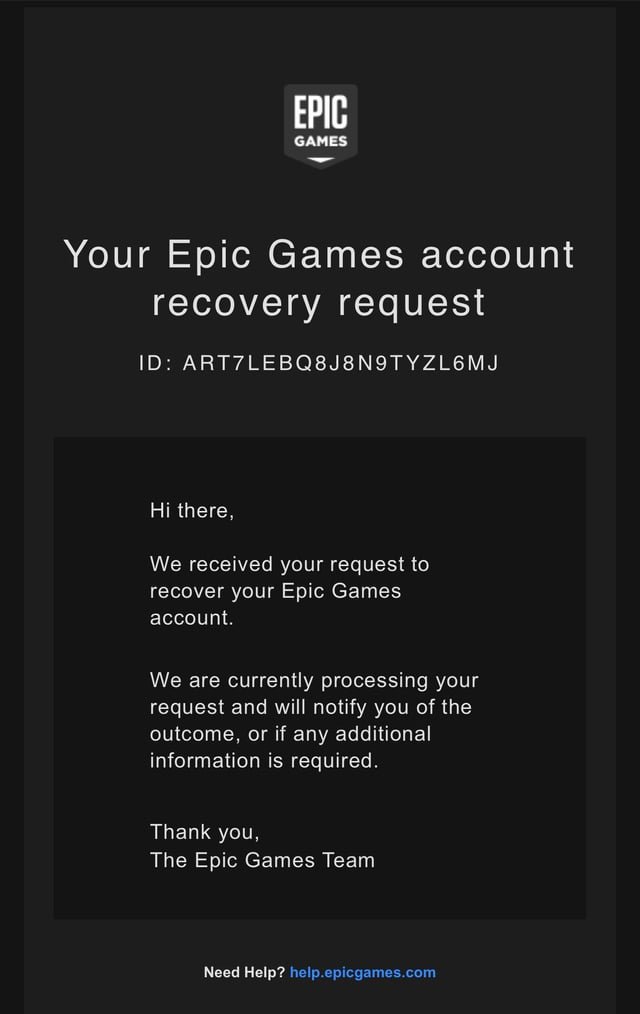
To recover your Epic Games account, use the “Forgot Password” option on the login page, following the email instructions to reset it. Alternatively, contact Epic Games support if you don’t have access to your email.
Losing access to your Epic Games account can be a real headache, especially when you’ve got a library full of games. It happens more often than you think, whether you forgot your password or your account faced a security breach. This article will quickly show you how to recover epic games account effectively, so you can get back to playing. We will cover simple steps, and also provide useful information you may need when facing any complexities during the account recovery process.

How to Recover Your Epic Games Account
Losing access to your Epic Games account can feel like a huge setback, especially if you’ve got a library full of awesome games or invested time and progress into your favorites. Whether you’ve forgotten your password, your account got hacked, or you’re having trouble with two-factor authentication, it’s important to know how to get back in. Let’s walk through the steps together and get you back to gaming!
Understanding Why You Might Need to Recover Your Account
Before we jump into recovery methods, let’s understand some of the common reasons people lose access to their Epic Games accounts. Knowing these can help you prevent similar situations in the future.
- Forgotten Password: This is probably the most frequent reason. We all have too many passwords to remember!
- Hacked Account: Sadly, accounts can get hacked, especially if you’re using weak or reused passwords.
- Two-Factor Authentication Issues: If you’ve set up 2FA, and your device with codes is lost or broken, access can be difficult.
- Email Access Issues: If you lose access to the email address linked to your Epic Games account, it complicates recovery.
Recognizing a Hacked Account
Sometimes, you might suspect your account has been hacked even if you can still log in. Here are some signs to look for:
- Unfamiliar Login Activity: Check your account’s login history; any unknown logins raise a red flag.
- Unexpected Purchases: Watch for purchases you didn’t make.
- Changed Account Details: Look out if your display name, email, or linked accounts have been changed without your permission.
- Friends Reporting Unusual Activity: If your friends see weird messages or actions coming from your account, take it seriously.
The Primary Method: Password Reset
The most common way to recover an Epic Games account when you’ve forgotten the password is to use the “Forgot Password” option. This is the first step you should try.
Step-by-Step Guide to Resetting Your Password
- Go to the Epic Games Website: Open your browser and navigate to the official Epic Games website.
- Click “Sign In”: You’ll find this at the top right of the page.
- Select “Forgot Your Password”: This option is below the password field.
- Enter Your Email Address: Input the email address you used to sign up for your Epic Games account.
- Check Your Email: Epic Games will send a password reset email to that address.
- Click the Reset Link: Open the email and click the link included in it. This will take you to a page to set a new password.
- Create a Strong New Password: Choose a password that is strong, combining upper and lowercase letters, numbers and symbols. Make it something you won’t forget, but is hard for others to guess.
- Log In: Go back to the Epic Games login page and sign in with your new password.
Important: If you don’t receive the password reset email, check your spam or junk folder. Sometimes emails get filtered there. If it’s not there, make sure you entered the correct email address and try again.
What If You No Longer Have Access to the Email Address?
If you can’t access the email linked to your Epic Games account, the password reset method won’t work. This situation requires more effort, and you’ll need to contact Epic Games support.
- Prepare Your Information: Gather any information that can prove you own the account. This could include previous transaction IDs, the date you created the account, the display name of your account and any linked accounts.
- Contact Epic Games Support: Go to the Epic Games support page and look for the option to submit a support ticket regarding account recovery.
- Provide All Necessary Details: Explain your situation to the support team and provide all of the proof that you have to show the account belongs to you. The more details you give, the more you are able to prove account ownership.
Dealing with Two-Factor Authentication (2FA) Issues
Two-factor authentication adds an extra layer of security to your Epic Games account. However, if you lose the device used for 2FA or can’t access the authentication app, it will be difficult to log in.
What if You’ve Lost Your Authenticator App or Device?
Here’s how to handle this common situation:
- Backup Codes: When setting up 2FA, Epic Games gives you backup codes. If you saved them, you can use one of these to bypass the authenticator. Locate the backup codes and enter one when prompted. This will let you log in.
- Account Recovery Through Support: If you don’t have backup codes, you’ll need to contact Epic Games support. Follow the steps outlined above when you don’t have access to your email either. You’ll have to provide all the proof that you can to prove ownership.
- Disabling 2FA (Temporary): If support helps you regain access, consider disabling 2FA temporarily to get back into your account and then set it up with a new device or app.
Setting Up a New 2FA Method
After you’ve recovered access, set up 2FA again carefully:
- Go to Your Account Settings: Log into your Epic Games account and go to the account settings page.
- Find the 2FA Option: In security or password settings, find the option to enable 2FA.
- Choose a Method: Select your preferred 2FA method like an authenticator app (e.g., Google Authenticator, Authy) or SMS.
- Scan the QR Code or Enter the Secret Key: Follow the instructions on screen to link the app to your Epic account.
- Save Your Backup Codes: This is very important! Store your backup codes somewhere safe and easy to access. Don’t store them on the same device you are using for 2FA.
Tip: Consider printing your backup codes or saving them on a USB drive kept separately from your phone or PC. This can protect you from accidentally losing them.
Protecting Your Account From Future Issues
Once you’ve recovered your account, take steps to protect it and prevent future loss of access.
Strengthening Your Security
- Create Strong Passwords: Use a mix of uppercase and lowercase letters, numbers, and symbols. Avoid easily guessable words or phrases.
- Unique Passwords: Do not use the same password across multiple accounts. Using a password manager can help with this.
- Enable 2FA: Make sure two-factor authentication is enabled for extra security.
- Update Your Email: Ensure your email address is up to date and that you still have access to it.
- Regular Checks: Regularly review your account’s login activity to ensure there’s no unauthorized access.
- Be Wary of Phishing Scams: Epic Games would never ask for passwords or personal information via email or other forms of communication.
How to Choose a Strong Password
A password should be difficult for others to guess but easy for you to remember. Here is how to make strong passwords.
- Mix Characters: Combine upper and lowercase letters, numbers, and symbols.
- Longer is Better: Use at least 12 characters for added security.
- Avoid Personal Info: Never use names, birthdays, or pet names.
- Think of a Phrase: Create a password based on a phrase but change some letters to numbers or symbols, for example, “I love playing Fortnite” can become “1 l0v3 pl@y1ng f0rtn!t3”.
Contacting Epic Games Support
When standard recovery methods fail, reaching out to Epic Games support is often your best option. This section explains how to do it effectively.
How to Contact Epic Games Support Effectively
- Go to the Support Website: Access the official Epic Games Support page.
- Choose the Correct Category: Look for the specific issue of account recovery or something related.
- Fill Out the Support Form: Be detailed in your description of the issue. Provide proof of account ownership such as your username, display name, linked accounts, and transaction information.
- Be Patient: Support teams often handle many requests, it might take some time to get a response.
- Reply Promptly: Once they contact you, reply promptly and give them any information they need to solve the problem.
Information to Provide When Contacting Support
The more details you give to the support team, the better. Here are some crucial pieces of information to gather:
- Epic Games Display Name: This is your in-game name.
- Email Address on the Account: If you remember the old address.
- Date of Account Creation: An estimate is ok if you don’t know the exact date.
- Any Linked Accounts: If your Epic Games account is linked to Playstation, Xbox, Twitch, or other platforms.
- Purchase History: Transaction IDs of previous purchases.
- Location: Where you normally play.
- Details of the Problem: A thorough explanation of why you need to recover the account.
What to do if You Suspect a Hack
If you believe your account has been hacked, report it immediately.
- Contact Support: Follow the steps for contacting support and clearly say that you believe your account has been hacked.
- Change Your Passwords: Change passwords for all of your accounts as well. If a hacker got access to one, they may have access to more.
- Check for Malware: Run a scan on your computer to see if you have malware.
After You Get Your Account Back
Once your account has been returned to you, here are some very important steps that you should take.
- Change Your Password: Pick a new very strong password.
- Enable 2FA: Turn on two factor authentication, and save your backup codes somewhere safe.
- Review Account Activity: Look over your account activity for anything unusual.
- Update Your Email: Change your account email to something you will always have access to.
Recovering your Epic Games account may take a little time and effort, but it’s certainly possible if you follow these steps. Remember to stay patient and provide as much information as possible when working with support. Protecting your account after recovery is just as crucial to prevent issues in the future. Have fun and enjoy gaming again!
HOW TO GET YOUR EPIC GAMES ACCOUNT BACK WITHOUT EMAIL AND PASSWORD (Fortnite OG)
Final Thoughts
In short, you can recover your Epic Games account through their website. First, use the “Forgot Password” option if you remember the email address. If you don’t have access to that email, contact support directly. Provide them with as much information as possible.
They will ask you for identifying details. This helps verify you are the rightful owner. The entire process ensures the security of your account. Successfully regaining access may require multiple steps.
Follow these steps carefully for the best outcome. Remember, persistence is key when it comes to ‘how to recover epic games account’. Recovering your account can be done if you take the right steps.

