
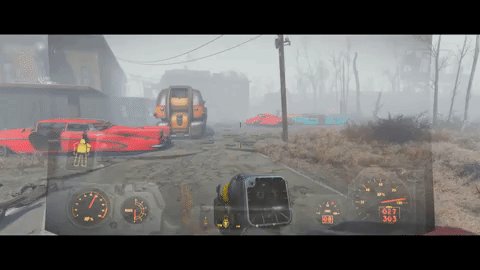
Reducing motion sickness in games involves adjusting in-game settings like field of view, camera sensitivity, and motion blur, while also taking breaks and focusing on a fixed point in the real world.
Ever felt that nauseating swirl while playing your favorite game? It’s a common problem called motion sickness, and it can really take the joy out of gaming. Understanding how to reduce motion sickness in games is crucial for a comfortable and enjoyable experience. Luckily, there are several steps you can take to minimize those unpleasant symptoms. These adjustments can help you get back into the game, feeling much better and ready for victory.

How to Reduce Motion Sickness in Games
Motion sickness in video games, also known as simulator sickness, is a real bummer. It can turn an exciting gaming session into an uncomfortable experience. But don’t worry, you don’t have to give up your favorite games! There are lots of things you can do to fight off that queasy feeling. This article will explore many ways you can reduce motion sickness and get back to enjoying your games.
Understanding Why Motion Sickness Happens
Before we jump into solutions, let’s quickly look at why motion sickness occurs. It’s basically a mix-up between what your eyes see and what your inner ear feels. Your inner ear, which helps with balance, can sense movement. In a video game, your eyes might be showing you a fast-paced chase scene, or you’re quickly rotating the camera. However, your body is actually sitting still. This conflict sends confusing signals to your brain, sometimes resulting in nausea, dizziness, and that overall icky feeling. It’s like your brain is saying, “Wait a minute! What’s going on?”
Tackling Game Settings for Reduced Motion Sickness
The good news is that many games offer settings that can help minimize motion sickness. These adjustments can make a huge difference!
Adjusting the Field of View (FOV)
FOV is like the width of the window you see in the game. A narrow FOV makes the game feel more zoomed-in, which can intensify the feeling of movement. A wider FOV lets you see more of your surroundings, which can help your brain understand what’s going on. The feeling is akin to looking through a large window rather than a small one, reducing the intensity of simulated movement.
Here’s how to adjust FOV in games:
- Look for “FOV” or “Field of View” in the game’s graphics settings.
- Experiment with different settings. Start by increasing the FOV in small increments.
- Finding the right FOV is key. Too much can sometimes cause a fish-eye effect, while too little can worsen motion sickness. The sweet spot varies from person to person and game to game.
Generally, a FOV between 90-110 degrees is a good place to start for PC games. For console games, which often have a more limited FOV range, try increasing it to the maximum setting.
Turning Down Motion Blur
Motion blur is a visual effect that makes things appear blurry when they’re moving quickly. While it can look cool, motion blur can also contribute to motion sickness. It adds extra visual information that can confuse your brain. Turning motion blur off can create a clearer and less disorienting view. It is like focusing a camera, removing that hazy effect of movement.
How to disable motion blur:
- Find “Motion Blur” in the game’s graphics options. It is often found along with other visual effects.
- Simply switch it to “Off” or a lower setting. Check if your game allows you to disable it completely.
Disabling Head Bobbing
Head bobbing is a subtle up-and-down movement of the camera that’s often used to simulate walking or running. While it adds a touch of realism, this can be another trigger for motion sickness for some gamers, especially if the motion is exaggerated or not smooth. Disabling this camera effect can stabilize your view and help reduce feelings of nausea. Its similar to when a camera is kept still instead of moving up and down.
To disable head bobbing:
- Search for “Head Bob,” “Camera Shake,” or something similar in the game settings. These options are not always explicitly named head bob.
- Look for a slider or switch to adjust or disable the effect. If there is no direct off switch try adjusting it to the lowest setting.
Adjusting Camera Sensitivity
Camera sensitivity dictates how quickly the in-game camera moves when you use your mouse or joystick. High camera sensitivity can lead to sudden, jerky movements, which can exacerbate motion sickness. Lowering the sensitivity makes camera movements smoother and more controlled, helping reduce the feeling of unease. It’s similar to moving a car gently instead of jerking the wheel.
To adjust camera sensitivity:
- Look for “Camera Sensitivity,” “Look Sensitivity,” or “Mouse Sensitivity” options in the game’s controls or settings.
- Lower the sensitivity settings gradually.
- Experiment to find the right balance. A lower setting often helps avoid rapid camera movements.
Utilizing a Static Crosshair
A static crosshair means the targeting reticle stays fixed in the center of your screen. Some games have crosshairs that move with the camera, and this can add to the visual clutter and confusion, contributing to motion sickness. A static crosshair makes it easier for your eyes to stay focused, reducing visual noise and disorientation. It’s similar to having a fixed point to look at rather than a moving one.
To use a static crosshair:
- Check game setting if they have an option to set it to static, or see any setting related to it.
- If the game doesn’t have an option, you can add a static crosshair via third-party software or by putting a tiny sticker on your monitor at the center. Use this method carefully.
Making Changes to Your Physical Environment
Adjusting how you play and where you play can also have a big impact on reducing motion sickness.
Sitting Further Away From the Screen
Sitting too close to the screen can intensify the feeling of movement in the game. Creating some distance from the monitor reduces the overwhelming visual stimulus. This can minimize the conflict between your eyes and inner ear, reducing feelings of nausea. Its similar to watching a movie in a cinema rather than being on set.
Here’s how to adjust your distance:
- Move your chair back a little bit further. Try to have the screen within your line of sight without straining.
- Play with the distance. There is no fixed distance. Experiment to find what’s comfortable.
Ensure Good Ventilation
A stuffy room can make motion sickness worse. The feeling of being in a closed room can add to the discomfort. Make sure you have good air circulation to stay cool and comfortable. It’s like being in a room with fresh air, making things generally more pleasant.
Steps to improve ventilation:
- Open a window. If the weather allows, open up windows and let the fresh air in.
- Use a fan or air conditioner. Use any of these to keep air moving in the room.
Taking Breaks Often
Long gaming sessions without breaks can worsen motion sickness. Regular breaks help your body and brain to reset, and give your eyes time to adjust from the digital world back to real life. It’s important to give yourself a break from the game to give your eyes and mind a rest. It is similar to taking rest periods between heavy physical exercises.
How to take regular breaks:
- Set a timer. Play for 30 minutes, and then take a 5-10 minute break.
- Do something different during breaks. Get up, walk around, look out the window, or drink some water.
Playing in a Well-Lit Room
Playing in a dark room can make your eyes struggle to differentiate between the game and the real world, often worsening motion sickness. Playing in a well-lit room helps your brain differentiate the game and reality, reducing eye strain and feeling unwell. It’s like watching a movie in a brightly lit room compared to a darkened cinema.
Tips to get better lighting:
- Turn on overhead lights. Brighten your space with good lighting.
- Use natural light if possible. Open the windows, if weather and location permits to let the sunshine in.
Using Physical Aids
Certain physical tools or methods can help you combat motion sickness while gaming. You can try these options and see if they are useful for your situations.
Ginger
Ginger is a natural remedy that can help with nausea. It has been used for centuries to help with stomach issues. Eating, drinking, or using ginger supplements before a gaming session could help reduce motion sickness. It’s similar to having a cup of tea to settle your stomach.
How to use ginger:
- Eat ginger candy or drink ginger ale. This is a simple way to use ginger.
- Try ginger tea. It may help with nausea.
- Consider ginger supplements. Check with a doctor before taking a supplement.
Wristbands
Acupressure wristbands are designed to press on specific points on your wrist that help reduce nausea. These bands are often used for travel sickness, but they can also be helpful for gaming-related motion sickness. They offer gentle pressure, like a mini massage, that may help alleviate those feelings of discomfort.
How to use wristbands:
- Place the wristbands correctly. Follow the instructions that come with the bands.
- Wear them during your gaming sessions. Put them on before you start to play.
Peppermint Oil
Peppermint oil has a refreshing smell and can help with nausea. Just inhaling a bit of peppermint oil can calm an upset stomach. It is a simple and easy method to calm any nausea from motion sickness. It’s like a breath of fresh air for your stomach.
How to use peppermint oil:
- Inhale it directly from the bottle. Take a quick sniff of the oil for a quick relief.
- Put some on a cotton ball or tissue to smell. If direct inhalation is too strong, use this method.
Choosing Motion Sickness Friendly Games
Some games are more likely to trigger motion sickness than others. First-person perspective games, especially those with lots of fast movement or complex camera controls, are common culprits. Selecting the right kind of games can help reduce the chance of experiencing motion sickness.
Here are a few types of games that are usually less likely to cause motion sickness:
- Strategy Games: These games often have a slower pace and a fixed, birds-eye view.
- Puzzle Games: Many puzzle games have static scenes and minimal camera movement.
- Side-Scrolling Platformers: These games often present the action from the side with a static camera view.
- Top-Down Games: These games provide a view from above with less camera motion, which can be easier on your eyes.
- Turn-Based Games: With turn based gameplay, you have ample time to make your decisions, and the camera generally doesn’t jump suddenly from one place to another.
If you know certain types of games often trigger motion sickness, then it’s a good idea to avoid them. This way, you can enjoy gaming without getting sick.
A Summary Of The Key Points
Fighting motion sickness in games is manageable. By making small changes to your game settings, how you play, and your environment, you can significantly reduce the uncomfortable feelings. Try these different methods and see what works best for you. Everyone is different, so finding the combination that works is key to an amazing gaming experience. Here are some things to consider.
Game Settings
- Adjust the field of view (FOV) to be wider.
- Turn off motion blur.
- Disable head bobbing.
- Lower camera sensitivity.
- Use a static crosshair.
Physical Environment
- Sit further from the screen.
- Ensure good ventilation.
- Take regular breaks.
- Play in a well-lit room.
Physical Aids
- Use ginger supplements or food.
- Wear acupressure wristbands.
- Use peppermint oil.
Game Selection
- Choose games with less camera movement.
- Avoid first person games if they trigger motion sickness.
By using these methods, you can enjoy gaming without feeling sick. Remember, it might take a little bit of testing to find out what works best for you. With time and practice you will be on the way to a more enjoyable gaming experience without any motion sickness.
Eli5 – Nausea while gaming due to motion sickness
Final Thoughts
To reduce motion sickness in games, prioritize stable frame rates. Adjust field of view settings and use a physical anchor if possible. Taking breaks often is also a key part.
You can also try adjusting your seating or room lighting. These adjustments will help how to reduce motion sickness in games by minimizing visual conflicts. Experiment and find what works best for you.

