
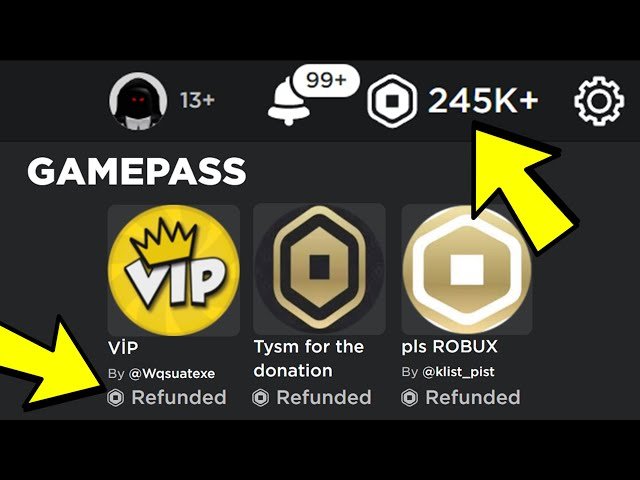
Unfortunately, you cannot directly refund game passes on Roblox. All game pass purchases are generally final.
Ever bought a game pass on Roblox and immediately regretted it? Maybe it wasn’t what you expected, or you found a better option. It’s frustrating when you realize you made a mistake. Many people search how to refund game passes on roblox when this happens.
While Roblox doesn’t offer a straightforward refund button for game passes, there are alternative options you can explore that might help. We will cover that in the upcoming article. Let’s dive into this topic further.

How to Refund Game Passes on Roblox
Have you ever bought a game pass on Roblox and then wished you hadn’t? Maybe it didn’t work the way you expected, or perhaps you just changed your mind. It can be frustrating to feel like you’ve wasted your Robux. The good news is, while Roblox doesn’t have a simple “refund” button for game passes, there are still some things you can try to get your Robux back or find a good resolution. Let’s dive into how to navigate this tricky situation!
Understanding Roblox’s Game Pass System
First, it’s important to understand how game passes on Roblox work. These passes are special items that you can purchase within a game to gain extra abilities, items, or access to locked areas. When you buy a game pass, the Robux you spend goes directly to the game’s creator, not Roblox itself. This is a key reason why refunds are not always straightforward. Since the money is now in the hands of the creator, Roblox doesn’t have a direct way to just take it back and give it to you.
Why Standard Refunds Aren’t Available
Think of it like buying a toy at a store owned by someone else within a big shopping mall (Roblox). Once you’ve paid the owner of the toy store, it’s hard for the mall to just take the money back. It’s the same idea with Roblox game passes. The developers who make games on Roblox are like those store owners, and Roblox is like the mall. That’s why the process to get Robux back needs to be handled carefully and can sometimes take time.
Game Passes vs. Developer Products
It’s also vital to know the difference between game passes and developer products. Game passes are one-time purchases that permanently give you something in the game. Developer products, on the other hand, can be bought multiple times, like in-game currency or potions. Refunds for developer products are even less likely than for game passes, so we’ll focus on game passes since they are the most likely to have a possible resolution.
When a Refund Might Be Possible
Even though Roblox doesn’t have an easy refund system, there are situations where you might have a good reason to try getting your Robux back. These often involve the game pass not working as advertised.
- The Game Pass is Broken: If the game pass simply doesn’t work after you buy it – like a speed boost that doesn’t make you faster, or an access pass that still won’t let you in – this is a valid reason to ask for a refund.
- The Game is Buggy: Sometimes, a game itself can have lots of bugs. If the bugs make it impossible to use your game pass or make the whole game unplayable, you might have a case.
- The Game Pass Description is Misleading: If the game pass says it does one thing but it does something else, this is a valid concern. For example, if the pass promises a special sword but gives you a hat instead, this isn’t right.
- Developer Issues: If the game’s creator is unresponsive or they have abandoned the game after selling game passes, it can make getting help tough, but it’s still a situation where you might seek assistance.
Steps to Take When Seeking a Refund
Okay, so if you think you have a good reason for a refund, what can you do? Here are the steps you can try:
Step 1: Contact the Game Creator Directly
The first thing you should do is contact the game’s creator. They are in control of their game and how their game passes work. Most games have social links or a way to contact the developer from the game’s page on Roblox. Look for a “Social Links” section or maybe a contact button. Here’s how to do this:
- Go to the game’s page: Find the game you purchased the game pass for.
- Look for the creator’s profile: Below the game’s name, there’s usually a link to the profile of the game’s creator. Click it.
- Check their profile: See if the creator has links to their social media like Twitter or Discord or a group that you can join. They may have instructions there on how to report issues.
- Send a message: If they provide a way, explain your problem clearly. Tell them what game pass you bought, when you bought it, and exactly why it’s not working as intended. Be polite but clear about your request.
When contacting the developer, remember to provide:
- Your Roblox username.
- The exact name of the game pass.
- The date you bought the game pass.
- A clear explanation of the issue you’re experiencing.
Sometimes the developer may fix the issue or offer a different game pass that you can use. Some are also willing to refund the Robux, even if it’s a manual process for them.
Step 2: Report the Game Pass on Roblox
If the developer doesn’t respond or is unable to assist, the next step is to contact Roblox support directly. You can report the game pass, game or the developer through the “Report Abuse” feature. This helps Roblox know about a problem, and they may look into it. Here’s how you can do it:
- Go to the game pass page: Find the page for the game pass that you bought. This can often be done by going to the game page, clicking “Store”, and finding the game pass there.
- Look for the three dots: On the game pass page, you will see three little dots, click these.
- Select “Report”: Click the “Report” button.
- Select a reason: You’ll get a menu to choose why you are reporting the game pass. Make sure to select something that accurately reflects the issue such as “Misleading item description” or “Broken item”.
- Explain the Issue: Provide details. Explain what went wrong, when you bought it, and any steps you have taken to try and resolve the problem already.
Step 3: Contact Roblox Support Directly
This is the final step to try when getting a refund. If reporting the game pass doesn’t lead to a solution, reaching out to Roblox Customer Support is a good idea. They are the only ones who can actually give you Robux back, but keep in mind they may not be able to grant every request. Here’s how to do it:
- Go to the Roblox Support page: Open the Roblox website in a browser and scroll down to the bottom. You will see a “Support” link in the footer, click it.
- Login: Make sure that you are logged in to your Roblox account.
- Fill out a form: You will see a form to fill out. Select “Billing/Purchases” as the issue type, then select the subcategory “Refund Request.”
- Explain everything: In detail, describe the issue with your game pass, explain why you think you deserve a refund, and that you’ve tried to reach out to the developer.
- Submit: Send the form and wait for a response from support.
When contacting Roblox support, be as thorough and helpful as you can be. It makes it easier for them to understand and help. Things you should include are:
- Your Roblox username.
- The game name.
- The exact name of the game pass.
- The date and time of your purchase.
- A clear explanation of the issue with the game pass, including any screenshots or videos you might have (if applicable)
- Confirmation that you tried to contact the game’s creator
Remember, Roblox support may not always give you a refund, but they will review every request that is sent to them. They have a lot of people asking for help, so be patient and follow the instructions they give you.
Tips for Avoiding Game Pass Issues
The best way to avoid having to seek refunds is to be careful when buying game passes in the first place. Here are some tips:
- Check the game reviews and ratings: Before buying a game pass, look to see what others say about the game. Are there lots of complaints about broken game passes or glitches? This can be a red flag.
- Read the game pass description carefully: Make sure you understand exactly what the game pass will do. Look for any hidden details or conditions.
- Watch gameplays: Try to find some videos of other players using the game pass you are interested in. If you can see how the game pass works first, you’ll be more likely to avoid a bad purchase.
- Test the game first: Play the game normally without buying any game passes. This will let you see if the game is something you like and is bug-free before you spend more Robux.
- Buy from Trusted developers: Look for developers that have a good reputation. They usually have a long track record and you will be able to see how they interact with players.
- Don’t make impulse purchases: Don’t buy game passes too quickly. Give yourself time to think about it to make sure it’s a purchase you actually want to make.
Understanding the Limitations
It’s important to be realistic about the possibility of getting a refund. Roblox is a platform with a huge number of games, so it can be hard for them to look into each case. They also want to support game developers, who are the people that create these experiences.
Roblox’s Position on Refunds
Roblox doesn’t usually offer refunds for game passes because these purchases go directly to the game developers. This ensures that developers get support for their work. They do investigate cases where game passes are not working properly, but they can’t guarantee a refund every time. They also expect you to do some work as well by contacting the developers first.
Possible Outcomes
Here are some things that might happen after requesting a refund:
- You might get a refund: Roblox may give you your Robux back if they find a major problem.
- You might not get a refund: If they don’t find anything wrong or believe you should have tried to resolve it with the creator first, they may deny your refund request.
- The creator might fix the game pass: Sometimes, instead of giving you Robux, they’ll ask the developer to fix what’s broken.
- Nothing happens immediately: Getting answers from support can take a little time. This doesn’t mean they’re ignoring you, but that they are processing your request. Be patient.
In most cases, a refund isn’t a simple process and it might not happen. Try all the steps explained above. And remember to always be polite and patient while seeking a resolution.
HOW TO REFUND GAMEPASSES ON ROBLOX 2025! (WORKING)
Final Thoughts
Unfortunately, Roblox does not offer a direct refund option for game passes. You generally cannot get your Robux back after purchasing a game pass.
The lack of refund functionality means players must carefully consider their game pass choices. Understanding this system is vital for spending wisely.
Therefore, the answer to ‘how to refund game passes on roblox’ is, you generally cannot. Plan purchases with care.

