
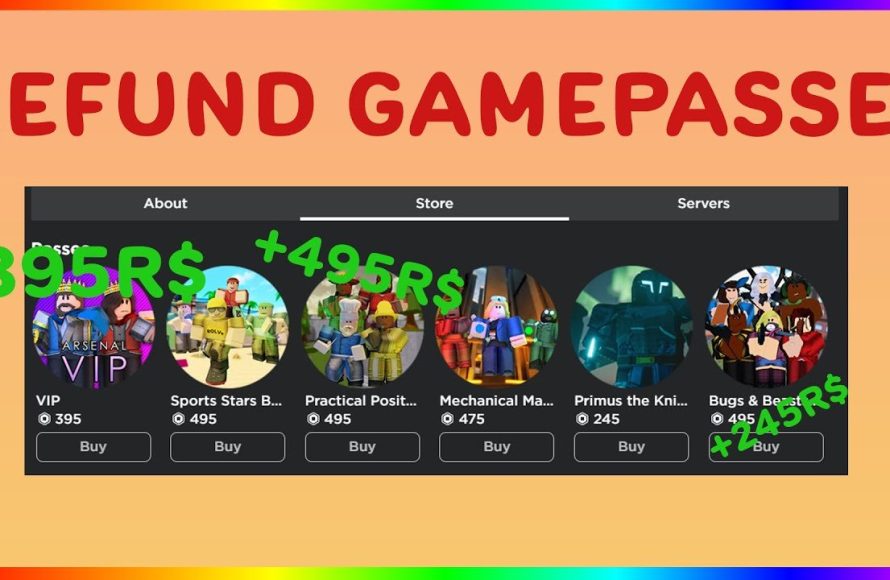
Unfortunately, most platforms do not offer direct refunds for game passes. You generally cannot get your money back after you purchase them.
Purchasing a game pass can feel exciting, granting access to new content. However, sometimes you might change your mind or purchase the wrong one. So how to refund game passes becomes a frequent query. It’s frustrating when you realize a pass isn’t what you expected or you need the money for something else.
Unfortunately, directly refunding a game pass isn’t usually possible. Most platforms do not have an automatic refund option for these in-game purchases. This can leave many players wondering about available alternatives.

How to Refund Game Passes
Have you ever bought a game pass in a game and then wished you hadn’t? Maybe it wasn’t what you expected, or maybe you just don’t use it anymore. It can feel like you’re stuck with something you don’t want, but sometimes, you can get your money back. Getting a refund for a game pass isn’t always super easy, but it’s good to know how it works, so you can try when you need to. This guide will walk you through the steps you can take to try and get that refund.
Understanding Game Pass Refunds
Before we dive into how to ask for a refund, let’s talk about the rules. Not all game passes are refundable. Each game or gaming platform (like Roblox, Xbox, PlayStation, or Steam) has its own rules, and these rules can be a bit complicated. Some games or platforms have a clear return policy for game passes, while others do not. Understanding these rules is the first step in knowing if a refund is even possible. It’s kind of like learning the rules of a game before you play it – you need to know what’s allowed to have the best chance of winning (in this case, getting your money back!). We will now explore these rules based on each platform. Before that let’s talk about why game passes generally are not refundable.
Why Game Passes are Often Non-refundable
Many platforms and game developers have policies that usually make game passes non-refundable. They consider a game pass as a type of digital good, like a piece of software or a downloadable item. Once you’ve bought a game pass and it’s been added to your account, it’s considered “used” in a sense, even if you haven’t really done much with it. Also, these game passes often unlock in-game content or features, so developers assume that once you’ve received this benefit, a refund shouldn’t be an option. It’s a bit like buying a ticket to an amusement park – once you’re inside, you can’t get a refund just because you didn’t go on all the rides. This is why it’s always wise to consider a purchase very carefully.
Refund Policies on Different Platforms
The specific method and rules for getting a refund can vary a lot between different gaming platforms. Let’s look at some of the most popular ones and what you might be able to expect from them:
Roblox
Roblox is a platform where you can find lots of user-made games and game passes. For most Roblox game passes, getting a direct refund isn’t something the platform usually supports. If you buy a game pass and the experience isn’t what you were expecting, Roblox won’t usually provide a way to automatically refund the purchase. This means you can’t just click a button and get your Robux back (Roblox’s in-game currency). However, there are some ways that you might be able to ask for your Robux back in special cases.
Roblox Refund Scenarios
- Faulty Game Passes: If a game pass doesn’t work as described, or it’s broken, you can sometimes ask the game’s creator directly for a refund. Since Roblox does not offer an automated system, your best chance is contacting the game developers to ask for your robux back. This is not always guaranteed, as it completely depends upon the game developer.
- Accidental Purchases: If you bought a game pass by mistake, Roblox’s support team might be able to help you out. But you must contact them soon after the purchase, and explain the situation in details, as it will be investigated by Roblox support team.
It’s important to keep in mind that Roblox encourages users to carefully read the description and rules of a game pass before buying it.
How to Contact the Roblox Support Team
If you have a valid reason for a refund, here’s how you might go about contacting Roblox support:
- Go to the Roblox Support page on the Roblox website.
- Look for the contact form or a way to submit a support request.
- Fill in all the details carefully, especially the details about the transaction, and your roblox ID, and what exactly is the problem.
- Explain your issue clearly and politely, and specify that you’re asking for a refund.
- Wait for the team to review your case and respond. This can take some time.
Roblox support team is very hard to convince, therefore do not take this as a guarantee that they will refund the purchase.
Xbox
Xbox, which uses Microsoft’s account system, has a more structured refund system compared to Roblox. Xbox offers refunds for games and add-ons, including game passes, but with certain conditions.
Xbox Refund Requirements
- Timeframe: You have to request a refund within 14 days of buying the game pass.
- Usage: You must not have significantly played or used the game pass. If you’ve used the features included with it too much, getting a refund will be difficult.
- Digital Content: Only digitally purchased items are eligible for refund, not the ones bought from physical stores.
How to Request a Refund on Xbox
Here’s how you can ask for a refund for a game pass on Xbox:
- Go to the Xbox website and sign in to your Microsoft account.
- Navigate to your order history.
- Find the game pass you want a refund for.
- If it is eligible for a refund, you will see a refund button. Click on it to request a refund.
- Follow the instructions and provide necessary details.
- Wait for a decision from the Xbox support team.
It’s important to be polite and factual when submitting your request. This helps them understand your situation.
PlayStation
PlayStation, like Xbox, also has a refund policy, but it has its own rules. It is slightly more strict as compared to xbox.
PlayStation Refund Conditions
- Time Limit: You usually have 14 days from the purchase date to ask for a refund.
- Download/Streamed Content: If you’ve started downloading or streaming the content associated with the game pass, you might not be able to get a refund.
- Usage: Similar to Xbox, refunds may not be given if the game pass has been used significantly.
How to Request a Refund on PlayStation
To ask for a refund on PlayStation, follow these steps:
- Go to the PlayStation support website.
- Sign in with your PlayStation account.
- Navigate to the refund request section.
- Find your game pass and submit the refund request, specifying a reason.
- Wait for the PlayStation team to process your request.
Be patient as it might take time for them to respond to your case.
Steam
Steam, a popular platform for PC games, also has its own refund process, which is quite generous to the customers. It’s often more straightforward than some other platforms.
Steam Refund Rules
- Time and Usage: You can get a refund for a game pass if you have purchased it within the last 14 days and have not played it for more than 2 hours.
- Digital Purchases: Refunds are usually only available for digital purchases of Steam.
How to Ask for a Refund on Steam
The process to get a refund on Steam is quite simple:
- Sign in to your Steam account.
- Go to the “Support” option from the top menu bar.
- Choose “Purchases”.
- Find the game pass you want to refund.
- Choose the reason for the refund.
- Submit the request.
- Wait for the decision.
Steam often reviews these requests quite quickly, making it a generally easy experience for refund requests.
General Tips for Getting a Game Pass Refund
Regardless of the platform, here are some general tips that might help you get your money back:
Be Quick
Act as soon as possible after the purchase, the sooner you try to request the refund, the better are the chances of getting the refund. All the platforms require the requests to be submitted in a short window after the purchase.
Be Polite and Clear
When asking for a refund, always be polite and write your request very clearly, stating your reasons. Avoid being emotional or using demanding language, as it might decrease the chance of getting the refund. Make sure you mention all the details like order ID, game ID, game pass name etc. in your request.
Have Proof
If your reason for wanting a refund is because the game pass didn’t work correctly, have proof ready. This could be screenshots or videos showing what happened. The more proof you have, the easier it is for the support team to see your point. Proofs act as strong valid reason for refund, and chances of getting the refund significantly increase with them.
Check Terms and Conditions
Always read the refund policies carefully before buying any game pass. This can help you avoid issues and also clarify whether you even have a right to ask for a refund in certain cases.
Consider Game Pass Bundles
Instead of buying game passes individually, many platforms provide game pass bundles which give access to many games at a reduced price. These bundles may have a slightly different refund policy, therefore it’s always good to check their terms and conditions.
What To Do If Your Refund Request Is Denied
Sometimes, despite your best efforts, you might not get a refund. This can be frustrating, but here are some things you can do:
Check for Error
Make sure you haven’t missed any important information, and if there was an error in filling the form, try again. Sometimes, a simple mistake can cause the refund request to fail.
Appeal the Decision
If your request is denied initially, some platforms have a process for appealing the decision. Go through the appeal process and explain your situation again.
Contact Support Again
You might be able to try reaching out to customer support again, and ask for help from a different support member. Sometimes the outcome varies, based on which support member is reviewing the request.
Learn From the Experience
If a refund can’t be obtained, treat it as a lesson. Always consider what went wrong and try to avoid making similar decisions in the future.
Alternative Solutions
If a refund isn’t an option, there are other steps that you can take. Maybe the content you bought can still be useful, or maybe you can get some help from the developers.
Engage With the Community
Sometimes the developers of the game or game pass respond on forums or in communities. Let them know about your issues with the game pass. Sometimes the developer will try to help you out and try to find a suitable solution. In many cases, the developers might resolve the issue you are facing in an update.
Look For Trade In Opportunities
Some games or platforms allow users to trade or give away in-game items, including game passes. If the game pass isn’t very useful to you, you can trade with a friend, or maybe some other user. It might not be as good as a refund but, it’s an alternative to just having it sit around unused.
Share Your Feedback
Leave feedback about the game pass, letting other players and the developers know what you like or dislike. This might not help you personally, but it can improve the experience for other players.
These are some of the tips and tricks you can try to get a refund on a game pass. Always remember to read the fine print before buying anything, and stay patient throughout the process.
Trying to get your money back after purchasing a game pass can be tricky, but it’s not impossible. By understanding the refund rules of different platforms and following the appropriate steps, you can increase your chances of a successful refund. Remember, being quick, clear, and polite will help you in the refund process. Even if you don’t get the refund, you can always try some of the alternative methods or learn from the experience. Stay informed, and keep gaming wisely!
HOW TO REFUND GAMEPASSES ON ROBLOX 2025! (WORKING)
Final Thoughts
Refunds for game passes typically depend on the platform’s specific policies. Contact the platform’s support for detailed steps, usually found in their help sections. Generally, you can’t refund a used game pass.
Specific platforms may offer refunds under particular conditions, for example, for accidental purchases. Knowing ‘how to refund game passes’ requires checking each provider’s guidelines. The process varies significantly, thus always explore the help documentation.

