
To repair a scratched Xbox game, gently clean the disc with a soft cloth and consider using a disc repair kit if necessary.
That awful sound of your Xbox struggling to read a game, often signals the dreaded scratch. It’s frustrating when your favorite title becomes unplayable due to surface damage. Learning how to repair a scratched xbox game, becomes essential for any gamer.
Don’t panic! There are steps you can take to bring your games back to life. We explore some common methods which might help you get back in the game.

How to Repair a Scratched Xbox Game
It’s super frustrating when your favorite Xbox game won’t play because of a scratch. You put the disc in, and instead of an awesome game, you get error messages or the game just freezes. Don’t worry, you’re not alone! Lots of gamers face this problem. The good news is, sometimes you can fix those scratched discs and get back to playing. This article will show you how to try and repair those pesky scratches so you can enjoy your games again.
Understanding the Enemy: Types of Scratches
Before we dive into fixes, let’s talk about the different kinds of scratches that can mess with your game disc. Not all scratches are the same, and knowing the type can help you decide if it’s fixable.
Surface Scratches
These are the most common type of scratch and are usually very thin. They don’t go deep into the disc’s surface. Often, these scratches happen when you handle the disc a lot or when dust rubs against the surface. They look like tiny, faint lines on the reflective side of the disc. Surface scratches are usually the easiest to fix. You might even be able to make them almost disappear!
Circular Scratches
Circular scratches appear as circles or partial circles on the disc. They’re usually caused by the disc spinning when something is scratching it, like a grain of sand in the disc drive or when someone is a bit too rough while trying to put it back in its case. Sometimes these scratches can be quite deep and make the game unplayable. It’s important to treat these with care as sometimes deep circular scratches require professional help.
Deep Radial Scratches
Radial scratches are lines that go straight across the disc, from the center to the edge or vice versa. These can be caused by sharp objects and are more problematic. If the scratch goes across the data part of the disc, where information is stored, it can be harder to fix. If you have a deep radial scratch, the fix might not work as well as it would for a surface scratch. It’s often due to rough handling or dropping a disc on a hard object, but sometimes they also happen by being careless and using a hard or sharp object to try and get rid of dust.
Tools of the Trade: What You’ll Need
Before you start trying to fix your scratched disc, it’s essential to have the right supplies. Here is a list of things that might come in handy:
- Soft, lint-free cloths (like the ones you use to clean glasses)
- Distilled water
- Mild dish soap
- Rubbing alcohol (isopropyl alcohol)
- Toothpaste (non-gel, and non-whitening)
- Cotton swabs
- A clean, soft sponge
- Optional: A disc repair kit (if you feel like buying one)
Make sure to choose soft, clean materials. You don’t want to cause more damage by using abrasive or dirty tools.
Basic Cleaning Methods: A First Step
Sometimes the problem is not a deep scratch, but just dust or dirt. Before trying to fix any scratches with home remedies, let’s try cleaning the disc first. This is often an easy and quick solution.
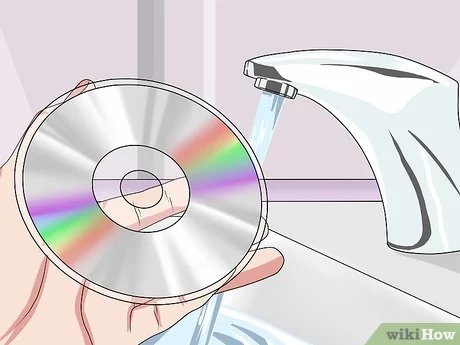
Cleaning with Water and Dish Soap
For a basic clean, use a little warm water and mild dish soap. Here’s how to do it:
- Put a tiny drop of dish soap on the disc.
- Gently rub the soap over the disc with your fingers. Make sure not to scrub hard!
- Rinse the disc very well with clean, lukewarm water.
- Dry the disc with a soft, lint-free cloth. Don’t rub in circles; instead, go straight from the center out to the edge.
- Check if the game plays now. If it still doesn’t work, you’ll need to move to the next methods.
Cleaning with Rubbing Alcohol
If the water and soap method doesn’t work, rubbing alcohol (isopropyl alcohol) might help to remove fingerprints or oily residue. Please remember to use it with caution.
- Apply a small amount of rubbing alcohol to a soft, lint-free cloth.
- Gently wipe the disc from the center to the edge. Do not rub in circles.
- Let the disc air dry completely before trying it out again.
- Avoid soaking the disc, and don’t use any other cleaning solutions.
Advanced Methods: When Cleaning Isn’t Enough
When cleaning methods don’t cut it, we will need to attempt to fix the scratches directly.
The Toothpaste Technique
Yep, you heard right, toothpaste can be used as a mild abrasive to buff out the scratches. This sounds a bit strange but it can help. Only use non-gel and non-whitening toothpaste because others can be too harsh and damage the disc instead of repairing it.
- Put a small amount of toothpaste on a soft cloth.
- Gently rub the toothpaste onto the scratched areas of the disc. Move in a straight line from the center to the outer edge.
- Continue buffing it for a few minutes in a gentle way.
- Rinse off the toothpaste completely with lukewarm water, making sure there is no residue left.
- Dry the disc thoroughly with a soft, lint-free cloth. Always go from the center to the outside.
- Test the disc. If it still doesn’t play, you may need to repeat the process, but be careful not to overdo it.
Important Note: Do not apply too much force or too much toothpaste. The idea is to gently remove the outer layer of the disc just enough to repair the scratch.
Using a Disc Repair Kit
If the home remedies don’t work, you might consider buying a disc repair kit. These kits have special compounds that can polish out the scratches. Here’s a general idea of what to expect, although specific steps may vary depending on the kit you buy:
- Cleaning Fluid: Many kits come with a cleaning solution to remove any dust or grease before polishing.
- Polishing Compound: The polishing compound is like a super-gentle abrasive. You apply it to the disc and then buff it using a special cloth or tool in the kit.
- Buffing Pad or Cloth: The kit includes a special cloth to buff the disc and remove the scratch.
How to Use a Disc Repair Kit:
- Read the instructions that came with the kit carefully.
- Use the cleaning fluid if the kit contains it.
- Apply a small amount of polishing compound onto the soft cloth or polishing pad.
- Gently buff the disc. Always move from the center to the outer edge.
- Wipe off any remaining polishing compound.
- Test the disc. If it still doesn’t work, you may need to repeat the process, but avoid overdoing it.
Important Tips and Things to Keep in Mind
Repairing scratched discs can be tricky. Here are some important things to remember to make the process successful:
Gentle is Key
Always be gentle when cleaning or buffing a disc. Applying too much pressure can make things worse. Always do everything slowly and without pressing down too hard on the disc.
Straight Lines
Avoid circular motions when cleaning and buffing. Instead, wipe from the center of the disc straight out to the edge. This helps prevent creating more scratches. Circular movements can cause more scratches, especially circular ones!
Don’t Overdo It
It’s easy to get carried away, but don’t keep repeating the repair process if it doesn’t seem to be working. Doing it too much can remove too much of the protective layer of the disc, making it unplayable.
Prevention is Better Than Cure
To avoid having to repair a scratched disc in the first place, it’s good to be careful and take preventative measures:
- Always put discs back in their cases when you’re done using them.
- Avoid touching the shiny, data side of the disc.
- Make sure the disc drive is clean and free from dust.
- Handle the discs with care when taking them in and out of the cases.
- Keep discs in a cool, dry place to avoid warping.
When to Seek Professional Help
If the scratch is very deep or if none of the methods you tried worked, it might be best to get professional help. Some stores or online services specialize in repairing scratched discs. They use special machines that can fix tougher scratches. They also might be able to help you if you broke the disc completely. Sometimes if the damage is too extensive, the only option is to replace the game, but it is worth checking if a professional might be able to help first.
How Data is Read from Discs and Why Scratches are a Problem
Understanding how Xbox game discs work helps explain why scratches are such a big problem. Xbox game discs use a laser to read the data that is stored in tiny pits on the reflective side of the disc. When light from the laser hits those pits, it’s reflected back to a sensor in your Xbox console. The sensor then uses the reflections to read the game data. When there are scratches on the disc, the laser light gets scattered or blocked, and the sensor is unable to correctly read the data which leads to errors, freezing and an unplayable game.
Testing and Troubleshooting
After trying to repair the disc, always test it to see if it works again. It might be helpful to start with a part of the game that was having issues previously. If the game still doesn’t work, repeat the cleaning and repair processes carefully. If the game is still unplayable after a few tries it may be time to replace it.
Trying to repair a scratched Xbox game disc is a process of trial and error, sometimes it works, sometimes it doesn’t, but it is worth trying to get your games back into a playable state. With some care and patience, you may bring your favorite games back to life! Remember to be gentle, avoid circular motions and if you aren’t comfortable or are not having luck with the fixes, look for professional assistance.
fixing a scratched disc with toothpaste
Final Thoughts
To summarize, using a soft cloth and toothpaste can sometimes fix minor scratches. For deeper damage, specialized disc repair kits often work. Always try cleaning first before any abrasive method. These techniques help with how to repair a scratched xbox game.
Remember to move in straight lines from the center outwards, not in circles. Apply minimal pressure to avoid causing more harm. Proper care extends the lifespan of your game discs.

