
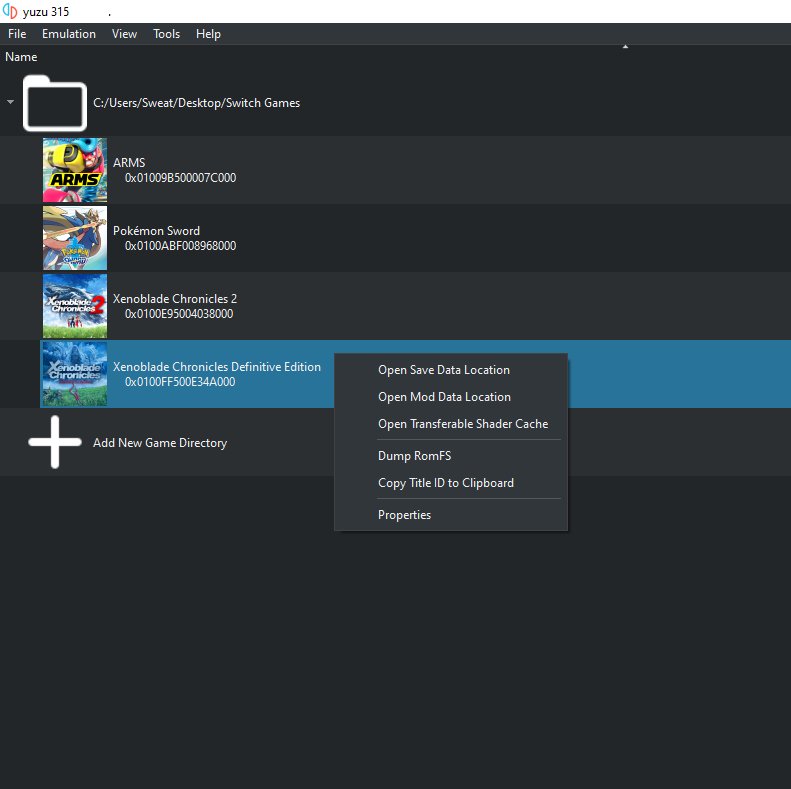
Ripping Switch games requires a modified Nintendo Switch console, specialized software, and a method to transfer the game files to your computer.
Interested in playing your Nintendo Switch games on other devices or making backups? The process of figuring out how to rip switch games can seem complicated. It involves some technical steps, but is manageable with careful research and the proper tools.
This guide will provide a basic overview of what’s needed. We will go over the necessary hardware and software. Remember that ripping games may have legal implications.

How to Rip Switch Games: A Detailed Guide
So, you’re curious about ripping your Nintendo Switch games? Maybe you want to back them up, play them on an emulator, or just have a digital copy. It’s a pretty cool idea, but it can be a bit tricky. This guide will walk you through the whole process, explaining things in a way that’s easy to understand, even if you’re not a tech whiz. Remember, it’s always a good idea to own the game physically before making a digital copy.
Understanding Game Ripping
Before we dive into the how-to, let’s talk about what game ripping actually means. It’s like taking a copy of your game from the cartridge (or the digital download on your console) and putting it onto your computer. This creates a digital file, usually an XCI or NSP file, that you can use with different tools. It’s not as simple as copying a document though, and it involves some specialized steps and software.
Why Rip Your Games?
- Backups: You can keep your game saves and have a copy of the game itself. That way, if anything happens to your physical cartridge, you’ve got another copy.
- Emulators: Emulators are programs that let you play games on a computer or other devices. To play Switch games on emulators, you need the game files.
- Convenience: Some people prefer to have all their games digitally, so they don’t have to swap cartridges.
Important Considerations
Game ripping sometimes involves modifying your Switch or using third party tools. Here are important points to keep in mind:
- Legality: It’s important to know the laws in your area. It’s generally okay to make a copy of a game you own for personal backup, but sharing it with others is usually illegal.
- Warranty: Modifying your Switch can void your warranty. Be aware of the risks involved before you make any changes.
- Risk of Bricking: There is a small chance that if you mess something up while modifying your Switch, it could stop working. Make sure to follow all instructions carefully.
Preparing Your Switch for Ripping
To rip your Switch games, you’ll need to get your console ready. This part is a bit technical, so pay close attention and be patient. It might seem a little complex at first, but breaking it down into steps makes it easier.
Checking Your Switch’s Firmware
The firmware is like the operating system of your Switch. You need to know what firmware your Switch is running. Some tools only work with specific firmwares. Here’s how to check:
- Turn on your Nintendo Switch.
- Go to System Settings (the gear icon on the home screen).
- Scroll down to “System.”
- Look for “System Update.” You’ll see the firmware version listed there.
Necessary Hardware and Software
You’ll need a few things to begin the process:
- Nintendo Switch Console: Obviously, you need your console.
- Computer: A computer running Windows, macOS, or Linux.
- microSD Card: A good quality, fast microSD card with enough space to hold your game backups.
- Payload Injector: A special tool or software needed to modify your Switch. This could be a USB dongle or a computer with the right software.
- Software Tools: Software used to dump the games. Examples include tools like Lockpick_RCM (for getting keys) and various homebrew tools for dumping.
Modifying Your Nintendo Switch
Modifying your Switch is a crucial step that allows you to run homebrew software, like the software required to rip games. This process can involve different methods, depending on your Switch model and firmware version.
Using a Payload Injector
Payload injectors are USB devices that send special code to your Switch. This puts the Switch into recovery mode, allowing it to run homebrew software.
- Make sure your Switch is powered off.
- Connect the payload injector to your Switch.
- Hold the Power and Volume + buttons simultaneously. Then press the Power button to boot your Switch into RCM mode.
- The payload injector sends a specific file that puts the Switch into custom firmware.
Installing Custom Firmware
After injecting the payload, you’ll boot into custom firmware. This is a modified version of the original Switch software which allows you to run homebrew applications. There are a few popular custom firmwares, such as Atmosphere, which are often used. Check that the custom firmware works with your console version. This part needs research and reading to understand the best procedure.
The steps usually involve:
- Copying files to your microSD card
- Booting into custom firmware with a payload injector or other means
- Using the homebrew menu to launch desired apps
Installing Homebrew Applications
Homebrew applications are tools that are created by independent developers. These programs enable you to accomplish many tasks, one being dumping your Switch games. After installing custom firmware on your Switch, you must install the appropriate tools. You install the app through the homebrew menu, in similar way you install a normal app on your mobile or computer.
Ripping Your Switch Games
Now that you’ve modified your Switch and installed the necessary tools, it’s time to actually rip your games. This involves taking the game data from the cartridge (or digital download) and saving it as a file on your microSD card.
Ripping Cartridge Games
For cartridge games, you need a homebrew application that can extract the game data. Several programs can do this, but we will use one of the more popular options, called “Nxdumptool”.
- Insert the game cartridge into your Switch.
- Boot up your Switch using the custom firmware setup.
- Open the Homebrew Menu.
- Launch your dumping tool (like “Nxdumptool”).
- Select the game cartridge you want to rip.
- Choose where you want the file to be saved (usually on your microSD card).
- The tool then starts reading and saving the game. This will take a little time.
- Once it’s complete, you’ll have the game as an XCI or NSP file on your microSD card.
Ripping Digital Games
Ripping digital games is a little different because the games are already stored on your Switch. The same type of tools are used to back these up, including “Nxdumptool”. Here’s how:
- Make sure you have the digital game downloaded on your Switch.
- Boot your Switch using the custom firmware.
- Start the Homebrew Menu.
- Open the dumping tool.
- Select your game from the list of installed games.
- Choose the save location for the game file.
- The tool will extract and save the game file.
Key Extraction
Some games need decryption keys to work correctly. When ripping the game, the dumping tools will ask to extract them. If you ever encounter problems when using your dumps, this is the first thing to check to see if you did extract the necessary keys for the game.
Troubleshooting Common Issues
Sometimes, you might hit a bump in the road when trying to rip a game. Here are some common problems and how to fix them:
- Game doesn’t load after dumping: Make sure you have the right keys and they are stored properly. Also check to see that the dump was done properly without error.
- SD card errors: Double check that you are using an SD card that is the correct format (fat32) and has enough space. Try a different SD card to rule out a card issue.
- Custom firmware crashes: Sometimes there are conflicts between specific custom firmware versions and certain homebrew applications. Update your firmware or try a different version, or make sure that you have all files for the custom firmware in the correct location on your microSD.
Using Your Ripped Games
Now that you’ve ripped your games, you can start using them. The most common uses are playing them on an emulator or keeping them as backups.
Playing on an Emulator
Emulators allow you to play your ripped Switch games on other devices like computers. Here are some tips to get started:
- Download an emulator: Popular Switch emulators include Ryujinx and Yuzu.
- Configure the emulator: Check out tutorials on the specific emulator you are using.
- Add your game files: Load the XCI or NSP files you ripped into the emulator.
- Play your games: Start the games from the emulator. Make sure you have the latest keys and firmware setup in the emulator to ensure the game works as intended.
Backing Up Your Games
Having a backup of your games is a great idea for safekeeping:
- Copy to an external drive: You can store your ripped game files on an external hard drive or USB drive.
- Organize your files: Create folders on your drive to keep your games organized.
- Cloud storage: Some cloud storage services allow you to store backups. Be sure that the service you use is ok with this use.
Ethical Considerations
Using your backed up games is ok for personal use, but here are some things to keep in mind:
- Do not distribute the files: Sharing the game files with friends or online is not permitted.
- Respect Copyright: Game companies own the rights to their games. You should own the games that you make copies of.
That completes our overview of ripping games. By following these steps, you should be able to back up your games. Please remember to do some research and to read specific directions and steps for each piece of software used, as these steps may change from time to time.
Dump Nintendo Switch Games and Play them on The Computer [Yuzu or Ryujinx] Tutorial [2023]
Final Thoughts
Ripping Switch games involves specific tools and a modified console. You will need a custom firmware and the right software. Remember, always check the legality of your actions and your local regulations.
The process requires careful attention to detail. It is important to follow instructions closely, as mistakes can damage your system. Learning how to rip switch games requires dedication and knowledge.

