
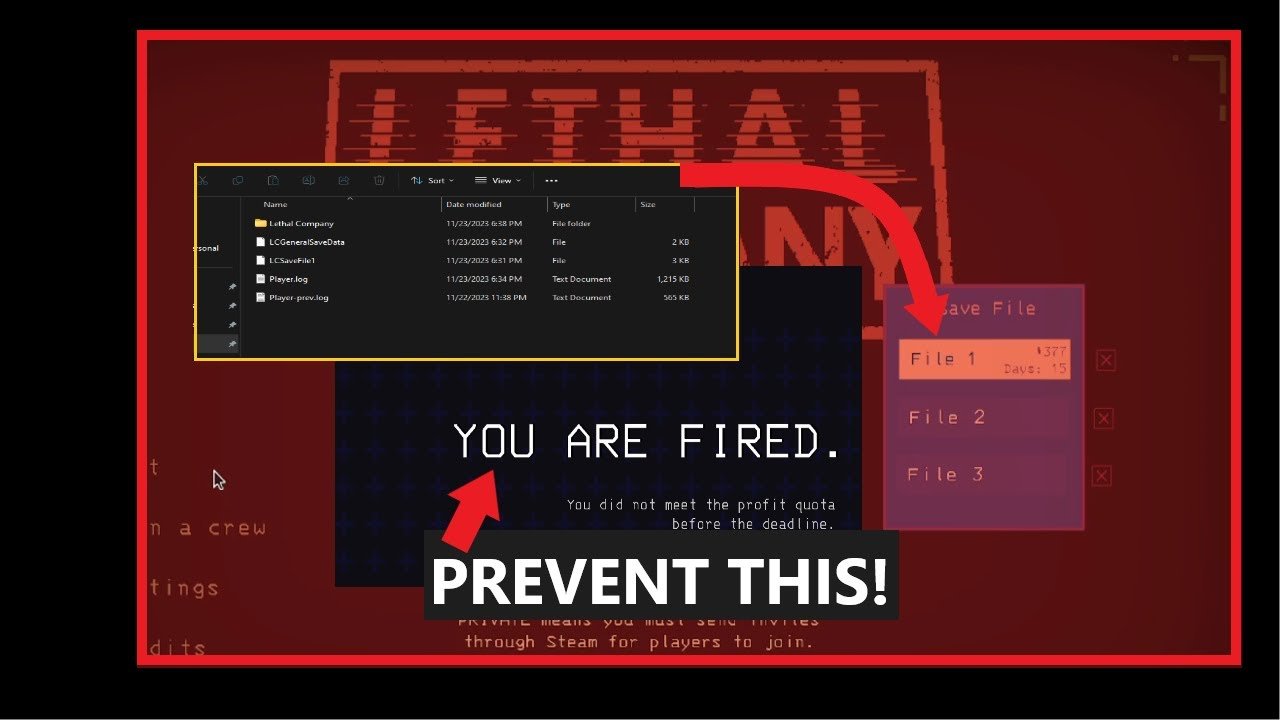
The game automatically saves your progress after each successful quota is met, and when you return to the company moon. There is no manual option to save game in lethal company.
Worried about losing your hard-earned scrap in Lethal Company? It’s a common concern, especially after a long, perilous scavenging run. Understanding how the game handles saves is crucial, so you don’t face unexpected setbacks.
Let’s clear up the confusion around how to save game in lethal company. The saving mechanic is different from what you might expect in other titles. It focuses on progression tied to your earnings, not on manual checkpoints.
Basically, your progress saves when the company is satisfied and you go back to the company moon. This design ensures a fair and consistent experience for all players while promoting teamwork.

How to Save Game in Lethal Company: Your Guide to Avoiding Lost Progress
Okay, so you’ve jumped into the scary world of Lethal Company, scavenging for scrap and trying not to get eaten by all sorts of creepy creatures. It’s super important to know how to keep your progress, right? Nobody wants to lose all that hard-earned loot and have to start over. Unlike some games that automatically save all the time, Lethal Company handles saving a little differently. Let’s break down exactly how saving works in Lethal Company, so you can keep your progress and continue your journey through the industrial moons.
Understanding Lethal Company’s Save System
Lethal Company doesn’t use a traditional save system where you can just hit a button and save whenever you want. Instead, the game uses an auto-save feature, but it’s important to know when and how it triggers. The main thing you need to remember is that the game saves at the end of each day after you’ve returned to your ship and landed. This means that anything you do during the day, from exploring and gathering scrap to fighting monsters, is only saved after everyone has successfully returned to the ship and the day ends.
Key Moments that Trigger a Save
There are a few key things that must occur to ensure a save:
- Return to the Ship: All team members must board the ship before the timer runs out for the day.
- Landing on the Moon: After everyone is aboard the ship, you need to land on the moon that the game selects.
- Day End: The game automatically saves as the screen shifts to show the next day beginning, when the company calls.
What Does “Saved” Actually Mean in Lethal Company?
When Lethal Company saves your game, it’s not just recording your current location. Here’s a more detailed look at what information is captured:
- Scrap and Inventory: The game saves all the scrap items you have collected on the ship. This is everything in your inventory and anything left on the floor in the ship. So, if you’ve filled your pockets with goodies and carefully placed them in the ship storage, you don’t have to worry about losing them (unless everyone dies before returning to the ship, or fails to land the ship on the selected moon).
- Company Money: The total amount of company credits you’ve earned is saved as well. This is critical for buying equipment and reaching the goals set by the company.
- Ship Upgrades: If you’ve spent some hard-earned credits to upgrade your ship, those upgrades will be saved too.
- Game Progress: The game records the current quota, so when you continue playing you know what the next goal will be to meet with the company.
- Player Deaths (sort of): While the game tracks how many players died, it doesn’t save it in the way you might expect. The important aspect is whether the players survive the whole day and return to the ship, not the amount of time they spend as a ghost.
Common Misconceptions About Saving
It’s easy to get confused with Lethal Company’s save system, so let’s tackle some common questions:
Can You Save Mid-Day?
No, you can’t manually save or autosave during the day in Lethal Company, while exploring the moons. There’s no pause menu option or quick save button to press. This means if you and your team don’t make it back to the ship before the day ends, all of your progress from that day is lost. This lack of in-day saving is one of the things that adds to the tension of each trip you take.
What Happens If Everyone Dies?
If all players die on a moon and the day ends without anyone being able to return to the ship, the game does not save. You’ll lose all the scrap you collected that day, and you’ll essentially be starting back on your ship as if it were the start of the game. This is a big risk, and a big reason to be careful and stay as a team. This makes teamwork and staying alive even more critical to keeping your loot.
Does the Game Save If You Quit Mid-Day?
No, if you quit the game without finishing the day and returning to the ship successfully (that means landing the ship on the proper moon), you’ll lose any progress made during that day. The game only saves once the day is officially over. So if you suddenly quit while out exploring a moon, when you log back on you will not have any of the scrap from the day you abruptly left the game.
Strategies for Effective Saving
Knowing how the saving works is only half the battle. Here are some practical tips to make sure you save your hard-earned progress:
Prioritize Returning to the Ship
The most important rule is to prioritize returning to the ship before the day ends. Don’t be too greedy or risk staying out too long trying to get that last scrap piece and leaving yourselves vulnerable to the dangerous monsters that come out at night. Be aware of the timer, communicate with your team, and make sure you all get back safely. It’s better to leave with some scrap than to lose it all, and everyone, too.
Communication is Key
Lethal Company is all about teamwork. Coordinate with your teammates to keep track of time and your progress. Use in-game chat (or external voice chat) to decide when it’s time to head back. It might be helpful to have one person keep an eye on the clock and provide warnings to the rest of the group so you don’t get stranded on a moon in the dark.
Don’t Get Overconfident
It’s easy to get carried away while collecting scrap, especially when you’re having a good run. However, it’s important to stay realistic and remember that risks come with consequences. Don’t take unnecessary chances when exploring, because you risk losing all your scrap. Stay alert, and remember that staying alive is the best way to keep your precious loot.
Safe Storage
Once you have made it back to the ship, organize your storage so that the scrap is not in the path of the players, or in the path of the door. When a player drops the scrap on the floor, it will be saved along with the rest of the ship contents, but having the scrap organized might save time in a rush when you are running out of time. And if the scrap is on the ground and you run over it, it might get knocked around the ship.
Understanding the Game Flow and Saving Mechanics
The saving system isn’t just about individual moments; it’s integral to the rhythm of the game. Here is a breakdown of how the save mechanics affect your gameplay loop.
The Daily Cycle
Each round in Lethal Company consists of a day of exploring and a night for traveling to another moon. If the player survives the day of exploring and travels to another moon, their progress will be saved and the cycle will repeat itself, with the company giving the players a new quota.
Risk vs Reward
The saving mechanics in Lethal Company forces you to manage risk versus reward. The desire for more scrap has to be balanced with the need to make it safely back to the ship. This strategic balance is what keeps the gameplay exciting and will make the player think about their decisions carefully.
Progress Tracking
Because the saving of scrap, company money, and ship upgrades is saved, the player will continue to feel like they are making progress, even when they have made some bad decisions. The player can learn from their mistakes and can work to become more efficient at collecting scrap and earning money.
Advanced Tactics
After playing for a while, you’ll start to develop more advanced saving strategies:
Early Returns
Sometimes, it’s best to call it quits early. If you’ve had a great haul but are starting to feel the pressure of time, or if your team has had some trouble with monsters and you don’t have much health left, it may be worth going back to the ship with what you have. It’s better to guarantee a save with moderate gains than risk it all for a bit more.
Designated Scavenger
Consider assigning roles, if playing with a team. For example, one person could focus on scouting ahead and finding the best scrap areas, while the other focuses on safely collecting the scrap. This division of labor can help keep track of time and how much more scrap can be gathered.
Ship Organization
Make the most of the limited ship storage available. You can move things around in the ship. Stacking scrap items together, and putting them out of the way can help save time and frustration. Make it easy to see what you already have and to grab it quickly.
Troubleshooting Save Issues
While the save system is generally pretty solid, there might be rare instances where you experience problems. Here are some basic troubleshooting steps:
Check Internet Connection
Though Lethal Company isn’t an online-only game, certain issues with your connection to the servers can sometimes cause syncing issues. Try restarting your internet and checking that your computer is connected to the network properly.
Restart the Game
Sometimes, a simple restart can fix any small errors that may be messing with saving. Close Lethal Company completely and start it up again.
Verify Game Files
If issues continue, you can use the game launcher platform that you use to play Lethal Company (for example Steam) to check for problems with your game’s files. These steps will verify that you have not deleted or corrupted the game files.
Seek Community Help
If you have any issues with saving that these troubleshooting techniques do not fix, you can seek help from the Lethal Company community on discussion boards and forums. Other players will have knowledge about these issues, and someone may have already encountered and solved them.
Important Reminders
To recap, remember these essential points about saving in Lethal Company:
- No Mid-Day Saves: You can’t save during a run on the moon.
- End-of-Day Saves: Game saves when everyone successfully boards the ship, lands on the selected moon, and the day ends.
- Teamwork is Key: Coordinate with your team to make sure everyone returns safely.
- Prioritize Safety: It’s better to save with a little scrap than lose it all due to overconfidence.
Knowing how the saving mechanics work in Lethal Company can greatly affect your gameplay and reduce frustration. Keep these tips in mind, and you’ll be on your way to successful scrap collecting missions, with the confidence that your progress will not be lost.
How to make a Backup in Lethal Company | Saving your progress
Final Thoughts
Lethal Company saves progress automatically when you return to orbit after completing a quota. The game does not offer a manual save option. Therefore, you must successfully finish a run to retain your acquired items and progress.
So, ‘how to save game in lethal company’ is not a manual action, it’s entirely dependent on successfully finishing your gameplay loop. Remember that any mid-run progress will be lost if you quit prematurely.

