
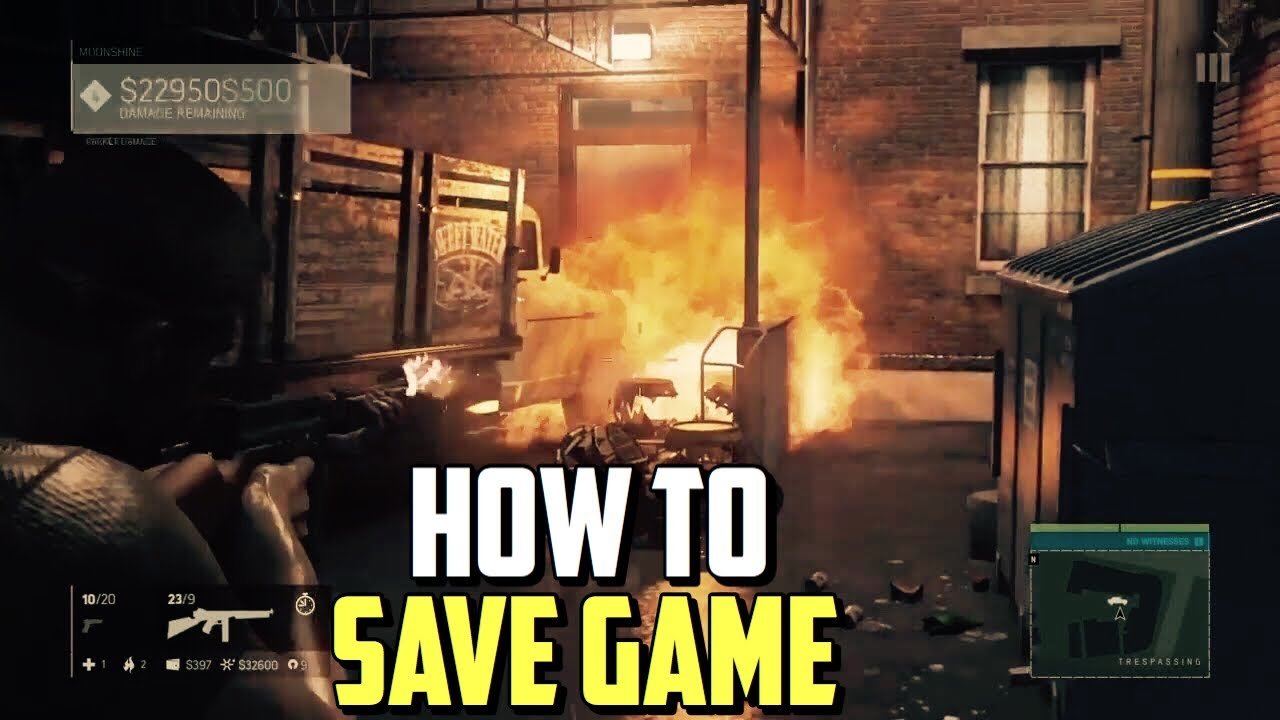
The game Mafia 3 saves automatically at specific checkpoints during missions and after certain actions. There isn’t a manual save option.
It can be frustrating not having a manual save option, especially when you are deep into a mission in Mafia 3. You might be wondering exactly how to save game mafia 3. The game handles saving progress in a different way.
The game uses an autosave system, which triggers frequently. After completing a major objective or reaching a specific point in a mission, it saves. The game also saves your progress between missions, allowing you to pick up where you left off.

How to Save Game Mafia 3: A Complete Guide
Alright, let’s talk about saving your progress in Mafia 3. We all know that sinking hours into a game and then losing it all because of a forgotten save is a gamer’s worst nightmare. Mafia 3, with its gripping story and open-world New Bordeaux, is definitely a game you want to keep your progress in. So, how exactly do you make sure all your hard work isn’t for nothing? Well, the good news is, saving in Mafia 3 is automatic, but there are things to know to make sure everything saves correctly. Let’s break it down.
Understanding Mafia 3’s Autosave System
Mafia 3 uses an autosave system. This means the game saves your progress automatically at certain points, so you don’t have to manually save all the time. It’s a great system, but it’s also important to know when and how it works so you are not confused. The game is doing the saving work for you.
Key Moments That Trigger Autosaves
- After completing a mission: Successfully finishing a story mission is a big trigger for an autosave. You’ll usually see a small save icon in the corner of the screen, letting you know your progress is being recorded.
- Reaching significant checkpoints: As you move through a mission, the game will save at important places within that mission. This can be after a cutscene, when you reach a new area, or after you complete a certain task.
- When you perform a major action in open-world: Things like capturing a racket, completing a side mission, or even finding something special in the world will generally result in an autosave.
- Starting a new gameplay session: When you load the game, the latest save will be loaded, saving your progress from when you left off.
It’s good to get a sense of these common points so you can be sure your progress is saved, especially when you’re close to stopping your game for the day.
Why Autosaving Is Awesome
The autosave system is pretty cool because it frees you from manually saving and keeps you in the flow of the game. You don’t have to go into a menu, find the save option and make a save each time you make a move. The game takes care of everything itself automatically. This makes playing the game very smooth and easy for you.
How to Ensure Your Game Saves Properly
While the game does a good job of saving on its own, there are some things you should keep in mind to make sure your progress is safe.
Avoid Turning Off the Game During an Autosave
One key rule is to never, and I mean never, turn off your console or computer in the middle of an autosave. If you see that save icon, wait until it disappears. Turning off the game in the middle of the save can corrupt your save file, which means you might lose your progress. It’s like ripping out a page from a book when it’s not finished. Let the game finish what it’s doing before you stop playing.
Keep an Eye on the Save Icon
Mafia 3 has a small icon, often a circle, that appears in the corner of your screen during autosaves. This is a good signal that the game is saving. If you see it, wait a few seconds for it to disappear, to be sure your progress is saved completely. If you do not notice the icon it might be problem for you. So always check for the icon while playing the game.
Don’t Rely Only on Autosaves
Even though the game autosaves frequently, it’s still good to sometimes force an autosave by doing something specific, such as starting a new mission or doing any task in open-world. For example, you can take on a new mission or do a side activity when you know you want to end the game. This ensures that your game is saving at a point you’ve noticed.
What to Do If Your Game Doesn’t Save
Sometimes, glitches happen. If you find your game didn’t save as you expected, here are some things you can try:
Restart Your Game
The classic “turn it off and turn it back on again” can work wonders. If the game didn’t save, first restart your game. Close your game completely and then start it up again. Sometimes, this simple step can get everything working correctly again.
Restart Your Console or PC
If restarting the game doesn’t work, try restarting the whole system. Whether you are playing on console or computer, restarting your console or pc can fix more problems than you think. A system restart can clear out any temporary problems or bugs that may be preventing the game from saving.
Check for Game Updates
Developers often release updates to fix bugs. Check to see if there is a new update for Mafia 3. You can do this through your console or computer settings. Make sure you install the update. These updates often contain fixes for save issues.
Free Up Some Storage Space
If you are running low on hard drive or storage space on your computer or console, that can also sometimes cause games to not save properly. Make sure you have enough space. Delete any games or files you are not using, if you need to. After that try restarting the game to see if it works.
Reinstall the Game
As a last resort, you can try to reinstall the game. This will delete the game and then install it again fresh. It can be a pain, but sometimes reinstalling is the only way to fix stubborn problems. Make sure you back up your game files if possible, before trying this step.
Tips to Protect Your Mafia 3 Progress
Playing games should be fun and relaxing, not stressful because you are worried about losing your game progress. Here are a few tips to keep your progress safe.
Play in Short Sessions
Sometimes when you play for long hours, the system starts to lag, and this lag can cause problems while saving your game. So it is recommended that you try to play in shorter sessions and take breaks, instead of hours straight gaming. It is good for your system and for your eyes too.
Don’t Play During Storms or Outages
When there is a storm with possible power outages, be sure to exit the game properly before the power goes out. Losing power in the middle of playing a game can sometimes corrupt your files. It’s better to not risk losing your game data. So try not to play when there is chances of power going out.
Back up Your Save Data
If your game platform allows, try backing up your save data to an external storage device or cloud. This is an extra step but it can save you a lot of stress if something goes wrong. It is always a good practice to have a backup just in case.
Special Note About Mafia 3: Definitive Edition
If you are playing the Mafia 3 Definitive Edition, you’ll find the autosave system is pretty much the same. All the above points apply the same for it. It is good to know that the Definitive Edition may include some tweaks and bug fixes. But, the saving system remains the same in the definitive edition as the base game.
Troubleshooting Common Save Issues
Let’s explore some common questions players ask about saving in Mafia 3 and their easy solutions.
My game keeps crashing and I lose my save. What should I do?
- First, make sure your system meets the minimum requirements for the game. Check the game box or the internet for system requirements.
- Make sure all your drivers and system software are updated.
- If the problem continues, try reinstalling the game.
The save icon didn’t appear when I finished a mission. What to do?
- Don’t worry too much. Sometimes, the icon appears for just a split second.
- Try to do a small open world task to force the game to save.
- If it happens often, check that you have enough space on your system.
I get a message that says my save file is corrupted. Can I fix it?
- Sadly, corrupted save files usually can’t be fixed.
- If you have a backup of your save data, you should use that.
- If not, you might need to start a new game.
With all these tips and insights, saving your progress in Mafia 3 should be easy. Just be aware of the autosave, avoid turning the system off in the middle of a save, and follow the common tips and you will be enjoying the game without worrying about losing progress.
Mafia 3 How to Save Your Game
Final Thoughts
To save in Mafia 3, the game utilizes an automatic save system. Progress gets saved after completing missions or certain actions within the game. Players do not have manual save options in the game.
The game auto saves your progress regularly. It is advisable to finish missions to guarantee game progress is saved. This is how to save game mafia 3 within the game’s parameters.

