
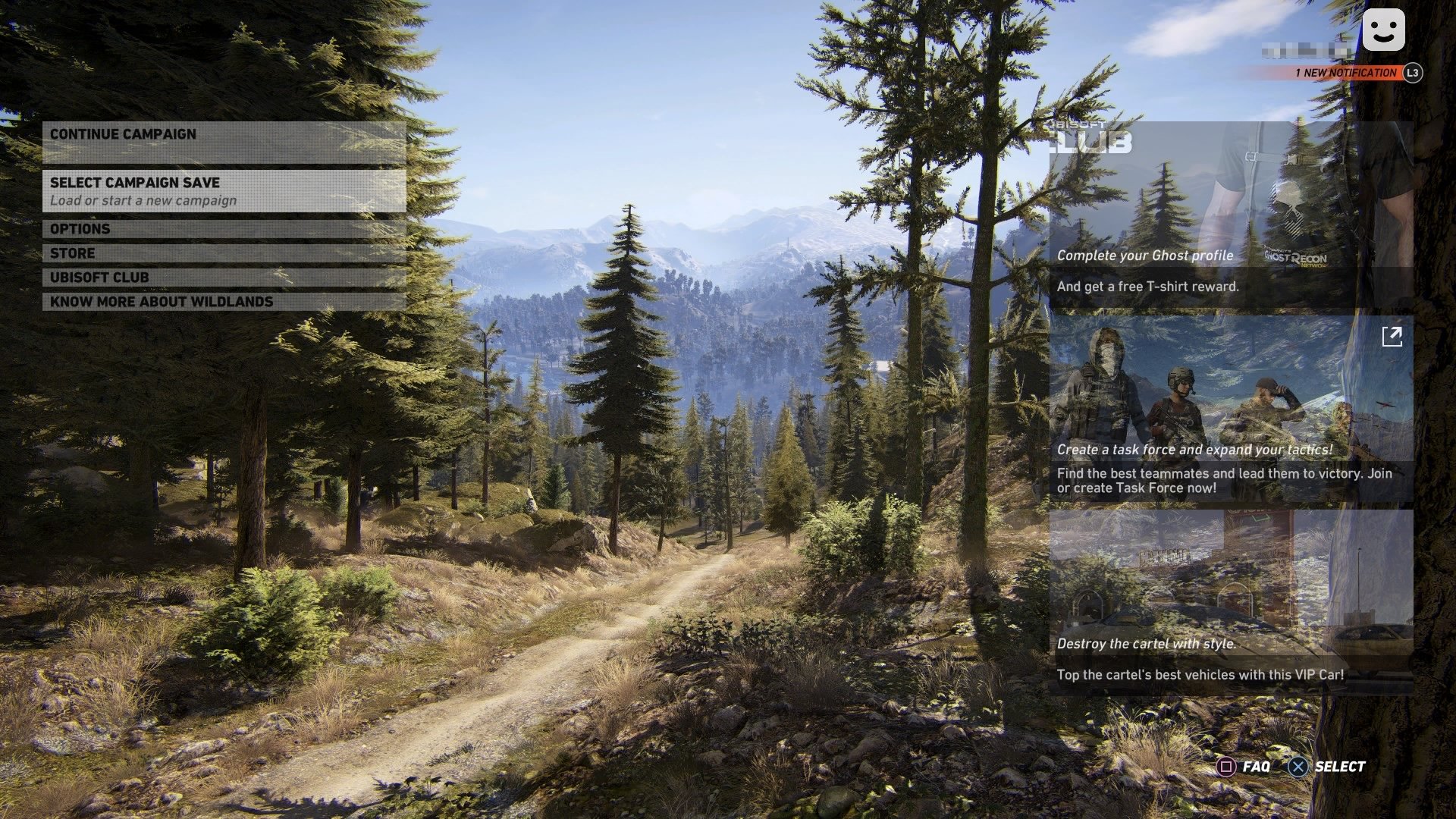
Ghost Recon Wildlands automatically saves your progress, typically after completing missions or significant actions. You don’t manually save the game.
Frustration mounts when progress vanishes. Players often wonder how to save the game in Ghost Recon Wildlands. Luckily, the game features an autosave system that ensures minimal loss. The game generally saves your achievements after each mission and major in-game events. This removes the need for manual saves. You can confidently dive into action.

How to Save the Game in Ghost Recon Wildlands
Hey Ghosts! Getting lost in the beautiful but dangerous world of Bolivia in Ghost Recon Wildlands is super fun, right? But what happens when you need to take a break or, even worse, your game crashes? That’s where saving comes in. Let’s talk about all the ways Ghost Recon Wildlands keeps your progress safe.
Understanding the Autosave Feature
The most important thing to know about saving in Ghost Recon Wildlands is that it uses a lot of autosaving. This means the game automatically saves your progress for you, without you having to press any buttons! You can think of it like a super helpful friend who’s always looking out for you.
How Often Does the Game Autosave?
The game autosaves quite often, typically after major actions. Here are some key moments when the game will automatically save:
- Completing a mission or side mission: Once you’ve successfully finished a task, the game will save. You can usually breathe easy knowing that your hard work is recorded.
- Reaching a new checkpoint: As you move through the world, you’ll hit checkpoints which trigger autosaves.
- Interacting with a key game element: For instance, upgrading a weapon or skill will also often trigger an autosave.
- Traveling a good distance: Even just moving around a lot in the game will cause autosaves to occur regularly.
With this automatic saving system, you should rarely lose too much progress. But remember, it’s not flawless, so keeping some best practices in mind is still a good idea.
Manual Saving: Is it Possible in Ghost Recon Wildlands?
Here’s the catch: Ghost Recon Wildlands does not have a traditional manual save feature. That means you can’t press a button and choose when exactly to save your game. This is very different from some games where you have many save slots.
Instead of manual saves, Ghost Recon Wildlands relies heavily on its autosave feature. This can seem unusual for people who like to save frequently, but understanding how it works is key. Let’s explore why this method is used and how it affects your gameplay.
Why No Manual Saves?
The developers of Ghost Recon Wildlands chose the autosave system to make the game experience smoother and more connected. Since the world is open and dynamic, constant manual saving would interrupt the flow. The autosave system focuses on keeping your progress recorded regularly without needing your input. This also means that the game world can change and react to your actions in a more realistic way.
Dealing with Potential Issues with the Autosave System
Although the autosave feature works mostly without problems, there might be times when you worry about your game’s progress, especially if you encounter any technical glitches. Here’s how you can manage the autosave system:
When to be Extra Careful
There are certain scenarios where you might want to be more aware of how the game is saving:
- During missions: Sometimes, a tricky section of a mission might not trigger a checkpoint and you might be worried about losing your progress. While the game usually saves right after important parts of missions, always keep an eye out for that little “Saving” icon in the corner to know an autosave is about to happen or has just finished.
- Before a big encounter: If you’re heading into a major battle or a tough fight, be mindful that you have reached a checkpoint recently. If you are really concerned, maybe try to complete a minor task nearby to trigger an autosave before engaging in such a task.
- After completing a very long session: Even though the game autosaves frequently, it’s a good idea to take a break after you have played for a long time and go back to the main menu, then return into game again. Just in case.
What to Do if the Autosave System is acting up?
Sometimes, things don’t always go according to plan, even with autosave. If you encounter any issues with the autosave feature or feel that your progress hasn’t been saved properly, here are some steps you can try:
- Restart the game: A simple restart might solve a problem with autosaving. Close Ghost Recon Wildlands fully and restart. When you get back to the main menu, you might see that your most recent save was recorded correctly.
- Check your game files: Sometimes game files can get corrupted and affect how your game saves. You can try verifying the game files in your game client (Steam, Uplay, etc.) to make sure everything is in order.
- Check your platform: Sometimes autosaving issues can come from console or PC issues. Ensure your hardware is running smoothly.
- Check online forum or communities: Visit your preferred platform’s online forums or communities. Other players might have had the same problem, and someone might have a solution.
How to Be Sure Your Progress is Safe
Here are some tips to help you feel more comfortable with the autosave system:
Look for the Autosave Icon
Pay attention to the autosave icon. It’s a small circle or symbol, usually in the corner of your screen. It will flicker for a brief time while it is performing autosave. It is good practice to become familiar with it and look for it regularly, especially after significant accomplishments.
Complete Activities to Encourage Saves
If you’re going to quit soon, you can complete any of a simple mission or side task to encourage an autosave. Doing things that usually trigger an autosave can be reassuring before you stop playing. It helps to know a checkpoint save is recorded.
Manage Your Time Efficiently
Remember to manage your time while playing. While the game saves quite frequently, completing longer sessions without breaks could cause you to lose a small bit of progress if the game happens to crash. Breaking the game up into smaller sessions helps with this.
Avoid Quitting Mid-Mission
It’s always best to try to complete a mission before quitting, this ensures your progress is saved with certainty. This ensures your progress for any mission or task is saved.
Understanding Load Game
Even though you can’t manually save, you can choose a specific save from your saved game data. Here’s how it works:
How to Load a Game
When you want to continue your game or load a saved game, the procedure is quite straightforward. From the main menu, choose ‘Continue’ to load the last saved game. If you wish to choose between different game progress options, you’ll need to go to ‘Load Game’. This displays different autosaves you can choose from. Keep in mind that this choice could revert you to a previous stage, depending on when the game last autosaved. Be sure to load the right one!
Understanding the Game Save Slots
Ghost Recon Wildlands does not create multiple separate save slots as you would find in some other games. Instead, the game uses an internal system which saves several autosave points so you can go back to a previous game state. These autosaves are overwritten as you play, so you won’t find many of them. Choosing the correct game to load is a matter of remembering where you were in the game.
Keeping Your Game Safe
Although Ghost Recon Wildlands doesn’t have traditional manual saving, the autosave system is quite good at saving your progress. By understanding how it works and taking a few simple precautions, you’ll be able to keep your game progress safe while enjoying the world of Bolivia. You will rarely need to worry about lost progress if you follow these simple guidelines. Now, get back in there, Ghosts, and save Bolivia – without worrying too much about saving the game! Just remember, the autosave is always there, working quietly in the background.
No need for a quick save. Tom Clancy’s Ghost Recon® Wildlands
Final Thoughts
Ghost Recon Wildlands uses an autosave system. The game saves progress frequently during missions and after completing objectives. You do not have direct manual save options.
The game creates checkpoints, ensuring minimal progress loss if something goes wrong. Knowing how to save the game in Ghost Recon Wildlands means understanding that the game does it automatically. Rely on its autosave mechanism for game saving.

