
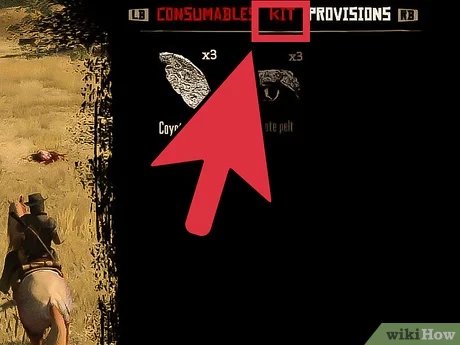
To save the game on Red Dead Redemption, access the pause menu and select the ‘Story’ tab, then choose ‘Save Game’.
Lost in the sprawling landscapes of the Wild West? You’re probably wondering how to save the game on Red Dead Redemption. It’s quite crucial to preserve your progress in this epic adventure. Let’s tackle this straightforward process.
Saving your game ensures you don’t lose valuable story progress, resources, or those hard-earned items. This simple action makes all the difference in enjoying the game to its fullest potential. It’s a vital step to ensure you have an awesome experience.

How to Save the Game on Red Dead Redemption
Alright, partner, let’s talk about something super important in Red Dead Redemption: saving your game! You wouldn’t want to lose all that progress, those hard-earned dollars, or the cool horses you tamed, would you? Saving your game in Red Dead Redemption is a bit different than in some other games, and it’s essential to know how it all works to keep your wild west adventures safe.
Understanding the Saving System
Red Dead Redemption, both the original and Red Dead Redemption 2, use a mix of automatic and manual saving. This means the game will save your progress on its own at certain times, but you also have the power to create your own saves whenever you want. It’s like having two cowboys working together: one keeps watch, and the other steps in when needed. Let’s break down how each method works:
Automatic Saving (Autosave)
The game’s auto save system is like a backup sheriff keeping an eye on things. It automatically saves your progress at various points, such as:
- After completing missions
- When you finish significant activities
- When you travel to new locations
- After making important story decisions
This is helpful because if something unexpected happens, like you getting ambushed by a pack of coyotes, or a software glitch, you won’t lose too much gameplay. The autosave system works behind the scenes, without you having to do anything. Still, it’s not always the best idea to depend solely on autosaves.
Manual Saving
Manual saving is when you take charge and make a save file yourself. Think of it as you choosing to write down your adventures in your own journal. This is a crucial skill to learn as this helps you preserve a specific state of the game. Manual saving allows you to go back to specific moments in the game, especially helpful if you want to replay parts of the story or go back to a point before a tough fight. The process of manual saving differs slightly between Red Dead Redemption 1 and 2 but don’t worry we will cover everything in details.
Saving in Red Dead Redemption 1
Red Dead Redemption 1 (often called RDR1) has a fairly straightforward saving process. There aren’t as many fancy options as in the sequel. Here is how to save your game in RDR1:
Finding a Safe House
First and foremost, you have to be at one of your safe houses to manually save the game. These are not just any regular house, but specific spots on the map, often marked with a house icon. These usually include the place where you first start, your personal room, or any place you’ve acquired by completing missions. You can buy new safehouses along your journey, making it important to visit them to save your game properly.
The Saving Process
When you’re in your safe house, look for your bed. That’s the key. Just walk up to the bed and you should see an option that will prompt you to press a button to save. Once you press the button, the game will save your progress and you’re good to go! Here are the steps:
- Go inside your safe house
- Find the bed
- Interact with the bed (usually by pressing the ‘X’ button on PlayStation or ‘A’ on Xbox)
- Confirm you want to save
This method is simple and it works every time, but keep in mind you must be in a safe house.
Save Slots
Red Dead Redemption 1 allows you to have multiple save slots. This means you can have different saves for different stages of the game. It’s a smart idea to keep a few different save slots so you can easily go back to a previous point if you want to. Think of each save slot as a separate journal where you keep track of your different adventures. Each slot is independent of the others. If you mess something up in one, your other saves will be safe.
Tips for RDR1 Saving
Here are some useful tips to keep your game safe and sound:
- Save Often: Don’t just depend on the autosaves. Save every time you return to a safe house, especially after finishing a hard mission.
- Use Multiple Slots: Always keep a few save slots. In case something happens to one save, you’ll have a backup.
- Check Your Progress: Before turning off the console, double-check that you’ve saved at the safe house.
Saving in Red Dead Redemption 2
Red Dead Redemption 2 (RDR2) has a more feature-rich saving system compared to its predecessor. This means more flexibility, but it can be a little bit more to get familiar with. Here’s the breakdown:
Manual Saving Options
RDR2 gives you different ways to manually save your game, so you aren’t just stuck to the bed in your safe house. Here is how you can manually save:
- In the Camp: When you are at your main camp, you can save your game while resting in your bed. This is similar to the safe house save system in RDR1, but with some extra steps.
- From the Pause Menu: You can also save your game by accessing the pause menu. This allows you to save anytime and anywhere without having to go back to the camp.
Saving at Camp
If you are at your camp, you can use your bed to save. Follow these easy steps:
- Go to your camp location
- Find your bed, usually a small tent on the side.
- Walk to the bed and press the required button prompt (usually Square on PlayStation or X on Xbox)
- Select the “Save Game” option.
- Choose an empty slot or overwrite an existing one.
This method is pretty straightforward and is similar to RDR1, but it is more engaging and immersive, as you are at your own camp. This makes it feel like you are in fact, finding a place to rest after a long day of adventuring and jotting down your accomplishments.
Saving From the Pause Menu
The most flexible and often used way to manually save your game is through the pause menu. Here’s how to do it:
- Press the pause button (usually the ‘Options’ button on PlayStation or the ‘Start’ button on Xbox) to open the main menu.
- Go to the ‘Story’ tab.
- Choose ‘Save Game.’
- Select an empty slot or overwrite an existing save.
This way you don’t need to return to a safe house to save the game which makes it very convenient. This method is super handy when you are in the middle of a mission, or before doing something dangerous.
Save Slots
Just like in RDR1, RDR2 allows you to have multiple save slots. This is really important because you can have several points you can return to at any given time. It’s generally a great idea to have more than one save, so that way you aren’t going back too far and losing too much progress. It also allows you to replay different parts of the story without ruining your current game.
Tips for RDR2 Saving
Here are some tips for RDR2:
- Pause Menu Saves: The quickest way to save is to use the pause menu, it’s way more convenient than having to go back to camp.
- Multiple Save Slots: Always have a couple of different save files, so if you make a mistake you aren’t stuck with it.
- Check Autosave Frequency: Know the game saves a lot but don’t depend on them, always do manual saves if possible.
- Save Before Major Events: Before going into big missions or doing something big, save your game.
Differences Between RDR1 and RDR2 Saving
While both games have the core function of manual and auto save, there are significant differences to keep in mind:
| Feature | Red Dead Redemption 1 | Red Dead Redemption 2 |
|---|---|---|
| Manual Save Location | Safe Houses (usually at bed) | Camp (bed), Pause Menu (anywhere) |
| Flexibility | Less Flexible (Needs safe house) | More Flexible (Save anywhere from pause menu) |
| Saving Process | Simple, direct to bed | More options, including in game menus |
| Complexity | Simpler Interface | More modern and easier to use, with more features |
These differences make it important to adjust your save habits based on the specific game you’re playing. RDR2 allows for more freedom in saving, while RDR1 requires a more old-school style where you need to plan when to save around your safe houses. In both games, however, manual saving is critical for ensuring you keep your progress intact.
Why Manual Saving is Important
While autosaving is helpful, you should never rely completely on it. Here’s why manual saving is so important in Red Dead Redemption:
- Control: You decide exactly when to save your progress.
- Replaying Missions: You can easily go back to any point in your game without starting all over, which is great if you want to try things out differently.
- Avoiding Mistakes: If you do something that has bad consequences, you can always go back to your last manual save.
- Backups: If something happens to your save file you will have another one as backup in a save slot.
Common Mistakes to Avoid
Knowing how to save properly also means knowing what not to do:
- Only relying on Autosaves: It’s risky to just let the game save for you. Autosaves aren’t frequent enough sometimes, and you might lose progress if something happens between saves.
- Saving over your best slots: Always check that you aren’t saving over an important save you wish to keep, this can save you a lot of time.
- Forgetting to save: It’s easy to forget to save after doing an important mission. Make it a habit to save after you have completed any mission or significant activity.
Saving your game in Red Dead Redemption, whether it’s the first or the second game, is really important to make sure you don’t lose all the hard work you put into it. By learning the different ways to save, and knowing when and why you should save, you can really get the most out of your experience in the wild west. So, go on, save often and get ready for adventure!
Red Dead Redemption 2: How to Save Your Game
Final Thoughts
To save progress in Red Dead Redemption, access the game menu. Then, choose the “Story” option and select “Save Game.” Pick a save slot. You can overwrite existing slots.
The game autosaves frequently. Remember to save manually when needed. Knowing how to save the game on red dead redemption ensures your progress.

