
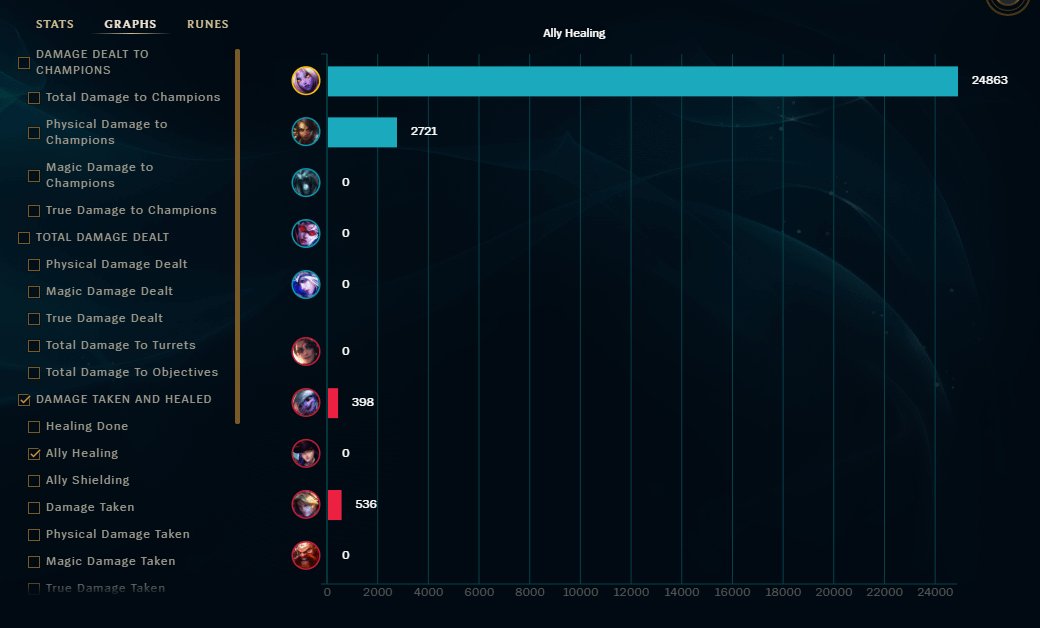
To see the game stats you played on League, access your match history within the League of Legends client. There, you will find detailed performance summaries for each game.
Ever wonder how well you actually performed in that last League of Legends match? Maybe you’re curious about your KDA or gold earned? This guide will show you exactly how to see the game stats you played on League, giving you insights into your gameplay.
It’s easy to check your past performances; the client keeps track of everything. You can analyze your champion choices and build paths as well. Understanding your stats helps you improve.

How to See the Game Stats You Played on League
So, you just finished a thrilling League of Legends match and you’re itching to see how you performed? Maybe you want to brag about that awesome pentakill, or perhaps you’re trying to figure out what went wrong in a tough loss. Don’t worry, finding your game stats in League is easier than you think! We’re going to break down all the ways you can check your game history and dive into those juicy numbers.
Using the League of Legends Client
The most straightforward way to view your game stats is directly through the League of Legends client. This is where you play the game, so it makes sense the information is easily accessible here.
Accessing Your Match History
Let’s walk through the steps:
- Launch the League Client: Open up the League of Legends program on your computer.
- Log In: Enter your username and password to get into the client.
- Navigate to Profile: Look for your summoner name in the top right corner. Click on it. This will take you to your profile page.
- Select the “Match History” tab: On your profile page, you’ll see several tabs like “Overview,” “Champions,” and “Match History.” Click on “Match History.”
You’ll now see a list of your recently played games. Each game will have some basic information, such as:
- The game mode (e.g., Summoner’s Rift, ARAM)
- The champions that were in the match, including the one you played
- The outcome (Win or Loss)
- The time the game was played
Viewing Detailed Game Stats
To see the nitty-gritty details, click on the specific game you want to analyze. Doing so will open up a new screen dedicated to that match. Here’s what you’ll find:
Individual Performance
You’ll see your individual stats, such as:
- Kills, Deaths, and Assists (KDA): These are the bread and butter of any League stat line. Kills show how many enemy champions you eliminated, deaths indicate how many times you were taken down, and assists are when you helped a teammate get a kill.
- Creep Score (CS): This shows how many minions you’ve defeated throughout the game. A higher CS means you are farming well, which will help you get more gold.
- Gold Earned: The amount of gold you accumulated throughout the match. Gold is what you use to purchase items.
- Damage Dealt to Champions: The total amount of damage you inflicted on enemy champions. This is a great indicator of your impact during fights.
- Damage Taken from Champions: This shows how much damage you received from enemy champions, which can be valuable for understanding your positioning and survivability.
- Vision Score: How well you are placing and clearing wards, important for controlling vision on the map.
- Objective Control: This can show how many turrets, dragons, or barons you participated in taking down.
Team Composition & Stats
Along with your own stats, you can also see:
- The champions played by each teammate and opponent
- The individual stats for every other player in the match
- Item builds for each champion
- The amount of gold earned by each player on the team.
- The kill participation of each player on the team
Game Timeline
One really cool feature is the game timeline. This is like a replay in text format. It shows you:
- When kills and assists happened
- When towers were destroyed
- When major objectives like dragons and barons were taken
- When different players bought items
The timeline can be incredibly useful to see how the game progressed, where critical fights took place, and how team objectives were won or lost. By clicking on a particular timestamp on the timeline, you can see the stats of all players at that point in the game.
Third-Party Websites for Detailed Game Stats
While the League client has a good amount of information, there are third-party websites that can show even more detailed statistics. These sites usually pull data directly from Riot’s API (the data source that the game uses). This allows them to give you some cool views of your stats, which aren’t available in the standard client. Some of the popular websites include:
OP.GG
OP.GG is one of the most well-known and widely used third-party stat websites. Here’s how you can use it:
- Go to the OP.GG website in your web browser.
- Enter your summoner name into the search bar.
- Select your region.
Once you’ve done this, you’ll see a variety of useful information:
- Recent Match History: OP.GG shows you all your recent matches in a clear and easy to read format.
- Detailed Game Stats: You can click on each game to see even more detail about your personal performance, as well as every other player in the match.
- Champion Win Rates: You can see your win rates for each champion you’ve played, both this season and all time, which can be great to help you decide who to pick next time.
- Ranked Stats: If you play ranked, you can see a detailed view of your rank, including your LP gain/loss.
- Mastery Points: Track your mastery points for every champion.
- Live Game Data: Sometimes you can see live game data when you are in game.
OP.GG also allows you to see the stats of other players, which is great for scouting your teammates and opponents to see who you’ll be playing with and against.
League of Graphs
League of Graphs provides a bunch of different ways to look at League stats. It’s a great place to go if you’re interested in digging deep into the numbers.
- Go to the League of Graphs website in your web browser.
- Enter your summoner name into the search bar.
- Select your region.
On this website, you can see:
- Your Overall Stats: See your win rate, most played champions, and other interesting overview stats.
- Detailed Game Information: Dive into the data of individual games, including individual stats and team compositions.
- Champion Statistics: Find detailed information on how you perform with each champion, such as win rates and average stats.
- Global Stats: It also provides a wide variety of global statistics, such as win rates and pick rates for different champions.
- Unique Charts and Graphs: League of Graphs has lots of charts and graphs that can help you visualize your progress over time.
U.GG
U.GG is another popular website known for providing updated champion information and detailed match histories.
- Go to the U.GG website in your web browser.
- Enter your summoner name into the search bar.
- Select your region.
Here you can check out:
- Match History: View your recent matches, along with the stats of every player involved.
- Champion Data: Access detailed statistics for all champions, including win rates and item builds.
- Tier Lists: See up to date tier lists, for all different roles in the game, to help you decide which champions you might want to play.
- Meta Stats: Find out which champions are performing best in the current patch.
Understanding the Stats: What Do They Mean?
Okay, so you’ve found your game stats. But what do they all mean? Let’s break down some of the most common stats you’ll see and why they matter.
KDA (Kills, Deaths, Assists)
Your KDA is usually the first thing people look at when checking their stats. It shows how well you contributed to takedowns, with kills, and how often you got taken down. A high KDA generally means you are performing well in team fights. You want more kills and assists than deaths. A positive KDA is often a good sign, but remember that just because you are good in terms of KDA, doesn’t always mean you played the game well, as you may have just been taking kills from teammates.
Creep Score (CS)
Your CS number tells you how many minions you killed in the game. It might not seem like much, but killing minions is how you get gold to buy items! A low CS will often mean you are falling behind, as you are not gaining as much gold. Usually, a good target is around 10 CS a minute, but this varies depending on the champion.
Damage Dealt & Damage Taken
Damage stats tell you how much damage you are giving out and taking in fights. If you are a high damage dealer, you should aim to have a very high damage dealt number, and not too much damage taken. This could mean that you are performing well, by doing as much damage as possible, without taking too much in return.
Vision Score
Vision score shows you how well you are controlling vision around the map, by placing down wards, and clearing enemy wards. Vision is extremely important, so having a good vision score is an indicator of how well you’re contributing to map control and keeping your team safe.
Objectives
This information can show how well you and your team are working together to capture important objectives on the map like towers, dragons, barons, and the rift herald. A high amount of participation in objectives often indicates strong teamwork.
Analyzing Your Stats for Improvement
The real power of looking at your stats is to find ways to get better at the game. Here’s how you can use your stats to improve your gameplay:
Identify Weaknesses
Look for patterns in your games. For example, if you often have a high number of deaths, it could mean that you are not positioning well, or you are going into fights alone. If your CS is consistently low, it could mean that you need to work on your laning phase. Identify areas where you could do better.
Track Your Progress
As you start to focus on improving, keep track of your stats over time. For example, if you start focusing on getting more CS, you might notice a gradual improvement in your average CS per game, which is great! This is a great way to see if you are improving at the game.
Learn from Both Wins and Losses
Analyzing both wins and losses can be beneficial. In wins, look at what you did well and try to repeat it. In losses, try to find out what went wrong and how you could have played better.
Compare Yourself to Others
When you get to see your other team’s stats after a match, compare them to yours. Look at the players who performed exceptionally well in the game, and look at their stats, and you might see some differences between how they played the game and how you played the game. This might give you some good ideas for what you could focus on improving.
By digging into your stats, and learning from them, you’ll start to understand the game better, improve your decision-making, and ultimately, win more games. So go ahead, explore your match history and become the best summoner you can be!
So, now you know how to view your game stats in League of Legends! Whether you’re using the client directly or heading to third-party sites, the information is there for you to access. Use these numbers to grow as a player, and become the best summoner you can be. Now, go forth and conquer the rift!
League stats explained in 1 min
Final Thoughts
To check your match history, navigate to the ‘Profile’ section in the League of Legends client. Then, select ‘Match History’. This area displays a list of all your recent games. You can click on each individual match for detailed statistics.
You can examine champion performance, damage dealt, and items purchased. This information is key to improving your gameplay. Knowing how to see the game stats you played on league allows for crucial analysis. This helps players understand their strenghts and weaknesses.

