
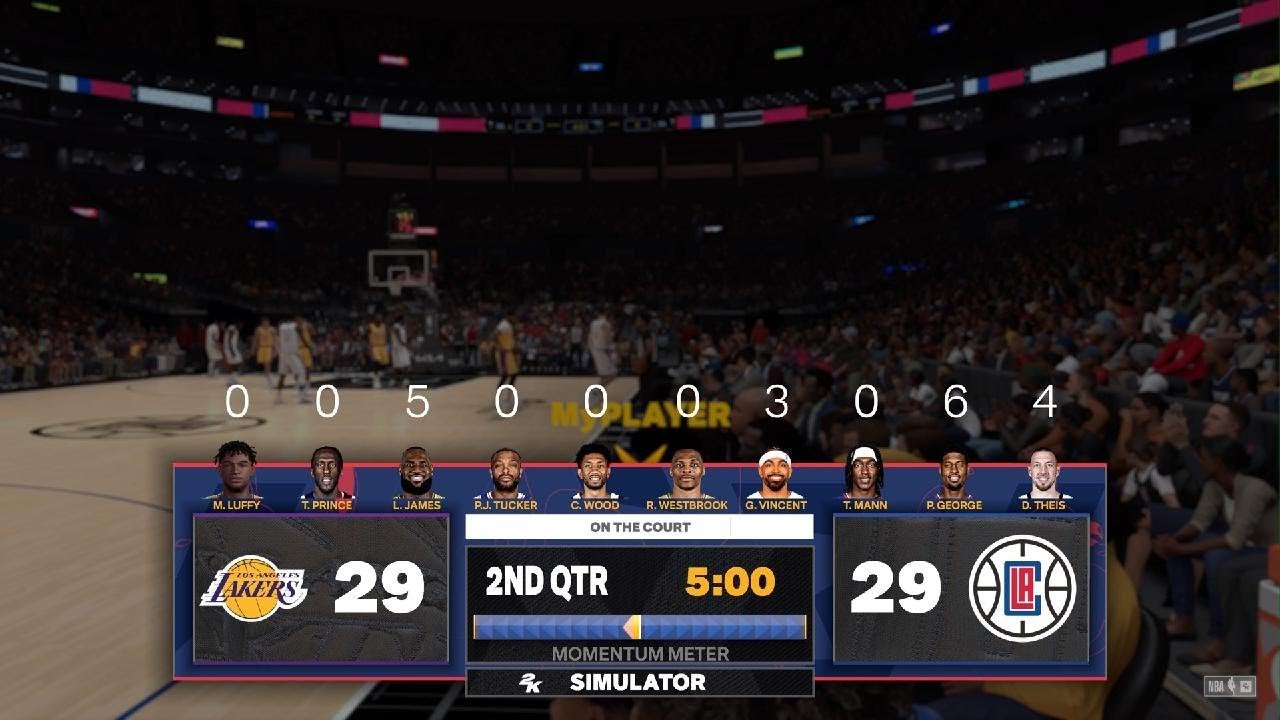
To sim key games in 2k24, navigate to the game on your schedule, select it, and choose the “Sim to End” option, or, for more control, “Sim to Next Quarter”.
Want to skip ahead in your 2k24 season without playing every game? Many players ask how to sim key games 2k24, and it’s a straightforward process. You can quickly get through the season, saving time.
The game offers options to sim full games or portions of games. You can make the best choice based on how much control you wish to have over your season’s progress. This will allow you to focus on the most interesting matchups, or only play playoff games if you prefer.

How to Sim Key Games in NBA 2K24
Okay, so you’re playing NBA 2K24, and you’ve built your dream team. You’ve got the perfect roster, and you’re ready to dominate the league. But what if you don’t want to play every single game? What if you want to quickly get through some of the less exciting matchups and focus on the big ones? That’s where simulating games comes in! It’s like fast-forwarding through the boring parts of a movie to get to the good scenes. Simulating games in 2K24 lets you move through your season quickly and get to the games you really want to play.
Understanding Game Simulation
Think of game simulation like a computer doing all the work for you. Instead of you controlling the players, the game’s computer system takes over, decides what happens, and gives you the result. There are different ways to simulate games in 2K24, and each one gives you a slightly different level of control and information. Let’s dive in!
Types of Simulation Options
NBA 2K24 offers a couple of main ways to simulate, and understanding them is key to making the best choices for your playthrough.
- Standard Simulation: This is the most basic way to simulate a game. You’re simply going to skip right to the final score. The game engine runs behind the scenes, and you get the outcome. You can quickly move through your schedule.
- SimCast: This is a much more interactive way to simulate a game. You still don’t control the players directly, but you do see a live view of the game as it unfolds. You can make coaching adjustments on the fly and have some impact on how your team performs.
How to Use Standard Simulation
Standard simulation is your go-to if you want to progress through your season super fast. It’s great for those parts of the schedule that you consider easy wins or games that you just don’t have time to play. You don’t see the gameplay, but you get the results quickly.
Steps for Standard Simulation
- Go to Your Schedule: From the main menu, find your way to the game mode you are playing. It could be MyCareer, MyNBA, or another mode that offers a season. Find the schedule.
- Select the Game: Look at the schedule and choose the game that you want to simulate.
- Choose “Simulate”: There should be an option to “simulate” when you select a game. This might be represented with a button prompt on your controller or a button on screen. Click it.
- See the Results: The game will then show you the final score and any stats of interest.
When to Use Standard Simulation
Standard simulation is best used in the following scenarios:
- Against Weak Opponents: If you are playing against a much weaker team, there is a high probability your team will win, using standard simulation will be quick.
- When Short on Time: If you are in a hurry to move on to the next set of games, this option is ideal.
- Uninteresting Matchups: Maybe you don’t care too much about the game, and it doesn’t affect your team’s progress. Just simulate and move on.
How to Use SimCast
SimCast is more than just skipping to the end of the game. It gives you a real-time view of the game, just without having to control the players yourself. You can actually make decisions that have an effect on the game.
Understanding the SimCast Interface
When using SimCast, you will see a screen that looks like a broadcast of the game. Here is what you might see:
- Play-by-Play: A live play-by-play of the game.
- Score and Stats: The current score, team stats, and player stats will also be shown.
- Coaching Tools: The important part of SimCast is the coaching tools. You will see options that allow you to make decisions that will alter the game.
Coaching Options in SimCast
Here are some of the coaching options you might have in SimCast:
- Offensive Strategy: Change your team’s offensive approach. You can tell your team to run a faster pace, focus on three-pointers, or take it to the basket more.
- Defensive Strategy: Switch your team’s defense from man-to-man to zone. You can even focus on shutting down particular players.
- Timeouts: You can call timeouts to stop the other team’s momentum. It can be helpful if your team is playing badly.
- Substitutions: Change the players on the court to find a better group that’s playing well.
Steps for Using SimCast
- Go to Your Schedule: Find your schedule, just like in the standard simulation.
- Select the Game: Choose the game that you want to SimCast.
- Choose “SimCast”: Select the option to “SimCast” instead of the standard simulation.
- Watch and Adjust: Watch the game unfold, make adjustments using the coaching tools as necessary, and see the results.
When to Use SimCast
SimCast is good for these kinds of games:
- Close Matchups: When you’re playing an opponent close to your skill level, SimCast will let you help your team win.
- Important Games: Use SimCast in games where you need to make sure the right strategies are used to get the W.
- Learning Opportunities: SimCast can let you learn how different coaching decisions affect a game, without actually playing.
Advanced Sim Tips
Now that you know the basics, here are a few advanced tips to help you get the most out of simulating games in NBA 2K24.
Understanding Player Roles in Simulation
Player performance can differ in a simulated game compared to the real game you are playing. Some players are better in the simulation than others.
- High-Rated Players: Players with high overall ratings often do well in simulated games because the game’s algorithms make them play to their strengths.
- Role Players: Players with a clear role such as a shooter or defender will often perform to their roles well in simulated games.
Impact of Team Chemistry
Team chemistry also impacts simulation performance.
- High Chemistry: A team with good chemistry will play more cohesively in simulation, resulting in better results.
- Low Chemistry: If a team doesn’t have good chemistry, they might not perform as well, and could lose a game they would usually win if you were in control.
Adjusting Coaching Strategies
It’s a good idea to adjust your coaching strategies in sim games based on your opponent.
- Against Strong Offenses: Focus on a defense that will shut down their best players.
- Against Slow Teams: Use a fast-paced game plan.
Using Simulation to Test Lineups
Simulation can be used to test different lineups. If you are not sure who to start in the next game, use simulations to see how they perform.
- Experiment with Different Groups: If you have been trying to figure out who plays better together, use simulations.
- Use Simulation as a Guide: Don’t just use simulation and never play. Use simulations to help you see how to play real games better.
When to Avoid Simulation
While simulation can be a big time-saver, there are certain times when you might not want to use it.
Key Rivalries
Rivalry games have a little extra on the line. It’s usually best to take control and ensure your team gets the win in those crucial matches.
Playoff Games
Playoff games are of the most important games in any mode. It’s best to play these yourself. You want to control everything that happens to ensure you move forward.
Developmental Games
If you want to get better with certain players, you should take control of the game yourself. Simulation won’t help you with development.
So there you have it! Using the simulate feature in NBA 2K24 can help you get to the games you really want to play and fast forward through the boring parts. Remember, use standard simulation when you are in a hurry and SimCast when you want to have some input without being on the court. Have fun and use these tools to help dominate your 2K24 season!
How to play fast NBA KEY GAMES (Grind Fast GOAT Tier) NBA 2K24
Final Thoughts
To sim key games 2k24 effectively, navigate to the calendar, select a crucial matchup, and choose “Simulate Game.” Alternatively, during season progress, you can sim games from the main menu.
Remember to manage your team effectively, adjusting rotations and strategies for better sim results. Your success in simming largely depends on your team’s overall attributes and player performance. Understanding ‘how to sim key games 2k24’ correctly allows for faster career progression.

