
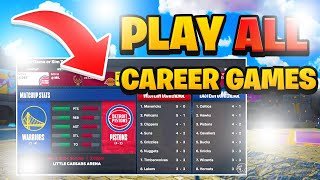
To sim MyCareer games in 2K24, navigate to the in-game menu during a match, select ‘Sim to End’ or ‘Sim to Next Game,’ and confirm your choice.
Tired of grinding through every single game in your MyCareer? We all know the feeling. Sometimes you just want to get to the next big match or focus on other parts of your basketball journey. Learning how to sim MyCareer games 2k24 is a key skill for anyone wanting to optimize their experience in the game.
Fortunately, the process is quite straightforward. This ability will significantly reduce the time you spend in games you don’t wish to play. Knowing this option allows players more flexibility within the game and how they choose to play.

How to Sim MyCareer Games 2K24
Okay, so you’re playing NBA 2K24 and you’re deep into your MyCareer. You’re grinding, improving your player, and maybe you’re just ready to get to the really important games. Or perhaps you’re feeling a little tired and just want to move on to the next season quickly. The good news is you can sim (simulate) games in MyCareer! It’s a handy way to speed things up. But how exactly do you do it, and what do you need to know? Let’s break it down step-by-step, so you can get back to balling (or not balling, if that’s your thing) exactly how you want.
Understanding Simming in 2K24 MyCareer
Simming isn’t just about skipping games. It’s about how the game calculates results and how those results impact your MyCareer journey. There are different levels of simulation, each with its own set of rules and impacts. Let’s look at the basics:
What Does Simming Actually Do?
When you simulate a game, the game takes your player’s stats, team’s overall skill, and the opponent’s strength, then uses those numbers to predict what would have happened if you played that game. It’s not a perfect replica, but a good estimate based on data. Your performance throughout the season can also influence the outcomes of simmed games. Play well, and your simmed results will likely be more positive.
Why Sim Games?
There are lots of reasons why players choose to sim games in 2K24. Here are the most common ones:
- Saving Time: The most obvious reason is time. Playing every single game in a season can be a big commitment. Simming allows you to progress through the season quicker.
- Focus on Important Games: Maybe you only want to play key matchups against rival teams or playoff games. Simming lets you skip the less significant ones.
- Avoiding Blowouts: If your team is much stronger or weaker than an opponent, sometimes playing the game can feel tedious. Simming can help you get past these predictable games quickly.
- Grinding for Badges and VC: While it might seem counterintuitive, sometimes people sim to get to other aspects of the game quicker (like daily spins or certain quests), or because they only care about practicing to improve their player rather than playing full games. You also get some VC even when you sim games.
- Injury Management: If your player has a minor injury, it might make sense to sim a few games to allow them time to fully recover without hurting your team’s chances.
How to Sim a Game in MyCareer
Now for the part you came for – the actual how-to. Here’s a simple breakdown on simulating games during a MyCareer season:
Pre-Game Sim Options
The first point you get to simming is in the pre-game menu. When you approach your game in the schedule, you’ll see several options, like “Play Game,” “Go to the City”, and more. You’ll find the option to ‘Simulate Game’. You have multiple simming options, which are all discussed below.
Simulating to the End
This option will simulate the entire game, and you will be presented with the final game score. You won’t play any of the game. It’s the fastest way to move past games quickly.
Sim to End with VC
This is another way to sim through the entire game but this time you are given a slightly higher VC reward. If you are someone that doesn’t care about playing each game, this could be the best way to get through your season as quick as possible, while also collecting more VC.
Sim to Next Key Game
This lets you skip a number of games until the next game that is considered a “key” game by the game itself. These key games are usually games against better teams, or rival teams, or playoff games. The game will show on the schedule if it is considered a key game.
Sim to Next Playable Game
This is similar to the ‘Sim to Next Key Game’ option. However, this option means you will sim until your next scheduled game, no matter the importance of the game, unless there are any quests that make the game important. This is another great way to get through a lot of games fairly quickly.
In-Game Sim Options
You can also simulate games while you are currently playing them, using a few methods:
Sim to End (In-Game)
If you have already started playing a game and you want to finish the game without playing it all, you can simulate to the end of the game. This gives you control over starting games and then simulating as desired. If you start poorly you might use this option to quickly finish the game.
Ask Out Sim
You might have already played a good amount of the game but are bored of the gameplay. Another option is to select the ‘Ask Out’ option. This will let you sit on the bench for the remainder of the game, whilst simming your portion of the game. Your grade will be saved up until that point, and you won’t lose any progress in regards to skill and badge gains.
Impacts of Simming on Your MyCareer
Simming isn’t without its consequences. You need to be aware of how skipping games affects your career.
Player Development
One of the biggest things to consider is your player’s development. When you play games, you directly earn badge progress and attribute upgrades. These can come faster, especially if you have a high performance. Simming can limit these opportunities, especially when starting out. However, you do still earn a small amount of experience to improve your player.
Badge Progress
Badges are key to making your player the best version of themselves. Playing games gives you the most control over badge progress. You can make shots, set screens, and do specific actions to increase badge progress. When simming, you will still get badge progress but at a significantly slower rate, which is one of the biggest downsides.
Attribute Upgrades
Attribute upgrades are another huge factor in developing your player. In games, you can improve attributes as you progress, but the amount of attributes you improve depends on your performance. This means that simming won’t have as big of an impact on your overall attribute upgrades.
Team Performance
Your team’s success will change with simming. If you are on a bad team, simming might make your team perform even worse. If you are on a good team, your team could continue to perform well with or without your presence. If you are struggling in some games, it might make sense to play those games to help your team out. If you are doing well in games, simming could help get you to the important parts of the season much quicker.
Reputation and Fans
A lot of people don’t know this, but performing well in games will increase your number of fans. Simming games can affect how many fans you have, as doing well in games is a key way to get more fans and more endorsements. This means that simming could affect how much money you are making and how well liked your player is.
Story Progression
Some storylines and quests might require you to play specific games. Simming past these games will likely delay these storylines. You may miss out on certain cutscenes or unlockables if you sim games related to main quests. Ensure you check your quests menu often to make sure you don’t accidentally sim past important parts of the story.
Tips for Effective Simming
Here are some helpful tips for getting the most out of simming your games:
- Monitor Your Player’s Stats: Before you start simming heavily, check how well your player is performing. If your player is struggling, you might want to play those games to get some good performance stats.
- Pay Attention to Team Strength: If your team is an underdog, it might be a good idea to play some games to try and get your team more wins. The better your team does, the easier it is to sim. If your team is very good, you can likely sim most games and get through your season faster.
- Mix Playing and Simming: The best method might be a combination of playing and simming. Play key games or games against rivals. Sim through less important matchups. This can let you have the best of both worlds.
- Keep Tabs on Quests: Keep track of any main quests you have, to make sure that you don’t skip the games required for your quest completion.
- Don’t Forget About Practice: Practicing between games is very beneficial to your player, make sure you go to practice as much as possible to improve your players skills.
- Simming is Great for Grinding: If you don’t care as much about the games, and just want to increase your overall, simming games is a great way to do this. Simming games also gives you some VC, and you can collect other daily rewards as well.
When is Simming a Good Idea?
Simming is very beneficial if you know when to use it, here are some good situations to use simming:
- During a Long Season: If you want to quickly get through a long season, simming a lot is a good option.
- When your team has bad matchups: If you know that you aren’t going to win a specific game because you are facing a much better team, it might be a good idea to just sim that game and move on.
- When you are bored of the game: If you have been playing a lot of the game recently, sometimes it can be tedious to play through all the games. Sometimes simming the games you don’t care about is a good idea.
- When you are grinding badges: If your overall is low and you are trying to grind your badges, then playing games can be boring for the most part. Simming can quickly get you to the next game, and you can use the practices between games to practice your badges.
When Might Playing Be Better?
Of course, there are some situations where playing through the game is a better option than simming, some of these are:
- Key Matchups: Play the games against the rival teams. These games will give you the most amount of fans and recognition.
- When your team is underperforming: If you are in the middle of a bad losing streak, playing games will give you the control to turn around your team.
- When you are working on specific badges: If you are trying to grind for a specific badge, playing the games and doing the actions that improve those specific badges can be faster than simming games.
Simming in NBA 2K24 MyCareer can be a very handy tool. It can save you time and move through seasons quickly. But don’t rely on it too much. You can combine playing the games and simming, so that you can have fun while also improving your player, getting to the next game quickly.
HOW TO GET OPEN AGAINST A.I.’s in NBA 2K24 MYCAREER! (NBA 2K24 tips & tricks)
Final Thoughts
To effectively sim MyCareer games in NBA 2K24, navigate to the calendar, select a game and choose “Sim to End.” You can also use the ‘Ask Out’ feature during games to quickly sim the remaining portion if you don’t want to play a full game.
Remember player performance may fluctuate based on the sim process. Therefore, monitoring stats and your player’s badges is crucial for long-term progress. Understanding how to sim mycareer games 2k24 allows for efficient progression.

