
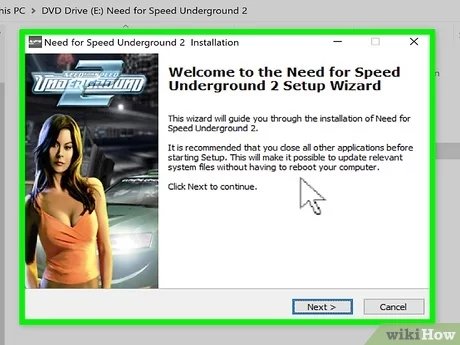
Downloading a game via torrent involves using a torrent client to access and download the game’s files from a peer-to-peer network.
Diving into the world of digital gaming can sometimes lead down less-traveled paths. You might find yourself wondering how to torrent a game. It’s a method that many use to access games, though it comes with its own set of considerations.
Understanding the process requires knowing about torrent clients and how they work. It also involves being aware of potential legal issues and security risks. This guide aims to break down these complex aspects so you can make informed decisions.

How to Torrent a Game
Alright, let’s talk about something that many gamers are curious about: torrenting games. It’s like getting a digital copy of a game from many different computers all at once, rather than one single source. Think of it like sharing a big jigsaw puzzle – everyone has a few pieces, and by putting them all together, you get the whole picture. This process involves using special software called a torrent client. However, it’s very important to know that downloading games through torrents can have some risks, and can often be illegal. We’ll go through the ins and outs so you know what you’re getting into. It’s crucial to understand both the benefits and the potential problems before you start.
Understanding Torrents and How They Work
Before we get into downloading games specifically, let’s make sure we understand how torrenting itself works. A torrent is not a file itself, but rather a small file with instructions. These instructions tell your computer where to find pieces of the actual game file from many different users (also known as peers or seeders) who have already downloaded and are sharing it.
The Torrent Process Step-by-Step
- The Torrent File (.torrent): This is the tiny file, like a roadmap, that you’ll download from a website that indexes torrents. It doesn’t contain any of the game data itself, only the instructions.
- The Torrent Client: You will need a torrent client. This is a program on your computer, like uTorrent, qBittorrent, or Transmission, which knows how to read the instructions in the torrent file.
- Finding Peers: The client then uses these instructions to connect with others online who have parts of the game file, or who are also downloading it.
- Downloading the Game: Your client will download small parts of the game from different peers. It’s like your computer is putting together a puzzle, bit by bit.
- Seeding: Once you have all the parts, and you have the complete game, many people continue sharing the game so others can download it also. Sharing back (seeding) is an important part of the torrenting community and it’s important to do it.
This sharing method is what makes torrenting different from downloading a regular file. Instead of downloading from just one source, you’re grabbing pieces from many places at once, making the whole process quicker when many people are sharing (also called seeding).
Key Terms to Know
Here are some words you’ll hear a lot when dealing with torrents:
- Leecher: A user who downloads files but doesn’t share them back. This slows down the overall downloading process for everyone.
- Seeder: A user who has a complete copy of the file and shares (uploads) it to others. More seeders mean faster downloads.
- Peer: Anyone who is sharing or downloading the torrent file, or part of it. This can be either a leecher or a seeder.
- Tracker: A special server that helps connect peers to each other for downloading.
- Magnet Link: An alternative to a torrent file that has all the same information but uses a link to initiate the process instead.
Finding Game Torrents
Once you get the basic idea of how torrents work, you might wonder where to find these torrents of games. Well, this is where things get a little tricky. There are many websites out there that list torrents of files, including games. However, these websites also have things that are dangerous. Remember, there are legal issues around sharing copyrighted games using torrents. Be aware, many websites that offer torrent files are also filled with malware, viruses, and other harmful stuff. Proceed with extreme caution, or better yet, don’t go down this road.
Risks of Downloading Game Torrents
It’s important to understand the risks that come along with torrenting. Here are a few to keep in mind:
- Malware and Viruses: Torrent files can often contain viruses, spyware, or other nasty software that can harm your computer. You might think you’re downloading a game, but you could be installing something dangerous.
- Legal Issues: Downloading copyrighted games without paying for them is illegal. You could get a warning, a fine, or even bigger legal trouble.
- Poor Quality Files: Some torrents might not contain the complete or even the correct game. You could end up with a fake file that doesn’t work.
- Slow Downloads: If there are not many seeders, the download speed of your game could be very slow, or may not download at all.
- Data Privacy: Your IP address is often visible to other users when you’re torrenting, which some people would rather not share.
These risks are real and can have serious consequences. It’s best to be very careful and think twice before downloading any torrent files, especially game files.
Safe and Legal Alternatives to Torrenting Games
Now that we’ve discussed all the downsides and risks of torrenting games, you are probably wondering what a better alternative is. There are actually a lot of options that allow you to play video games without breaking the law or putting your computer at risk. Here are a few:
Purchasing Games from Digital Stores
This is the easiest and safest way to get games. There are many official stores where you can buy and download games. Here are some of the most well-known ones:
- Steam: A very popular platform with a huge library of games. They have sales very often.
- GOG.com: Stands for “Good Old Games,” and specializes in older games, but also has newer releases. GOG games often come without DRM, so that it doesn’t get in the way of your enjoyment of the game.
- Epic Games Store: This store often gives away free games, and is an option for new games.
- PlayStation Store/Xbox Store/Nintendo eShop: If you have a video game console, the online store is a great option for purchasing and downloading games.
These stores are legitimate, so you can buy the games without fear of getting a virus. You will also be supporting the creators of the game by paying for them.
Game Subscription Services
Subscription services offer access to a large library of games for a monthly fee, which can be a good way to try out a lot of different games. Some examples are:
- Xbox Game Pass: Provides access to lots of games on Xbox consoles and PC.
- PlayStation Plus: Lets users play a library of games on PlayStation consoles.
- EA Play: Provides access to a selection of games from Electronic Arts.
- Ubisoft+: Lets players play Ubisoft games, and allows early access to new releases.
These services are a great way to play lots of games for a lower monthly cost than buying them all outright. And, this is also a safe and legal way to enjoy games without getting into trouble.
Free-to-Play Games
Another option is to play free-to-play games, which are games that you can download and play without paying anything. Here are some popular ones:
- Fortnite: A battle royale game with a large fan base.
- League of Legends: A popular multiplayer online battle arena (MOBA) game.
- Dota 2: Another large MOBA game, similar to League of Legends.
- Path of Exile: A free online action RPG game.
These games often make money by selling in-game items and customizations, but the base game is free to play. It is a great way to play video games without spending any money, and it is safe and legal.
Steps for Downloading Torrents (If You Choose To)
If you still decide to download a torrent, it is absolutely essential to take the right steps to do it as safely as possible. Please note that this is for educational purposes only, and we don’t recommend illegal downloads. Here is a breakdown of what you need to do, if you choose to proceed:
Step 1: Install a Torrent Client
First, you need a torrent client. Here are some well-known ones:
- qBittorrent: This client is free and open-source. Many feel this is a great choice.
- Transmission: This is a very simple, no-frills client that many people appreciate.
- uTorrent (or BitTorrent): These clients are very popular but have ads.
Download the client of your choice from its official website. Do not download torrent clients from unofficial websites, as this increases the chance of downloading viruses or malware.
Step 2: Find a Torrent File or Magnet Link
Now, you will have to search online for the torrent file of the game you are trying to download. Remember, these websites can be risky, so please be careful. Try to use sites that are well known and have been around for a while. Look for torrents with a lot of seeders – this means they are more likely to be complete and faster to download. You can choose to download a torrent file, or use a magnet link which will allow you to skip the extra step of downloading the torrent file.
Step 3: Open the Torrent File or Magnet Link
Once you have the torrent file (or the magnet link), click to open it, and this should automatically start the torrent client. The client will then read the instructions within, and begin the process of searching for peers who have portions of the game files.
Step 4: Download the Game
Your torrent client will now download the parts of the game file from the various peers. This can take some time, depending on the size of the game and how many seeders there are. Make sure you leave your torrent client running in order for the download to finish.
Step 5: Seeding
After the download has finished, consider sharing the file with other users. Leaving the torrent client running will enable you to share your download with others (seeding), and this will increase the speed for other users trying to download the game. This also maintains the community, and it is a nice gesture. You can choose to stop seeding if you wish, but it is polite to leave the client open for a while.
Step 6: Extract and Install
After the download, you often will need to extract the game files using a program like 7-Zip or WinRAR. Follow the instructions in the torrent download to install the game.
Using a VPN for Torrents (If You Choose To)
A VPN, or virtual private network, can help protect your IP address when you’re torrenting, although they are not bulletproof and should not be relied upon for 100% anonymity. A VPN will hide your IP address, and could make it harder for your internet provider, or others, to track your online activity, if you use them properly.
- Find a Reliable VPN Service: Look for a VPN service that has a “no logs” policy. This means that they will not record your activity.
- Choose a Server: Select a server location that is close to your own for better speeds, and make sure it has torrenting enabled.
- Connect to the VPN: Start your VPN service and connect before you begin to torrent.
Using a VPN is just one extra precaution you can take, but keep in mind that it does not make the act of torrenting legal. You should be very careful, even if you do choose to use a VPN.
Remember, torrenting games has serious downsides, both legally and technically. There are many legitimate ways to enjoy video games, so please consider those instead. Download at your own risk.
New User Torrenting Guide 2024 – 100% SAFE!
Final Thoughts
To torrent a game, you first need a client like qBittorrent. Find a reputable torrent site, then locate your desired game. Download the torrent file and open it with the client.
The client will download the game files. Be aware of the potential legal implications and risks of piracy. Ensure you have an antivirus before you perform a process. The key is to use a VPN for anonymity during the download process.
Remember, ‘how to torrent a game’ involves these steps. Use caution and download from trustworthy sources. Always prioritize safe and legal means to obtain games.

