
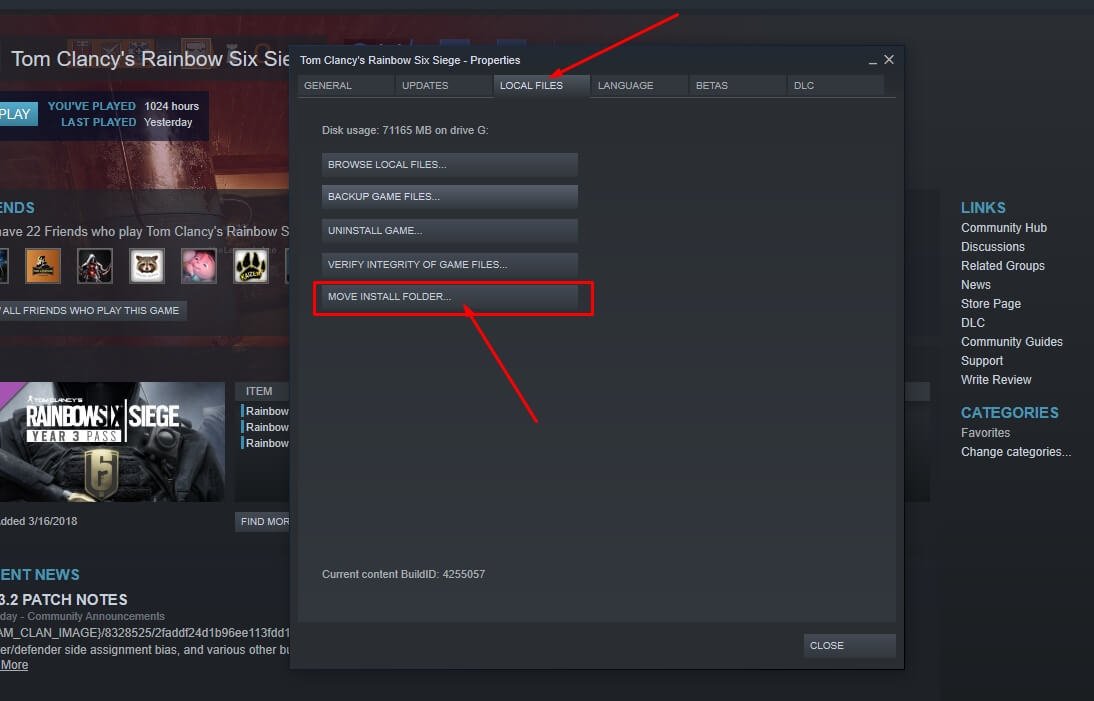
Unfortunately, Steam does not offer a direct feature to transfer games from one Steam account to another.
Frustrated that your impressive game library is stuck on the wrong account? Many players wonder how to transfer games from one Steam account to another, especially after creating multiple accounts or wanting to consolidate. This is a common desire, but the platform’s structure means that a simple game transfer isn’t possible.
You’ll need to explore workarounds or other methods to achieve a similar effect because Steam focuses on individual account ownership. This might involve family sharing or purchasing the game again on the desired account, which often is not the optimal outcome for many users.

How to Transfer Games from One Steam Account to Another
So, you’ve got a bunch of awesome games on your Steam account, and you want to share them with a friend or family member, or maybe you’re consolidating to a new primary account. That’s a cool idea! But, can you really just move games from one Steam account to another like you’re moving files on your computer? The short answer is, not really in a direct way. Steam doesn’t have a simple button to transfer game licenses. However, don’t worry! There are ways to achieve your goal, and we’ll walk you through them. It is important to know that outright ‘transferring’ isn’t possible; instead, you will be exploring other ways to get your games shared.
Understanding Steam Game Ownership and Licensing
Before we jump into methods, let’s quickly talk about how Steam games work. When you buy a game on Steam, you’re not actually buying the game itself like you would a physical copy. Instead, you’re buying a license to play that game on your account. This license is tied to your specific Steam account and cannot be directly transferred to another account, at least not permanently. It’s crucial to remember that this digital licensing is different from physical copies you could sell or give away. With digital downloads, it’s not as simple. This is why we need to explore the available methods.
The Key Concepts Behind Steam Licensing
Understanding licenses is the cornerstone of understanding why game transfers are complex. Each game you add to your Steam library is like having a special key tied directly to your account. This key lets your account access the game. This system prevents people from just copying and sharing games freely, which would hurt game developers and the gaming community. Now, let’s explore the methods we can utilize.
Steam Family Sharing: The Primary Sharing Method
The good news is that Steam does offer a great feature called Family Sharing. It is not exactly a transfer, but it’s the closest you will get to sharing your games with other Steam accounts. Think of it like lending your books from your library to a friend. They can read them, but they still belong to you and your library. This way you don’t permanently give the games away. You still own the games, but others can enjoy them under certain conditions.
How to Set Up Steam Family Sharing
Setting up Family Sharing is quite easy, and this is how you can enable it:
- Log into the Steam Account: Log into the account that owns the games (the main account).
- Enable Family Sharing: Go to Steam -> Settings -> Family.
- Authorize Computers: Click on ‘Authorize Library Sharing on this Computer.’
- Select Accounts to Share With: All accounts that have logged into that computer will show up here. Select the accounts you want to share your library with.
- Confirm and Complete: Steam might ask you to re-log in or confirm. Once that is done, your Family Sharing is activated!
Once done, the other account will now see all the games you own and that are eligible for Family Sharing. Some games might not be eligible if they use a different platform or require a third-party account linked.
The Limitations of Steam Family Sharing
While Family Sharing is fantastic, it does come with some restrictions:
- Only One User at a Time: Only one person can play a game from your library at a time. If the primary account holder starts a game, anyone playing a game from the shared library will have a few minutes to save their progress and exit.
- Not All Games Are Shareable: Some games may not be available for family sharing due to various reasons, such as third-party keys. It depends on the game and developers’ settings.
- Region Restrictions: If there are region restrictions on any games, they will continue to apply through family sharing.
- Account Bans: If one account sharing the library gets a VAC (Valve Anti-Cheat) ban, then the other accounts, including yours, may get a ban. Make sure you trust whom you share with.
Benefits of Steam Family Sharing
Despite its limitations, Family Sharing offers great advantages:
- Cost-Effective: Share your library with family and friends without buying the game multiple times.
- Try Before You Buy: Your friends or family can try games before purchasing, helping them decide if they want to buy it themselves.
- Easy to Set Up: You can enable sharing with just a few clicks.
Family Sharing is the most straightforward legal way to ‘share’ your games with others. It might not be a direct transfer, but it’s a solid option for playing with others.
Gifting Games on Steam: Another Way to “Share”
While you cannot transfer games from your library to someone else’s, you can still gift them. This is where you purchase a game specifically for another account, instead of buying it for yourself. This method, though involving spending more money, gets the game to its target account permanently.
How to Gift a Game on Steam
Gifting games is also easy:
- Find the Game: Go to the Steam store and find the game you want to gift.
- Add to Cart: Click ‘Add to Cart’.
- Purchase as a Gift: In the cart, select ‘Purchase as a gift’.
- Choose Your Friend: You’ll need to select the recipient’s account from your Steam friends list or use their email address to send it.
- Confirm Purchase: Confirm and complete your purchase.
Once the gift is sent, the recipient will receive a notification. They can then add the gifted game directly to their own library. This, in a sense, does transfer the game, but it comes with a cost.
Considerations When Gifting Games
- No Refunds: Once gifted and redeemed, the game cannot be refunded for the sender.
- Region Restrictions: Be mindful of region restrictions. The recipient might be unable to redeem the gift if they are in a different region than you.
- Recipient Must Accept: They have to accept it in order for the game to become a part of their account.
Gifting is a great way to give someone a game that they can call their own. This method ensures they have their own license, but it involves a new purchase.
Using Steam Trading (For Tradeable Items, Not Games)
Steam also has a trading feature, mainly for in-game items, collectibles and trading cards. But, it’s very important to understand it is NOT used for transferring game licenses. You can’t trade a whole game from one person to another via this system. However, you can trade items, which might help you make a few bucks that can then contribute to purchasing a game on another account. Steam trading does not facilitate game transfers.
How Trading Works on Steam
The way trading works is:
- Find Your Trading Partner: You need to be friends with the person you want to trade with.
- Initiate a Trade: Start a trade session from their profile or your inventory.
- Select Items: Drag and drop the items you want to trade from your inventory into the trading window.
- Accept the Trade: Once both parties are ready, they can accept the trade.
Trading is mostly used for trading cosmetic items, cards, and sometimes even community items. It is not applicable to trading game licenses. This way you can get some money from the items you have and then use this money to purchase games, but they will still need to be bought on the other account.
What You CAN Trade
- In-Game Items: For games that support trading of items, you can move cosmetics, resources, etc.
- Steam Trading Cards: You can trade or sell your Steam trading cards that you got by playing games.
- Community Items: Certain community items like backgrounds, badges, and emoticons.
What You CANNOT Trade
- Game Licenses: You cannot move a full game license from your account to another person’s using trading.
Trading is a handy feature for managing your Steam items, but it’s not a solution for transferring full games.
Why Direct Steam Game Transfers Aren’t Possible
Now that you know about the methods available, it’s important to discuss why direct game transfers are not an option on Steam. Several reasons justify why it is this way:
Protecting Game Developers and Publishers
If games could be transferred freely, it would be easy to just copy a game without paying. This is why Steam has a licensing system to make sure that developers and publishers get paid for their work. Direct transfer would create a loop hole that would harm the gaming industry. This way, developers are paid and the system of how games are sold is still valid.
Maintaining Account Security
If anyone could transfer games out of an account, it would lead to significant security problems. A compromised account could have all of its games taken away. It also helps prevent fraudulent activities like reselling of games or game licenses. The system protects both users and game creators.
Legal and Distribution Rights
The contracts between Steam and game publishers are based on the idea of licenses that are tied to a specific user. Directly transferring games would break those contracts and be a legal nightmare. These legal terms and conditions are very specific when it comes to distribution rights for games.
Potential Risks of Unauthorized “Transfers”
Sometimes, you might come across websites or services that claim to let you transfer your games. Be very careful of those, they can have potential risks:
Account Security Risks
These websites can steal your account details. You might end up losing your whole library, not just the games you were trying to move. Avoid using unknown websites or third-party applications.
Malware and Viruses
Some websites may use these unauthorized “transfer” techniques to install malware or viruses on your device. This can put your personal data at risk. Only use legitimate services.
Breaking Steam’s Terms of Service
Using unauthorized tools to transfer games violates Steam’s terms of service. This could result in your Steam account being suspended or banned permanently, which would mean loss of access to your entire library. Avoid such tools that are not approved by Steam directly.
Tips for Managing Multiple Steam Accounts
If you find yourself managing multiple accounts, here are some tips to manage them more effectively:
Use the Steam Client Features
The Steam client lets you switch between accounts easily. You don’t have to log out each time. You can add all the accounts you use to the Steam client and jump between them without having to constantly log in and out. This will help you manage all your accounts efficiently.
Use Different User Profiles
On a shared computer, create different user profiles for each person. This makes sure there is no mixup with saved game data and setting for each account, and helps with the security of each account too.
Use Strong and Unique Passwords
Use strong and unique passwords for each of your Steam accounts. Make sure you remember all the passwords too. Use a password manager if you find remembering them difficult. This helps with keeping your accounts safe and secure from unauthorized access.
While there’s no direct way to transfer games between Steam accounts like moving files, the methods like Steam Family Sharing and gifting games, get you as close to it as you can get while still respecting the rules that keep the gaming industry healthy. Always remember that these guidelines are put in place to ensure that all parties are protected. Stick to safe and legitimate methods to avoid any problems with your account, and always be careful of any services that offer a method that seems “too good to be true”.
How to Share Games on Steam 2024 – Steam Family
Final Thoughts
Unfortunately, direct game transfers between Steam accounts are not possible. Steam’s family sharing feature, though, allows you to share your library with a few accounts on the same device. This method does not actually transfer ownership.
You cannot move games from one Steam account to another. The purchased games remain tied to the account they were bought with. Therefore, the question of ‘how to transfer games from one steam account to another’ ultimately has no positive answer.

