
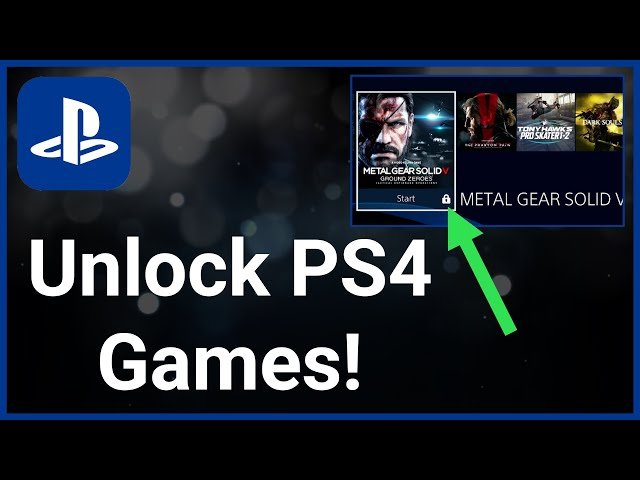
To access a purchased game on your PS4, simply navigate to your library and select the game to begin playing. If you are trying to understand how to unlock games on PS4 that you haven’t yet acquired, the process involves purchasing them from the PlayStation Store or redeeming a game code.
Want to dive into some fresh PS4 adventures but are unsure where to start? Getting access to new games can feel a bit confusing, especially if you are new to the console.
Many players wonder about the proper steps for accessing games they have bought. It’s really a straightforward method.
This guide will clear up any questions about how to unlock games on PS4, so you can jump right into the action.

How to Get Access to Games on PS4
Okay, so you’ve got your PlayStation 4, and you’re ready to dive into some awesome games. But sometimes, it’s not as simple as just popping a disc in and playing. There are different ways to get games on your PS4, and it’s important to know them all. Let’s go through the common methods and talk about some tricks to get you gaming in no time!
Buying Games: The Traditional Way
The most classic way to get your hands on a game is by buying it! There are two main ways to do this:
Physical Copies (Discs)
This is how many of us started gaming. You go to a store, find a game you like, and buy the disc. Here’s the process:
- Go to a Store: Visit a place that sells video games, like a dedicated game store or the electronics section of a bigger store.
- Find the Game: Look for the game you want. You’ll see the game case with cool pictures and information.
- Buy the Game: Take the game to the checkout and pay for it.
- Put the Disc in Your PS4: At home, turn on your PS4. Find the disc slot and carefully insert the game disc.
- Install the Game: The PS4 might need to install the game. This means it copies the game’s data onto the hard drive of the console. You’ll see a progress bar on the screen.
- Start Playing: Once the installation is complete, select the game from your main menu and start playing.
Physical copies are great because you have a physical item to show for it, and sometimes, you can trade them with friends when you’re done.
Digital Downloads from the PlayStation Store
Another common method is buying the game digitally from the PlayStation Store. It is like an online game store on your PS4. Here’s how it works:
- Connect to the Internet: Make sure your PS4 is connected to your home Wi-Fi network.
- Go to the PlayStation Store: On the PS4 home screen, find the PlayStation Store icon (it looks like a shopping bag with the PlayStation logo) and select it.
- Browse Games: Search for the game you want. You can use the search bar or browse through categories.
- Purchase the Game: Select the game you want, and add it to your cart. You’ll have to use a credit card or a PlayStation Store gift card to pay for the game.
- Download the Game: Once the payment is done, the game will start to download onto your console’s hard drive. This can take a little while, depending on the game’s size and your internet speed.
- Start Playing: Once the download is complete, the game will appear on your PS4 home screen, ready for you to play.
Digital games are convenient because you don’t need to switch out discs. They’re always there on your console.
Using Game Codes and Vouchers
Sometimes, you might get a special code that gives you access to a game. This can be included with certain consoles, bundles, or purchased separately. Here’s how you use them:
- Find the Code: Check your game box, receipt, or email if you got the code electronically.
- Go to the PlayStation Store: Turn on your PS4 and navigate to the PlayStation Store.
- Redeem a Code: Find the “Redeem Codes” option. It’s usually on the left side menu of the store.
- Enter the Code: Carefully enter the code exactly as it appears. Be careful with letters and numbers that look similar, like “0” and “O”, or “1” and “I”.
- Confirm and Download: Follow the on-screen prompts. The game will start downloading onto your PS4.
- Start Playing: Just like with digital purchases, once downloaded, you’re ready to play.
Game codes are great because they are often a way to get games on sale or as a bonus.
PlayStation Plus: Games as a Subscription Service
PlayStation Plus is a subscription service for PS4 players. It offers many benefits, including access to free games every month.
PlayStation Plus Free Games
Here’s how you claim games with PlayStation Plus:
- Get a PlayStation Plus Subscription: If you don’t have one already, subscribe to PlayStation Plus. You can purchase it on the PlayStation Store.
- Find the Free Games: Check the PlayStation Store. Each month, there are free games available for subscribers.
- Add Games to Your Library: Select the free games you want, and add them to your library. They are not automatically downloaded to your console, you’ll need to download them.
- Download and Play: Go to your game library to download and play your free PlayStation Plus games. These games are available to you as long as you have an active PlayStation Plus subscription.
Other Benefits of PlayStation Plus
PlayStation Plus also offers other advantages like:
- Online Multiplayer: Play games with friends online.
- Exclusive Discounts: Get special deals on other games.
- Cloud Saves: Store your game progress online in case your console has a problem.
PlayStation Plus is a good option if you want a lot of games and online multiplayer.
Game Sharing with Friends and Family
With a bit of setup, you can share games with others. It’s a convenient way to let family members or friends play digital games you own.
Primary PS4 and Account Sharing
Here is how it generally works:
- Set a Primary PS4: On your main PS4, go to settings and set the console as the “primary” PlayStation 4 for your account.
- Sign in to Another PS4: On another PS4, sign into your account.
- Download Games: Anyone who uses that other PS4 can now play your purchased games.
- Play on Both Consoles: You can use your account to play your games on the secondary console and the primary console at the same time.
This sharing is great, but remember, you cannot play the game on a third PS4 while they are playing at the same time.
Using Family Accounts
PlayStation allows you to set up family accounts, making it easier for parents to manage what their children play. The process is similar to account sharing, but it gives extra control.
- Create a Family Account: The adult account can set up family accounts for children.
- Share Purchases: The adult account can share purchases with the child accounts on their console.
- Set Parental Controls: You can limit access to certain games based on age.
Free-to-Play Games
Some games on the PlayStation Store are completely free to play! These are a great way to try out new experiences without spending money.
Finding Free-to-Play Games
- Go to the PlayStation Store: Open the store.
- Browse the Free Games Section: There’s usually a section or category dedicated to free games.
- Download and Play: Choose a game, download it, and have fun.
Free-to-play games often have optional in-game purchases, but you can still enjoy them without spending money.
Troubleshooting Common Issues
Sometimes things don’t go as planned. Here are some common issues and how to fix them:
Game Not Downloading
If a game isn’t downloading, try these steps:
- Check Your Internet: Make sure your internet connection is working.
- Restart Your PS4: Sometimes, a simple restart can fix the issue.
- Pause and Resume Download: Try pausing the download and then resuming it.
- Check Storage Space: Make sure you have enough free space on your PS4’s hard drive.
Game Not Installing
If the game disc is not installing correctly:
- Check the Disc: Make sure the disc is clean and not scratched.
- Restart Your PS4: Restart your PS4 and try again.
- Try Another Disc: If you have another game disc, try installing it to check if the disc drive works okay.
Game is Locked
If a game is locked, here’s what to check:
- Check your PlayStation Plus Subscription: If it’s a PlayStation Plus game, make sure your subscription is still active.
- Check Your Region: Make sure the game is compatible with your region. Games from other regions might not work.
- Check Game Licenses: You can restore game licenses through your PlayStation settings.
Getting games on your PlayStation 4 is a cool process with a few different ways to do it. Whether you buy a disc, download a digital copy, use a code, get free games from PlayStation Plus, or enjoy free-to-play titles, there is a lot to choose from. Just remember to follow the steps and be patient if something doesn’t work right away. Now go on and have great time playing games!
How to Fix Locked Games on PS4! PS4 Unlock Games Easy Fix!
Final Thoughts
You can access your purchased PS4 games by ensuring your account is correctly logged in on the console. If games are locked, restoring licenses usually resolves the problem. To do so, navigate to Account Management in the settings.
Another method is setting the console as your primary PS4. This guarantees access to your digital purchases. If issues persist, check for any pending system updates, which can fix underlying bugs. Remember, how to unlock games on ps4 mainly depends on these basic steps.

